
1. Introduction
Thank you for purchasing the PHILIPS 12W Wall Light. This manual provides essential information for the safe installation, operation, and maintenance of your new lighting fixture. Please read these instructions carefully before installation and retain them for future reference.
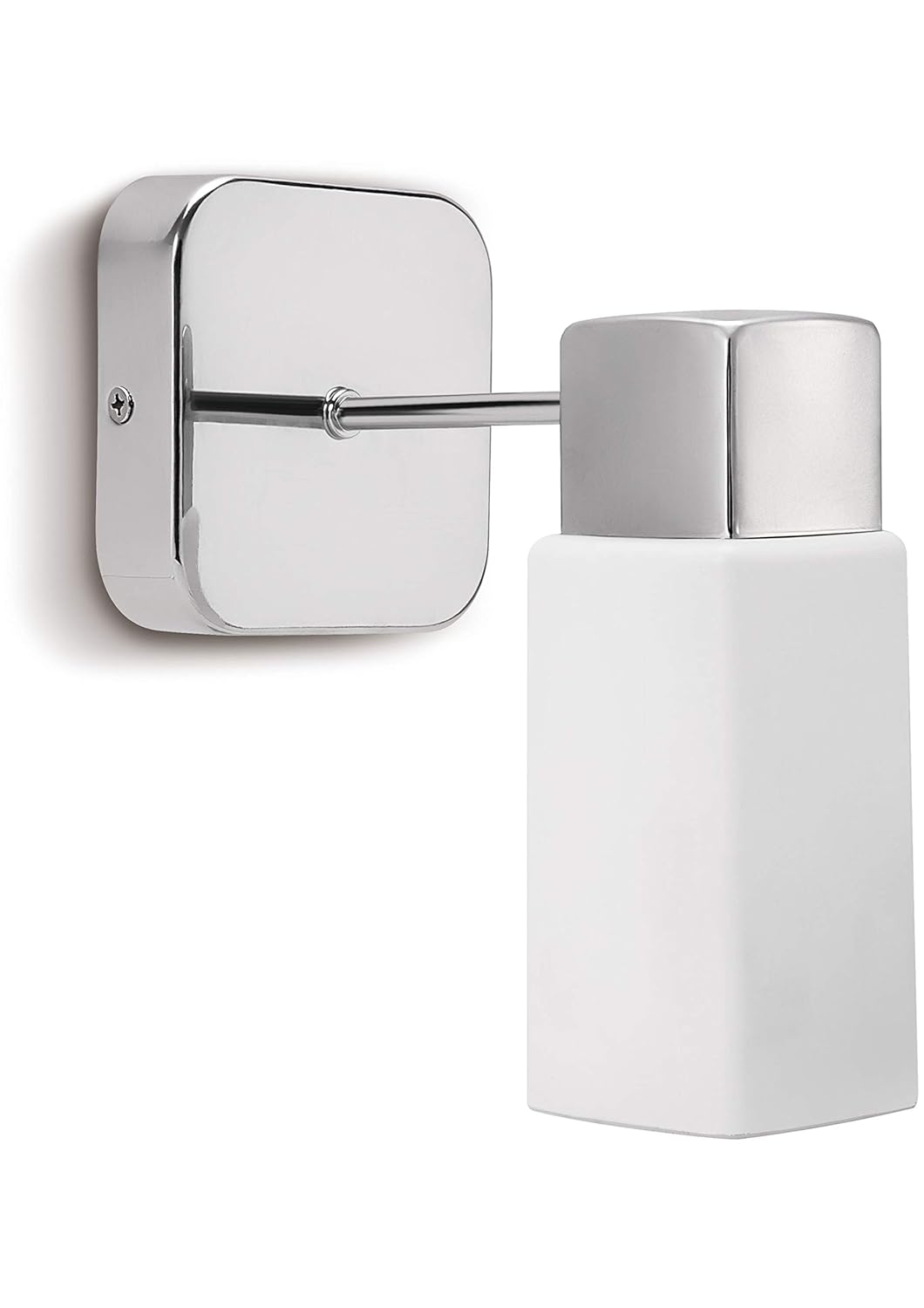
Image 1.1: The PHILIPS 12W Wall Light in Chrome finish. It features a square, polished chrome base that mounts to the wall, extending a slender chrome arm to support a rectangular, frosted white glass shade. The design is contemporary and suitable for indoor environments such as bathrooms and bedrooms.
2. Safety Information
Please observe the following safety precautions to prevent injury or damage:
- Ensure the main power supply is switched off at the circuit breaker before installation, maintenance, or bulb replacement.
- Installation should be performed by a qualified electrician or competent person in accordance with local electrical codes.
- This product is designed for indoor use only. Do not expose to moisture or direct water spray. Water Resistance Level: Not Water Resistant.
- Use only E14 base bulbs with a maximum wattage of 12 Watts. Refer to the bulb's packaging for specific wattage recommendations.
- Do not touch the bulb immediately after use, as it may be hot. Allow it to cool before handling.
- Keep packaging materials out of reach of children.
3. Package Contents
Verify that all components are present before beginning installation:
- PHILIPS Wall Light Fixture (Chrome finish, Glass shade)
- Mounting Hardware (screws, wall anchors)
- Instruction Manual
- Note: Bulb (E14 base) is not included and must be purchased separately.
4. Setup and Installation
This fixture is designed for flush mount wall installation. Follow these steps carefully:
- Prepare the Installation Area: Ensure the power supply to the installation location is turned off at the main circuit breaker.
- Mark Mounting Points: Position the wall mount plate against the wall at the desired location. Use a pencil to mark the drilling points for the mounting screws.
- Drill Holes: Drill pilot holes at the marked points. Insert wall anchors if necessary, depending on your wall material.
- Connect Wiring: Carefully connect the household electrical wires to the fixture's wires according to local electrical codes (typically black to black, white to white, and ground to ground). Ensure all connections are secure.
- Mount the Fixture: Secure the fixture's wall mount plate to the wall using the provided screws.
- Install the Bulb: Gently screw an E14 base bulb (max 12W) into the lamp holder. Do not overtighten.
- Attach the Shade: Secure the glass shade to the fixture according to the specific design (usually by twisting or using retaining screws).
- Restore Power: Once installation is complete and all components are securely in place, restore power at the circuit breaker.
5. Operating Instructions
The PHILIPS Wall Light is designed for simple operation:
- Power On/Off: This fixture is controlled by an external wall switch (not included). Flip the wall switch to turn the light on or off.
- Control Method: The product specifications mention "Touch" control. This typically refers to a touch-sensitive switch integrated into the fixture itself or a compatible external touch switch. If your installation includes a touch-sensitive wall switch, operate it as per its own instructions. If no touch switch is present, a standard wall switch will control the power.
6. Maintenance
Regular maintenance ensures the longevity and optimal performance of your wall light:
- Cleaning: Disconnect power before cleaning. Wipe the fixture with a soft, dry cloth. Do not use abrasive cleaners, solvents, or polishes as they may damage the finish.
- Bulb Replacement: Ensure power is off and the bulb has cooled. Unscrew the old bulb and replace it with a new E14 base bulb (max 12W).
- Inspection: Periodically check for any loose connections or damaged components. If any issues are found, consult a qualified electrician.
7. Troubleshooting
| Problem | Possible Cause | Solution |
|---|---|---|
| Light does not turn on. | No power supply. Bulb is faulty or loose. Incorrect wiring. | Check circuit breaker. Replace or tighten bulb. Consult a qualified electrician to check wiring. |
| Light flickers. | Loose bulb connection. Incompatible bulb. Faulty wiring. | Tighten bulb. Ensure bulb is compatible with fixture. Consult a qualified electrician. |
| Fixture is hot to touch. | Bulb wattage too high. | Ensure bulb wattage does not exceed 12W. Replace with a lower wattage bulb if necessary. |
8. Specifications
| Feature | Detail |
|---|---|
| Brand | PHILIPS |
| Model Number | B07P7MCDGD |
| Colour | Chrome |
| Style | Contemporary |
| Light Fixture Form | Wall |
| Room Type | Bathroom, Bedroom, Living Room |
| Indoor/Outdoor Usage | Indoor |
| Power Source | Corded Electric |
| Installation Type | Flush Mount |
| Control Method | Touch (via compatible switch) |
| Light Source Type | Incandescent (compatible) |
| Finish Type | Chrome |
| Shade Material | Glass |
| Number of Light Sources | 1 |
| Wattage | 12 Watts (Max) |
| Bulb Base | E14 |
| Switch Type | Touch (via compatible switch) |
| Water Resistance Level | Not Water Resistant |
| Mounting Type | Wall Mount |
| Item Weight | 860 g |
| Product Dimensions (H x L x W) | 19.6 cm x 10 cm x 16.7 cm |
9. Warranty and Support
For warranty information and customer support, please refer to the documentation provided with your purchase or visit the official PHILIPS website. Keep your proof of purchase for warranty claims.
For technical assistance or inquiries, please contact PHILIPS customer service.