
1. Important Safety Instructions
Read all instructions carefully before using the appliance. Keep this manual for future reference.
- General Safety: Do not operate the oven if the door is damaged, or if the seals are broken. Do not attempt to repair or adjust the oven yourself.
- Supervision: Close supervision is necessary when the appliance is used by or near children.
- Flammable Materials: Do not heat flammable materials in the microwave. Do not use the oven for drying clothes or newspapers.
- Metal Objects: Do not place metal containers, foil, or utensils in the microwave unless specifically designed for microwave use. Arcing may occur.
- Liquids: Liquids heated in the microwave can boil over unexpectedly. Use caution when removing containers.
- Eggs: Do not heat whole eggs with shells in the microwave, as they may explode.
- Ventilation: Ensure adequate ventilation around the appliance. Do not block any ventilation openings.
- Power Cord: Do not let the power cord hang over the edge of a table or counter, or touch hot surfaces.
2. Product Overview
The Nikai NMO300MDG is a 20-liter microwave oven equipped with a grill function, designed for efficient cooking, reheating, and defrosting. It features a modern design with a touch screen interface and a rotary knob for easy control.
2.1 Components
- Oven Cavity: The interior space where food is placed.
- Glass Turntable: Rotates food for even heating.
- Turntable Support and Ring: Supports the glass turntable.
- Control Panel: Features a touch screen and rotary knob for setting functions, time, and power.
- Oven Door: Equipped with a safety lock system.
- Grill Rack: Used for grilling food (included).
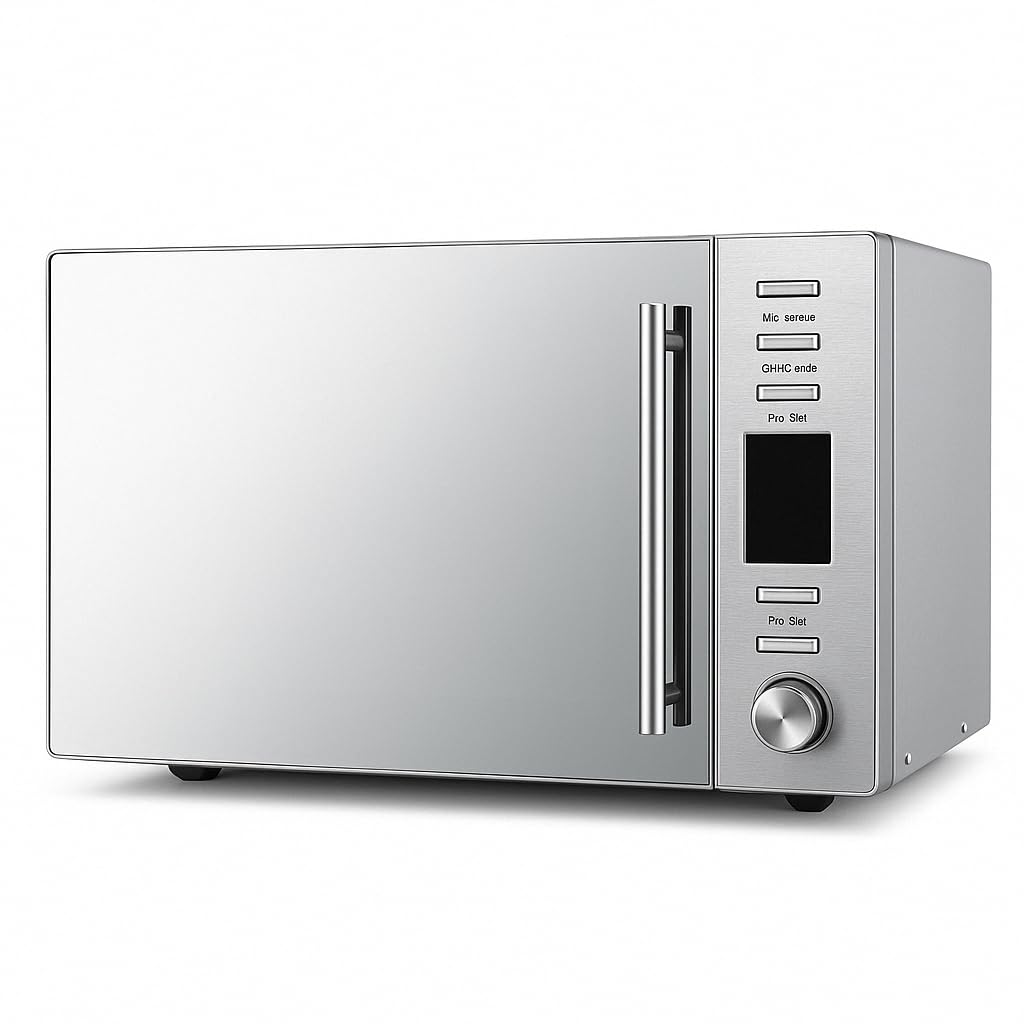
Figure 2.1: Front view of the Nikai NMO300MDG Microwave Oven with the door closed, showcasing its sleek design.
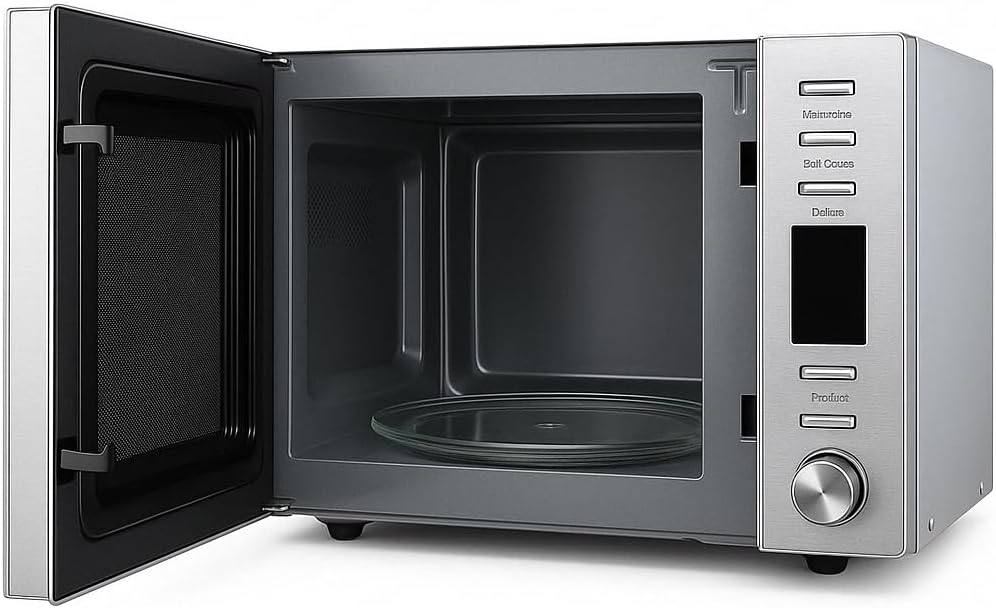
Figure 2.2: Interior view of the microwave oven, showing the glass turntable and the oven cavity.
3. Setup and Installation
Follow these steps to set up your microwave oven:
- Unpacking: Carefully remove all packaging materials from the oven and its accessories. Check for any damage.
- Placement: Place the microwave oven on a flat, stable surface that is strong enough to hold its weight. Ensure there is at least 20 cm (8 inches) of clear space above the oven, 10 cm (4 inches) at the rear, and 5 cm (2 inches) on both sides for proper ventilation.
- Turntable Assembly: Place the turntable support ring in the center of the oven cavity. Then, place the glass turntable securely on top of the support ring. Ensure it rotates freely.
- Power Connection: Plug the power cord into a grounded electrical outlet. Ensure the voltage matches the specifications of the oven.
4. Operating Instructions
Your Nikai microwave oven offers various cooking functions. Familiarize yourself with the control panel for optimal use.
4.1 Control Panel Overview
The control panel features a touch screen interface and a rotary knob. Functions typically include Microwave, Grill/Combi, Convection, W.T./Time Defrost, and various power levels. The screen displays time, power settings, and cooking modes.
4.2 Basic Microwave Cooking
- Place food in a microwave-safe container on the glass turntable.
- Close the oven door securely.
- Select the 'Microwave' function on the touch screen.
- Adjust the power level using the rotary knob or touch controls. (This model has 1 power level, so adjust time accordingly).
- Set the desired cooking time using the rotary knob or touch controls.
- Press the 'Start' button to begin cooking.
4.3 Grill Function
The grill function is ideal for browning and crisping food.
- Place food on the grill rack, then place the rack on the turntable.
- Close the oven door.
- Select the 'Grill' function.
- Set the desired grilling time.
- Press 'Start'. Monitor food closely to prevent burning.
4.4 Defrost Function
Use the defrost function to thaw frozen foods efficiently.
- Place frozen food in a microwave-safe container on the turntable.
- Close the oven door.
- Select the 'W.T./Time Defrost' function.
- Enter the weight of the food or the desired defrosting time.
- Press 'Start'. Turn food over periodically for even defrosting.

Figure 4.1: A user operating the microwave oven, with a roasted chicken visible inside, demonstrating typical use.
5. Maintenance and Cleaning
Regular cleaning and maintenance will ensure the longevity and efficient operation of your microwave oven.
- Before Cleaning: Always unplug the oven from the power outlet before cleaning.
- Oven Interior: Wipe the interior cavity with a damp cloth after each use. For stubborn stains, use a mild detergent. Do not use abrasive cleaners or scouring pads.
- Oven Exterior: Clean the exterior surfaces with a soft, damp cloth. Avoid getting water into the ventilation openings.
- Door and Seals: Keep the door and door seals clean. Wipe them regularly to ensure a tight seal.
- Glass Turntable: The glass turntable and turntable support can be removed and washed in warm, soapy water or in a dishwasher. Ensure they are completely dry before placing them back in the oven.
6. Troubleshooting Guide
If you encounter issues with your microwave oven, refer to the following common problems and solutions:
| Problem | Possible Cause | Solution |
|---|---|---|
| Oven does not start | Power cord not plugged in; Door not closed properly; Fuse blown or circuit breaker tripped. | Ensure power cord is securely plugged in; Close the door firmly; Check household fuse or reset circuit breaker. |
| Food not heating | Door not closed properly; Incorrect cooking time/power level set; Food container not microwave-safe. | Ensure door is closed; Adjust cooking time/power; Use microwave-safe cookware. |
| Loud noise during operation | Turntable not correctly seated; Foreign object in cavity; Internal component issue. | Ensure turntable and support are correctly placed; Check for any obstructions; If noise persists and is unusual, contact customer support. |
| Light not working | Bulb needs replacement. | Contact qualified service personnel for bulb replacement. |
If the problem persists after attempting these solutions, please contact Nikai customer support.
7. Product Specifications
Detailed technical specifications for the Nikai NMO300MDG Microwave Oven:
| Feature | Specification |
|---|---|
| Brand | Nikai |
| Model Name | NMO300MDG |
| Capacity | 20 Liters |
| Electric Power (Microwave Output) | 700 Watts |
| Power Consumption | 800 Watts |
| Frequency | 50 Hz |
| Materials (Exterior) | Metal |
| Internal Materials | Metal |
| Included Components | Grill Rack |
| Human Interface Input | Touch Screen |
| Number of Power Levels | 1 |
| Heating Method | Radiant |
| Defrost System Type | Defrost |
| Item Weight | 38.58 pounds |
| Dimensions (Approximate) | 49 cm (Width) x 29 cm (Depth) x 38.2 cm (Height) |
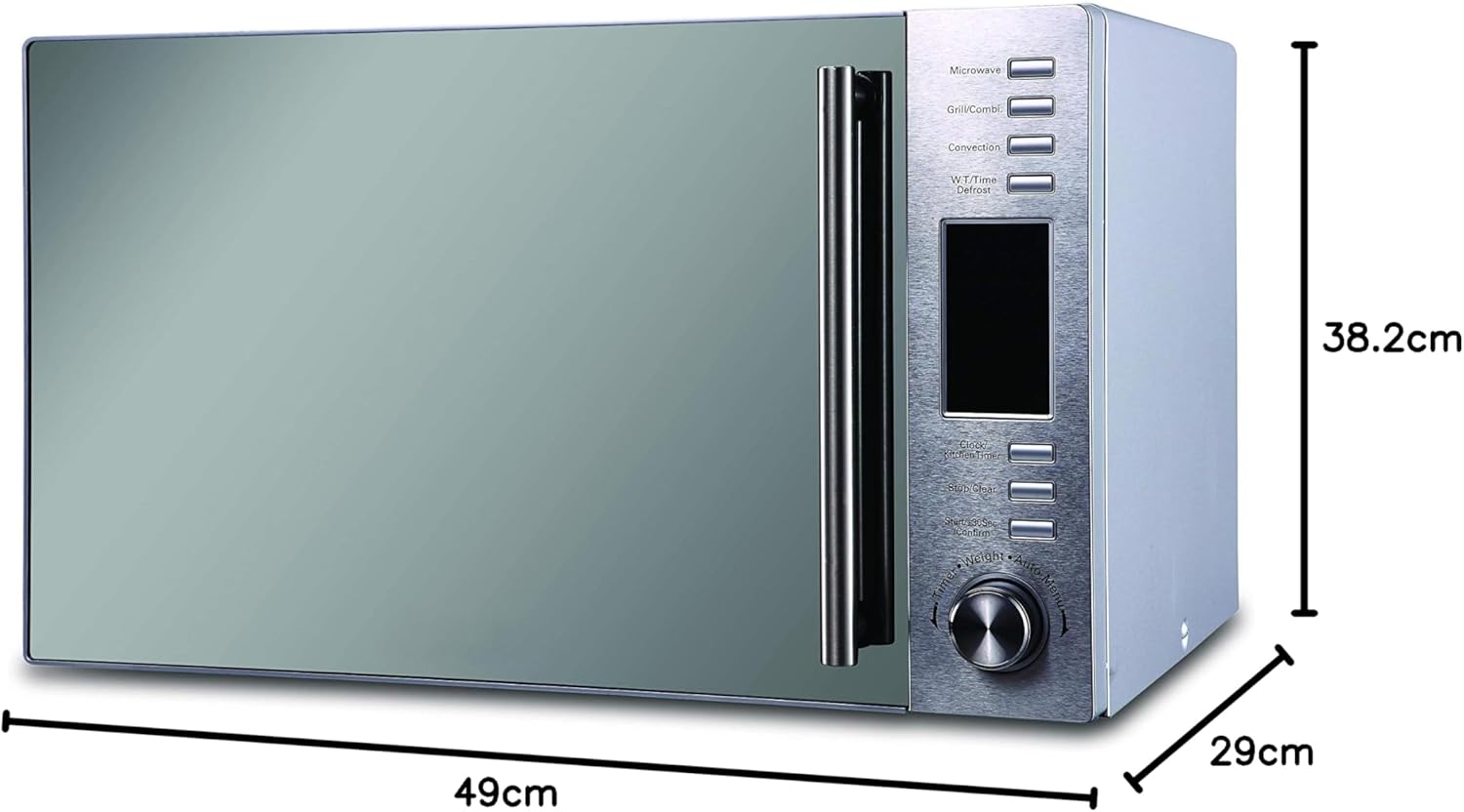
Figure 7.1: Approximate dimensions of the Nikai NMO300MDG Microwave Oven.
8. Warranty and Support
For warranty information, service, or technical support, please refer to the warranty card included with your product or contact Nikai customer service directly. Keep your purchase receipt as proof of purchase.