
Mac Allister MSJS600
Mac Allister MSJS600 600W Jigsaw User Manual
Model: MSJS600
1. Introduction
This manual provides essential information for the safe and effective operation, maintenance, and troubleshooting of your Mac Allister MSJS600 600W Jigsaw. Please read these instructions carefully before using the tool and keep them for future reference. Proper use and maintenance will ensure optimal performance and extend the life of your jigsaw.
The Mac Allister MSJS600 Jigsaw is designed for cutting various materials, including wood and metal, utilizing a 4-stage pendulum action and variable speed control for precision and efficiency.
2. Safety Information
Always observe basic safety precautions to reduce the risk of fire, electric shock, and personal injury. Keep your work area clean and well-lit. Do not operate power tools in explosive atmospheres, such as in the presence of flammable liquids, gases, or dust. Always wear appropriate personal protective equipment, including eye protection, hearing protection, and gloves.
- Ensure the power switch is off before connecting to a power source or moving the tool.
- Keep hands away from the cutting area and the blade.
- Secure the workpiece firmly before cutting.
- Disconnect the plug from the power source before making any adjustments, changing accessories, or storing the tool.
- Use only blades suitable for the material being cut.
3. Product Overview
Familiarize yourself with the components of your Mac Allister MSJS600 Jigsaw:

- Power Switch/Variable Speed Trigger: Controls tool activation and cutting speed.
- Lock-on Button: For continuous operation.
- Pendulum Action Selector: Adjusts the orbital action for different cutting tasks.
- Blade Clamp: Secures the jigsaw blade.
- Base Plate: Supports the tool on the workpiece.
- Dust Extraction Port: Connects to a vacuum cleaner for dust removal.
- Parallel Guide Slot: For inserting the parallel guide.
4. Setup
4.1 Unpacking and Contents
Carefully remove the jigsaw and all accessories from the packaging. Verify that all items listed below are present and undamaged:
- Mac Allister MSJS600 Jigsaw
- 4 T-shank jigsaw blades (wood and metal)
- Dust extraction pipe
- Parallel guide
- Hex key
- Carrying case
- Instruction manual (this document)

4.2 Blade Installation (Tool-Free)
- Ensure the jigsaw is disconnected from the power supply.
- Locate the quick-release blade clamp lever on the front of the tool.
- Push the lever to open the blade clamp.
- Insert the T-shank of the desired blade into the clamp opening until it clicks into place. Ensure the blade teeth face forward.
- Release the lever. Gently pull on the blade to confirm it is securely seated.
- To remove, repeat steps 2 and 3, then pull the blade out.
4.3 Dust Extraction Connection
For a cleaner work environment, connect the provided dust extraction pipe to the dust extraction port at the rear of the jigsaw. Attach the other end of the pipe to a suitable vacuum cleaner or dust extraction system.
4.4 Parallel Guide Installation
The parallel guide assists in making straight cuts parallel to an edge. Insert the guide rod into the slot on the base plate and secure it at the desired distance using the locking screw.
5. Operating Instructions
5.1 Power Connection
Connect the jigsaw's power cord to a 220-240V AC power outlet. Ensure the power switch is in the OFF position before connecting.
5.2 Variable Speed Control
The jigsaw features a variable speed trigger, allowing you to adjust the cutting speed based on the material and desired finish. Press the trigger gently for lower speeds and apply more pressure for higher speeds. For continuous operation, press the lock-on button while the trigger is depressed.
5.3 Pendulum Action Adjustment
The 4-stage pendulum action allows for faster cutting in various materials. Adjust the pendulum selector to one of the four settings:
- Setting 0 (No Pendulum Action): For fine, precise cuts in thin materials, plastics, and metals.
- Settings 1-3 (Increasing Pendulum Action): For faster, more aggressive cuts in wood and other soft materials. Higher settings provide faster cutting but may result in a rougher finish.
Experiment with different settings on scrap material to find the optimal setting for your specific task.
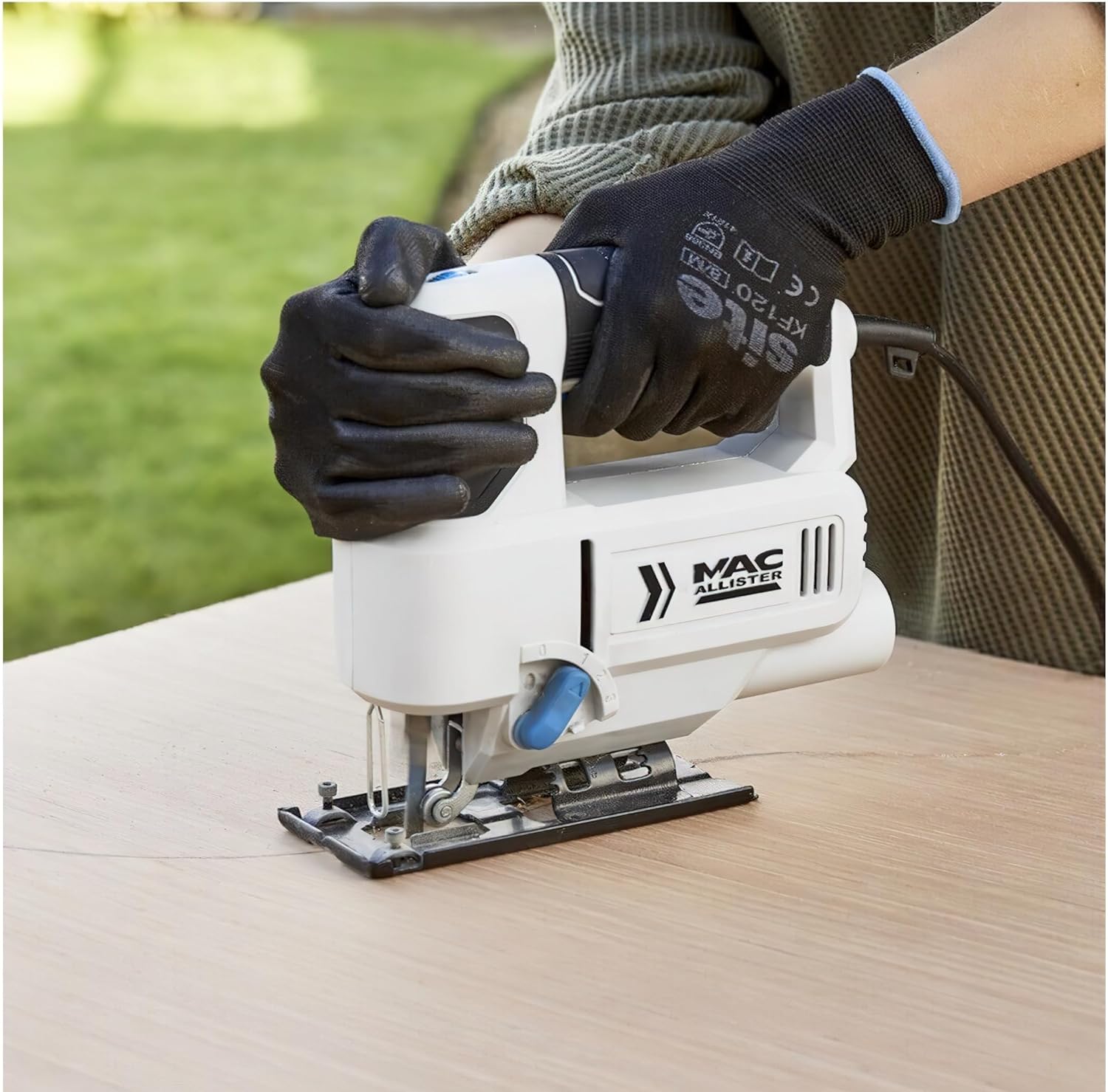
5.4 Cutting Techniques
- Mark your cutting line clearly on the workpiece.
- Place the base plate flat on the workpiece, ensuring the blade is clear of the material.
- Start the jigsaw and allow it to reach full speed before engaging the blade with the material.
- Guide the jigsaw along the cutting line with steady, even pressure. Do not force the tool; let the blade do the work.
- For plunge cuts, tilt the jigsaw forward, resting the front edge of the base plate on the workpiece. Start the tool, then slowly lower the blade into the material.
- When finished, release the trigger and wait for the blade to stop completely before lifting the tool from the workpiece.
6. Maintenance
6.1 Cleaning
Regularly clean the ventilation slots of the jigsaw to prevent overheating. Use a soft brush or compressed air to remove dust and debris. Do not use water or chemical cleaners. Wipe the exterior with a damp cloth.
6.2 Blade Care and Replacement
Inspect blades before each use for sharpness and damage. Dull or damaged blades can cause kickback and poor cutting performance. Replace blades as described in Section 4.2 when they become dull or broken. Always use appropriate T-shank blades for your jigsaw.
6.3 Storage
When not in use, store the jigsaw in its carrying case in a dry, secure location, out of reach of children. Disconnect the tool from the power supply before storing.
7. Troubleshooting
| Problem | Possible Cause | Solution |
|---|---|---|
| Jigsaw does not start. | No power supply; faulty switch. | Check power connection and outlet. If problem persists, contact service. |
| Blade not cutting efficiently. | Dull or incorrect blade; incorrect pendulum setting. | Replace blade. Adjust pendulum action. Ensure blade is suitable for material. |
| Excessive vibration or noise. | Loose blade; damaged blade; worn components. | Ensure blade is securely clamped. Replace damaged blade. If problem persists, contact service. |
| Dust accumulation. | Dust extraction not connected or blocked. | Connect dust extraction pipe to a vacuum. Clear any blockages. |
For issues not covered here, please contact Mac Allister customer support.
8. Technical Specifications
| Feature | Specification |
|---|---|
| Model | MSJS600 |
| Brand | Mac Allister |
| Power Source | Corded Electric |
| Voltage | 220-240V |
| Wattage | 600 watts |
| Pendulum Action | 4-Stage |
| Blade Material | High Speed Steel (for included blades) |
| Included Components | 4 T-shank jigsaw blades, Dust extraction pipe, Parallel guide, Hex key, Carrying case |
| Item Weight | 3.5 Kilograms |
| Product Dimensions | 8L x 25W x 28H centimeters (approx.) |
| Special Features | Brushless motor |
9. Warranty and Support
Specific warranty details are typically provided with your purchase documentation or on the manufacturer's official website. Please refer to these resources for information regarding warranty periods, coverage, and claims procedures.
For technical assistance, spare parts, or service inquiries, please contact Mac Allister customer support. Keep your proof of purchase and model number (MSJS600) readily available when contacting support.
You can often find contact information on the product packaging, the manufacturer's website, or through your retailer.