
Supersonic IQ-2078DJBTBLACK
IQ Sound IQ-2078DJBT Portable Bluetooth Woofer Speaker
Model: IQ-2078DJBTBLACK
Brand: Supersonic
Introduction
The Supersonic IQ-2078DJBT-BK 8-inch Tailgate Bluetooth Speaker is designed to deliver durability, flexibility, and outstanding audio performance with exceptional range. This manual will guide you through the features and functions of your new speaker, ensuring you can maximize its potential for all your audio needs.
What's in the Box
Upon unpacking your IQ Sound IQ-2078DJBT speaker, please ensure all the following items are present:
- IQ Sound IQ-2078DJBT Speaker Unit
- Instruction Manual
- Power Adapter (for charging)
- Remote Control
- Wired Microphone
Product Features
- High-Quality Sound: Features an 8-inch High Efficiency Woofer for clear and powerful audio.
- Wireless Convenience: Built-in Bluetooth Receiver for seamless wireless connection to smartphones, tablets, and other Bluetooth-enabled devices.
- Versatile Connectivity: Includes USB, Micro SD, and AUX inputs for connecting non-Bluetooth external audio devices.
- Integrated Entertainment: Built-in FM radio for listening to your favorite stations.
- Portable Power: Equipped with a rechargeable Lithium Battery for extended use on the go.
- User-Friendly Controls: Independent Volume, Mic Volume, and Echo Gain Controls for precise audio adjustments.
- Microphone Input: Dedicated input for the included wired microphone, perfect for karaoke or announcements.
- Remote Control: Full-function remote control for convenient operation from a distance.
- Portability: Features a built-in handle for easy transport.
- True Wireless Stereo (TWS): Allows connection of two IQ-2078DJBT speakers for a stereo sound experience.
Setup Guide
1. Powering On and Charging
Before first use, fully charge the speaker. Connect the included power adapter to the DC 5V input port on the back of the speaker and plug it into a standard wall outlet. The CHARGE indicator light will illuminate during charging and turn off when fully charged.
2. Speaker Overview
Familiarize yourself with the speaker's front and rear panels.

Figure 1: Front view of the IQ Sound IQ-2078DJBT speaker, highlighting the 8-inch woofer with multi-color LED lighting and the integrated top handle for portability.

Figure 2: Rear panel of the IQ Sound IQ-2078DJBT speaker, detailing the DC 5V input, power switch, master volume, mode button, LED display, Micro SD slot, USB port, AUX input, Echo control, and Mic Volume control.
3. Remote Control
The included remote control provides convenient access to various functions.

Figure 3: Remote control for the IQ Sound IQ-2078DJBT speaker, featuring buttons for Play/Pause, Channel selection, Volume adjustment, EQ, Previous/Next track, numerical input, and CH SET.
4. Microphone Connection
Connect the wired microphone to the MIC INPUT port on the rear panel for karaoke or public address functions.
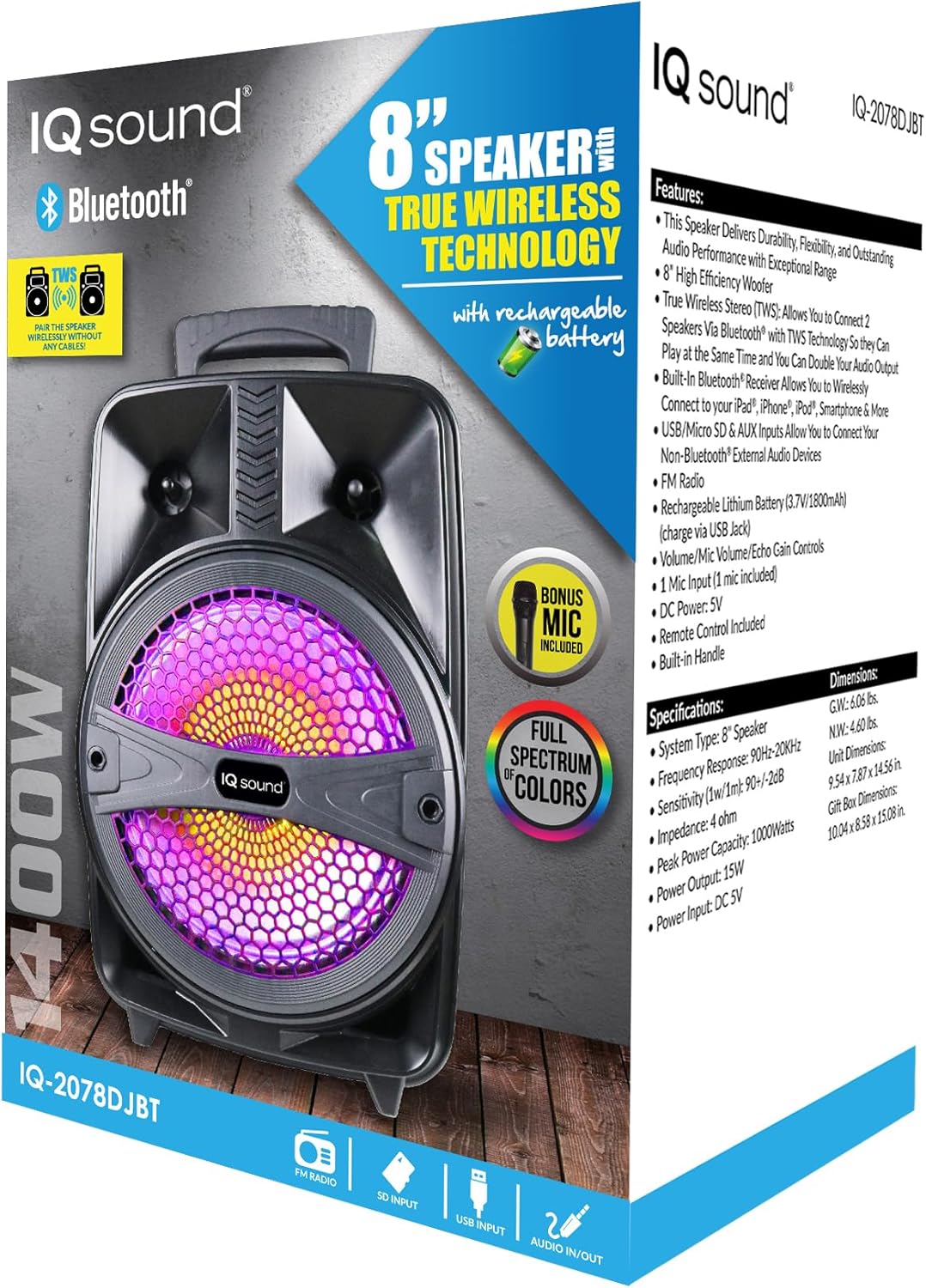
Figure 4: The wired microphone included with the speaker, featuring an ON/OFF switch for convenience.
Operating Instructions
1. Basic Controls
- Power: Use the ON/OFF switch on the rear panel to turn the speaker on or off.
- Master Volume: Adjust the main volume using the large knob on the rear panel or the VOL+/- buttons on the remote.
- Mic Volume: Control the microphone's volume using the 'MIC.VOL' knob on the rear panel.
- Echo Gain: Adjust the echo effect for the microphone using the 'ECHO' knob on the rear panel.
- Mode Button: Press the 'MODE' button on the rear panel or remote to switch between Bluetooth, FM Radio, USB, SD, and AUX input modes.
2. Bluetooth Pairing
- Turn on the speaker.
- Press the 'MODE' button until the speaker enters Bluetooth mode (you will hear an audible prompt).
- Enable Bluetooth on your device (smartphone, tablet, etc.).
- Search for available Bluetooth devices and select "IQ-2078DJBT".
- Once paired, the speaker will indicate a successful connection, and you can begin playing audio wirelessly.
3. USB/SD Card Playback
- Insert a USB flash drive or Micro SD card into the respective port on the rear panel.
- The speaker will automatically switch to USB/SD mode and begin playing compatible audio files. If not, press the 'MODE' button to select the correct input.
- Use the Play/Pause, Previous, and Next buttons on the speaker or remote to control playback.
4. FM Radio Operation
- Press the 'MODE' button until the speaker enters FM Radio mode.
- Press and hold the Play/Pause button to initiate an automatic scan for FM stations. The speaker will save all found stations.
- Use the CH- and CH+ buttons on the remote or the Previous/Next buttons on the speaker to navigate through saved stations.
5. True Wireless Stereo (TWS) Pairing
To achieve a stereo sound experience, you can pair two IQ-2078DJBT speakers together:
- Ensure both speakers are powered on and in Bluetooth mode, but not connected to any device.
- On one speaker (this will be your primary speaker), press and hold the 'MODE' button for a few seconds until you hear a pairing tone.
- The two speakers will automatically connect to each other. Once connected, you will hear a confirmation tone.
- Now, connect your Bluetooth device to the primary speaker as described in the Bluetooth Pairing section. Audio will play in stereo across both speakers.
Maintenance
Cleaning
- Always disconnect the power adapter before cleaning.
- Use a soft, dry cloth to wipe the exterior of the speaker.
- Do not use harsh chemicals, cleaning solvents, or strong detergents, as they may damage the finish or internal components.
- Avoid getting moisture into any openings of the speaker.
Battery Care
- To prolong battery life, avoid fully discharging the battery frequently.
- Charge the speaker regularly, even if not in use, to maintain battery health.
- Store the speaker in a cool, dry place when not in use for extended periods.
Troubleshooting
| Problem | Possible Cause | Solution |
|---|---|---|
| No power | Battery is depleted; Power switch is off; Power adapter not connected. | Charge the speaker; Turn the power switch ON; Ensure power adapter is securely connected. |
| No sound | Volume is too low; Incorrect input mode; Device not connected properly. | Increase volume on speaker and source device; Press MODE to select correct input; Reconnect device. |
| Bluetooth not connecting | Speaker not in pairing mode; Device Bluetooth is off; Speaker too far from device. | Ensure speaker is in Bluetooth mode and discoverable; Turn on device Bluetooth; Move device closer to speaker (within 10 meters). |
| Remote control not working | Battery depleted; Obstruction between remote and speaker; Not pointing at sensor. | Replace remote battery; Remove obstructions; Point remote directly at the speaker's sensor on the back panel. |
| FM radio static | Weak signal; Interference. | Relocate speaker for better reception; Perform auto-scan again. |
Specifications
| Feature | Detail |
|---|---|
| Model Name | IQ-2078DJBT |
| Speaker Type | Floorstanding / Portable |
| Woofer Diameter | 8 Inches |
| Tweeter Diameter | 0.5 Inches |
| Speaker Maximum Output Power | 1000 Watts (Peak) |
| Connectivity Technology | Bluetooth, USB, Micro SD, AUX |
| Wireless Communication Technology | Bluetooth |
| Bluetooth Range | Up to 10 Meters (33 feet) |
| Power Source | Corded Electric / Rechargeable Battery |
| Input Voltage | 5 Volts (DC) |
| Product Dimensions (D x W x H) | 9.54" x 7.87" x 14.56" |
| Item Weight | 454 Grams (1 pound) |
| Color | Black |
| Included Components | Speaker, Manual, Remote Control, Microphone |
| Battery Type | 1 CR5 battery (for remote, included) |
| Water Resistance Level | Not Water Resistant |
Warranty and Support
This product comes with a limited warranty. Please refer to the warranty card included in your packaging for specific terms and conditions. For technical support or service inquiries, please contact Supersonic customer service.
Legal Disclaimer
This product contains chemicals known to the State of California to cause cancer and birth defects or other reproductive harm.
Ask a question about this manual
Ask about setup, troubleshooting, compatibility, parts, safety, or missing instructions. Manuals+ will review the question and use this page’s manual context to help answer it.