
Introduction
Thank you for choosing the ZONETECH 12V Dual Head Car Cooling Air Fan. This fan is designed to provide additional airflow and cooling comfort within your vehicle. It features a dual-head design, 360-degree rotation, and two-speed settings for optimal air circulation. This manual provides essential information for the safe and effective use of your fan.

Image: A man driving, with the dual-head fan mounted, illustrating cool air circulating in the vehicle cabin.
Safety Information
Please read all safety instructions before operating the fan to prevent injury or damage.
- Ensure the fan is securely mounted and does not obstruct the driver's view or interfere with vehicle controls.
- Only connect the fan to a 12V DC cigarette lighter outlet. Do not attempt to connect to other power sources.
- Keep fingers and other objects away from the fan blades during operation.
- Do not operate the fan if the power cord or plug is damaged.
- Avoid exposing the fan to excessive moisture or direct water spray.
- Unplug the fan from the cigarette lighter outlet when not in use or when leaving the vehicle for extended periods.
- This product is designed for vehicle use only.
Package Contents
Verify that all items are present in the package:
- ZONETECH Dual Head Car Cooling Air Fan (Model EL0024)
- Integrated 12V DC Cigarette Lighter Plug
- 8-foot Power Cord
- 3M Brand Adhesive Base for mounting
- Instruction Manual (this document)

Image: A collage showing key components: ABS fan blade, 12V DC cigarette plug, secure bracket mount, and 2-speed controller.
Setup and Installation
- Choose a Mounting Location: Select a flat, clean surface in your vehicle, such as the dashboard or armrest area, that does not obstruct your view or vehicle controls. Ensure the location allows for optimal airflow to the desired area.
- Prepare the Surface: Clean the chosen surface thoroughly to ensure the 3M adhesive base adheres properly.
- Attach the Adhesive Base: Peel the protective backing from the 3M adhesive base and firmly press the fan's base onto the prepared surface. Hold for a few seconds to ensure a strong bond.
- Connect to Power: Insert the 12V DC cigarette lighter plug into your vehicle's cigarette lighter outlet.
- Adjust Fan Position: The fan heads can be rotated 360 degrees horizontally and 180 degrees vertically. Adjust each fan head to direct airflow as needed.

Image: A diagram illustrating the dimensions of the dual-head fan and its 8-foot power cord with the 12V plug and integrated 2-speed controller.
Operating Instructions
The ZONETECH fan is simple to operate:
- Power On: Once connected to the 12V cigarette lighter outlet, locate the 2-speed controller on the power cord.
- Select Speed: Slide the switch on the controller to select your desired fan speed:
- Low Speed: Provides gentle airflow for continuous comfort.
- High Speed: Delivers powerful airflow for rapid cooling or ventilation.
- Adjust Direction: Manually rotate each fan head 360 degrees horizontally and tilt 180 degrees vertically to direct the airflow precisely where it's needed.
- Power Off: Slide the switch on the controller to the "OFF" position when the fan is no longer required. For complete power disconnection, unplug the 12V cigarette lighter plug from the vehicle's outlet.
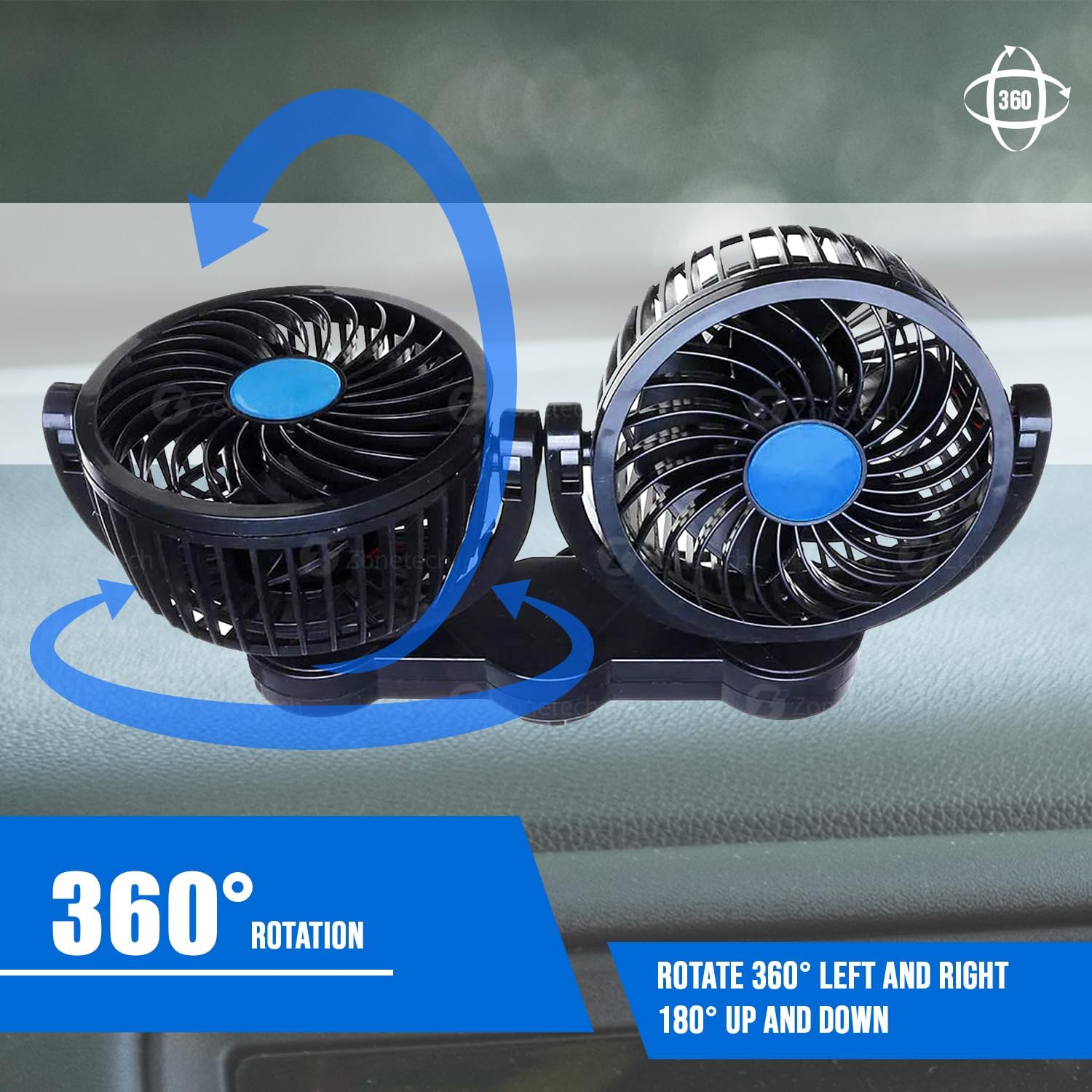
Image: A visual representation of the fan's 360-degree rotation feature, showing how each head can be adjusted independently.
Maintenance
Regular maintenance ensures optimal performance and longevity of your fan:
- Cleaning: Periodically wipe the exterior of the fan with a soft, dry cloth. Do not use abrasive cleaners or solvents.
- Dust Removal: Use a soft brush or compressed air to gently remove dust from the fan blades and grilles. Ensure the fan is unplugged before cleaning.
- Cord Inspection: Regularly inspect the power cord and plug for any signs of damage, fraying, or loose connections. If damage is found, discontinue use and replace the unit.
- Storage: When not in use for extended periods, store the fan in a cool, dry place away from direct sunlight and extreme temperatures.
Troubleshooting
If you encounter issues with your ZONETECH fan, refer to the following common problems and solutions:
| Problem | Possible Cause | Solution |
|---|---|---|
| Fan does not turn on. |
|
|
| Weak airflow. |
|
|
| Fan makes unusual noise. |
|
|
Specifications
| Model Number | EL0024 |
| Brand | ZONETECH |
| Power Source | Corded Electric (12V DC) |
| Voltage | 12 Volts |
| Wattage | 75 watts |
| Number of Speeds | 2 |
| Rotation | 360 degrees (individual heads) |
| Cord Length | 8 feet |
| Mounting Type | Freestanding / Adhesive Mount |
| Material | Plastic |
| Dimensions (D x W x H) | 26.7D x 8.9W x 14H centimetres |
| Item Weight | 454 g |
Warranty and Support
ZONETECH products are manufactured with quality and durability in mind. While specific warranty details are not provided in this manual, please retain your proof of purchase for any warranty claims.
For technical support, troubleshooting assistance beyond this manual, or inquiries regarding warranty, please contact ZONETECH customer service through the retailer where the product was purchased or visit the official ZONETECH website for contact information.
