Mind-Glowing Moon Lamp User Manual
Model: MG ML01 4.7in | Brand: Mind-Glowing
Introduction
Welcome to the Mind-Glowing Moon Lamp user manual. This guide provides detailed instructions for setting up, operating, and maintaining your 3D Moon Night Light. Please read this manual thoroughly to ensure optimal performance and longevity of your product.
Product Overview
The Mind-Glowing Moon Lamp is a 3D-printed night light designed to create a serene and magical atmosphere. It features multi-color LED lighting, touch and remote control, and various dynamic modes to suit any mood.
Key Features:
- Peaceful Ambiance: Adjust brightness, cycle through 16 colors, and set the perfect ambiance with built-in Timer and Dimming features.
- Vibrant Hues: Ignite imagination with 16 dazzling and vibrant hues.
- Long-lasting Light: Rechargeable battery offers up to 20 hours of light.
- Dynamic Modes: Includes Fade, Flash, Strobe, and Smooth modes for varied lighting effects.
- Safe & Eco-Friendly: Crafted with BPA-free, food-grade PLA for safety and durability. Features cool-touch LED and a splinter-free, polished wooden stand.
- Easy Control: Convenient Remote & Touch Control for effortless operation.

Image: The Mind-Glowing Moon Lamp showcasing its spherical design and the range of colors it can emit, from white to various vibrant hues.
What's in the Box
- Mind-Glowing Moon Lamp (4.7 inch)
- Wooden Stand
- Remote Control
- USB Power Cable
Setup
- Assemble the Wooden Stand: Carefully interlock the wooden pieces to form the stand. Ensure it is stable before placing the lamp.
- Place the Moon Lamp: Gently place the Moon Lamp onto the assembled wooden stand.
- Initial Charge: Before first use, fully charge the Moon Lamp using the provided USB power cable. Connect the cable to the charging port at the bottom of the lamp and to a standard USB power adapter (not included). The indicator light will show charging status.

Image: The Moon Lamp on its stand, illustrating its use as a night light and highlighting its control features.
Operating Instructions
Power On/Off:
- Touch Control: Lightly touch the metal charging port at the bottom of the lamp to turn it on or off.
- Remote Control: Press the 'ON' or 'OFF' button on the remote control.
Color Selection:
- Touch Control: While the lamp is on, touch and hold the metal charging port to cycle through colors. Release to select.
- Remote Control: Use the color buttons on the remote to select from 16 different colors.

Image: Demonstrates the wide array of 16 color options available for the Moon Lamp.
Brightness Adjustment:
- Touch Control: Touch and hold the metal charging port to adjust brightness.
- Remote Control: Use the brightness adjustment buttons (sun icons) on the remote.
Dynamic Modes:
The remote control allows you to select from four dynamic lighting modes:
- FLASH: Rapidly cycles through colors.
- STROBE: Flashes through colors with a brief pause.
- FADE: Smoothly transitions between colors.
- SMOOTH: Gradually changes colors.
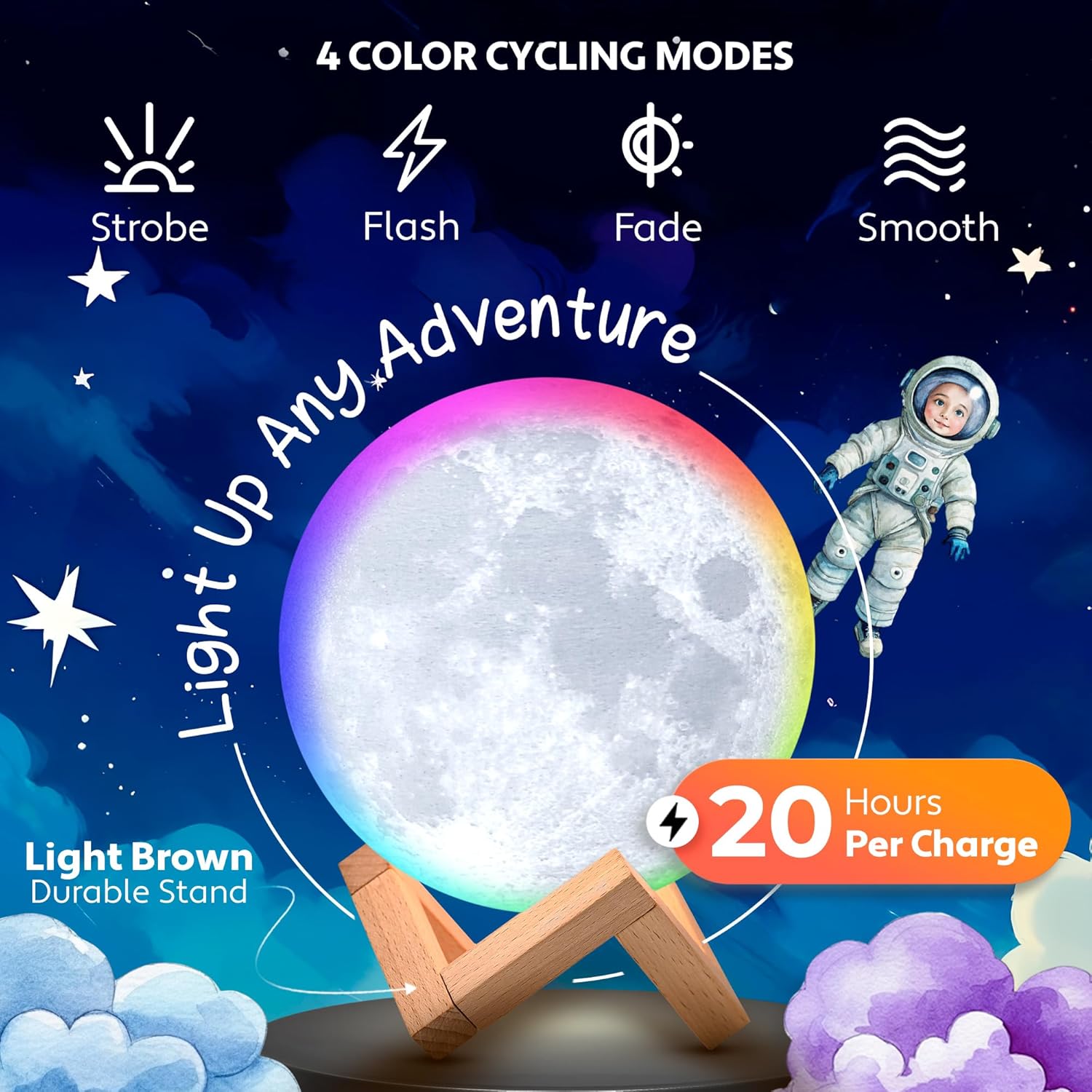
Image: Illustrates the four dynamic color cycling modes and the lamp's 20-hour battery life.
Timer Function:
Use the remote control to set a timer for the lamp to automatically turn off. Available timer options are typically 15, 30, 45, or 60 minutes.
Safety Information
Your Mind-Glowing Moon Lamp is designed with safety in mind:
- Made from BPA-free, food-grade PLA material.
- Features Cool-Touch LED to prevent burns.
- Comes with a splinter-free, polished wooden stand.

Image: Highlights the safety features and certifications of the Moon Lamp, emphasizing its suitability for children.
Maintenance
- Cleaning: Wipe the lamp and stand with a soft, dry cloth. Do not use abrasive cleaners or immerse in water.
- Battery Care: To prolong battery life, avoid fully discharging the lamp frequently. Recharge when the light dims significantly.
- Storage: Store the lamp in a cool, dry place when not in use for extended periods.
Troubleshooting
- Lamp does not turn on: Ensure the lamp is fully charged. Check the power switch at the bottom of the lamp. If using the remote, ensure the battery is not depleted.
- Remote control not working: Check the battery in the remote control and replace if necessary. Ensure there are no obstructions between the remote and the lamp.
- Light flickers or dims unexpectedly: This usually indicates a low battery. Recharge the lamp.
- Charging port/housing loose: While rare, if the charging port or its housing becomes loose, handle with care. Contact customer support for assistance.
Specifications
| Feature | Detail |
|---|---|
| Product Dimensions | 4.7"D x 4.7"W x 4.7"H |
| Item Weight | 7.52 ounces |
| Lamp Type | Moon Lamp |
| Shade Material | Plastic (PLA) |
| Base Material | Wood |
| Switch Type | Touch / Remote |
| Light Source Type | LED |
| Power Source | Battery Powered |
| Voltage | 5 Volts |
| Wattage | 1 watts |
| Batteries Required | 1 Lithium Ion (included) |
| Connectivity Technology | USB |
Warranty and Support
The Mind-Glowing Moon Lamp comes with a 4-year warranty, ensuring peace of mind regarding its quality and durability.
For any questions, troubleshooting assistance, or warranty claims, please visit the official Mind-Glowing Store or contact customer support through your purchase platform.
Official Store: Mind-Glowing Store on Amazon


