
Introduction
This manual provides essential instructions for the Pyle Wireless Handheld Microphone, designed for use with Pyle Models PWMA120BM and PWMA1216BM (Old Version). Please read this guide thoroughly to ensure proper setup, operation, and maintenance of your device. Retain this manual for future reference.
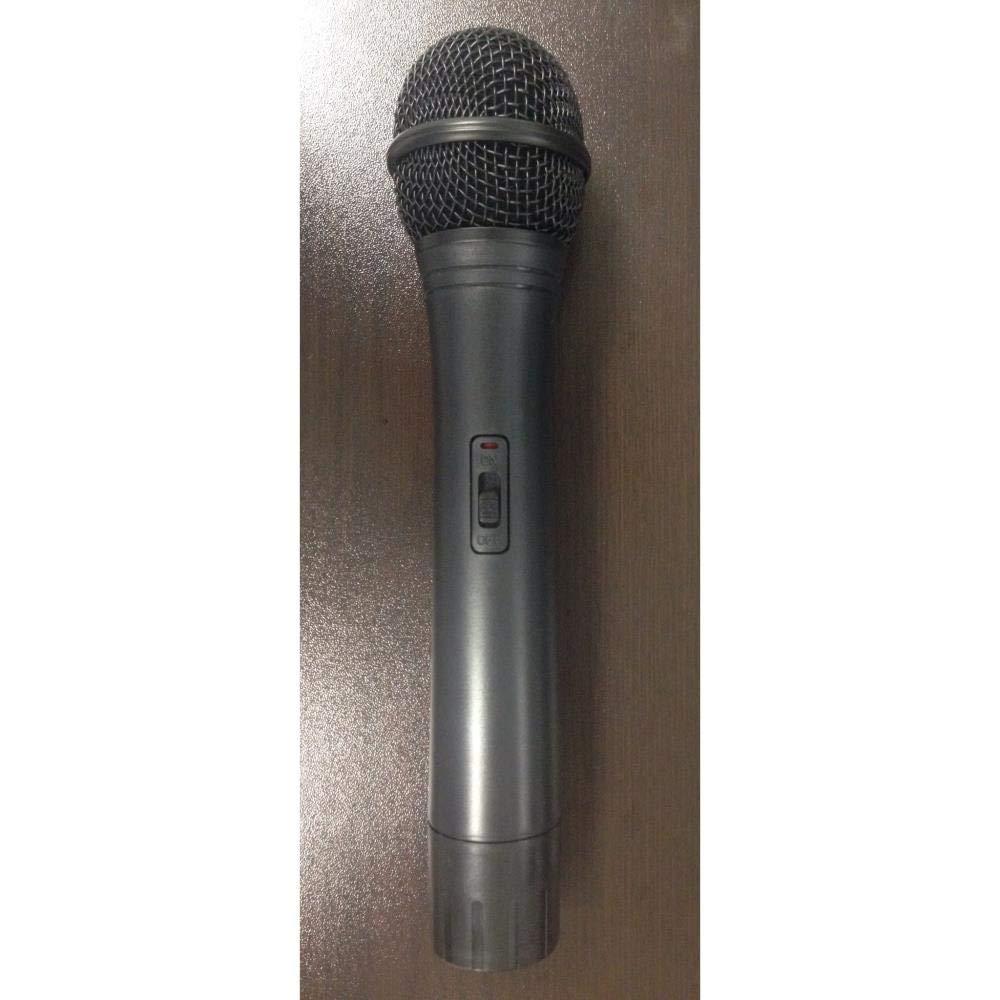
Image of the Pyle Wireless Handheld Microphone, showcasing its design and grille.
Package Contents:
- Wireless Handheld Microphone
Setup
1. Battery Installation
- Locate the battery compartment on the microphone handle. This is typically at the bottom, accessible by unscrewing or sliding a cover.
- Open the battery compartment.
- Insert the required batteries (e.g., 2x AA batteries, refer to the compartment for specific type) ensuring correct polarity (+/-) as indicated inside the compartment.
- Securely close the battery compartment.
2. Connecting to Receiver
- Ensure your compatible Pyle receiver (models PWMA120BM or PWMA1216BM) is powered on and properly connected to your audio system.
- Turn on the wireless handheld microphone using its power switch, usually located on the microphone body.
- The microphone and receiver are designed to automatically establish a connection on the 50 MHz frequency.
- If a connection is not established, refer to your specific receiver's instruction manual for detailed pairing or frequency synchronization procedures.
Operating Instructions
Power On/Off
- To power on the microphone, slide the power switch to the "ON" position.
- To power off the microphone, slide the power switch to the "OFF" position.
Microphone Usage
- For optimal sound pickup and clarity, hold the microphone approximately 2 to 6 inches (5-15 cm) from your mouth.
- Avoid covering the microphone grille with your hand, as this can significantly affect sound quality and cause feedback.
- Monitor the audio output from your receiver or connected sound system to adjust volume levels as needed for your environment.
Maintenance
Cleaning
- Wipe the exterior of the microphone body with a soft, dry cloth.
- Do not use liquid cleaners, abrasive chemicals, or solvents, as these can damage the finish or internal components.
- For the microphone grille, use a soft brush to gently remove any dust or debris.
Storage
- When the microphone will not be used for an extended period, remove the batteries to prevent potential leakage and damage.
- Store the microphone in a dry, cool place, away from direct sunlight, high humidity, and extreme temperatures.
Troubleshooting
No Sound Output
- Check Power: Ensure both the wireless microphone and the compatible Pyle receiver are powered on.
- Batteries: Verify that the batteries in the microphone are correctly installed and have sufficient charge. Replace them if necessary.
- Connection: Confirm that the microphone is properly connected or paired with the receiver. Refer to the receiver's manual for specific pairing instructions if automatic connection fails.
- Volume: Check the volume settings on your receiver and any connected audio system. Ensure they are not muted or set too low.
Poor Sound Quality / Interference
- Distance: Ensure the microphone is within the recommended operational range of the receiver. Excessive distance can lead to signal degradation.
- Obstructions: Minimize physical obstructions (e.g., walls, large metal objects) between the microphone and receiver, as these can block the wireless signal.
- Interference: Move away from other electronic devices that may operate on similar frequencies or cause electromagnetic interference (e.g., Wi-Fi routers, cordless phones, other wireless systems).
- Battery Level: Low battery levels can affect the microphone's performance and signal strength. Replace batteries if they are weak.
Specifications
| Brand | Pyle |
| Connectivity Technology | RF (Radio Frequency) |
| Connector Type | Wireless (RF) |
| Special Feature | Wireless Operation |
| Included Components | Microphone |
| Polar Pattern | Unidirectional |
| Item Weight | 0.4 Pounds (approx. 181 grams) |
| Microphone Form Factor | Handheld |
| Item Dimensions (L x W x H) | 5 x 5 x 5 inches (approx. 12.7 x 12.7 x 12.7 cm) |
| Power Source | Battery Powered |
| Signal-to-Noise Ratio | 78 dB |
| Number of Channels | 1 |
| Frequency Range | 50 MHz |
| Manufacturer | Pyle |
| UPC | 842893112015 |
Warranty and Support
Pyle products typically come with a manufacturer's warranty. For specific warranty details, terms, and conditions, please refer to the official Pyle website or the documentation included with your original purchase.
For technical support, service inquiries, or to register your product, please visit the official Pyle USA website or contact their customer service department directly. Keep your purchase receipt or proof of purchase for any warranty claims.
You can often find support resources, FAQs, and contact information on the Pyle USA website.


