
Lumisky WOODY PLAY
Lumisky WOODY PLAY Portable Lamp with Bluetooth Speaker
Model: WOODY PLAY
1. Introduction
Thank you for choosing the Lumisky WOODY PLAY Portable Lamp. This versatile 2-in-1 device combines an integrated Bluetooth speaker with multi-color LED lighting, designed to enhance your indoor and outdoor environments. Its durable construction and wireless capabilities make it an ideal companion for various occasions.

Image 1.1: The Lumisky WOODY PLAY Portable Lamp, showcasing its wooden handle and base with a white cylindrical light diffuser.

Image 1.2: The Lumisky WOODY PLAY lamp positioned indoors, demonstrating its use as an ambient light source in a festive setting.
2. Safety Instructions
- Read all instructions carefully before use.
- Do not expose the device to extreme temperatures or direct sunlight for prolonged periods.
- Ensure the charging port is dry before connecting the charging cable.
- Keep the device away from open flames or heat sources.
- Do not attempt to disassemble or repair the device yourself. Contact qualified service personnel.
- This product is rated IP44 for water resistance, meaning it is protected against splashing water from any direction. Do not submerge the device in water.
3. Package Contents
Please check that all items are present in the package:
- Lumisky WOODY PLAY Portable Lamp
- Remote Control
- Charging Cable
- Instruction Manual (this document)
4. Setup
4.1. Charging the Lamp
Before first use, fully charge the lamp. Connect the provided charging cable to the charging port on the lamp and to a suitable USB power adapter (not included). The charging indicator will show the charging status. A full charge typically takes several hours.
The lamp is equipped with 1 Lithium-ion battery (included).
4.2. Powering On/Off
Locate the power button on the lamp. Press and hold the power button for a few seconds to turn the lamp on or off. A sound or light indication may confirm the action.
5. Operating Instructions
5.1. Bluetooth Pairing
- Ensure the lamp is powered on.
- Activate Bluetooth on your smartphone or tablet.
- Search for available Bluetooth devices. The lamp should appear as "WOODY PLAY" or similar.
- Select the lamp to pair. A confirmation sound may indicate successful pairing.
- You can now stream audio from your device to the lamp's speaker.

Image 5.1: The Lumisky WOODY PLAY lamp displaying a blue light, positioned indoors next to potted plants, demonstrating its ambient lighting capabilities.
5.2. Controlling Lighting and Music with Remote Control
The included remote control allows for easy adjustment of light and music functions.

Image 5.2: The Lumisky WOODY PLAY lamp emitting a soft pink light, with its remote control visible in the foreground, illustrating control over lighting effects.
- Power Button: Turns the lamp's light on/off.
- Color Selection: Choose from various fixed colors (e.g., red, green, blue, white) using the dedicated color buttons.
- Brightness Adjustment: Increase or decrease the light intensity.
- Mode Selection: Cycle through different lighting modes, such as:
- Flash: Rapid color changes.
- Strobe: Slow fade in/out of a single color.
- Fade: Smooth transition between colors.
- Smooth: Gradual color changes.
- Music Sync: Light changes in rhythm with the playing music.
- Music Controls: Play/Pause, Skip Track (forward/backward), Volume Up/Down (if supported by the remote).
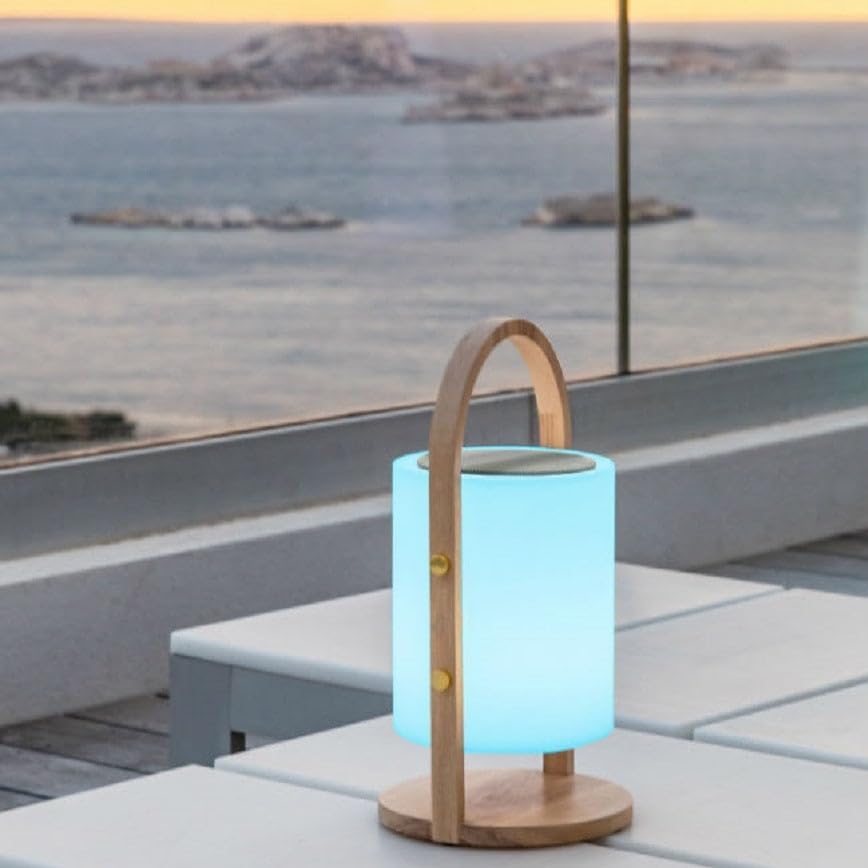
Image 5.3: The Lumisky WOODY PLAY lamp illuminating an outdoor patio with a vibrant blue light, demonstrating its suitability for outdoor ambiance.
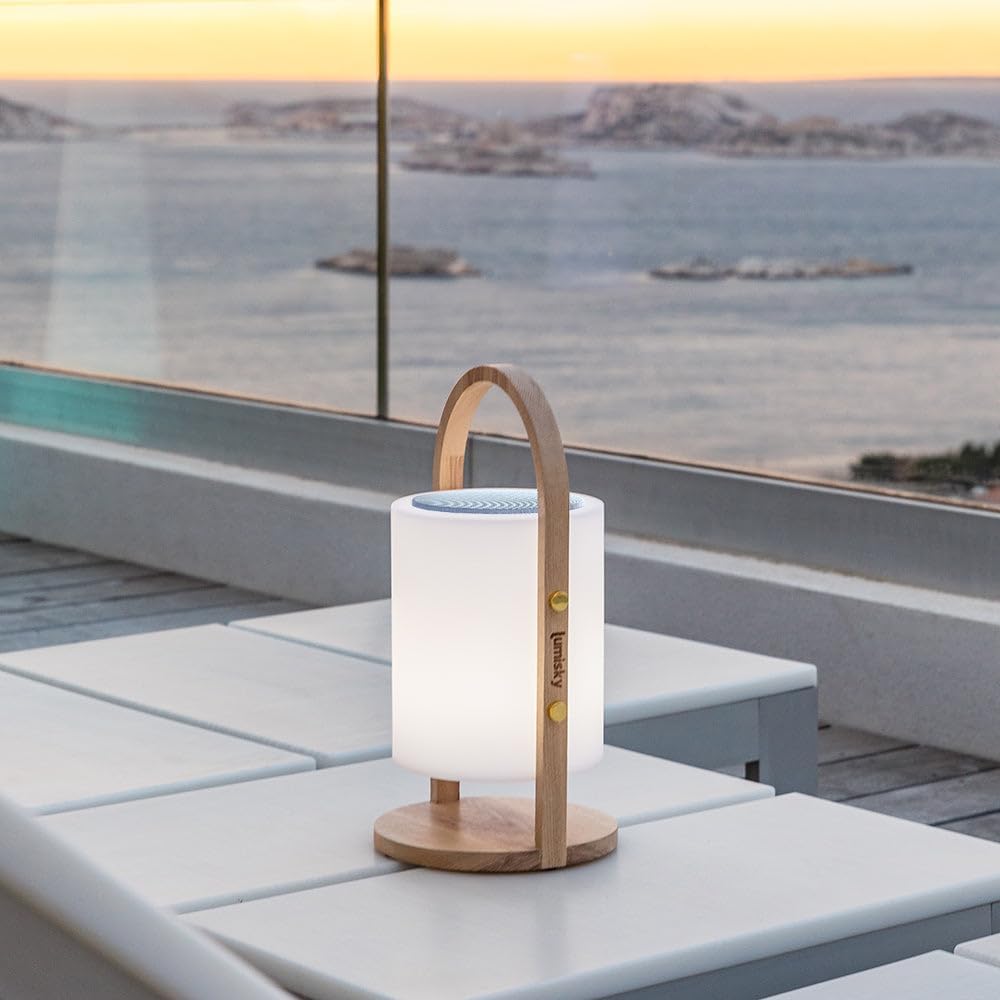
Image 5.4: The Lumisky WOODY PLAY lamp displaying a soft white light on an outdoor patio, showcasing its versatility for different lighting moods.
6. Maintenance
6.1. Cleaning
Wipe the lamp with a soft, damp cloth. Do not use abrasive cleaners or solvents. Ensure the charging port is covered when cleaning.
6.2. Storage
When not in use for extended periods, store the lamp in a cool, dry place, away from direct sunlight. It is recommended to charge the battery periodically to maintain its lifespan.
7. Troubleshooting
| Problem | Possible Cause | Solution |
|---|---|---|
| Lamp does not turn on. | Battery is depleted. | Charge the lamp fully. |
| Cannot pair via Bluetooth. | Bluetooth is off on your device or lamp is not in pairing mode. | Ensure Bluetooth is enabled on your device and the lamp is powered on. Restart both devices and try again. |
| Remote control not working. | Remote battery is low or line of sight is blocked. | Ensure there are no obstructions between the remote and the lamp. Replace the remote battery if necessary. |
| Poor sound quality. | Bluetooth interference or device volume too low/high. | Move closer to the lamp. Adjust volume on both the lamp and your connected device. Ensure no other devices are interfering with the Bluetooth signal. |
8. Specifications
- Model: WOODY PLAY
- Brand: Lumisky
- Product Dimensions: 18D x 18W x 39H cm (approx. 19 x 19 x 37 cm)
- Item Weight: 1.7 Kilograms
- Material: Wood (base/handle), Polyethylene (diffuser)
- Finish: Matte
- Light Type: LED
- Light Color: White and Multi-color (RGB)
- Speaker Output: 10 W (90 dB sound quality)
- Connectivity: Bluetooth
- Power: 3.6 W
- Battery: 1 Lithium-ion battery (included)
- Water Resistance: IP44 (splash-proof)
- Control Type: Remote Control
- Assembly Required: No
- ASIN: B07NVR786P
9. Warranty and Support
For warranty information and customer support, please refer to the purchase documentation or contact your retailer. Keep your proof of purchase for any warranty claims.
For further assistance, you may visit the Lumisky Store on Amazon.
Ask a question about this manual
Ask about setup, troubleshooting, compatibility, parts, safety, or missing instructions. Manuals+ will review the question and use this page’s manual context to help answer it.