
1. Introduction
This manual provides detailed instructions for the safe and effective operation, maintenance, and troubleshooting of your Hoover Total Home Pet MaxLife Upright Vacuum Cleaner. Designed for optimal performance in homes with pets, this vacuum offers powerful suction and specialized features for a thorough clean on various surfaces.
Key features include:
- Multi-Floor Performance: Delivers optimal results on carpets and hard floors.
- MAXLife System: Provides longer-lasting suction for sustained peak performance.
- Advanced Action™ Brush Roll: Engineered to tackle deep-down embedded dirt and reduce hair wrap.
- Extra Large Capacity Dirt Cup: Reduces the frequency of emptying.
- Multipurpose Pet Tools: Specialized tools for removing stubborn dirt and pet hair.
- AllergenBlock™ Technology: Captures 97% of pet dander, dust, and pollen particles.
- Odor Absorbing Filter: Contains a carbon layer to help minimize pet odors.
- WindTunnel® Technology: Captures and contains deep-down embedded dirt, dust, and pet hair.
2. Setup and Assembly
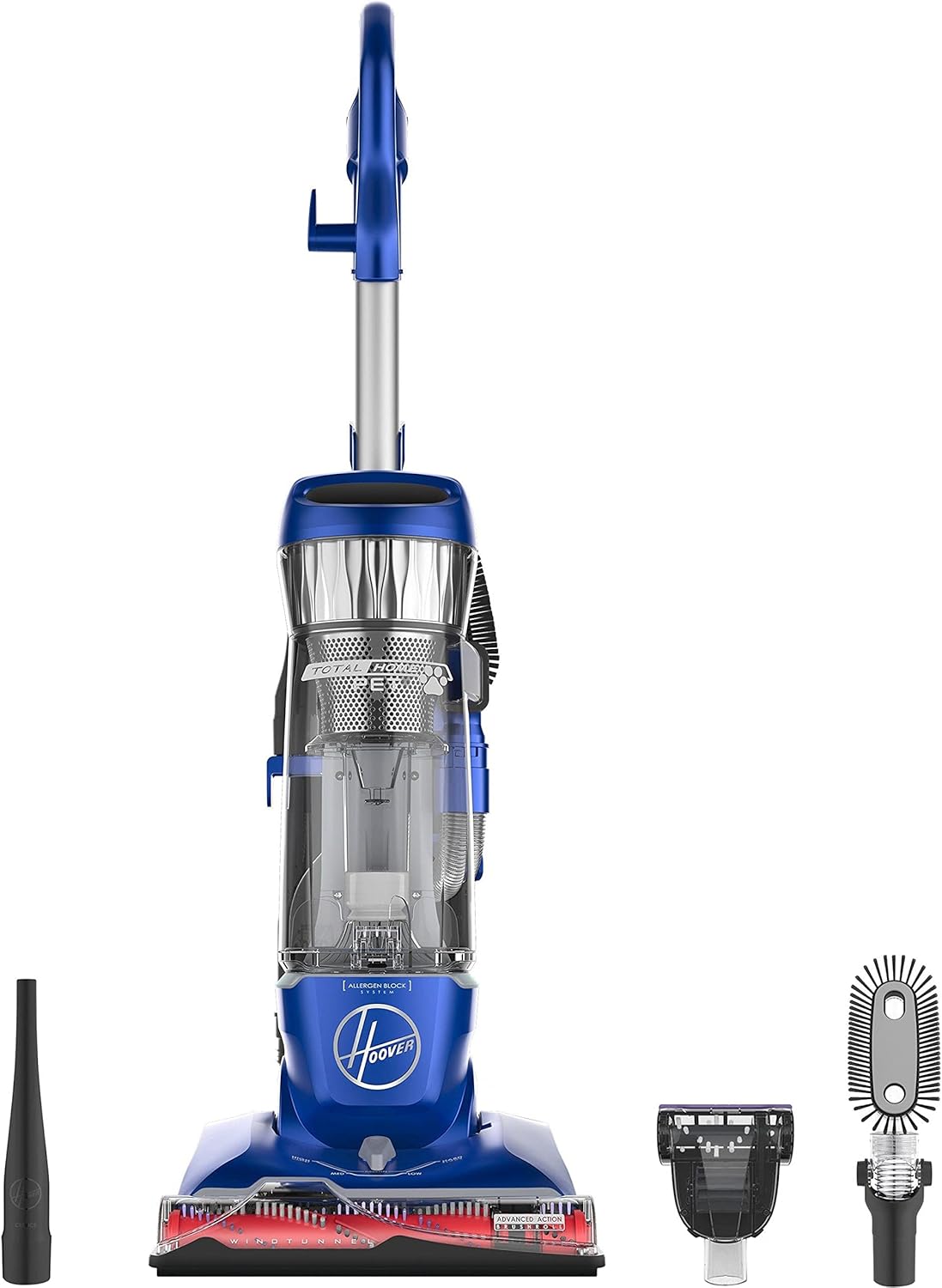
Before first use, ensure all components are present and assemble the vacuum cleaner according to the following steps. Refer to the diagram below for component identification.
- Carefully remove all parts from the packaging.
- Insert the handle into the main vacuum body until it clicks securely into place.
- Attach the hose to the designated port on the vacuum.
- Store the included accessories (Crevice Tool, Flexible Dusting Brush, Pet Turbo Tool, Pet Turbo Tool Accessory Clip) on the vacuum's onboard storage.
3. Operating Instructions
3.1 Powering On and Off
Plug the power cord into a suitable electrical outlet. Press the power button located on the vacuum to turn it on or off.
3.2 Multi-Floor Cleaning
The vacuum features a 4-level height adjustment to optimize cleaning on different floor types:
- Low Setting: For bare floors and low-pile carpets.
- Medium Settings: For medium-pile carpets.
- High Setting: For high-pile carpets and rugs.
Adjust the height setting by rotating the dial on the front of the vacuum base to match your floor surface. This ensures proper brush roll contact and suction.
3.3 Above-Floor Cleaning with Quick Release Wand
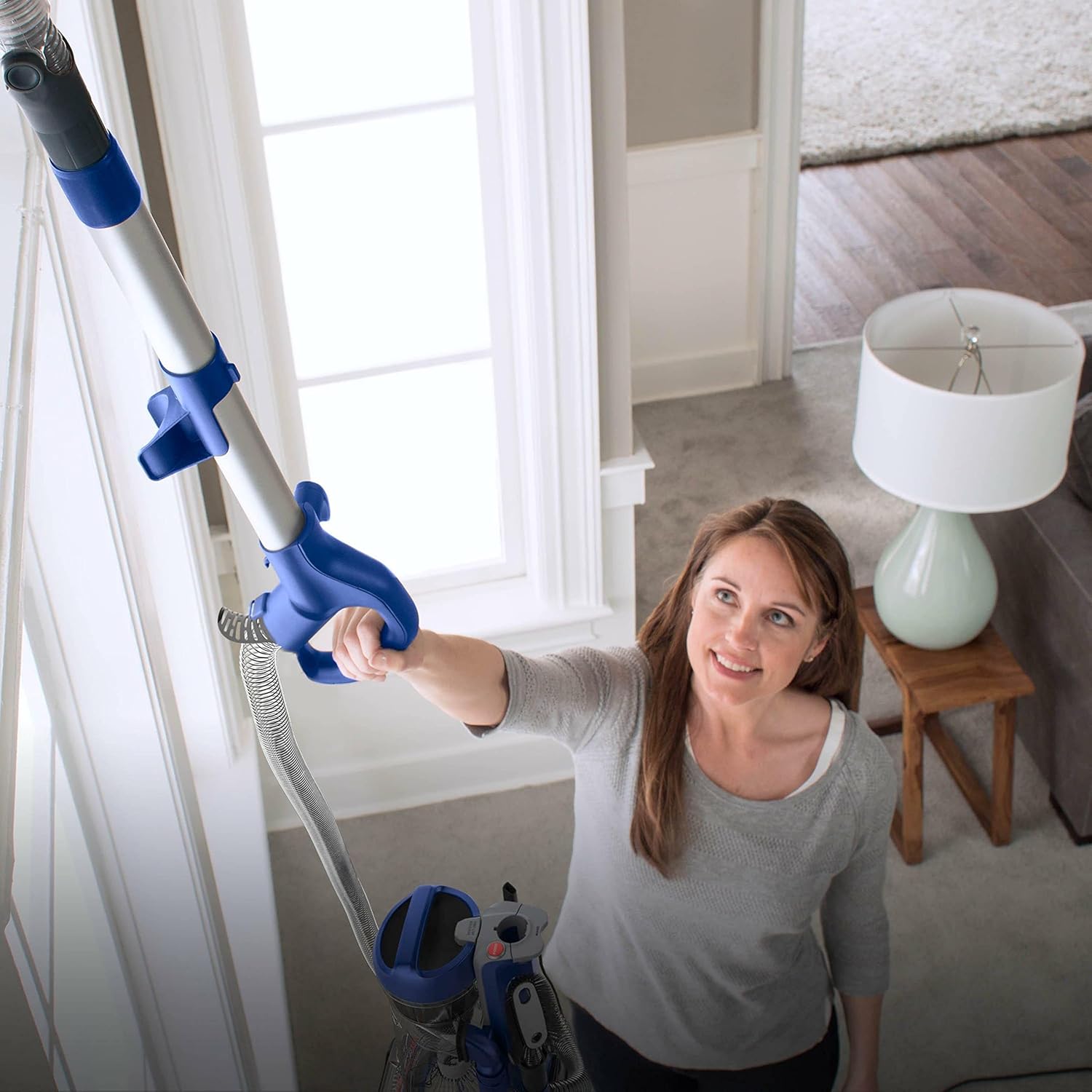
For cleaning stairs, upholstery, or hard-to-reach areas, utilize the Quick Release Cleaning Wand and specialized tools:
- Ensure the vacuum is upright and powered off.
- Press the release button on the cleaning wand and pull it out from the main body.
- Attach the desired Multipurpose Pet Tool (e.g., Crevice Tool for tight spaces, Pet Turbo Tool for pet hair on upholstery, Flexible Dusting Brush for delicate surfaces) to the end of the wand.
- Power on the vacuum and begin cleaning. The brush roll will stop spinning when the wand is in use.
- When finished, power off the vacuum, remove the tool, and reinsert the wand until it locks into place.
3.4 Pet Hair Removal
The Hoover Total Home Pet MaxLife is specifically designed for pet owners. The Advanced Action™ Brush Roll and Pet Turbo Tool are highly effective at lifting and removing embedded pet hair from carpets and upholstery. For best results on pet hair, ensure the appropriate height setting is selected for floor cleaning, and use the Pet Turbo Tool with the cleaning wand for furniture and stairs.
4. Maintenance
Regular maintenance ensures optimal performance and extends the life of your vacuum cleaner.
4.1 Emptying the Dirt Cup
The Extra Large Capacity Dirt Cup should be emptied when dirt reaches the MAX fill line or after each use. To empty:
- Ensure the vacuum is powered off and unplugged.
- Press the dirt cup release button and lift the dirt cup away from the vacuum.
- Hold the dirt cup over a trash receptacle and press the bottom release latch to open the lid and empty contents.
- Close the bottom lid securely and reattach the dirt cup to the vacuum.
4.2 Filter Maintenance
The vacuum is equipped with an AllergenBlock™ filter and an Odor Absorbing Filter. These filters are rinsable and should be cleaned regularly.
- Ensure the vacuum is powered off and unplugged.
- Remove the dirt cup. The filters are typically located within or near the dirt cup assembly.
- Remove the filters and tap them over a trash can to remove loose debris.
- Rinse the filters under cool running water until the water runs clear. Do not use detergent or hot water.
- Allow filters to air dry completely for at least 24 hours before reinserting them into the vacuum. Do not use a dryer or heat to speed up drying.
4.3 Brush Roll Maintenance
Periodically inspect the Advanced Action™ Brush Roll for tangled hair, strings, or debris. To clean:
- Ensure the vacuum is powered off and unplugged.
- Lay the vacuum flat on its back.
- Using scissors, carefully cut away any tangled hair or threads from the brush roll. Avoid cutting the bristles.
- Remove any debris from the brush roll area.
5. Troubleshooting
If you encounter issues with your vacuum cleaner, consult the following common problems and solutions:
| Problem | Possible Cause | Solution |
|---|---|---|
| Vacuum does not turn on | Not plugged in; no power to outlet; thermal protector activated. | Check power cord connection; check circuit breaker; allow vacuum to cool for 30 minutes if thermal protector engaged. |
| Loss of suction | Dirt cup full; filters clogged; hose or nozzle clogged. | Empty dirt cup; clean or replace filters; check hose and nozzle for obstructions and clear them. |
| Brush roll not spinning | Belt broken or stretched; brush roll jammed; vacuum in upright position with wand in use. | Inspect and replace belt if necessary; clear brush roll of obstructions; ensure vacuum is tilted back for floor cleaning. |
| Vacuum is difficult to push | Height adjustment set too low for carpet type. | Adjust the 4-level height setting to a higher position for thicker carpets. |
If the problem persists after attempting these solutions, please contact customer support.
6. Specifications
Detailed technical specifications for the Hoover Total Home Pet MaxLife Upright Vacuum Cleaner, Model UH74100M.

| Feature | Detail |
|---|---|
| Brand | Hoover |
| Model Name | Total Home Pet |
| Model Number | UH74100M |
| Product Dimensions | 14"L x 13"W x 44.5"H |
| Item Weight | 17.1 pounds |
| Wattage | 1200 watts |
| Voltage | 120 volts |
| Hose Length | 120 Inches |
| Capacity | 2498.37 Milliliters (Extra Large Dirt Cup) |
| Filter Type | HEPA Filter (AllergenBlock™ and Odor Absorbing) |
| Special Features | Carpet Height Adjustment, Grip Handle, Odor Eliminating, Removable Filter |
| Included Components | Crevice Tool, Flexible Dusting Brush, Pet Turbo Tool, Pet Turbo Tool Accessory Clip |
| Cord Length | 27 ft. |
| Noise Level | 72 dB |
| Recommended Uses | Carpet, Hard Floor, Home |
7. Warranty and Support
7.1 Warranty Information
This Hoover Total Home Pet MaxLife Upright Vacuum Cleaner comes with a 3-year limited warranty. Please retain your proof of purchase for warranty claims. The warranty covers defects in materials and workmanship under normal household use.
7.2 Customer Support
For further assistance, replacement parts, or warranty service, please contact Hoover customer support. Refer to the contact information provided in your product packaging or visit the official Hoover website.