
ELECTROPRIME RENDEADER5179
ELECTROPRIME D879 Camcorder User Manual
Model: RENDEADER5179
1. Introduction
Welcome to the user manual for your ELECTROPRIME D879 HD 720P Camcorder. This manual provides essential information for the proper setup, operation, and maintenance of your device. Please read it thoroughly before using the camcorder to ensure optimal performance and longevity.
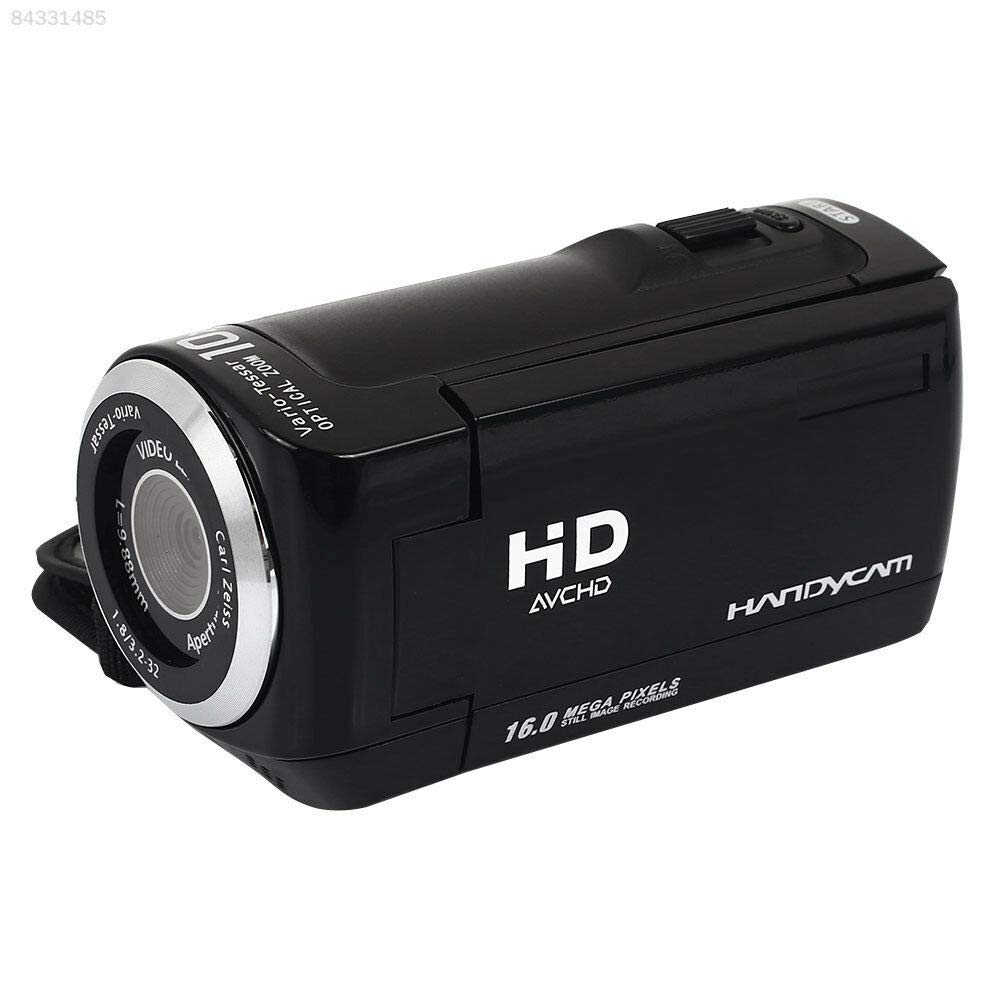
Image: Front view of the ELECTROPRIME D879 Camcorder, showcasing its compact design and lens.
2. Setup
Before first use, ensure the camcorder is properly prepared.
2.1. Battery Installation and Charging
Locate the battery compartment on the camcorder. Insert the battery according to the polarity indicators. Connect the camcorder to a power source using the provided USB cable for charging. The charging indicator light will illuminate during charging and turn off when fully charged.
2.2. Memory Card Insertion
The camcorder supports SD flash memory cards. Open the SD card slot cover. Insert the SD card with the metal contacts facing down until it clicks into place. Ensure the card is inserted correctly to avoid damage.

Image: The camcorder with its screen open, revealing the side panel where the memory card slot and ports are typically located.
3. Operating Instructions
This section details the basic operations of your camcorder.
3.1. Powering On/Off
Press and hold the power button located on the top or side of the camcorder to turn it on or off.
3.2. Recording Video
- Turn on the camcorder.
- Ensure the mode is set to video recording (usually indicated by an icon on the screen).
- Press the record button (often marked with a red dot) to start recording. Press it again to stop.

Image: Rear view of the camcorder with the screen open, highlighting its video recording capabilities and supported resolutions (1280x720, 640x480).
3.3. Taking Photos
- Switch the camcorder to photo mode.
- Frame your shot using the LCD screen.
- Press the shutter button to capture a still image.
The camcorder supports various photo modes including single shot, 2-second self-timer, 10-second self-timer, and continuous shooting.

Image: The camcorder in a usage scenario, illustrating its image resolution capabilities (1280x720, 640x480, 320x240) and various photo modes.
3.4. Zoom Function
Use the zoom lever/buttons (typically located near the top of the camcorder) to adjust the optical and digital zoom. Push the lever forward for telephoto (zoom in) and backward for wide-angle (zoom out).
3.5. Playback
Enter playback mode to review your recorded videos and photos. Use the navigation buttons to select files and the play/pause button to view them on the LCD screen.
4. Maintenance
Proper care ensures the longevity of your camcorder.
4.1. Cleaning
- Use a soft, dry cloth to clean the camcorder body.
- For the lens, use a specialized lens cleaning cloth and solution. Avoid touching the lens with your fingers.
- Do not use abrasive cleaners or solvents.
4.2. Storage
Store the camcorder in a cool, dry place away from direct sunlight, extreme temperatures, and high humidity. Remove the battery if storing for extended periods.
5. Troubleshooting
Refer to this section for solutions to common issues.
| Problem | Possible Cause | Solution |
|---|---|---|
| Camcorder does not power on. | Battery is low or not inserted correctly. | Charge the battery or reinsert it properly. |
| Cannot record video/take photos. | Memory card is full or not inserted. | Insert a memory card or delete existing files to free up space. |
| Poor image/video quality. | Lens is dirty; insufficient lighting. | Clean the lens; ensure adequate lighting conditions. |
| Camcorder freezes. | Software glitch. | Remove and reinsert the battery to reset the device. |
6. Specifications
Key technical specifications for the ELECTROPRIME D879 Camcorder:
- Brand: ELECTROPRIME
- Model Number: RENDEADER5179
- Photo Sensor Technology: CMOS
- Video Capture Resolution: 720p (1280x720, 640x480)
- Flash Memory Type: SD
- Screen Size: 2 Inches
- Optical Zoom: 16x
- Digital Zoom: 16x
- Lens Type: Zoom
- Image Stabilization: No
- Color: Multi
7. Warranty Information
This product comes with a 7 Day Warranty from the date of purchase. This warranty covers manufacturing defects. Please retain your purchase receipt as proof of purchase. For warranty claims, please contact your retailer or the manufacturer's support as detailed in the support section.
8. Support
For further assistance, technical support, or service inquiries, please contact ELECTROPRIME customer service. Refer to the product packaging or the retailer's website for specific contact details.
You may also visit the official ELECTROPRIME website for FAQs and additional resources.
Ask a question about this manual
Ask about setup, troubleshooting, compatibility, parts, safety, or missing instructions. Manuals+ will review the question and use this page’s manual context to help answer it.