1. Introduction
This instruction manual provides essential information for the safe and effective use of your OM SYSTEM M.Zuiko Digital ED 12-200mm F3.5-6.3 Lens. This versatile zoom lens is designed for Micro Four Thirds (MFT) cameras, offering a broad focal length range suitable for various photographic subjects, from wide-angle landscapes to distant telephoto shots. Please read this manual thoroughly before using the product and retain it for future reference.

Figure 1.1: Front view of the OM SYSTEM M.Zuiko Digital ED 12-200mm F3.5-6.3 Lens.
2. What's in the Box
Verify that all items are present upon unboxing:
- OM SYSTEM M.ZUIKO Digital ED 12-200mm F3.5-6.3 Black Lens
- LH-76C Lens Hood
- LC-72D Lens Cap
- LR-2 Lens Cap
- Lens Case
- User Manual (this document)
- Warranty Card
Video 2.1: Unboxing the 12-200mm Lens. This video demonstrates the contents of the product packaging.
3. Key Features
- Universal Zoom: Offers a 16.6x magnification, covering a 12-200mm focal range (24-400mm equivalent in 35mm format), suitable for architecture, nature, travel, and landscape photography.
- Compact and Lightweight: Despite its extensive zoom range, the lens maintains a surprisingly compact and lightweight design, enhancing portability.
- Durable Construction: Features dust- and splash-proof, as well as frost-resistant construction, ensuring reliable performance in various weather conditions.
- High Image Quality: Delivers sharp images with excellent detail and contrast across the entire zoom range, even to the edges of the frame.
- Fast Autofocus: Equipped with a fast, high-precision autofocus system utilizing an MSC (Movie & Still Compatible) mechanism for quick and accurate focusing.
- Quality Build: Constructed with excellent processing and a high-quality metal bayonet for durability and a premium feel.

Figure 3.1: Internal optical design of the lens, highlighting its complex element arrangement for high image quality.
4. Setup
4.1 Attaching the Lens
- Ensure both the camera and lens are powered off.
- Remove the rear lens cap from the lens and the body cap from the camera.
- Align the mounting index (red dot) on the lens barrel with the mounting index on the camera body.
- Insert the lens into the camera's lens mount and rotate it clockwise until it clicks into place. Do not force the lens.
4.2 Attaching the Lens Hood (LH-76C)
- Align the red dot on the lens hood with the red dot on the front of the lens.
- Attach the lens hood to the lens and rotate it clockwise until it clicks into place.
- To store, reverse the lens hood and attach it in the same manner.
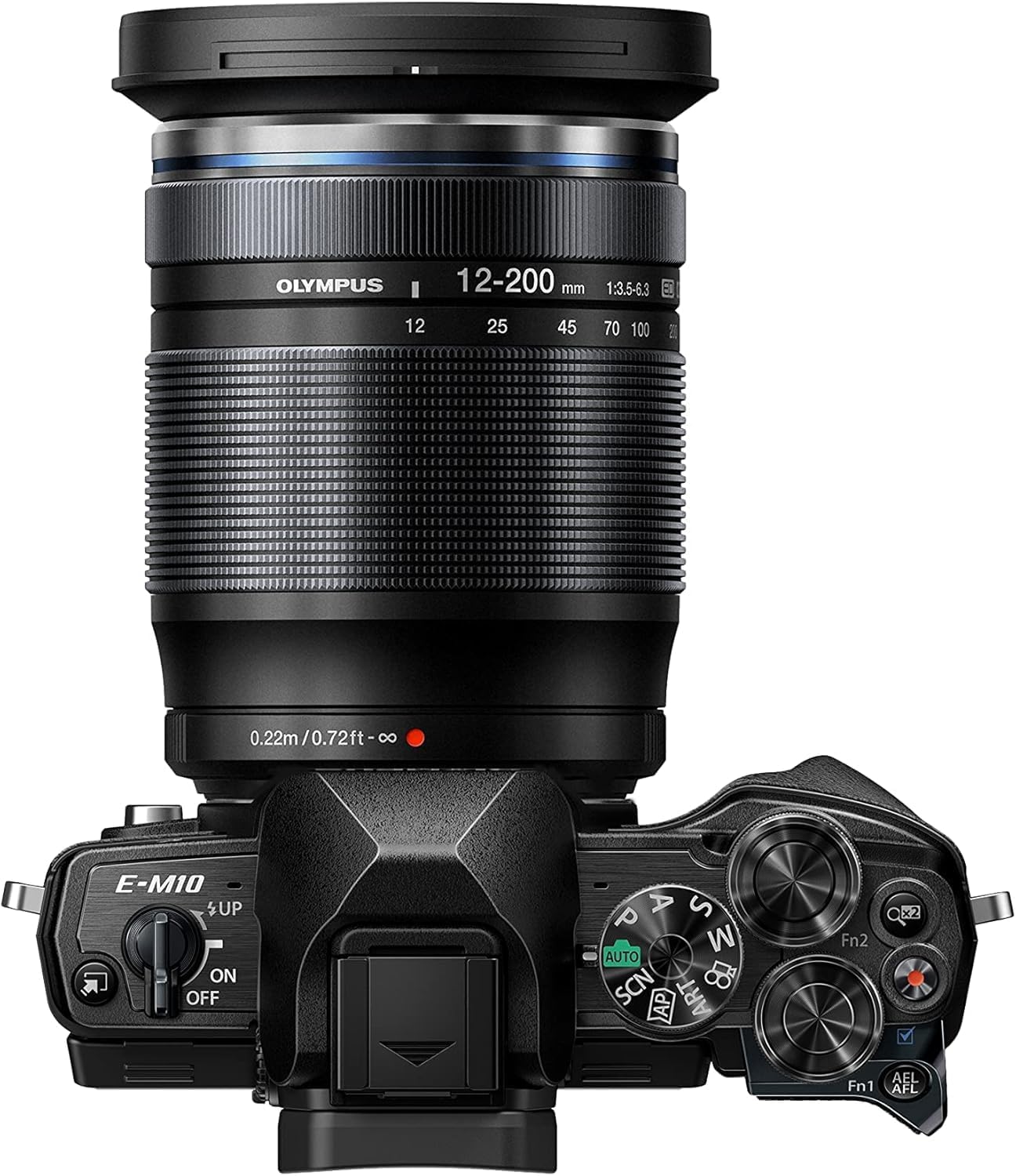
Figure 4.1: The M.Zuiko Digital ED 12-200mm F3.5-6.3 Lens attached to an OM-D camera body.
5. Operating the Lens
5.1 Zooming
To adjust the focal length, rotate the zoom ring on the lens barrel. The lens offers a continuous zoom from 12mm (wide-angle) to 200mm (telephoto). The barrel extends as you zoom towards the telephoto end.

Figure 5.1: The lens shown at its maximum 200mm focal length, fully extended.
5.2 Focusing
The lens supports both autofocus (AF) and manual focus (MF). The focusing mode is typically selected via your camera body settings. The MSC mechanism ensures fast and quiet autofocus, ideal for both still photography and video recording.
5.3 Aperture
The lens features a variable maximum aperture of F3.5 at 12mm and F6.3 at 200mm. The camera automatically adjusts the aperture based on the selected focal length and shooting mode.
6. Maintenance
6.1 Cleaning
- Use a blower brush to remove dust from the lens surface.
- For smudges or fingerprints, use a soft, clean microfiber cloth specifically designed for optical lenses. Apply a small amount of lens cleaning solution to the cloth, not directly to the lens.
- Never use organic solvents or harsh chemicals to clean the lens.
6.2 Storage
- When not in use, attach both front and rear lens caps.
- Store the lens in a cool, dry, and well-ventilated area, away from direct sunlight and high humidity.
- Avoid storing the lens with mothballs or other chemicals that may emit volatile gases.
7. Troubleshooting
If you encounter issues with your lens, consider the following common solutions:
- Blurry Images: Ensure the lens is clean, the autofocus is correctly engaged, and the shutter speed is appropriate for the lighting conditions and focal length to prevent camera shake.
- Autofocus Not Working: Check that the lens is securely mounted to the camera body. Verify that the camera's focusing mode is set to AF. Ensure there is sufficient light for the autofocus system to operate effectively.
- Lens Not Recognized by Camera: Power off both the camera and lens, then reattach the lens ensuring it clicks firmly into place. Clean the electrical contacts on both the lens and camera body with a clean, dry cloth.
- Dust/Moisture Inside Lens: If dust or moisture appears inside the lens, discontinue use and contact OM SYSTEM customer support for professional servicing.
8. Specifications
| Feature | Specification |
|---|---|
| Brand | OM SYSTEM |
| Model Number | V316030BW000 |
| Focal Length | 12-200mm (24-400mm equivalent in 35mm format) |
| Maximum Aperture | F3.5 (at 12mm) - F6.3 (at 200mm) |
| Lens Type | Telephoto Zoom |
| Compatible Mountings | Micro Four Thirds |
| Product Dimensions | 3.93 x 2.83 x 2.83 inches |
| Item Weight | 1 pounds |
| ASIN | B07NF4CWDY |
| Date First Available | February 13, 2019 |
9. Warranty and Support
Your OM SYSTEM M.Zuiko Digital ED 12-200mm F3.5-6.3 Lens comes with a manufacturer's warranty. Please refer to the included Warranty Card for detailed terms and conditions, including warranty period and coverage.
For technical support, service, or further inquiries, please visit the official OM SYSTEM website or contact their customer service department. Keep your proof of purchase and warranty card readily available when seeking support.


