
1. Introduction and Safety Information
1.1 Product Overview
The Fimer K130 is a 100 Amp welding machine designed for industrial performance and durability. It features a heavy-duty motor and is equipped with a dust extraction system to promote a cleaner and healthier working environment. For enhanced safety, the machine incorporates double electrical insulation. This welding machine operates via an electric cord power source.
1.2 General Safety Warnings
- Electric Shock: Welding can cause electric shock. Do not touch live electrical parts. Wear dry, insulating gloves and protective clothing.
- Fumes and Gases: Welding fumes and gases can be hazardous to your health. Keep your head out of the fumes. Use ventilation or exhaust to remove fumes and gases from the breathing zone.
- Arc Rays: Arc rays can burn eyes and skin. Wear a welding helmet with a proper shade of filter to protect your face and eyes when welding or watching. Wear appropriate safety glasses with side shields beneath your helmet.
- Fire and Explosion: Welding sparks and hot metal can cause fires and explosions. Keep flammable materials away from the welding area. Have a fire extinguisher readily available.
- Burns: Hot metal can cause severe burns. Do not touch hot parts with bare hands. Allow the welding machine and workpiece to cool before handling.
- Noise: Excessive noise can damage hearing. Wear ear protection.
2. Setup
2.1 Unpacking and Component Identification
Carefully remove the Fimer K130 welding machine and all accessories from its packaging. Verify that all components listed in the packing list are present and undamaged. Familiarize yourself with the main unit, welding cables, electrode holder, and ground clamp.
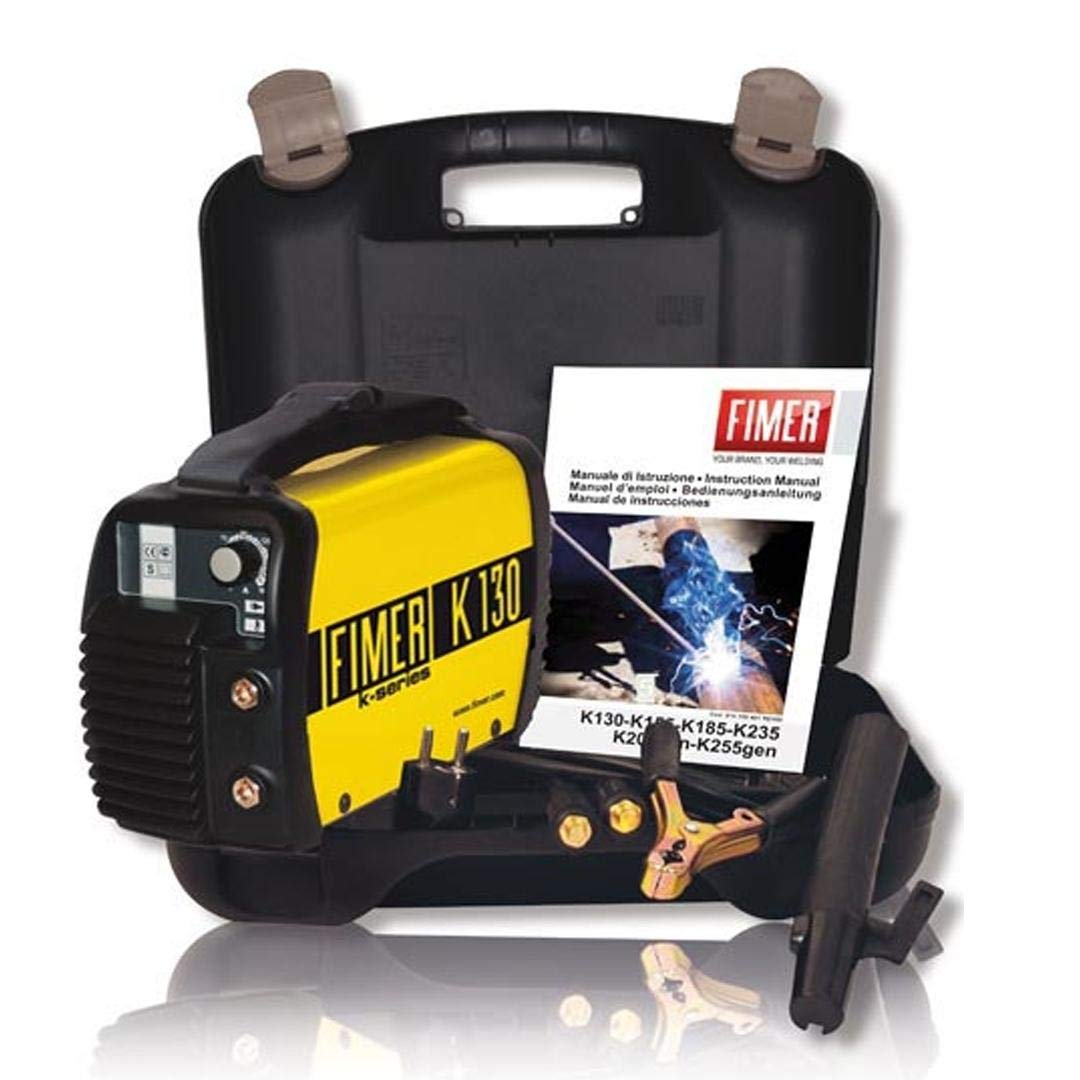
Figure 1: Fimer K130 100 Amp Welding Machine with included accessories.
2.2 Connecting Power
- Ensure the welding machine's power switch is in the OFF position.
- Connect the power cord to a suitable electrical outlet. The Fimer K130 requires a power source appropriate for its 100 Amp capacity. Consult local electrical codes and ensure the circuit can handle the machine's power requirements.
2.3 Connecting Welding Cables
- Connect the electrode holder cable to the positive (+) terminal on the welding machine.
- Connect the ground clamp cable to the negative (-) terminal on the welding machine.
- Securely attach the ground clamp to the workpiece or a sturdy metal workbench that is in direct electrical contact with the workpiece. Ensure a clean, bare metal connection for optimal conductivity.
- Insert the appropriate welding electrode into the electrode holder.
3. Operating Instructions
3.1 Powering On and Adjusting Settings
- After ensuring all connections are secure and safety gear is worn, turn the power switch to the ON position.
- Adjust the amperage setting according to the type and thickness of the material being welded and the electrode size. The Fimer K130 has a maximum output of 100 Amps. Refer to electrode manufacturer guidelines for recommended amperage ranges.
3.2 Welding Process
- Position the electrode tip near the workpiece.
- Strike an arc by lightly touching the electrode to the workpiece and quickly lifting it slightly, creating a small gap.
- Maintain a consistent arc length and travel speed to produce a uniform weld bead.
- When finished, break the arc by quickly pulling the electrode away from the workpiece.
- Turn off the welding machine when not in use.
4. Maintenance
4.1 Cleaning
- Regularly clean the exterior of the welding machine with a dry, soft cloth.
- The integrated dust extraction system helps maintain internal cleanliness. Periodically inspect and clean the dust collection components as per manufacturer recommendations to ensure optimal performance and a healthier working environment.
- Ensure cooling vents are free from obstructions to prevent overheating.
4.2 Cable and Connection Inspection
- Before each use, inspect all welding cables, the electrode holder, and the ground clamp for signs of damage, fraying, or loose connections.
- Replace any damaged components immediately to prevent electrical hazards and ensure proper operation.
4.3 Storage
Store the welding machine in a clean, dry environment, away from moisture, dust, and extreme temperatures. Coil cables neatly to prevent damage.
5. Troubleshooting
- No Power: Check the power cord connection, wall outlet, and circuit breaker. Ensure the machine's power switch is ON.
- No Arc: Verify that the ground clamp is securely attached to a clean, bare metal surface on the workpiece. Check electrode holder connection. Ensure the correct amperage setting for the electrode and material.
- Poor Weld Quality: Adjust amperage settings. Ensure proper arc length and travel speed. Check for contaminated workpiece surfaces.
- Overheating: Ensure cooling vents are clear. Allow the machine to cool down if the thermal overload indicator activates. Do not exceed the machine's duty cycle.
If issues persist after performing these checks, contact qualified service personnel.
6. Specifications
| Manufacturer | Fimer |
| Model Number | K130 |
| Part Number | K130 |
| Power Source Type | Corded Electric |
| Amperage | 100 Amp (Maximum) |
| Insulation | Double Electrical Insulation |
| Special Features | Dust Extraction System |
| First Available Date | July 9, 2019 |
7. Warranty and Support
For information regarding warranty coverage, terms, and conditions, please refer to the documentation included with your purchase or visit the official Fimer website. For technical support or service inquiries, contact Fimer customer service through their official channels.