
1. Introduction and Overview
The Samsung UN65RU7100FXZA is a 65-inch Flat 4K UHD 7 Series Ultra HD Smart TV designed to deliver a high-quality viewing experience. This model features a powerful 4K UHD processor that upscales content to 4K resolution, even from non-native 4K sources. High Dynamic Range (HDR) technology enhances color and contrast, revealing millions of shades for a vibrant, lifelike picture. UHD Dimming fine-tunes black levels and white brightness for sensational contrast. The TV also includes smart features such as One Remote control, an on-screen universal guide, and compatibility with Alexa and Google Assistant.
Its sleek, slim design integrates seamlessly into your living space. Bluetooth capability supports audio profiles for devices like earbuds, headphones, and soundbars, but not human interface devices such as keyboards.
2. What's in the Box
Upon unboxing your Samsung UN65RU7100FXZA TV, please ensure all the following components are present:
- 65-inch TV with Stand
- User Manual (this document)
- Power Cord
- Remote Control (TM1240A model with batteries)

Figure 2.1: Included components and TV dimensions. The image displays the 64.5-inch screen size, TV dimensions with and without stand, and the remote control model TM1240A.
3. Setup Guide
3.1 Unboxing and Stand Installation
Due to the size of the 65-inch TV, it is recommended to have two people for safe unboxing and stand installation. Carefully remove the TV from its packaging. The stand legs are designed for easy insertion into designated slots on the TV's underside. Ensure the arrow on each leg points towards the front of the TV. The legs are not adjustable.
3.2 Power Connection
Connect the power cord to the recessed power port located at the center-rear of the TV. This recessed design helps prevent interference if you choose to wall-mount the TV. Plug the other end of the power cord into a wall outlet.
3.3 Initial Setup (On-Screen Guide)
Upon first power-on, the TV will guide you through the initial setup process. This typically includes:
- Wi-Fi Connection: Select your home Wi-Fi network and enter the password.
- Samsung Account: Sign in or create a Samsung account. This can often be done via a QR code scan with your mobile device for convenience.
- App Selection: Choose your preferred streaming apps (e.g., Netflix, Prime Video, YouTube) to pre-install.
- PIN Creation: Set up a PIN for accessing restricted content or restoring factory defaults.
- Service Provider: Enter your zip code to find local service providers.
- Software Update: The TV may prompt you to install the latest software update. It is recommended to proceed with the update for optimal performance and features.
3.4 Connectivity Ports
The TV features multiple connectivity options. Some ports are located on the side for easy access, while others are recessed at the rear.
- HDMI Ports: For connecting external devices like gaming consoles, Blu-ray players, or cable boxes.
- USB Ports: For connecting USB drives for media playback or compatible accessories.
- Coaxial Connection: For antenna or cable TV input.
- Ethernet (LAN) Port: For a wired internet connection.
- Optical Audio Out: For connecting to external sound systems like soundbars or AV receivers.
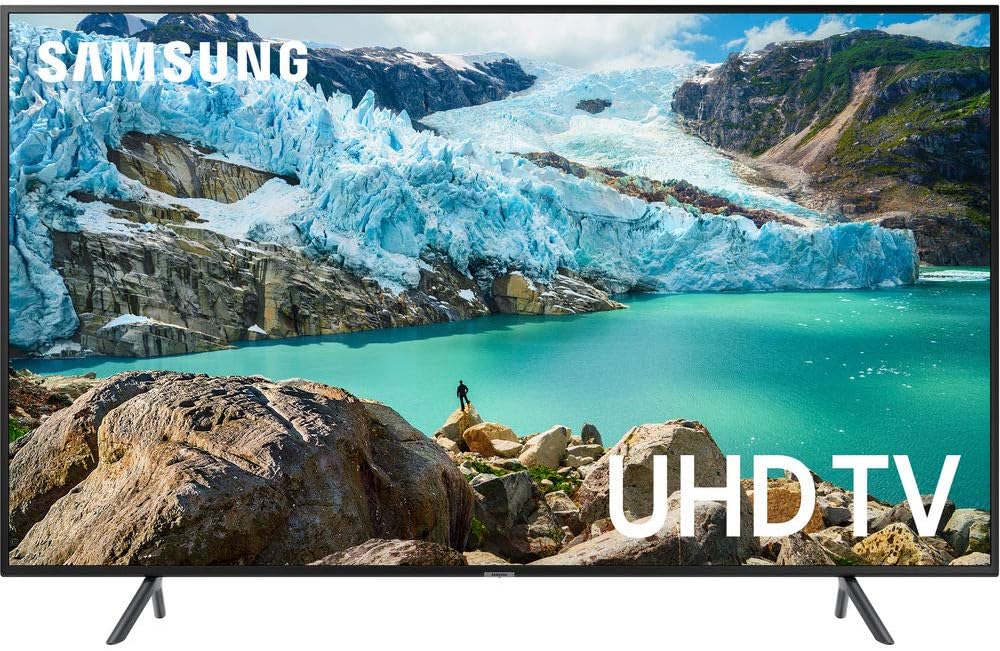
Figure 3.1: Front view of the Samsung UN65RU7100FXZA TV.
4. Operating Instructions
4.1 Smart Hub and App Access
The Samsung Smart Hub provides easy access to a wide range of streaming services and apps. Navigate the Smart Hub using your One Remote. Popular apps like Netflix, Prime Video, YouTube, Disney+, and Hulu are readily available. You can also download additional apps from the app store.
4.2 One Remote Control
The included One Remote is designed for simplicity and universal control. It features a minimalist design with essential buttons for navigation, volume, channel, and direct access to popular streaming services. The remote also supports voice control; press the dedicated voice button (often a microphone icon) to issue commands such as "Play Netflix" or "Change channel."
4.3 Picture and Sound Settings
Access the TV's settings menu to customize your viewing and listening experience:
- Picture Mode: Choose from various presets like Dynamic, Standard, Eco, Movie, and Filmmaker Mode to suit your content and environment. Adjust Brightness, Contrast, Sharpness, and Color for fine-tuning.
- Sound Mode: Select sound presets such as Amplify or Standard. You can also adjust the Sound Output to TV Speaker or external Bluetooth devices.
- Game Mode: Enable Game Mode to reduce input lag when playing video games, enhancing responsiveness.
- Bluetooth: Connect compatible Bluetooth audio devices like headphones or soundbars. Note that only audio profiles are supported, not human interface devices.
4.4 Mobile Device Integration
The TV supports screen mirroring and casting from compatible mobile devices, allowing you to display content from your phone or tablet directly on the large screen.
5. Maintenance
To ensure the longevity and optimal performance of your Samsung Smart TV, follow these maintenance guidelines:
- Cleaning: Gently wipe the screen with a soft, dry microfiber cloth. For stubborn smudges, lightly dampen the cloth with water or a screen-specific cleaner. Avoid harsh chemicals or abrasive materials.
- Dusting: Regularly dust the TV's frame and back vents to prevent dust buildup, which can affect performance and cooling.
- Software Updates: Keep your TV's software up to date. The TV will typically notify you when updates are available. These updates often include performance improvements, new features, and security enhancements.
- Ventilation: Ensure adequate airflow around the TV, especially if wall-mounted. Do not block the ventilation openings.
6. Troubleshooting
If you encounter any issues with your Samsung Smart TV, refer to the following common troubleshooting tips:
- No Picture/No Power:
- Check if the power cord is securely connected to both the TV and the wall outlet.
- Ensure the wall outlet is functioning by plugging in another device.
- Try pressing the power button on the TV itself, not just the remote.
- Poor Picture Quality:
- Verify the input source is correctly selected.
- Check the cable connections (HDMI, coaxial) for looseness or damage.
- Adjust picture settings (Picture Mode, Brightness, Contrast, etc.) in the TV's menu.
- For streaming content, ensure a stable and strong internet connection.
- No Sound/Poor Sound:
- Check the volume level on both the TV and any connected external audio devices.
- Ensure the correct sound output is selected in the TV's settings (TV Speaker, Optical, Bluetooth).
- If using external speakers, check their power and connections.
- Remote Control Not Working:
- Replace the batteries in the remote control.
- Ensure there are no obstructions between the remote and the TV's sensor.
- Try re-pairing the remote if it's a Smart Remote with Bluetooth functionality (refer to the on-screen guide for pairing instructions).
- Smart Features/Apps Not Working:
- Check your internet connection (Wi-Fi or wired).
- Restart the TV by unplugging it from the power outlet for a few minutes, then plugging it back in.
- Ensure the TV's software is up to date.
7. Specifications
| Feature | Detail |
|---|---|
| Brand | Samsung |
| Model Number | UN65RU7100FXZA |
| Screen Size | 65 Inches |
| Display Technology | LED |
| Resolution | 4K (3,840 x 2,160) |
| Refresh Rate | 60 Hz |
| Special Features | 4K UHD Processor, HDR10+, UHD Dimming, Smart TV, Alexa/Google Assistant Compatibility, Dolby Digital Plus |
| Connectivity Technology | Bluetooth, HDMI, USB, Wireless (Wi-Fi) |
| Product Dimensions (with Stand) | 57.4" W x 12.3" D x 36.1" H |
| Product Dimensions (without Stand) | 57.4" W x 2.3" D x 33" H |
| Item Weight | 56.2 Pounds |
| Color | Charcoal Black |
| Power Consumption | 160 watts |
8. Warranty and Support
For warranty information, please refer to the documentation included with your purchase or visit the official Samsung support website. For customer support, you can visit the Samsung Store on Amazon or their official website for assistance with product registration, troubleshooting, and service requests.
Note: Specific warranty terms and conditions may vary by region and retailer.