
Introduction
This manual provides detailed instructions for the installation, operation, and maintenance of your ARCTIC W1C Wall Mount. Please read this manual thoroughly before installation to ensure correct setup and safe usage. The ARCTIC W1C is designed to securely mount monitors up to 43 inches (or 49 inches for ultrawide monitors) and weighing up to 18 kg (39.6 lbs), offering flexible positioning and space-saving benefits.

Image: The ARCTIC W1C Wall Mount, showcasing its retractable folding arm design.
Safety Information
- Ensure the wall structure can support the combined weight of the mount and your monitor. Consult a professional if unsure.
- Do not exceed the maximum weight capacity of 18 kg (39.6 lbs).
- Use appropriate tools and follow all installation steps carefully.
- Keep small parts away from children.
- Periodically check all screws and connections to ensure they remain secure.
Package Contents
Verify that all components are present before beginning installation.
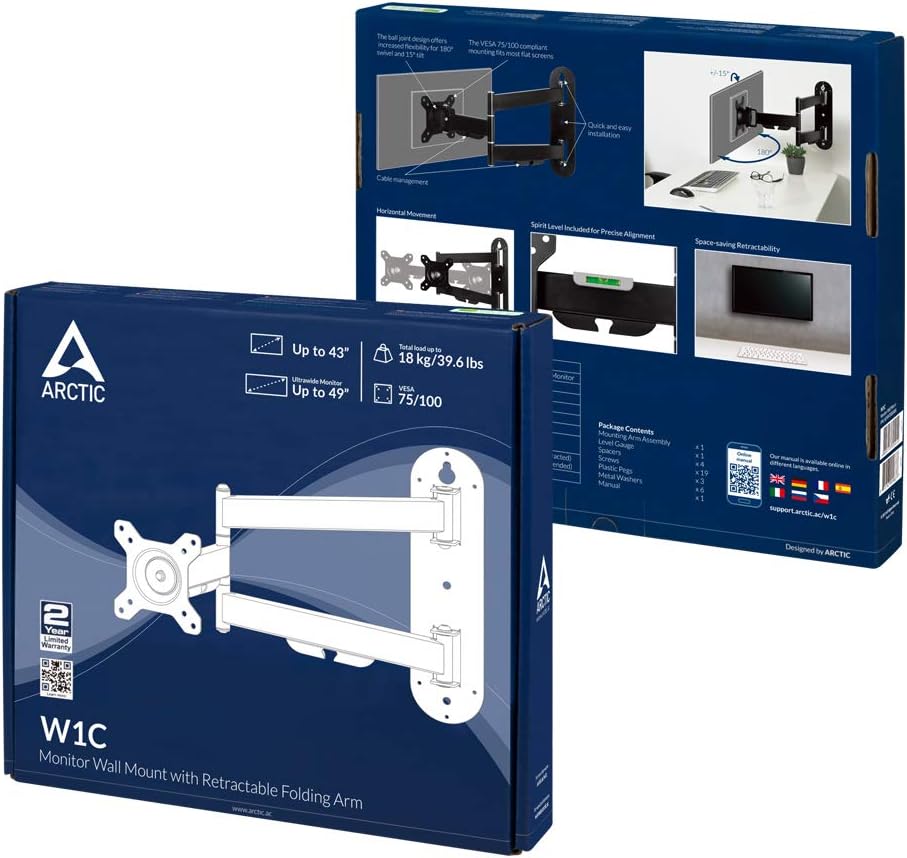
Image: Product packaging illustrating the included components.
- Mounting Arm Assembly
- VESA Plate
- Wall Mounting Hardware (screws, anchors)
- Monitor Mounting Hardware (various screw sizes, spacers)
- Cable Management Clips
- Instruction Manual
Specifications
| Feature | Specification |
|---|---|
| Model Number | AEMNT00058A |
| Compatible Monitor Size | Up to 43" (standard), Up to 49" (ultrawide) |
| Maximum Load Capacity | 18 kg (39.6 lbs) |
| VESA Compatibility | 75x75mm, 100x100mm |
| Movement Type | Tilt, Swivel, Rotation |
| Maximum Tilt Angle | 15 Degrees |
| Material | Aluminum Alloy ADC12 |
| Color | Black |
| Product Dimensions | 23.62 x 23.62 x 33.46 inches (approximate, extended) |
Setup and Installation
Step 1: Wall Preparation
- Identify a suitable location on a sturdy wall. Ensure there are no hidden electrical wires or pipes.
- Use a stud finder to locate a wall stud for secure mounting. If mounting to concrete or brick, use appropriate anchors (not always included, verify package contents).
- Determine the desired height for your monitor. The center of the monitor should ideally be at eye level when seated.
Step 2: Mount the Wall Plate
- Position the wall plate against the wall at your desired height.
- Mark the drilling points through the holes on the wall plate.
- Drill pilot holes at the marked locations. The size of the drill bit will depend on your wall type and the provided screws/anchors.
- Secure the wall plate to the wall using the provided screws. Ensure it is level using a spirit level.
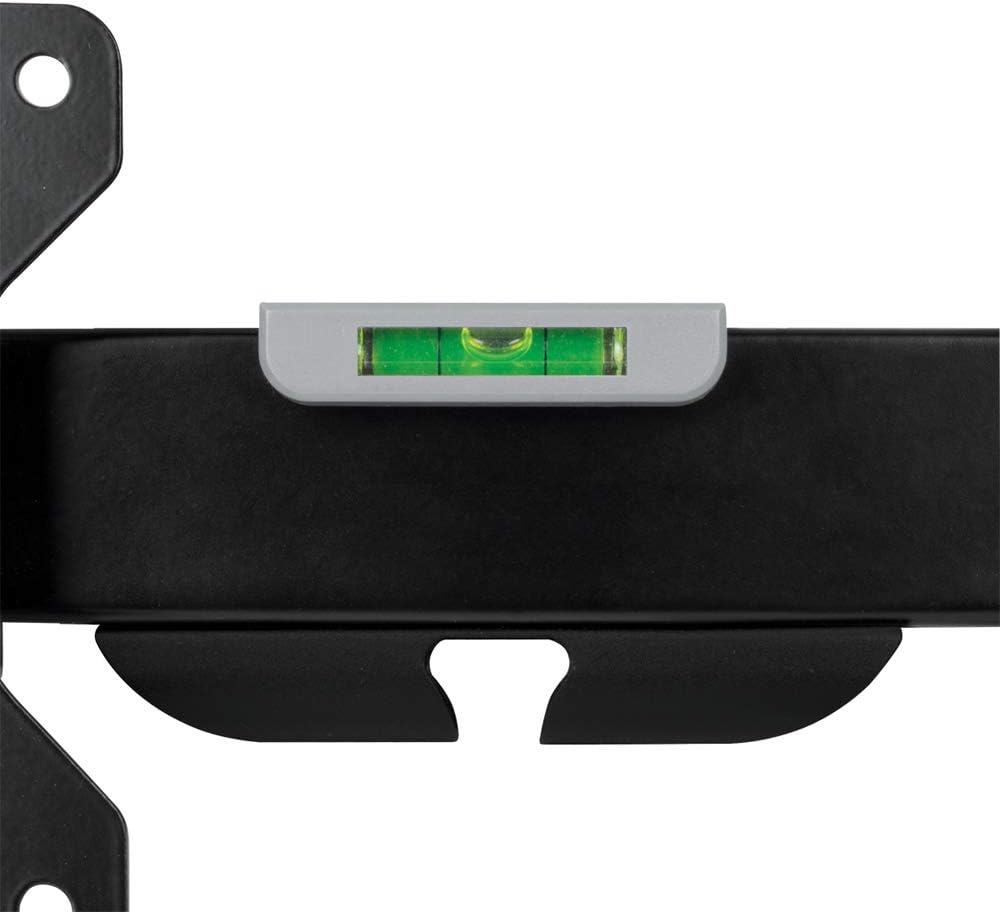
Image: Integrated spirit level on the mount for precise alignment during installation.
Step 3: Attach VESA Plate to Monitor
- Carefully place your monitor face down on a soft, clean surface to prevent scratches.
- Identify the VESA mounting holes on the back of your monitor. These are typically 75x75mm or 100x100mm apart.
- Select the appropriate screws and spacers from the provided hardware kit.
- Attach the VESA plate to the back of your monitor, ensuring it is securely fastened but not overtightened.
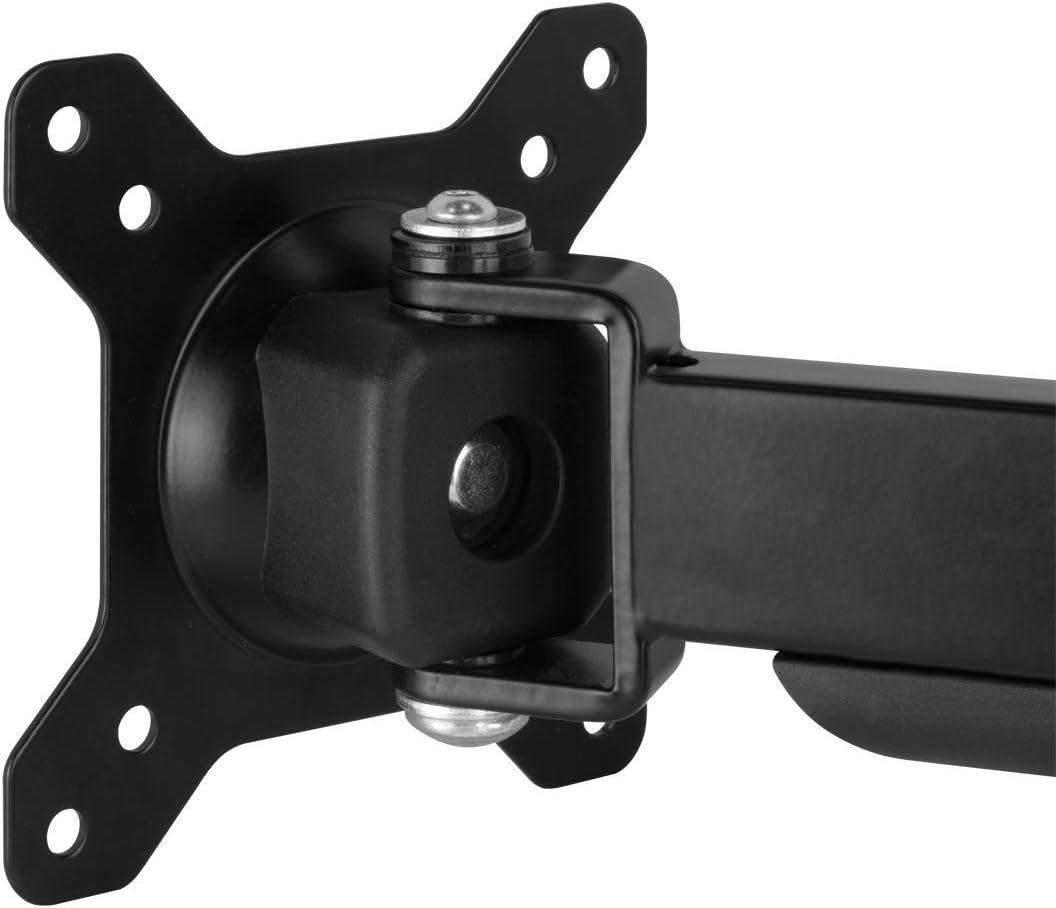
Image: Detail of the VESA plate connection point, showing the monitor attachment mechanism.
Step 4: Mount Monitor to Arm
- With assistance, lift the monitor (with the VESA plate attached) and carefully slide it onto the mounting arm's VESA head.
- Ensure the monitor is securely seated on the arm. Tighten any locking screws or mechanisms as per the specific design of the VESA head.

Image: A monitor securely attached to the ARCTIC W1C Wall Mount, viewed from the side.
Operating and Adjustments
The ARCTIC W1C offers various adjustment options for optimal viewing comfort.
Monitor Positioning
- Extension/Retraction: Gently pull or push the monitor to extend or retract the arm, adjusting the distance from the wall.
- Swivel: The monitor can be swiveled left or right at the arm joints and the VESA head.
- Tilt: Adjust the vertical viewing angle by tilting the monitor up or down at the VESA head.
- Rotation: The VESA plate allows for 360-degree rotation, enabling portrait or landscape orientation.

Image: Illustration of monitor swivel capability.

Image: Illustration of monitor tilt capability.

Image: Monitor rotated to portrait mode for specialized tasks.
Cable Management
Utilize the integrated cable management clips on the arm to route and secure your monitor cables. This helps maintain a tidy workspace and prevents cables from snagging or becoming damaged.

Image: Detail of the cable management clips integrated into the monitor arm.
Maintenance
- Cleaning: Wipe the mount with a soft, damp cloth. Avoid abrasive cleaners or solvents.
- Inspection: Periodically check all mounting screws and connections for tightness. Retighten if necessary.
- Lubrication: The moving parts are designed for long-term use and generally do not require lubrication. If movement becomes stiff, contact support.
Troubleshooting
- Monitor is not level: Ensure the wall plate was installed level. The VESA head also allows for minor rotational adjustments to correct monitor tilt.
- Mount feels unstable: Recheck all wall mounting screws and monitor attachment screws for tightness. Ensure the wall structure is adequate.
- Difficulty adjusting monitor: Check if any adjustment screws are overtightened. Loosen slightly to allow movement, then retighten to desired tension.
- Cables are not staying in clips: Ensure cables are properly routed and not excessively thick. Use additional cable ties if needed.
Warranty and Support
ARCTIC products are covered by a manufacturer's warranty. For specific warranty terms and conditions, please refer to the documentation included with your product or visit the official ARCTIC website. For technical support or further assistance, please contact ARCTIC customer service.
ARCTIC Support: https://support.arctic.ac/


