
Spektrum SPM6655
Spektrum DX6e 6-Channel RC Radio Transmitter System Instruction Manual
Model: DX6e (SPM6655)
Brand: Spektrum
1. Introduction
The Spektrum DX6e 6-Channel 2.4GHz RC Radio Transmitter System is designed for controlling various RC aircraft models, including airplanes, helicopters, sailplanes, and multirotors. This system utilizes DSMX and DSM2 compatibility for reliable communication. It features a 250-model memory, built-in telemetry capabilities, and a wireless trainer link for instructional purposes. The patent-pending gimbal design allows for easy adjustment of gimbal spring configurations.
This manual provides essential information for the safe and effective operation, maintenance, and troubleshooting of your DX6e transmitter system.

Figure 1: Front view of the Spektrum DX6e 6-Channel RC Radio Transmitter System.
2. Setup
2.1 Unboxing and Initial Inspection
Upon receiving your Spektrum DX6e system, carefully unbox all components and inspect for any signs of damage. The package should include:
- Spektrum DX6e 6-Channel DSMX Transmitter
- AR620 Receiver
- AA Alkaline Batteries (4)
2.2 Battery Installation
Install the four AA alkaline batteries into the transmitter's battery compartment, ensuring correct polarity. For extended use, consider purchasing a rechargeable battery pack.
2.3 Binding the Receiver
The AR620 receiver must be bound to the DX6e transmitter for proper operation. Refer to the detailed binding instructions in the included quick start guide. The system is designed for easy binding with compatible UMX and E-flite models.
2.4 Gimbal Spring Configuration
The DX6e features a patent-pending gimbal design that allows you to change gimbal spring configurations by simply moving a slider switch on the back of the transmitter. This enables customization for different flying preferences and aircraft types.
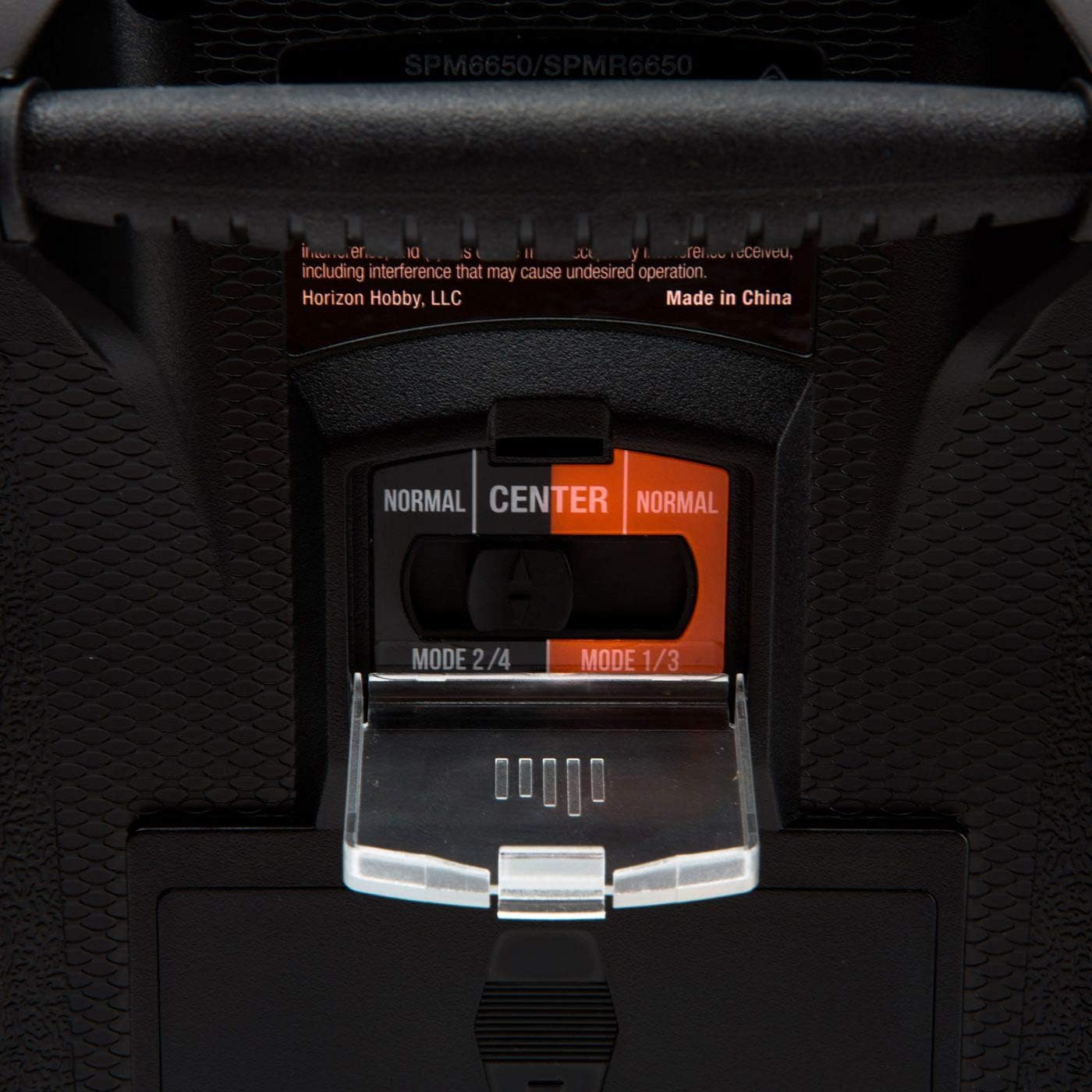
Figure 2: Rear view of the Spektrum DX6e, highlighting the mode switch for gimbal spring configuration.
3. Operating Instructions
3.1 Basic Controls
The DX6e provides precise control over your RC aircraft. Familiarize yourself with the primary control sticks for throttle, pitch, roll, and yaw. The transmitter also includes various programmable switches for functions such as flaps, gear, and flight modes.
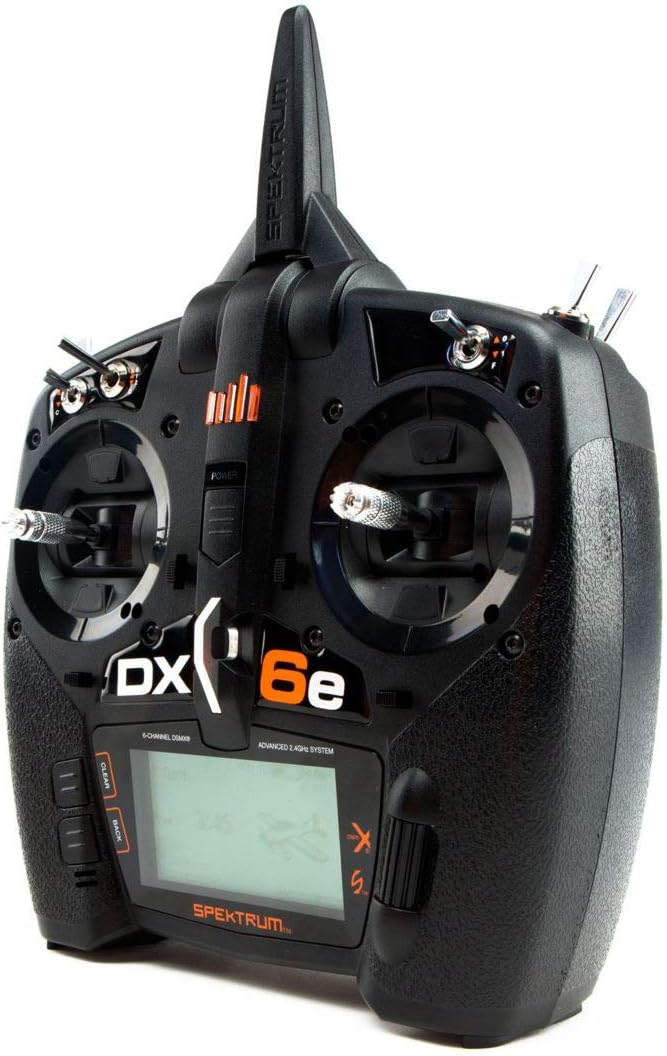
Figure 3: Close-up of the Spektrum DX6e control sticks and switches.
3.2 Telemetry
The DX6e features built-in telemetry, providing real-time vital data such as battery voltage, signal quality, and motor temperature. This information is displayed on the transmitter's screen, allowing for informed flight decisions. Additional telemetry sensors may be required for specific data points.
3.3 Wireless Trainer Link
For training purposes, the wireless trainer link allows instructors to wirelessly 'buddy box' with another DSMX/DSM2 compatible transmitter. This feature simplifies the learning process for new pilots.
Video 1: Overview of the Spektrum DX6e transmitter's features and functionality, including its robust design and ease of use for RC aircraft control.
Video 2: A brief demonstration of the Spektrum DX6e's controls and its suitability for various RC applications.
4. Maintenance
4.1 Battery Care
The DX6e uses AA batteries, which can drain quickly, especially in colder weather. It is recommended to use high-quality alkaline batteries or invest in a rechargeable battery pack for optimal performance and longevity. Always remove batteries during prolonged storage.
4.2 General Cleaning
Keep the transmitter clean and free from dust and debris. Use a soft, dry cloth for cleaning. Avoid using harsh chemicals or solvents that could damage the casing or electronic components.
5. Troubleshooting
5.1 Screen Issues in Cold Weather
Some users have reported that the screen may fade or show black lines in cold weather (around 50°F/10°C and below). If this occurs, allow the transmitter to warm up to room temperature before use. This is a known characteristic and not necessarily a defect.
5.2 Loss of Bind or Servo Reversal
If you experience a loss of bind with your receiver or unexpected servo reversal, re-bind the receiver to the transmitter following the instructions in Section 2.3. Ensure all connections are secure and that the receiver is compatible with the DX6e.
6. Specifications
| Feature | Specification |
|---|---|
| Product Dimensions | 12 x 9.25 x 5.55 inches |
| Item Weight | 2.2 pounds |
| Item Model Number | SPM6655 |
| Manufacturer Recommended Age | 15 years and up |
| Date First Available | January 31, 2019 |
7. Warranty and Support
7.1 Product Registration
Registering your Spektrum DX6e unit is recommended as it typically provides a one-year warranty. Pay attention to the instructions regarding serial number entry for a smooth registration process.
7.2 Customer Service
For any issues or questions, Horizon Hobby customer service is available to provide assistance. They are known for their helpful support.
7.3 Smart Technology Compatibility
The DX6e is Smart ESC compatible with updates. Log in to your MySpektrum account to check for update availability. For enhanced battery management, Spektrum Smart chargers and Smart LiPo battery packs are available, offering faster, easier, and more connected charging experiences.
Ask a question about this manual
Ask about setup, troubleshooting, compatibility, parts, safety, or missing instructions. Manuals+ will review the question and use this page’s manual context to help answer it.