
1. Introduction
Thank you for purchasing the Insignia NS-HAWHP2 RF Wireless Over-Ear Headphones. These headphones provide a high-quality audio experience, allowing you to enjoy your TV or music wirelessly. This manual will guide you through the setup, operation, and maintenance of your new headphones.
2. Package Contents
Ensure all items listed below are included in your package:
- Insignia NS-HAWHP2 RF Wireless Over-Ear Headphones
- Transmitter / Charging Base
- Power Adapter for Transmitter
- Audio Cable (RCA or Optical, depending on model/region)
- User Manual (this document)
3. Product Overview
Familiarize yourself with the components of your headphones and transmitter.
3.1 Headphones

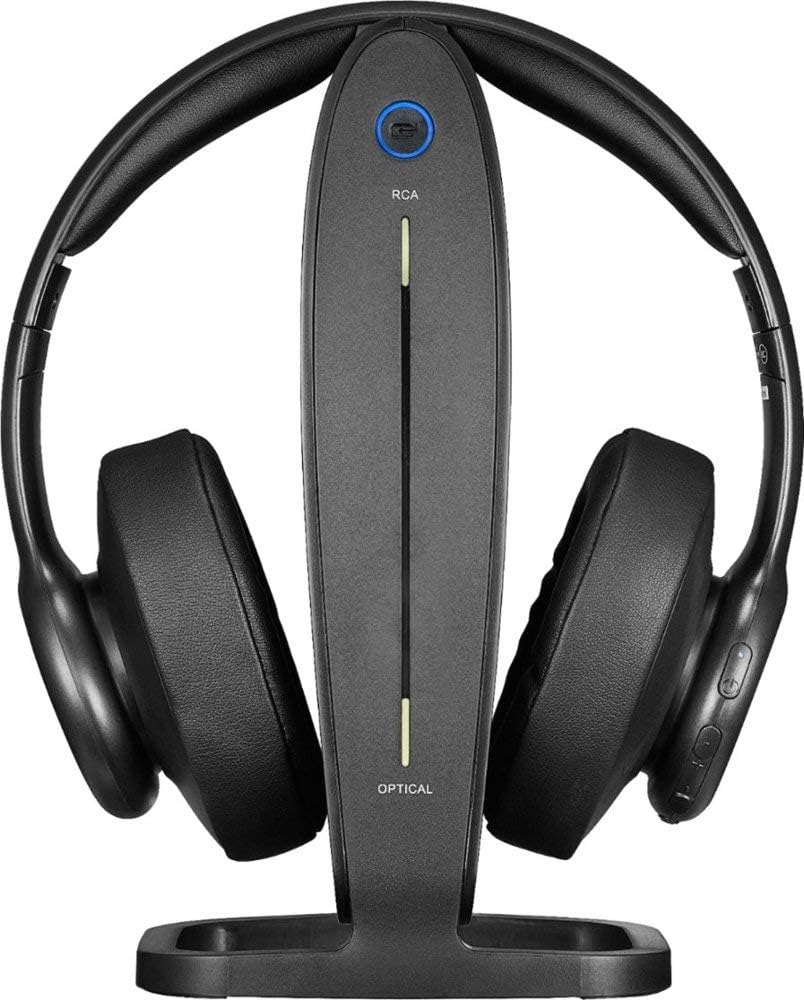
The headphones feature soft, over-ear cushions for extended comfort. Controls for power, volume, and media are located on the earcups for easy access. The headband is adjustable to fit various head sizes.
3.2 Transmitter / Charging Base
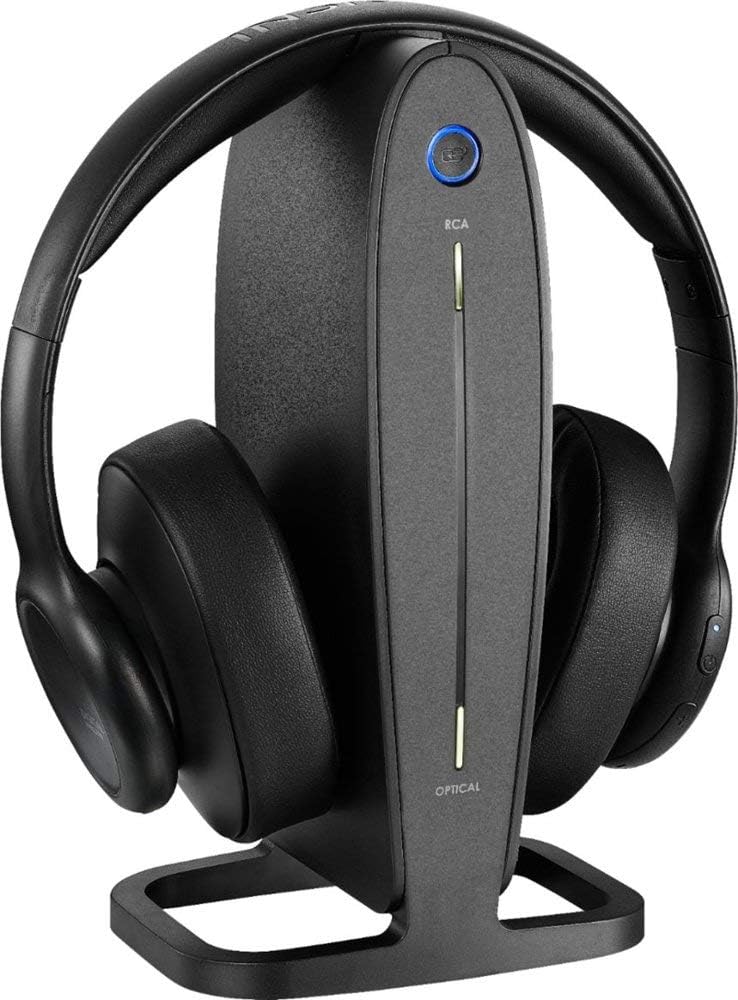
The transmitter unit serves as both the wireless signal sender and the charging base for your headphones. It includes various audio input ports to connect to your TV or other audio sources.

The back of the transmitter features ports for Audio In (RCA), Audio Out (RCA), Digital Optical In, and a 5V power input. Ensure the correct input is selected on the transmitter based on your TV's output.
4. Setup
Follow these steps to set up your Insignia NS-HAWHP2 headphones.
4.1 Powering the Transmitter
- Connect the provided power adapter to the 5V 500mA port on the back of the transmitter.
- Plug the power adapter into a wall outlet. The power indicator on the transmitter should light up.
4.2 Connecting to Your TV
Choose the connection method that best suits your TV's audio output options.
Option A: Digital Optical Connection
- Connect one end of the optical audio cable (if included) to the DIGITAL OPTICAL IN port on the back of the transmitter.
- Connect the other end of the optical audio cable to your TV's Digital Optical Audio Out port.
- On the transmitter, ensure the input selection switch is set to OPTICAL.
- You may need to adjust your TV's audio settings to output sound via the optical port and set the audio format to 'PCM' (Pulse Code Modulation) if available.
Option B: RCA Audio Connection
- Connect one end of the RCA audio cable (red and white plugs) to the AUDIO IN (L/R) ports on the back of the transmitter.
- Connect the other end of the RCA audio cable to your TV's Audio Out (L/R) ports.
- On the transmitter, ensure the input selection switch is set to RCA.
5. Charging the Headphones
Before first use, fully charge your headphones. A full charge takes approximately 2 hours and provides up to 10 hours of battery life.
- Place the headphones onto the charging base, ensuring the charging contacts on the headphones align with the pins on the base.
- The charging indicator light on the headphones (or base) will illuminate (e.g., red) to indicate charging.
- Once fully charged, the indicator light will change color (e.g., turn off or green).
6. Operation
6.1 Powering On/Off
- To power on the headphones, press and hold the Power button on the earcup until the indicator light illuminates (e.g., blue).
- To power off, press and hold the Power button again until the indicator light turns off.
6.2 Adjusting Volume
- Use the Volume Up (+) and Volume Down (-) buttons on the earcup to adjust the listening volume to your preference.
6.3 Wearing the Headphones
- Adjust the headband to ensure a comfortable and secure fit over your ears. The over-ear design provides sound isolation for an immersive experience.

7. Maintenance
- Clean the headphones and transmitter with a soft, dry cloth. Do not use liquid cleaners or solvents.
- Avoid exposing the headphones to extreme temperatures, humidity, or direct sunlight.
- Store the headphones on their charging base when not in use to ensure they are always ready.
8. Troubleshooting
If you encounter any issues, refer to the following common solutions:
- No Sound: Ensure the transmitter is powered on and correctly connected to your TV's audio output. Verify the input selection on the transmitter matches the connection type. Check the headphone volume and TV volume.
- Poor Sound Quality/Interference: Ensure the headphones are within the operating range (up to 33 feet). Move away from other electronic devices that may cause interference.
- Headphones Not Charging: Ensure the headphones are properly seated on the charging base and the base is powered. Check the charging indicator light.
- No Power: Ensure both the transmitter and headphones are fully charged or connected to power.
9. Specifications
| Model | NS-HAWHP2 |
| Brand | Insignia |
| Connectivity Technology | RF Wireless |
| Wireless Range | Up to 33 feet (approx. 10 meters) |
| Battery Life | Up to 10 hours |
| Charging Time | Approx. 2 hours |
| Battery Type | 1 Lithium Ion (included) |
| Headphone Type | Over-Ear |
| Noise Control | Sound Isolation |
| Control Type | Volume Control, Media Control, Touch |
| Included Components | Headphones, Transmitter/Charging Base, Power Adapter, Audio Cable, User Manual |
10. Warranty and Support
For warranty information or technical support, please refer to the warranty card included in your product packaging or visit the official Insignia website. Do not attempt to service this product yourself.