
Product Overview
This manual provides essential information for the proper use and maintenance of ReceiptRoll Thermal Paper, designed for compatibility with Zebra QL220 and IMZ220 mobile printers. This product consists of 36 rolls of 2-inch by 80-foot thermal paper, weighing 55 grams per square meter (GSM).
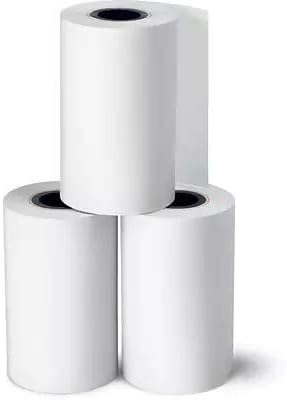
Image: Three individual rolls of ReceiptRoll thermal paper, showcasing the product's standard appearance.
Setup and Installation
Proper installation of thermal paper is crucial for optimal printer performance and print quality. Always refer to your specific printer's user manual (e.g., Zebra QL220 or IMZ220) for detailed loading instructions.
General Loading Procedure:
- Open Printer Cover: Locate and open the paper compartment cover on your Zebra QL220 or IMZ220 printer.
- Insert Paper Roll: Place the ReceiptRoll thermal paper roll into the compartment. Ensure the paper feeds from the bottom of the roll and the leading edge is positioned correctly for printing. The thermal side of the paper (usually the smoother, shinier side) should face the thermal print head.
- Close Cover: Gently close the printer cover until it latches securely. Ensure no paper is caught or creased.
- Test Print: Perform a test print to verify correct paper loading and print quality.
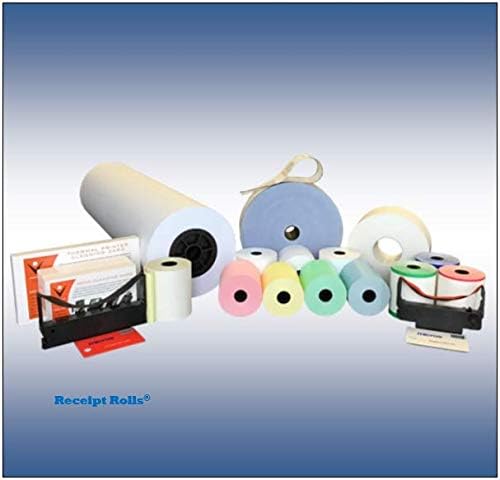
Image: A variety of ReceiptRoll products, including different sizes and colors of thermal paper, alongside printer accessories, illustrating the broader product range.
Operating Instructions
Once the thermal paper is correctly loaded, operation is managed through your compatible thermal printer. This paper is designed for direct thermal printing, meaning it reacts to heat from the printer's print head to create images and text without the need for ink or toner.
Key Considerations:
- Print Quality: Ensure your printer's settings are optimized for thermal paper to achieve clear, crisp prints.
- Environmental Factors: Avoid exposing printed receipts to direct sunlight, high heat, or certain chemicals (e.g., plasticizers found in PVC binders) as this can cause the print to fade over time.
- Paper Feed: Always ensure the paper feeds smoothly from the roll without resistance to prevent jams or misprints.
Maintenance and Storage
Proper handling and storage of ReceiptRoll thermal paper will extend its shelf life and preserve print quality.
Storage Guidelines:
- Temperature: Store in a cool, dry place, ideally between 20°C and 25°C (68°F and 77°F).
- Humidity: Maintain relative humidity between 40% and 60%.
- Light Exposure: Keep away from direct sunlight and strong fluorescent light. Store in original packaging or opaque containers.
- Chemicals: Avoid contact with chemicals such as alcohol, solvents, plasticizers (found in PVC), and adhesives, as these can degrade the thermal coating.
Handling Tips:
- Handle rolls by the edges to avoid transferring oils or dirt to the thermal surface.
- Do not bend or crease the paper excessively before printing.
Troubleshooting
Most issues related to thermal paper are often linked to improper loading, storage, or printer settings.
| Problem | Possible Cause | Solution |
|---|---|---|
| Faded or Light Print |
|
|
| Paper Jams |
|
|
| Print Fades Quickly After Printing |
|
|
Product Specifications
| Attribute | Detail |
|---|---|
| Brand | ReceiptRoll |
| Model Number | T20080Z36 |
| Product Type | Thermal Paper Rolls |
| Roll Dimensions | 2 inches (width) x 80 feet (length) |
| Sheet Size (converted) | 2 x 960 inches |
| Paper Weight | 55 Gram (GSM) |
| Color | White |
| Paper Finish | Smooth |
| Quantity | 36 Rolls per pack |
| Compatibility | Zebra QL220, Zebra IMZ220, and other compatible 2-inch thermal printers. |
| Manufacturer | ReceiptRoll |
Warranty and Support
Information regarding specific product warranty terms or direct customer support contacts for ReceiptRoll thermal paper is not provided within this manual. For warranty claims or technical assistance, please refer to the original purchase documentation or contact the retailer from whom the product was acquired.