1. Introduction
The ASUS VivoBook L203MA is a compact and lightweight 11.6-inch laptop designed for productivity on the go. It features an efficient Intel Celeron N4000 Processor, 4GB LPDDR4 RAM, and 64GB eMMC Flash Storage. Pre-loaded with Windows 10 in S mode, it offers a streamlined and secure computing experience, with the option to upgrade to Windows 10 Home. This laptop is ideal for users seeking portability, long battery life, and essential computing capabilities.
- Efficient Performance: Powered by an Intel Celeron N4000 Processor (4M Cache, up to 2.6 GHz).
- Compact Display: Features an 11.6” HD (1366 x 768) Display with an HD webcam.
- Ample Storage & Memory: Equipped with 64GB eMMC Flash Storage and 4GB LPDDR4 RAM.
- Operating System: Runs on Windows 10 in S mode, with an easy upgrade path to Windows 10 Home.
- Microsoft Office Included: Comes with one year of Microsoft Office 365.
- Ultra-Portable Design: Measures 0.7” thin and weighs only 2.2 pounds (battery included).
- Versatile Connectivity: Includes USB Type-C (Gen 1), USB Type-A, HDMI, and MicroSD connectivity.
- Fast Wireless: Supports Wi-Fi 5 (802.11ac) for speeds up to three times faster than 802.11n.
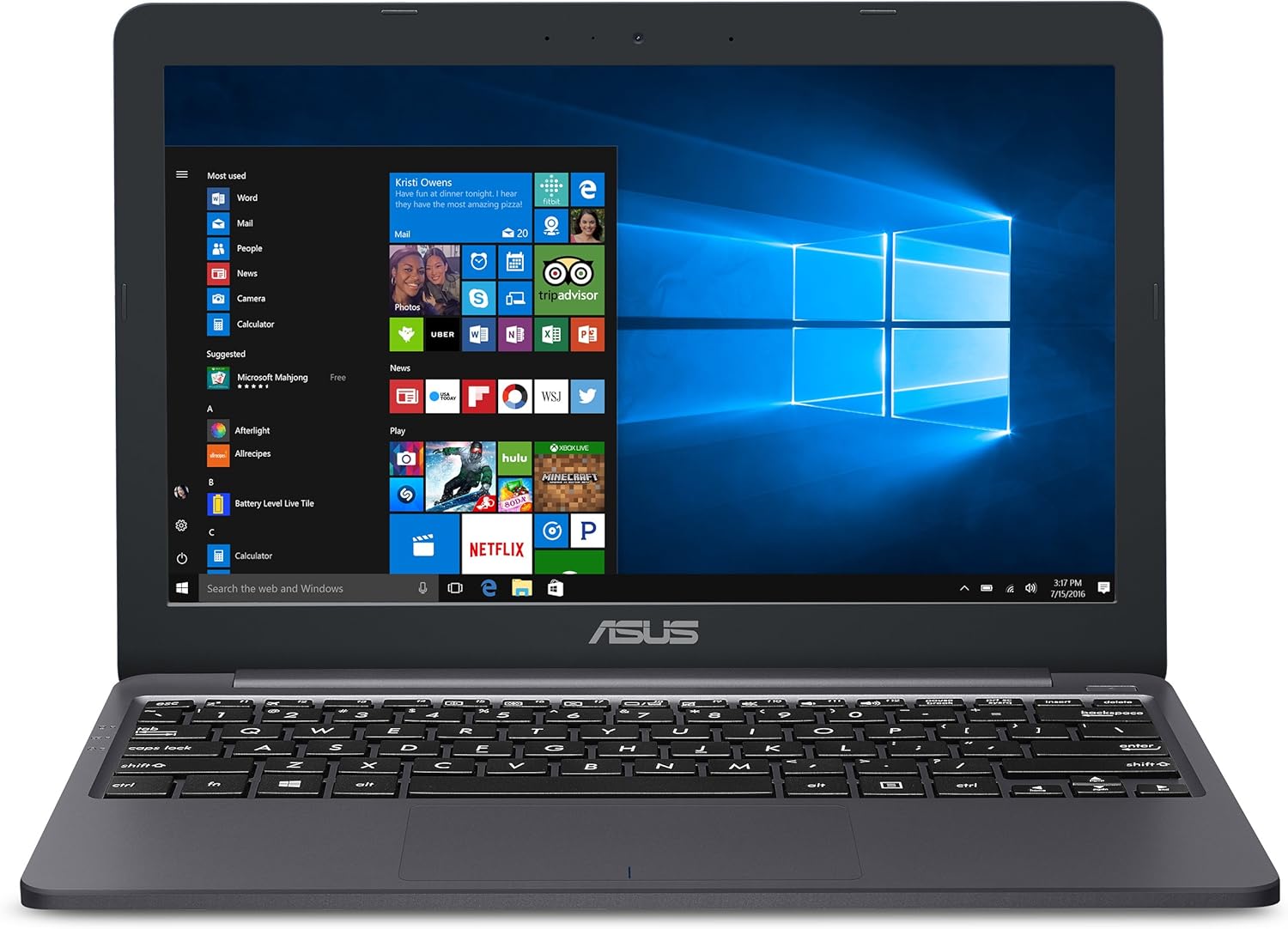
Figure 1: The ASUS VivoBook L203MA Laptop, showcasing its compact design and Windows 10 interface.

Figure 2: Designed for Mobility - The sleek, closed profile of the ASUS VivoBook L203MA.
2. Setup
Follow these steps to set up your new ASUS VivoBook L203MA laptop:
- Unboxing: Carefully remove the laptop and all accessories from the packaging. Ensure you have the laptop, power adapter, and any included documentation.
- Initial Charge: Connect the power adapter to the laptop's charging port and plug it into a power outlet. It is recommended to fully charge the battery before the first use.
- Power On: Open the laptop lid and press the power button, typically located on the top right of the keyboard. The system will guide you through the initial Windows 10 S mode setup process.
- Connect Peripherals: Utilize the available ports to connect external devices such as a mouse, external hard drive, or monitor. The laptop features USB Type-C (Gen 1), USB Type-A, and HDMI ports for versatile connectivity.

Figure 3: Ultimate Flexibility with USB-C and other essential ports for connecting various devices.

Figure 4: Optimized Battery for Mobile Computing - The laptop is designed for long-lasting use on the go.
3. Operating
The ASUS VivoBook L203MA is designed for intuitive operation, leveraging the familiar Windows 10 S mode interface. Below are key aspects of its operation:
- Windows 10 S Mode: This operating system is optimized for security and performance, exclusively running apps from the Microsoft Store. For broader software compatibility, you can switch out of S mode to Windows 10 Home.
- Keyboard and Touchpad: The laptop features an ergonomic keyboard for comfortable typing and a responsive touchpad for navigation.
- Display Flexibility: The durable 180-degree hinge allows the screen to lay completely flat, offering versatile viewing angles for collaboration or presentations.
- Wi-Fi Connectivity: Benefit from faster and more stable internet connections with Wi-Fi 5 (802.11ac), ensuring smooth browsing and streaming.

Figure 5: Ergonomic Keyboard - Designed for comfortable and efficient typing.

Figure 6: Durable 180 Degree Hinge - Provides flexibility for various usage scenarios.

Figure 7: Faster, More Stable Wi-Fi Connections - Enjoy reliable internet access.

Figure 8: Cinematic Visuals - Experience clear and vibrant images on the HD display.
4. Maintenance
To ensure the longevity and optimal performance of your ASUS VivoBook L203MA, regular maintenance is recommended:
- Cleaning: Use a soft, lint-free cloth to clean the screen and exterior surfaces. For stubborn smudges, slightly dampen the cloth with water or a screen-safe cleaner. Avoid harsh chemicals or abrasive materials.
- Ventilation: Ensure the laptop's ventilation openings are not blocked to prevent overheating. Use the laptop on a flat, hard surface whenever possible.
- Battery Care: To maximize battery lifespan, avoid consistently draining the battery to 0% or keeping it plugged in at 100% for extended periods. Periodically allow the battery to discharge and recharge.
- Software Updates: Regularly update your Windows operating system and drivers to ensure security and performance improvements.
5. Troubleshooting
Here are some common issues and their potential solutions for your ASUS VivoBook L203MA:
- Laptop Not Powering On:
- Ensure the power adapter is securely connected to both the laptop and a working power outlet.
- Verify the power outlet is functional by plugging in another device.
- If the battery is completely drained, it may take a few minutes of charging before the laptop can power on. - Slow Performance:
- Close unnecessary applications running in the background.
- Check for and install any pending Windows updates.
- Consider upgrading from Windows 10 S mode to Windows 10 Home if you require more software flexibility, as S mode restricts app installations to the Microsoft Store. - Peripheral Not Recognized:
- Ensure the peripheral is correctly connected to the appropriate port.
- Try connecting the peripheral to a different port or another device to rule out a faulty peripheral.
- Note that USB transfer speeds may vary depending on the host device, file attributes, and operating environment. - Wi-Fi Connectivity Issues:
- Restart your Wi-Fi router and the laptop.
- Ensure Wi-Fi is enabled on your laptop.
- Check if other devices can connect to the same Wi-Fi network.
6. Specifications
| Feature | Specification |
|---|---|
| Brand | ASUS |
| Model Name | ASUS VivoBook L203 |
| Item Model Number | L203MA-DS04 |
| Screen Size | 11.6 Inches |
| Screen Resolution | 1366 x 768 pixels |
| Max Screen Resolution | 1920x1080 Pixels (Note: Native resolution is 1366x768) |
| Processor | Intel Celeron N4000 (2.6 GHz) |
| RAM | 4 GB LPDDR4 |
| Hard Drive | 64 GB Embedded MultiMediaCard (eMMC) |
| Graphics Coprocessor | Intel UHD Graphics 600 |
| Operating System | Windows 10 S |
| Wireless Type | Bluetooth, 802.11a/b/g/n/ac (Wi-Fi 5) |
| USB Ports | 3 (including USB Type-C Gen 1) |
| Average Battery Life | 10 Hours |
| Item Weight | 2.31 pounds |
| Product Dimensions | 7.6 x 11.3 x 0.7 inches |
7. Warranty and Support
Your ASUS VivoBook L203MA comes with a standard manufacturer's warranty. For specific warranty terms and conditions, please refer to the included Warranty Card or visit the official ASUS support website. Additionally, one year of Microsoft Office 365 is included with your purchase.
For further assistance, technical support, or to download the full user manual in PDF format, please contact ASUS directly or visit their official support channels. The manufacturer contact information is provided below:
Manufacturer: ASUS
User Manual (PDF): Download Here


