
Pyle PT272AUBT
Pyle PT272AUBT Hybrid Amplifier Receiver User Manual
Model: PT272AUBT
Brand: Pyle
Introduction
Welcome to your new Pyle Hybrid Amplifier Receiver. The PT272AUBT is designed to provide a versatile audio experience for your home theater system, featuring Bluetooth streaming, MP3/USB/SD card playback, and AM/FM radio. This manual provides comprehensive instructions for proper setup, operation, and maintenance to ensure optimal performance and longevity of your unit.

Image: The Pyle PT272AUBT Hybrid Amplifier Receiver shown with its remote control, highlighting its sleek black design and various front panel controls.
Important Safety Instructions
To reduce the risk of electric shock, fire, or damage to the unit, please read and follow these safety guidelines carefully:
- Power Source: Connect the unit only to the type of power source indicated on the marking label.
- Ventilation: Ensure adequate ventilation. Do not block any ventilation openings. Install in accordance with the manufacturer's instructions.
- Water and Moisture: Do not expose this apparatus to rain or moisture. Do not place objects filled with liquids, such as vases, on the apparatus.
- Heat: Do not install near any heat sources such as radiators, heat registers, stoves, or other apparatus (including amplifiers) that produce heat.
- Cleaning: Clean only with a dry cloth. Unplug this apparatus during lightning storms or when unused for long periods of time.
- Servicing: Refer all servicing to qualified service personnel. Servicing is required when the apparatus has been damaged in any way, such as power-supply cord or plug is damaged, liquid has been spilled or objects have fallen into the apparatus, the apparatus has been exposed to rain or moisture, does not operate normally, or has been dropped.
Package Contents
Verify that all items listed below are included in your package:

Image: The Pyle PT272AUBT amplifier receiver displayed with its included accessories: a remote control, power cable, user manual, and FM antenna.
- Pyle PT272AUBT Hybrid Amplifier Receiver
- Remote Control
- Power Cable
- User Manual
- FM Antenna
Product Overview
Familiarize yourself with the controls and connections of your PT272AUBT unit.

Image: A detailed diagram illustrating the front and rear panels of the Pyle PT272AUBT, with key controls and connection points clearly labeled for easy identification.
Front Panel Controls and Functions
- Power ON/OFF Switch: Toggles the unit's power.
- USB/SD/MMC Card Reader: For playing digital audio files from USB flash drives or SD/MMC memory cards.
- MIC 1 / MIC 2 Inputs: 1/4-inch jacks for connecting microphones.
- MIC VOL: Adjusts the volume level of the microphones.
- MIC BASS / MIC TREBLE: Adjusts bass and treble for microphone input.
- ECHO: Controls the echo effect for microphone input.
- BASS / TREBLE: Adjusts the overall bass and treble levels of the main audio output.
- SUB VOL: Controls the volume of the subwoofer output.
- Input Selector: Switches between different audio input sources (Bluetooth, USB/SD, AM/FM, AUX).
- Bluetooth Button: Activates Bluetooth pairing mode.
- AM/FM Tuner Controls: Buttons for tuning, auto scan, and station presets.
- VOLUME Knob: Master volume control for the entire system.
Rear Panel Connections
- Audio Input (RCA L/R): Connect external audio sources like CD players, DVD players, or other devices.
- Speaker Output (A/B): Connect your passive speakers. Supports A and B speaker sets.
- FM Antenna Input: Connect the included FM antenna for radio reception.
- Power Input: Connect the power cable to an AC outlet.
- Voltage Selector: Allows switching between 110V and 220V power supply (ensure correct setting for your region).
Setup
Connecting Speakers
Connect your passive speakers to the speaker output terminals on the rear panel. The PT272AUBT supports two sets of speakers (A and B). Ensure correct polarity (positive to positive, negative to negative) for optimal sound quality.
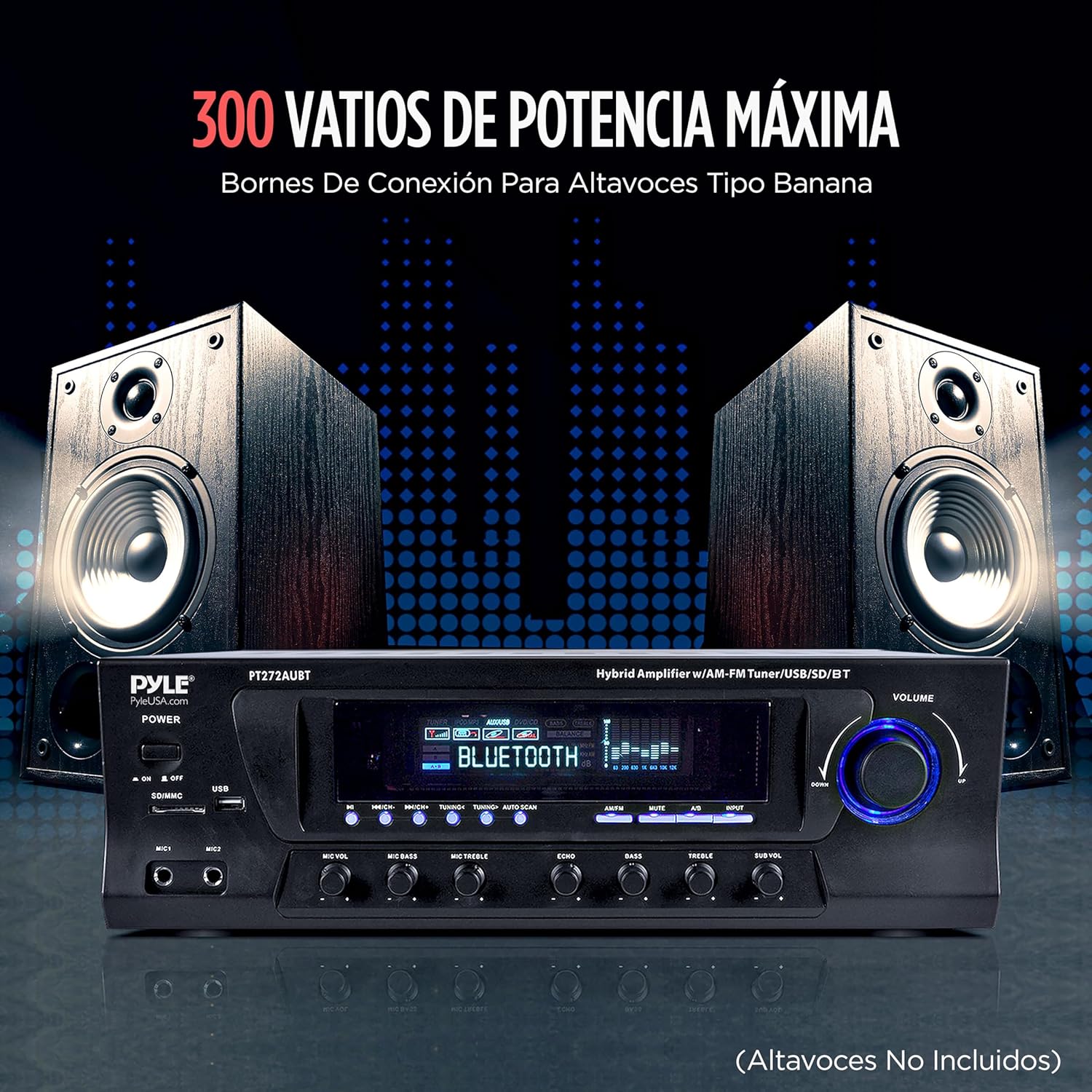
Image: The Pyle PT272AUBT amplifier positioned between two large stereo speakers, visually representing the speaker connection setup for a home audio system.
Connecting Audio Sources
Use RCA cables to connect external audio devices (such as CD players, DVD players, or computers) to the 'Audio Input' jacks on the rear panel.

Image: A composite image demonstrating the Pyle PT272AUBT's versatile connectivity, showing connections to a laptop for USB audio streaming and to a DVD/CD player for traditional audio input.
Power Connection
Before connecting the power cable, ensure the voltage selector on the rear panel is set to your local power supply (110V or 220V). Then, connect the power cable to the unit and plug it into a wall outlet.
Operating
Basic Operation
- Powering On/Off: Press the power switch on the front panel to turn the unit on or off.
- Volume Control: Rotate the large VOLUME knob to adjust the overall sound level.
- Input Selection: Use the Input Selector button to cycle through available audio sources (Bluetooth, USB/SD, AM/FM, AUX).
Bluetooth Streaming
Stream audio wirelessly from your Bluetooth-enabled devices.

Image: The Pyle PT272AUBT amplifier's display showing 'Bluetooth' mode, with a smartphone nearby illustrating wireless music streaming capability.
- Turn on the PT272AUBT and select 'Bluetooth' as the input source. The display will show 'BLUETOOTH'.
- Enable Bluetooth on your smartphone, tablet, or computer.
- Search for available devices and select 'PYLEUSA' from the list.
- Once paired, you can play audio from your device, and it will stream through the amplifier.
USB/SD Card Playback
The unit supports MP3 digital audio files from USB flash drives and SD/MMC memory cards.
- Insert a USB flash drive or SD/MMC card into the corresponding slot on the front panel.
- The unit will automatically switch to USB/SD input and begin playing compatible audio files.
- Use the playback controls (Play/Pause, Next, Previous) on the front panel or remote control.
AM/FM Radio
Tune into your favorite radio stations.
- Select 'AM/FM' as the input source.
- Use the tuning buttons to manually search for stations or the 'AUTO SCAN' function to automatically find and save available stations.
Microphone Inputs
Connect up to two microphones for karaoke or public address.
- Plug your microphones into the MIC 1 or MIC 2 jacks.
- Adjust the 'MIC VOL' knob to control the microphone volume.
- Use 'MIC BASS', 'MIC TREBLE', and 'ECHO' knobs to fine-tune the microphone sound.
Maintenance
Care and Cleaning
- Always unplug the unit from the power outlet before cleaning.
- Use a soft, dry cloth to clean the exterior surfaces. Do not use liquid cleaners or aerosol cleaners.
- Keep the ventilation openings clear of dust and debris to prevent overheating.
Troubleshooting
If you encounter any issues with your PT272AUBT, refer to the table below for common problems and their solutions.
| Problem | Possible Cause | Solution |
|---|---|---|
| No power | Power cable not connected; Power outlet faulty; Unit's power switch off. | Ensure power cable is securely connected. Try a different outlet. Turn on the power switch. |
| No sound output | Incorrect input selected; Volume too low; Speakers not connected or faulty; Mute function active. | Select the correct input source. Increase volume. Check speaker connections and ensure they are working. Deactivate mute. |
| Bluetooth not connecting | Unit not in pairing mode; Device Bluetooth off; Device too far; Interference. | Ensure amplifier is in Bluetooth input mode. Turn on Bluetooth on your device. Move device closer. Reduce interference from other wireless devices. |
| Poor radio reception | Antenna not connected or positioned incorrectly; Weak signal. | Connect the FM antenna and adjust its position for better reception. |
Specifications
Detailed technical specifications for the Pyle PT272AUBT Hybrid Amplifier Receiver.

Image: A diagram illustrating the physical dimensions of the Pyle PT272AUBT amplifier, showing its length, width, and height measurements.
- Output Power: 300 Watts
- Number of Channels: 4
- Connectivity Technology: Bluetooth, USB
- Compatible Devices: Speaker
- Connector Type: USB
- Audio Output Mode: Stereo
- Color: Black
- Item Weight: 10.7 pounds (4.85 kg)
- Product Dimensions (L x W x H): 16.93 x 11.82 x 5.12 inches (43 x 30 x 13 cm)
Warranty and Support
Warranty Information
This Pyle product is covered by a manufacturer's warranty against defects in materials and workmanship. Please refer to the warranty card included with your product or visit the official Pyle website for detailed warranty terms and conditions.
Customer Support
For technical assistance, troubleshooting, or product inquiries, please visit the official Pyle website at www.pyleusa.com or contact their customer support team directly. Have your model number (PT272AUBT) and purchase information ready when contacting support.
Related documentsPT272AUBT


Ask a question about this manual
Ask about setup, troubleshooting, compatibility, parts, safety, or missing instructions. Manuals+ will review the question and use this page’s manual context to help answer it.