
1. Introduction
Thank you for choosing the Sennheiser CX 300S In-Ear Headphones. These headphones are designed to provide enhanced audio quality with powerful bass and detailed sound reproduction. They feature passive noise cancellation for an immersive listening experience and an integrated one-button remote with a microphone for convenient call and music control.
Please read this manual carefully before using your headphones to ensure proper operation and to maximize their lifespan.
2. Package Contents
Verify that all items listed below are present in your package:
- Sennheiser CX 300S In-Ear Headphones
- Set of ear adapters (S, M, L sizes)
- Carrying pouch

Image: Included ear adapters in various sizes and a soft carrying pouch for the CX 300S headphones.
3. Setup
3.1 Selecting the Correct Ear Adapters
Choosing the right size ear adapters is crucial for optimal sound quality and comfort. The CX 300S comes with ear adapters in Small (S), Medium (M), and Large (L) sizes. Experiment with different sizes to find the best fit for your ears. A proper fit ensures effective passive noise cancellation and rich bass response.
- Try each size of ear adapter.
- The correct size should feel comfortable and create a good seal in your ear canal.
- If the sound lacks bass or external noise is not sufficiently reduced, try a larger size.
- If the fit is uncomfortable, try a smaller size.
3.2 Inserting the Earbuds
Gently insert the earbuds into your ear canals. The earbuds are marked with "L" for left and "R" for right. Ensure they are seated comfortably and securely.
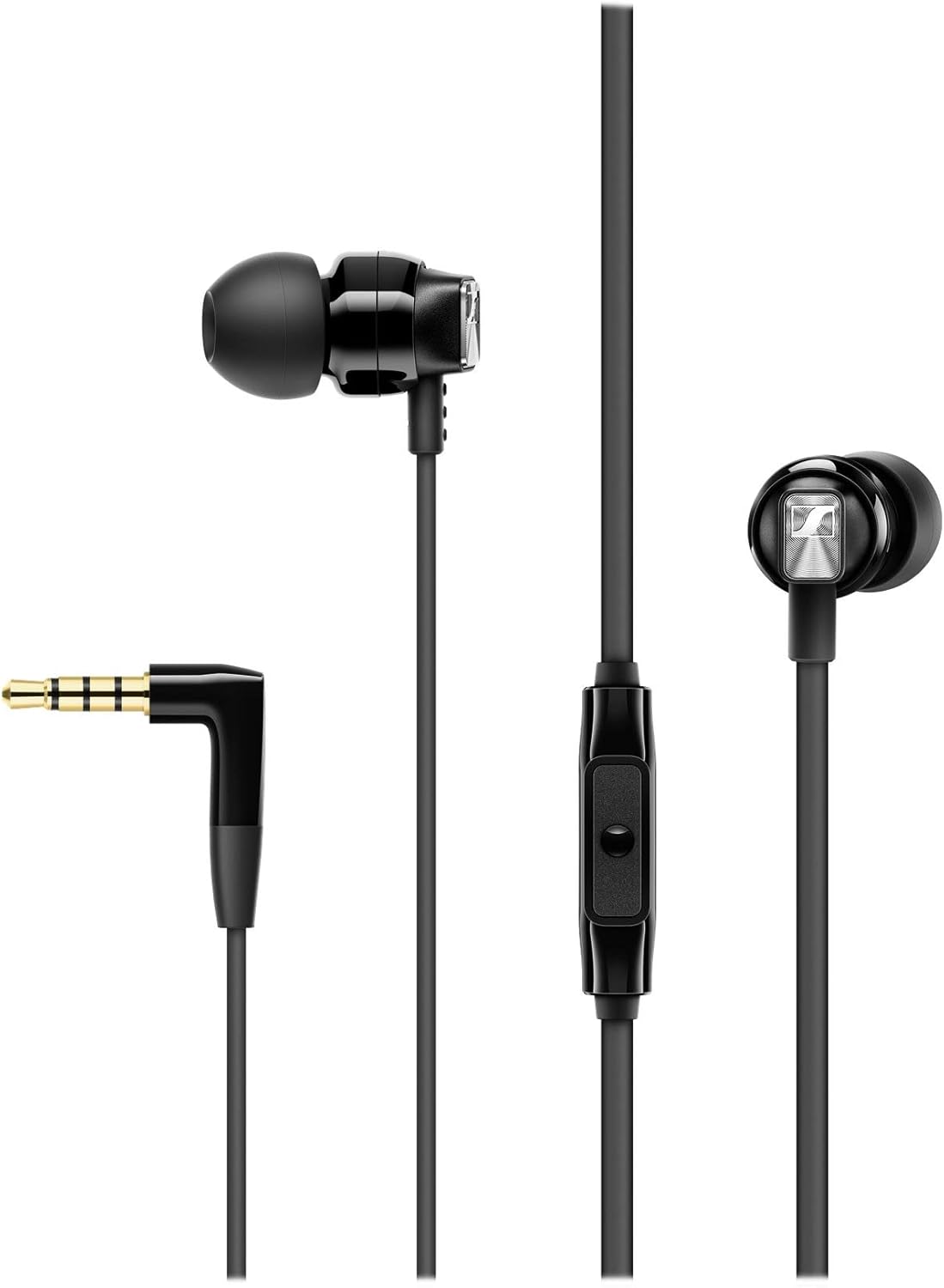
Image: The Sennheiser CX 300S headphones, showing the earbuds, inline remote, and L-shaped 3.5mm jack. Note the "L" and "R" markings on the earbuds for correct placement.
3.3 Connecting to an Audio Device
Plug the 3.5mm jack of the headphones into the audio output port of your smartphone, tablet, computer, or other compatible audio device. Ensure the jack is fully inserted.
4. Operating Instructions
The Sennheiser CX 300S features an inline remote control with an integrated microphone for managing calls and music playback.
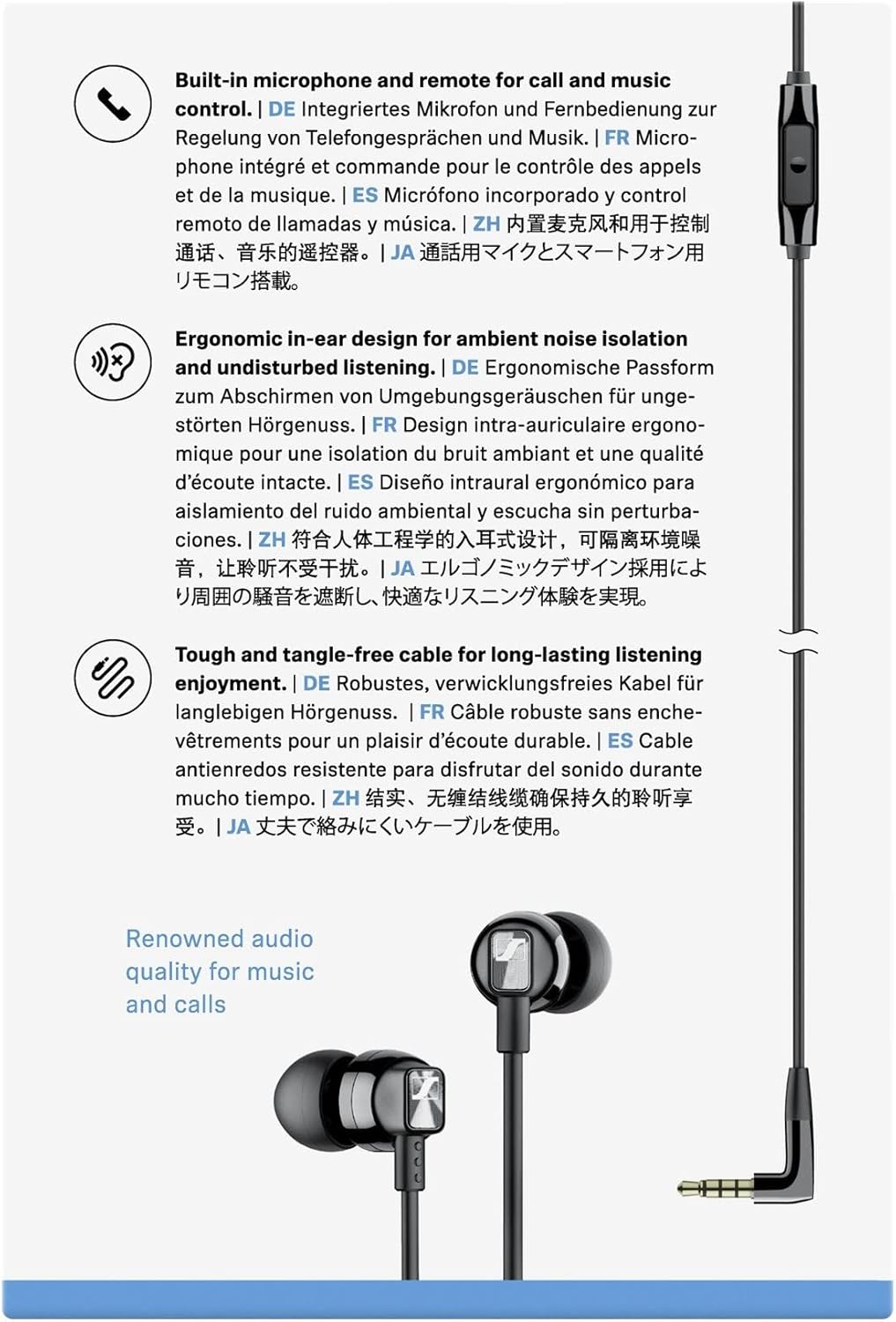
Image: Diagram highlighting key features of the CX 300S: built-in microphone and remote, ergonomic in-ear design for noise isolation, and a tough, tangle-free cable.
4.1 Call Functions
- Answer/End Call: Press the button once.
- Reject Call: Press and hold the button for approximately 2 seconds.
4.2 Music Playback
- Play/Pause: Press the button once.
- Next Track: Press the button twice quickly.
- Previous Track: Press the button three times quickly.
Note: Functionality may vary depending on your audio device and operating system.
5. Maintenance and Care
5.1 Cleaning the Earbuds and Ear Adapters
- Regularly clean the ear adapters and the sound channels of the earbuds to prevent wax buildup and maintain sound quality.
- Remove the ear adapters from the earbuds.
- Clean the ear adapters with a mild soap solution and rinse thoroughly with water. Allow them to dry completely before reattaching.
- Use a dry, soft cloth to wipe the earbuds. Do not use liquid cleaners directly on the earbuds.
- Do not use alcohol or harsh chemicals.
5.2 Storage
When not in use, store your headphones in the provided carrying pouch to protect them from dust, dirt, and tangling. Avoid storing them in extreme temperatures or high humidity.
6. Troubleshooting
If you encounter any issues with your Sennheiser CX 300S headphones, please refer to the following common problems and solutions:
| Problem | Possible Cause | Solution |
|---|---|---|
| No sound or low volume |
|
|
| Poor sound quality (e.g., lack of bass, muffled sound) |
|
|
| Microphone not working |
|
|
| Remote control not responding |
|
|
7. Technical Specifications
| Model: | Sennheiser CX 300S |
| Ear Coupling: | In-Ear |
| Frequency Response (Speaker): | 17 Hz – 21,000 Hz |
| Impedance: | 18 Ω |
| Microphone: | Integrated, Omni-directional |
| Remote Control: | 1-button inline remote |
| Connector: | 3.5 mm, L-shaped jack |
Note: Specifications are subject to change without notice.
8. Safety Information
- Hearing Protection: To prevent hearing damage, do not listen at high volume levels for long periods.
- Road Safety: Do not use your headphones in situations where your hearing is required for safety, such as driving, cycling, or walking in traffic.
- Choking Hazard: Keep the headphones and accessories out of reach of children and pets to prevent accidental ingestion of small parts.
- Environmental: Protect the product from moisture, extreme temperatures, and direct sunlight.
- Cleaning: Only clean the product with a soft, dry cloth.
9. Warranty and Support
Sennheiser provides a warranty for this product. For current warranty conditions, please visit the official Sennheiser website or contact your local Sennheiser service partner. You can find contact information on the Sennheiser website:
www.sennheiser.com/service-support
Please retain your purchase receipt as proof of purchase.


