
1. Introduction and Overview
The Health o Meter 500KL is a high-capacity digital stand-on scale designed for professional use in medical facilities such as doctor's offices, hospitals, and clinics. This device provides accurate weight and height measurements, accommodating a broad range of patients with its 660 lb (300 kg) capacity. It features an integrated height rod for simultaneous measurements, enhancing efficiency in clinical environments. The scale also includes advanced functions such as Pre-Tare, Recall, Reweigh, and Everlock, and is powered by an AC adapter for continuous operation. Its large, easy-to-read LCD screen displays clear weight readings and Body Mass Index (BMI) calculations, simplifying patient assessment. The 500KL is EMR/Vital Signs Integration Ready, allowing for wireless connectivity with Pelstar technology to streamline documentation in modern healthcare systems.
2. Setup Instructions
- Unpacking: Carefully remove all components from the packaging. Inspect the scale for any signs of damage during transit. Retain packaging for future transport or storage.
- Placement: Position the scale on a firm, flat, and stable surface to ensure accurate readings. Avoid carpets or uneven flooring.
- Height Rod Assembly: The height rod is integrated into the scale's column. Ensure it is securely seated and moves smoothly for adjustment.
- Power Connection: Connect the provided AC adapter to the scale's power input port and then plug it into a standard electrical outlet.
- Initial Zeroing: Before first use, and periodically thereafter, ensure the scale is stable and the display reads '0.0' when no weight is on the platform. If not, refer to the operating instructions for zeroing procedures.
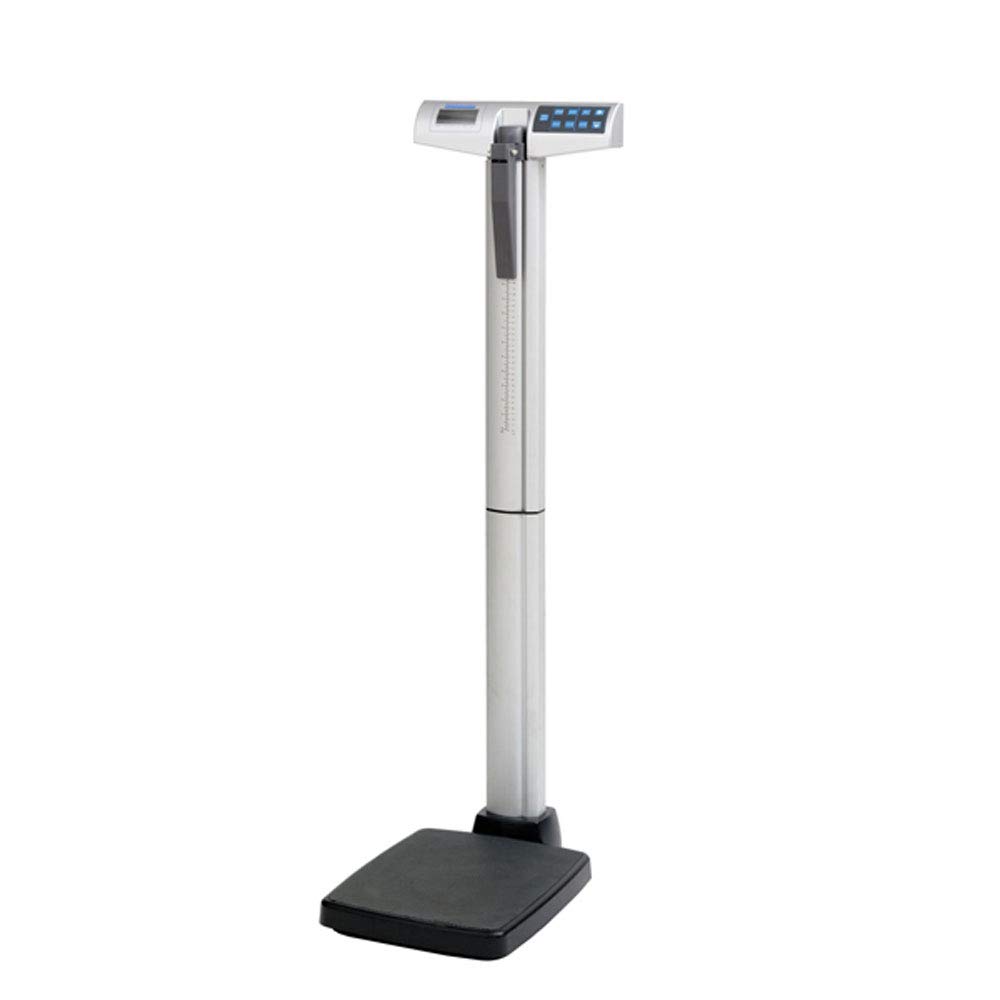
This image displays the Health o Meter 500KL Digital Stand-On Scale, highlighting its physical dimensions. The scale features a sturdy base, a vertical column with an integrated height rod, and a digital display unit at the top. Key dimensions are indicated: 13.75 inches for the height of the upper section, 16.5 inches for the depth of the base, and 2.38 inches for the width of the base.
3. Operating Instructions
- Power On/Off: Press the 'ON/OFF' button to turn the scale on. The display will show '0.0' when ready. Press and hold the 'ON/OFF' button to power off.
- Weighing Procedure:
- Ensure the scale is on a flat surface and displays '0.0'.
- Instruct the patient to step onto the center of the scale platform, standing still.
- Wait for the weight reading to stabilize on the LCD display.
- Record the weight.
- Using the Height Rod:
- While the patient is on the scale, extend the height rod upwards.
- Lower the headpiece until it rests gently on the top of the patient's head.
- Read the height measurement from the indicator on the rod.
- Advanced Functions:
- Pre-Tare: Allows for the subtraction of known garment or accessory weight before weighing the patient. Consult the full manual for specific steps.
- Recall: Recalls the last measured weight.
- Reweigh: Allows for re-weighing a patient without them stepping off the scale, useful for verifying readings.
- Everlock: Locks the weight reading on the display for easy recording.
- BMI Calculation: After obtaining both weight and height, the scale can calculate BMI. Refer to the detailed product manual for specific button sequences to activate this feature.
4. Maintenance
- Cleaning: Clean the scale regularly with a soft, damp cloth and a mild, non-abrasive cleaner. Do not use harsh chemicals or immerse the scale in water.
- Storage: Store the scale in a dry, temperature-controlled environment when not in use.
- Inspection: Periodically inspect the scale for any loose parts, damage, or wear. Ensure the height rod moves freely.
- Calibration: While the Health o Meter 500KL is designed for long-term accuracy, professional calibration may be required periodically depending on facility protocols and usage frequency.
5. Troubleshooting
- Scale Not Turning On:
- Ensure the AC adapter is securely plugged into both the scale and a working electrical outlet.
- Check the power outlet with another device to confirm it is functional.
- Inaccurate Readings:
- Verify the scale is on a flat, stable surface.
- Ensure no objects are touching the scale platform or column.
- Perform a zeroing procedure before weighing.
- If persistent, professional calibration may be needed.
- Display Errors:
- Refer to the full product manual for specific error codes and their meanings.
- Try turning the scale off and on again.
6. Specifications
| Feature | Detail |
|---|---|
| Brand | Health o meter |
| Model Number | 500KLAD |
| Weight Capacity | 660 Pounds (300 kg) |
| Readout Accuracy | 0.2 lb / 0.1 kg |
| Display Type | LCD |
| Measurement Type | Pounds, Kilograms |
| Form Factor | Floor Scale |
| Power Source | AC Adapter |
| Connectivity | EMR/Vital Signs Integration Ready (Wireless with Pelstar technology) |
7. Warranty Information
Specific warranty details for the Health o Meter 500KL scale are not provided in the available product information. Please refer to the official Health o Meter website or contact their customer service for comprehensive warranty terms and conditions.
8. Support Information
For technical assistance, service, or further inquiries regarding your Health o Meter 500KL scale, please visit the official Health o Meter website or consult the contact information provided with your product documentation. Support contact details are not available in the provided product data.


