
1. Introduction
Thank you for choosing the Hoover H-Free 700 HF722AFG 011 Cordless Rechargeable Stick Vacuum Cleaner. This manual provides essential information for the safe and efficient use of your appliance. Please read these instructions carefully before use and keep them for future reference.

The Hoover H-Free 700 in a home setting, showcasing its compact design.
2. Safety Instructions
Always follow basic safety precautions when using electrical appliances to reduce the risk of fire, electric shock, or injury. This appliance is intended for domestic use only.
- Do not use the appliance outdoors or on wet surfaces.
- Do not allow children to play with the appliance.
- Keep hair, loose clothing, fingers, and all parts of the body away from openings and moving parts.
- Do not pick up flammable or combustible materials, or anything that is burning or smoking.
- Use only as described in this manual. Use only manufacturer's recommended attachments.
- Turn off the appliance before connecting or disconnecting the battery pack.
- Do not use with a damaged battery pack or charger.
3. Package Contents
Verify that all items are present in the package:
- Hoover H-Free 700 Main Unit (Handheld Vacuum)
- Extension Tube
- Motorized Floor Nozzle
- Battery Pack (22 Volt)
- Charger
- 2-in-1 Large Tool (Crevice Tool and Dusting Brush)
- Wall Mount Bracket with Accessories Holder
- Instruction Manual
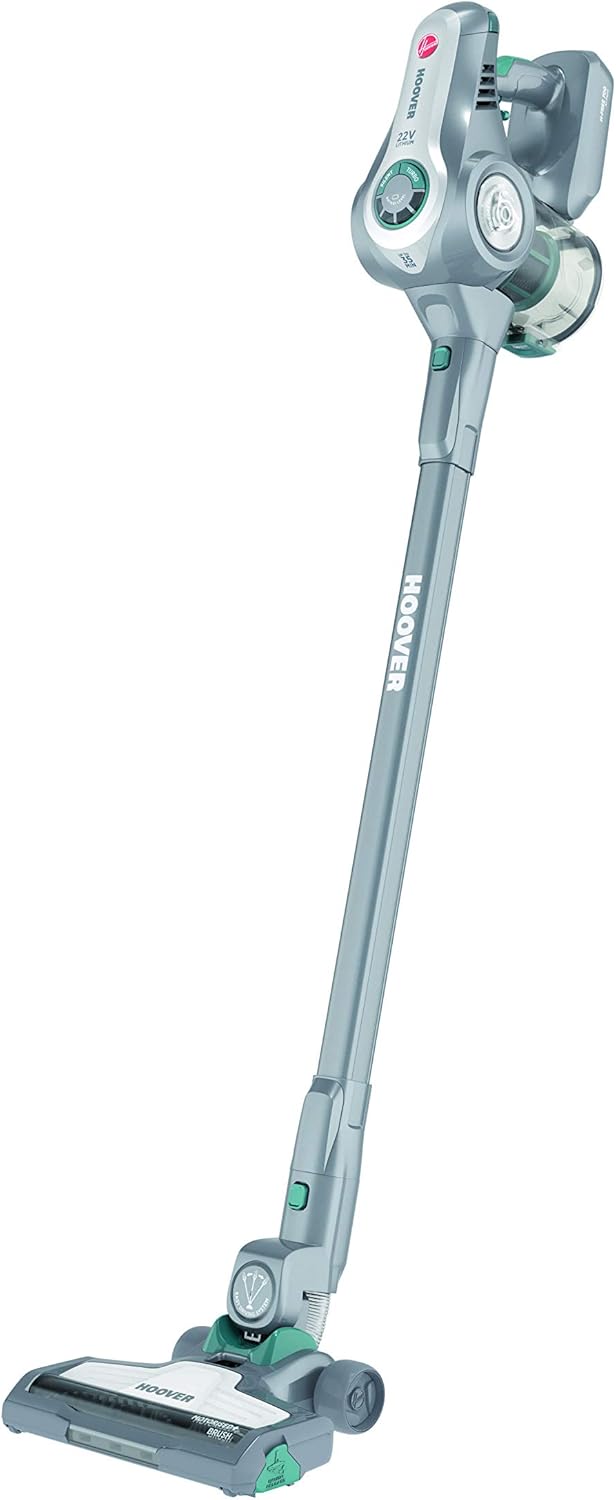
Main components of the Hoover H-Free 700.
4. Assembly and Setup
4.1 Assembling the Vacuum Cleaner
- Insert the extension tube into the main unit until it clicks securely.
- Attach the motorized floor nozzle to the other end of the extension tube, ensuring it clicks into place.
- Ensure the battery pack is fully charged before first use.
4.2 Charging the Battery
- Connect the charger to a power outlet.
- Plug the charger into the charging port on the main unit or directly into the battery pack if removed.
- The charging indicator light will illuminate. A full charge typically takes approximately 2.5 hours.
- The appliance provides up to 35 minutes of autonomy on a full charge.
4.3 Wall Mount Installation
- Choose a suitable location near a power outlet for convenient charging.
- Mark the drilling points for the wall mount bracket.
- Drill holes and secure the bracket to the wall using appropriate screws and wall plugs (not supplied).
- The wall mount includes an accessories holder for convenient storage.
5. Operating Instructions
5.1 Powering On/Off
- To start the vacuum, press the power button located on the handle.
- To stop, press the power button again.
- For continuous operation without holding the trigger, engage the lock button.

Detail of the power trigger and continuous operation lock button.
5.2 Using Accessories
The H-Free 700 comes with versatile accessories for different cleaning tasks:
- 2-in-1 Large Tool: This tool combines a crevice tool for tight spaces and a dusting brush for delicate surfaces. Attach it directly to the main unit or the extension tube.

The 2-in-1 large tool in crevice mode.
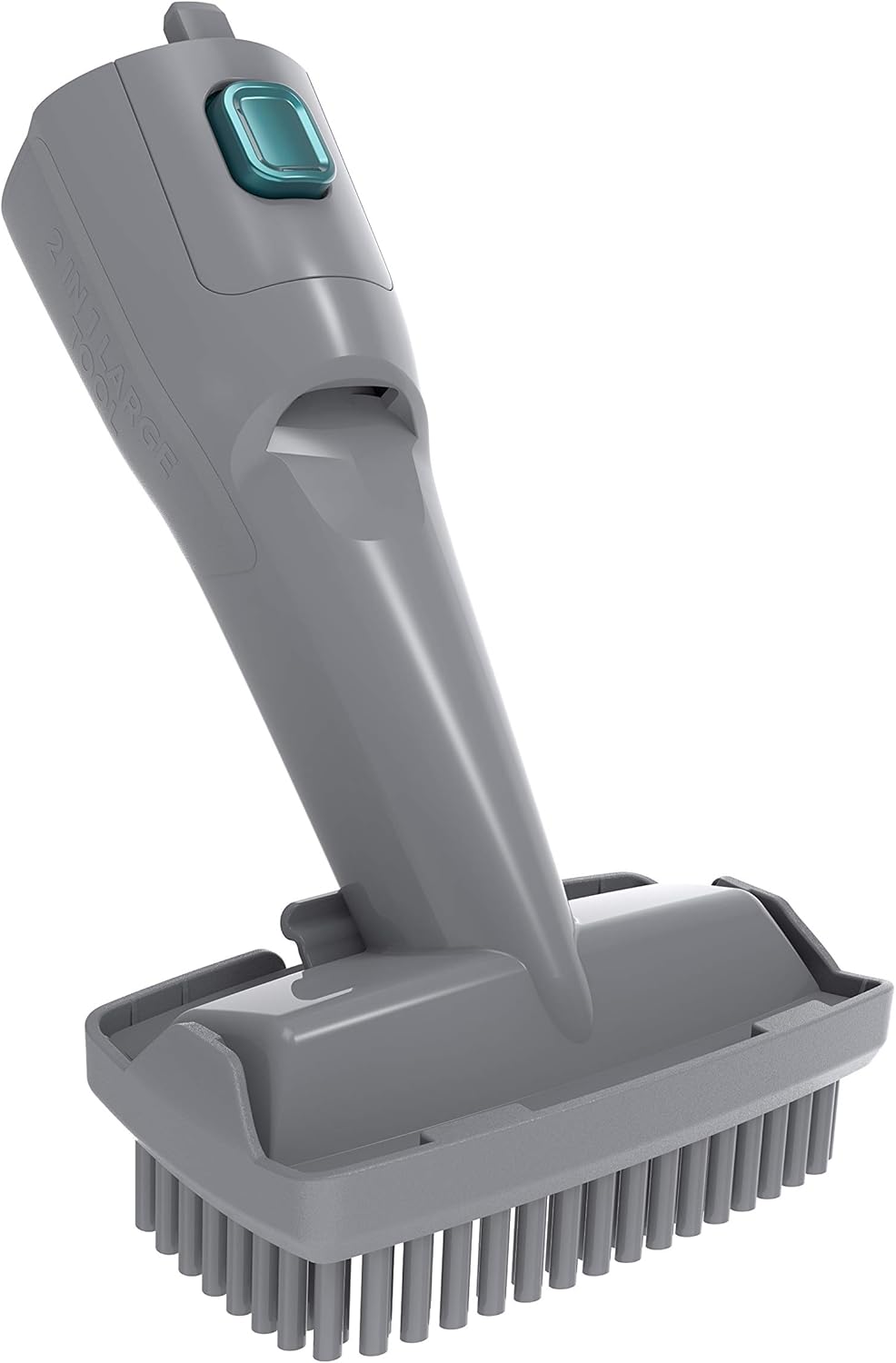
The 2-in-1 large tool with the dusting brush extended.
6. Maintenance and Cleaning
Regular maintenance ensures optimal performance and extends the life of your vacuum cleaner.
6.1 Emptying the Dustbin
- Ensure the vacuum is turned off.
- Press the dustbin release button and remove the dustbin from the main unit.
- Open the dustbin lid and empty the contents into a waste bin.
- The dustbin is designed for easy cleaning and emptying.

The dustbin of the Hoover H-Free 700 opened for emptying.
6.2 Cleaning the Filter
- Remove the filter assembly from the dustbin.
- Tap the filter gently over a waste bin to remove loose dust.
- If necessary, rinse the filter under cold running water. Ensure it is completely dry before reassembling.
- The filter is a cloth type and should be cleaned regularly.
6.3 Cleaning the Brush Bar
- Turn off the vacuum and disconnect the floor nozzle.
- Locate the brush bar release mechanism on the bottom of the nozzle.
- Remove the brush bar and clear any tangled hair or debris using scissors or a brush.
- Reinsert the brush bar and secure it.
7. Troubleshooting
If you encounter issues with your Hoover H-Free 700, refer to the following table for common problems and solutions.
| Problem | Possible Cause | Solution |
|---|---|---|
| Vacuum does not turn on | Battery not charged; Battery not properly inserted | Charge the battery; Ensure battery is securely clicked into place |
| Reduced suction power | Dustbin full; Filter clogged; Nozzle/tube blocked | Empty dustbin; Clean filter; Check and clear blockages |
| Brush bar not rotating | Brush bar jammed by debris; Nozzle not properly attached | Clean brush bar; Reattach nozzle securely |
| Short operating time | Battery not fully charged; Battery life degraded | Ensure full charge; Contact customer support for battery replacement |
8. Specifications
- Brand: Hoover
- Model: HF722AFG 011
- Power Source: Battery powered (22 Volt)
- Autonomy: Up to 35 minutes
- Special Features: Cordless, lightweight structure, bagless, lock button for continuous operation, easy to clean and empty, newly designed suction motor, wall mount with accessories.
- Filter Type: Cloth
- Recommended Surfaces: Dual action (suitable for various floor types)
- Accessories: 2-in-1 Large Tool
9. Warranty and Support
For warranty information, technical support, or service inquiries, please refer to the warranty card included with your product or visit the official Hoover website. Keep your proof of purchase for warranty claims.
You can find more information and contact details on the Hoover Store on Amazon.


