
1. Introduction
Thank you for choosing the conecto CC50013 Professional TV Stand. This mobile TV stand is designed for flat screens ranging from 37 to 70 inches, supporting VESA patterns up to 600x400. It features height adjustment, tilt, and swivel capabilities, along with integrated cable management and lockable casters for secure and flexible placement. This manual provides essential information for safe installation, operation, and maintenance of your TV stand.
2. Safety Information
- Read all instructions carefully before assembly and use.
- Ensure all components are present and undamaged before assembly. Do not use if any parts are missing or defective.
- This TV stand is designed for screens weighing up to 50 kg (110 lbs). Do not exceed this weight limit.
- Ensure the VESA mounting pattern of your TV is compatible (200x200 to 600x400).
- Assembly should be performed by at least two people to prevent injury or damage.
- Tighten all screws firmly, but do not overtighten.
- Always engage the wheel locks when the stand is in a stationary position to prevent accidental movement.
- Keep children and pets away during assembly.
3. Package Contents
Please verify that all the following components are included in your package:
- 1x conecto LM-FS02GB Professional TV Stand
- 1x Storage shelf for peripheral devices
- 1x Storage shelf for camera
- Assembly hardware kit (screws, washers, spacers, tools)
- Instruction Manual
4. Product Features
The conecto CC50013 TV Stand offers a range of features for optimal viewing and convenience:
- Maximum Flexibility: Features tilt (+5° to -10°) and swivel (360° on casters) functions for ideal viewing angles.
- Integrated Cable Management: Keeps cables tidy and organized within the stand's column.
- Easy Lateral Shifting: Allows for horizontal adjustment of the TV to accommodate various screen sizes.
- Tool-Free Height Adjustment: Effortlessly adjust the TV height for an optimal viewing experience.
- Height-Adjustable Shelves: Includes a peripheral shelf and a camera shelf, both adjustable to suit your needs.
- Lockable Casters: Provides a solid and secure base, allowing for easy mobility and stable positioning.
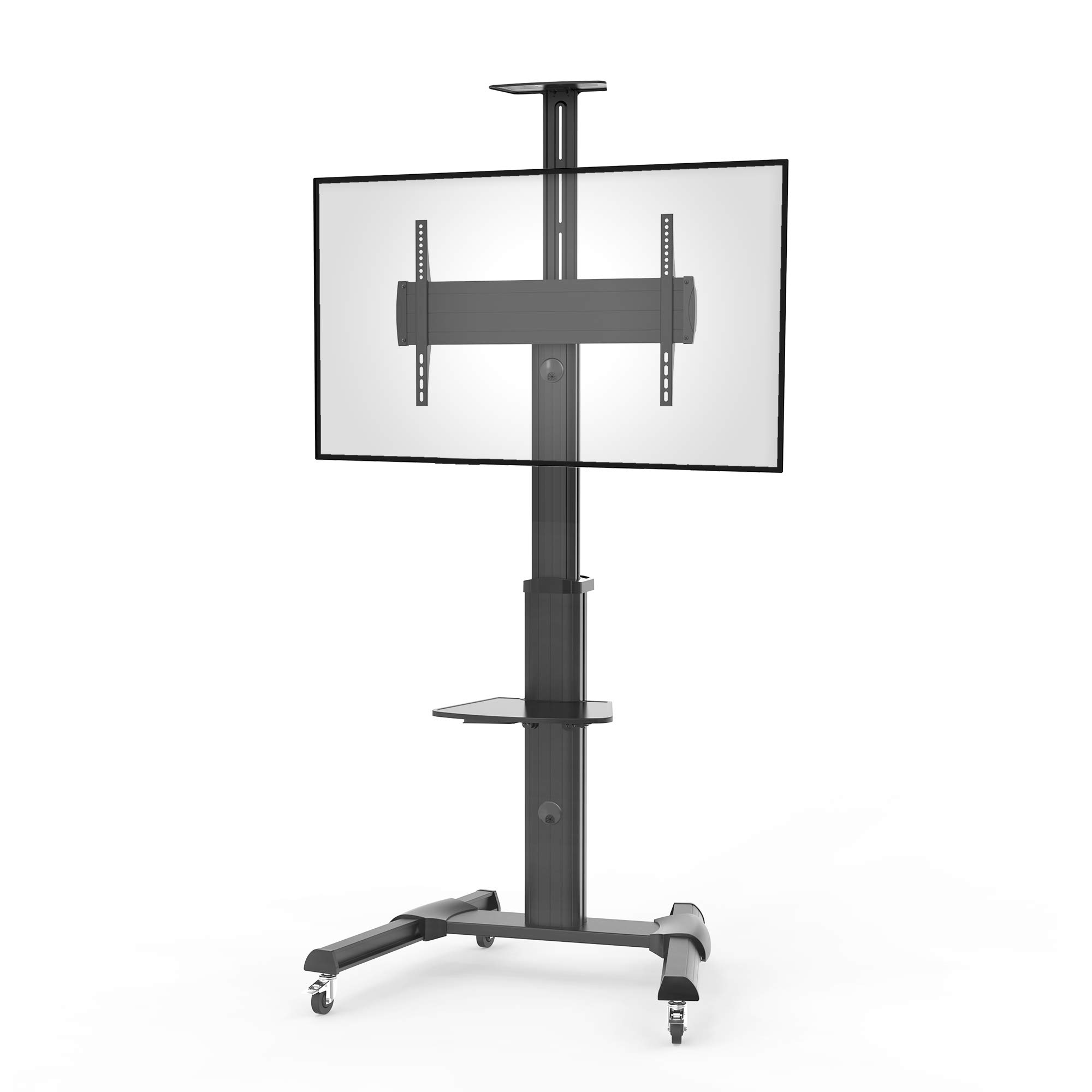
Figure 1: Overview of conecto TV Stand features. This diagram highlights key functionalities such as maximum flexibility with tilt and adjustment, integrated cable management, easy lateral shifting for various TV sizes, tool-free height adjustment, height-adjustable shelves for peripherals and cameras, and lockable casters for stability and mobility.
5. Specifications
| Feature | Specification |
|---|---|
| Model Number | LM-FS02GB |
| Brand | conecto |
| Material | Aluminum |
| Color | Black |
| Compatible Screen Sizes | 37 - 70 inches (94 - 178 cm) |
| Maximum Load Capacity | 50 kg (110 lbs) |
| VESA Compatibility | 200x200 to 600x400 mm |
| Tilt Angle | +5° to -10° |
| Rotation | 0° to +90° (screen orientation) |
| Swivel | 360° (via casters) |
| Mounting Type | Floor Mount (Mobile) |
| Casters | 4-inch shock-absorbing, lockable |
| Manufacturer Warranty | 2 years |

Figure 2: Detailed dimensions of the conecto LM-FS02GB TV Stand. This technical drawing provides precise measurements for the stand's overall height (min. 1200mm - max. 2069mm), base dimensions (828mm x 700mm), VESA mounting range (min. 200mm - max. 600mm horizontally, min. 200mm - max. 408mm vertically), and shelf dimensions.
6. Setup and Assembly
Follow these steps to assemble your conecto Professional TV Stand. It is recommended to have at least two people for assembly.
- Unpack Components: Carefully remove all parts from the packaging and lay them out on a clean, soft surface to prevent scratches. Verify all parts are present against the package contents list.
- Assemble the Base: Attach the support legs to the central base column. Ensure the casters are securely fastened to the legs.
- Attach the Main Column: Secure the main vertical column to the assembled base.
- Install TV Mounting Bracket: Attach the VESA mounting bracket to the main column at the desired height.
- Mount TV Rails to Television: Secure the vertical TV rails to the back of your television using the appropriate screws, washers, and spacers for your TV's VESA pattern. Ensure the rails are centered and level.
- Hang Television: With assistance, carefully lift your television and hook the mounted rails onto the TV mounting bracket on the stand. Secure the TV to the bracket using the provided locking mechanisms.
- Install Shelves: Attach the peripheral and camera shelves to the main column at your preferred heights. Tighten them securely.
- Cable Management: Route all necessary cables through the integrated cable management system within the stand's column for a neat and organized setup.

Figure 3: Rear view of the TV stand, illustrating the VESA mounting plate where the television rails attach, and the access points for integrated cable management.

Figure 4: Top-down perspective of the TV stand, highlighting the two adjustable shelves for peripheral devices and cameras, and the robust structure of the main column and base.
7. Operating Instructions
Once assembled, your conecto TV stand offers various adjustments for optimal use:
- Adjusting Height: Loosen the height adjustment knobs on the main column, carefully raise or lower the TV and bracket to the desired height, then securely tighten the knobs.
- Tilting the Screen: Loosen the tilt adjustment screws on the TV mounting bracket. Adjust the screen to the desired tilt angle (+5° to -10°), then retighten the screws firmly.
- Rotating the Screen: The TV mounting bracket allows for rotation of the screen from 0° to +90° (landscape to portrait). Loosen the rotation mechanism, adjust the screen, and then secure it.
- Moving the Stand: Unlock the casters on the base. Carefully push the stand to its new location. Once positioned, engage the caster locks to secure the stand.
- Adjusting Shelves: Loosen the locking mechanism on each shelf, slide the shelf to the desired height, and then tighten the mechanism to secure it.

Figure 5: The conecto TV stand in operation with a television mounted. This image shows the stand's stable base, the mounted screen, and the peripheral shelf in use, illustrating its practical application.
8. Maintenance
Regular maintenance ensures the longevity and safe operation of your TV stand:
- Cleaning: Wipe the stand with a soft, dry cloth. For stubborn marks, use a slightly damp cloth with mild detergent, then dry thoroughly. Avoid abrasive cleaners or solvents.
- Inspection: Periodically check all screws and bolts to ensure they are tight. Retighten if necessary.
- Caster Care: Keep the casters free of dust and debris to ensure smooth movement.
- Weight Limit: Always adhere to the maximum weight capacity of 50 kg.
9. Troubleshooting
If you encounter any issues with your TV stand, refer to the following common problems and solutions:
- Stand is unstable:
- Ensure all assembly screws are securely tightened.
- Verify the casters are locked when the stand is stationary.
- Check that the TV weight does not exceed the maximum load capacity.
- TV does not fit the mounting bracket:
- Confirm your TV's VESA pattern is within the supported range (200x200 to 600x400 mm).
- Ensure you are using the correct screws, washers, and spacers for your TV model.
- Cables are not tidy:
- Re-route cables through the integrated cable management channels in the main column.
- Difficulty adjusting height/tilt:
- Ensure adjustment knobs/screws are sufficiently loosened before attempting to adjust.
- Do not force adjustments; if resistance is met, recheck the locking mechanisms.
10. Warranty and Support
The conecto CC50013 Professional TV Stand comes with a 2-year manufacturer's warranty from the date of purchase. This warranty covers defects in materials and workmanship under normal use.
For warranty claims, technical support, or any questions regarding your product, please contact your retailer or the manufacturer directly. Please have your purchase receipt and model number (LM-FS02GB) available when contacting support.