
Geek Aire CF3
Geek Aire 10" Portable Battery Operated Fan User Manual
Brand: Geek Aire
Model: CF3
1. Introduction
Thank you for choosing the Geek Aire 10" Portable Battery Operated Fan. This manual provides essential information for the safe and efficient operation, maintenance, and troubleshooting of your new fan. Designed for both indoor and outdoor use, this fan features a durable metal blade, a powerful brushless DC motor, and a long-lasting rechargeable battery, ensuring a quiet and strong airflow wherever you need it.

Figure 1.1: Front view of the Geek Aire 10" Portable Battery Operated Fan.
2. Important Safety Instructions
To reduce the risk of fire, electric shock, or injury, please read and follow these instructions carefully:
- Always ensure the fan is placed on a stable, flat surface to prevent tipping.
- Do not insert fingers or any objects into the fan grill when the fan is operating. The fan features a safety grill designed to prevent accidental contact with the blades.
- Keep the fan away from water or excessive moisture. This fan is designed for outdoor use but is not submersible.
- Use only the provided charger to recharge the fan's battery. Using an incompatible charger may damage the battery or pose a fire hazard.
- Do not operate the fan if the cord or plug is damaged, or if the fan malfunctions or has been dropped or damaged in any manner.
- Unplug the fan from the power source before cleaning or performing any maintenance.
- This appliance is not intended for use by persons (including children) with reduced physical, sensory or mental capabilities, or lack of experience and knowledge, unless they have been given supervision or instruction concerning use of the appliance by a person responsible for their safety.
- Children should be supervised to ensure that they do not play with the appliance.
3. Product Overview
The Geek Aire fan is built with a sturdy metal frame and a 10-inch metal blade, designed for high-performance airflow and durability. Its compact and portable design makes it ideal for various settings.
Key Features:
- Durable Construction: Features a sturdy metal frame and metal blade for long-lasting performance.
- Brushless DC Motor: Provides quiet operation, energy efficiency, and extended lifespan.
- Stepless Speed Control: Allows for precise adjustment of airflow from a gentle breeze to a powerful stream.
- 360° Vertical Tilt: Easily adjust the fan head to direct airflow exactly where needed.
- Rechargeable Battery: Equipped with a built-in 6000mAh Lithium-Ion battery for cordless operation.
- Portable Design: Lightweight and easy to carry, perfect for camping, travel, and home use.

Figure 3.1: Close-up of the fan's control panel with the stepless speed knob and LED battery power indicators.

Figure 3.2: Illustration of the fan's 10-inch metal blade and high-performance airflow (up to 600 CFM).
4. Setup
4.1 Unboxing
Your Geek Aire fan comes pre-assembled and ready to use. Carefully remove the fan and its accessories from the packaging. Ensure all components are present:
- Geek Aire 10" Portable Fan
- Power Adapter (Charger)
- User Manual (this document)
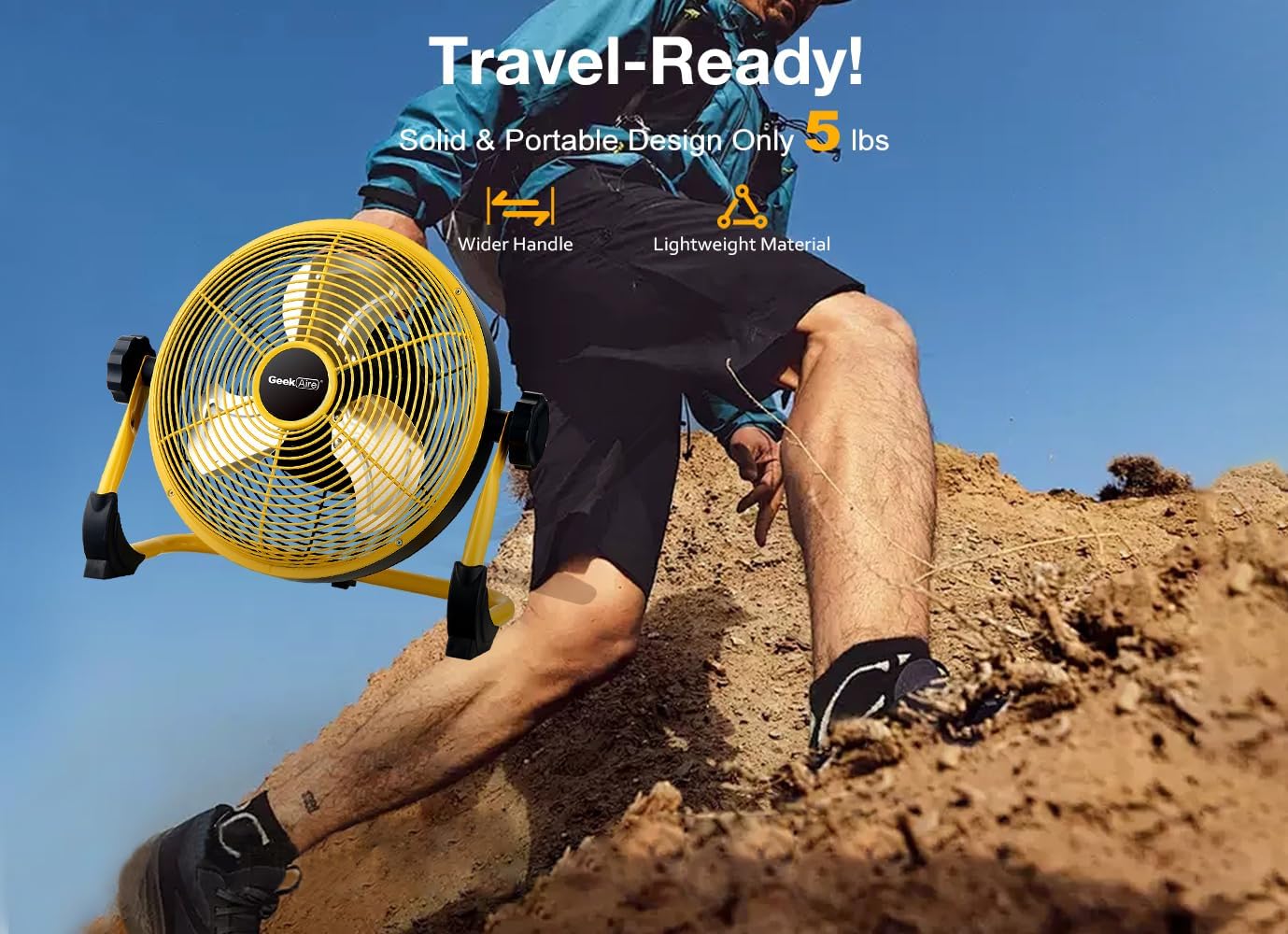
Figure 4.1: The fan is designed for easy portability, weighing approximately 5.24 pounds (2.38 kg).
4.2 Initial Charging
Before first use, it is recommended to fully charge the fan. The fan's built-in 6000mAh Lithium-Ion battery requires approximately 2 to 2.5 hours for a full charge using the provided 15V, 1.2A charger.
- Locate the charging port on the fan's control panel.
- Connect the provided power adapter to the charging port.
- Plug the power adapter into a standard electrical outlet.
- The LED battery power indicators on the control panel will illuminate to show charging progress. A blinking red light indicates charging is in progress. Once fully charged, all indicator lights will remain solid.

Figure 4.2: The fan features a 6000mAh rechargeable battery, offering up to 24 hours of run time on low speed and approximately 4.5 hours on high speed.
5. Operation
5.1 Power On/Off and Speed Control
The fan features a single knob for power control and stepless speed adjustment.
- To turn the fan ON, rotate the knob clockwise from the "OFF" position. You will hear a click, and the fan will start at its lowest speed.
- Continue rotating the knob clockwise to gradually increase the fan speed. The stepless control allows for precise adjustment to your desired airflow.
- To turn the fan OFF, rotate the knob counter-clockwise until it clicks into the "OFF" position.
5.2 Adjusting Fan Angle (Vertical Tilt)
The Geek Aire fan offers a 360° vertical tilt feature, allowing you to direct the airflow precisely.
- Gently hold the fan frame and tilt the fan head up or down to achieve the desired angle.
- The fan will hold its position once adjusted.

Figure 5.1: The fan's adjustable tilt and portability make it suitable for various outdoor activities.
6. Maintenance
6.1 Cleaning
Regular cleaning helps maintain the fan's performance and extends its lifespan.
- Always unplug the fan from the power source before cleaning.
- Use a soft, damp cloth to wipe the exterior surfaces of the fan. Do not use abrasive cleaners or solvents.
- To clean the fan blades, use a soft brush or a vacuum cleaner with a brush attachment to gently remove dust and debris from the grill and blades. Ensure the fan is completely dry before plugging it back in or operating.
6.2 Storage
When not in use for extended periods, store the fan in a cool, dry place, away from direct sunlight and extreme temperatures. It is recommended to fully charge the battery before storing to maintain battery health.
7. Troubleshooting
If you encounter any issues with your Geek Aire fan, please refer to the following common problems and solutions:
| Problem | Possible Cause | Solution |
|---|---|---|
| Fan does not turn on. | Battery is depleted. Power adapter not properly connected. | Charge the fan using the provided power adapter. Ensure the power adapter is securely plugged into both the fan and the electrical outlet. |
| Weak or no airflow. | Fan speed is set too low. Obstruction in front or behind the fan. | Increase the fan speed by rotating the knob clockwise. Remove any objects blocking the fan's intake or output. |
| Unusual noise during operation. | Dust or debris on fan blades. Loose components. | Unplug the fan and carefully clean the blades and grill. Check for any loose screws or parts and tighten them if necessary. |
| Battery indicator lights not working. | Fan is not charging or fully charged. Malfunction. | Ensure the charger is connected and working. If fully charged, lights may turn off or remain solid. If issue persists, contact support. |
8. Specifications
| Feature | Detail |
|---|---|
| Brand | Geek Aire |
| Model Name | CF3 |
| Electric Fan Design | Floor Fan |
| Color | Yellow 2 |
| Power Source | Battery Powered, Corded Electric |
| Battery Type | 6000mAh Lithium-Ion (3 x 2000mAh cells) |
| Run Time | Up to 24 hours (low speed) / 4.5 hours (high speed) |
| Recharge Time | 2 - 2.5 hours |
| Voltage | 24 Volts (as per product specifications) |
| Air Flow Capacity | 600 Cubic Feet Per Minute (CFM) |
| Blade Length | 10 Inches |
| Number of Blades | 3 |
| Blade Material | Metal |
| Item Weight | 5.24 pounds (2.38 Kilograms) |
| Product Dimensions | 3.94"D x 5.91"W x 3.15"H (Note: These dimensions may refer to packaging or a compact state, as the fan is 10 inches in diameter.) |
| Special Features | Waterproof, Adjustable Tilt (360° Vertical) |
| Indoor/Outdoor Usage | Outdoor, Indoor |
| Control Method | Knob (Stepless Variable Speed) |
9. Warranty and Support
9.1 Warranty Information
The Geek Aire 10" Portable Battery Operated Fan comes with a 1-Year Warranty from the date of purchase, covering defects in materials and workmanship under normal use. Please retain your proof of purchase for warranty claims.
9.2 Customer Support
For any questions, technical assistance, or warranty claims, please contact Geek Aire customer support. Refer to the product packaging or the official Geek Aire website for the most up-to-date contact information.
We are committed to providing excellent service and will resolve any issues within 24 hours.
Related Documents - CF3
 |
Geek Aire Rechargeable Outdoor High Velocity Fan CF2 Instruction Manual Instruction manual for the Geek Aire Rechargeable Outdoor High Velocity Fan, Model CF2. Includes important safety instructions, product description, how to use, cleaning and maintenance, troubleshooting, and warranty information. |
 |
Geek Aire CF1 Rechargeable Outdoor High Velocity Fan - Instruction Manual Detailed instruction manual for the Geek Aire CF1 Rechargeable Outdoor High Velocity Fan, covering safety, operation, maintenance, troubleshooting, and warranty information. |
 |
Geek Aire CFK2 Rechargeable Outdoor High Velocity Fan Instruction Manual Comprehensive instruction manual for the Geek Aire CFK2 Rechargeable Outdoor High Velocity Fan, detailing safety precautions, product features, operation, maintenance, troubleshooting, and warranty information. |
 |
Geek Aire Wi-Fi Setup Guide: Connect Your Smart Fan A comprehensive guide to setting up your Geek Aire smart fan using the HE Smart app and integrating it with Amazon Alexa and Google Home. This document details the steps for downloading the app, registering an account, connecting the device, and controlling it via voice commands. |
 |
Geek Aire Rechargeable Outdoor High Velocity Fan CF1 Owner's Guide Owner's guide for the Geek Aire CF1 Rechargeable Outdoor High Velocity Fan, providing detailed information on safety instructions, features, operation, maintenance, troubleshooting, and warranty. |
 |
Geek Aire Rechargeable Outdoor High Velocity Fan CF1 Instruction Manual Instruction manual for the Geek Aire Rechargeable Outdoor High Velocity Fan, Model CF1. Includes safety instructions, product description, how to use, cleaning and maintenance, troubleshooting, and warranty information. |
Ask a question about this manual
Ask about setup, troubleshooting, compatibility, parts, safety, or missing instructions. Manuals+ will review the question and use this page’s manual context to help answer it.