
1. Introduction
The TruSens Z1000AP Air Purifier is designed to improve indoor air quality in small spaces. It features 360-degree DuPont HEPA filtration combined with UV-C light to capture and destroy airborne pollutants. The unique PureDirect technology ensures efficient distribution of purified air throughout the room.

TruSens: Experience the Difference in air purification.
2. Key Features
- 360-Degree DuPont HEPA Filtration: Captures airborne viruses, allergens, VOC gases, pet dander, odors, smoke, bacteria, dust, and mold.
- UV-C Light: Kills germs and bacteria trapped in the filter.
- PureDirect Dual Airflow: Splits clean air into two streams for more comfortable and efficient distribution, minimizing 'dead zones'.
- Simple Touch Controls: Intuitive interface for easy operation.
- Portable Handle: Integrated handle for easy movement between rooms.
- Room Coverage: Recommended for spaces up to 250 sq ft (2 air changes per hour) or 443 sq ft (1 air change per hour).

The TruSens Z1000AP Air Purifier with its compact design and advanced features.
3. Setup
3.1 Unpacking and Placement
- Carefully remove the air purifier from its packaging.
- Place the unit on a flat, stable surface in your desired room. Ensure there is adequate space around the unit for optimal airflow. The Z1000AP is ideal for small rooms such as dorms, bedrooms, nurseries, and small offices.
- Plug the power cord into a standard electrical outlet.
3.2 Filter Installation
The filters are typically pre-installed but may require removal of protective packaging before first use. Refer to the maintenance section for detailed filter handling.
4. Operating Instructions
4.1 Control Panel Overview
The TruSens Z1000AP features a simple touch control panel located on the top of the unit.

Intuitive touch controls and integrated handle for ease of use.
4.2 Powering On/Off
- Press the Power Button (
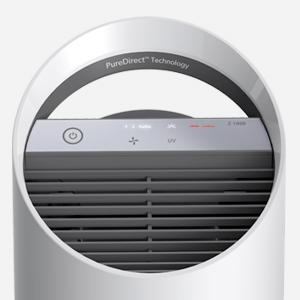 ) to turn the unit on or off.
4.3 Adjusting Fan Speed
- Press the Fan Speed Button (
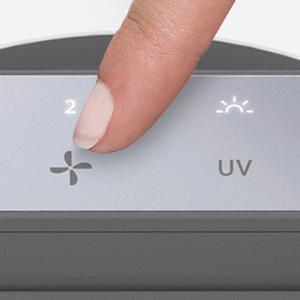 ) to cycle through available fan speeds: 1, 2, and Turbo.
 - The display will indicate the current fan speed.
4.4 UV-C Light Operation
- Press the UV Button to activate or deactivate the UV-C light.
- The UV-C light works in conjunction with the filtration system to kill germs and bacteria.
4.5 Air Quality Display
The unit features a digital display that shows the current air quality level. A color-coded ring around the display provides a quick visual indicator:
- Blue: Good air quality.
- Yellow: Moderate air quality.
- Red: Poor air quality.
4.6 PureDirect Technology
The TruSens Z1000AP utilizes PureDirect technology, which employs two separate airflow streams to distribute purified air more effectively throughout the room, reducing 'dead zones' where air circulation is minimal.
Official TruSens video demonstrating the Z1000AP Air Purifier's features.
5. Maintenance
5.1 Filter Replacement Indicators
The control panel will illuminate specific indicators (HEPA, Carbon, UV) when it's time to replace the corresponding filter or UV-C bulb. A 'Reset' button will also appear.
5.2 Replacing Filters
- Unplug the air purifier from the power outlet.
- Turn the unit upside down and twist the bottom cover counter-clockwise to unlock it.
- Remove the old filter assembly.
- Install the new filter, ensuring it is seated correctly.
- Replace the bottom cover and twist clockwise to lock.
- Plug the unit back in and press the 'Reset' button on the control panel to clear the indicator.
5.3 Cleaning the Unit
- Wipe the exterior of the unit with a soft, dry cloth.
- Do not use abrasive cleaners or solvents.
- Regularly check and clean the pre-filter (if applicable) to maintain efficiency.
6. Troubleshooting
| Problem | Possible Cause | Solution |
|---|---|---|
| Unit does not turn on | No power; loose connection | Check power cord connection; ensure outlet is functional. |
| Poor airflow | Clogged filters | Check filter indicators; replace filters as needed. |
| Unusual noise | Obstruction in fan; unit not on a stable surface | Inspect for foreign objects; ensure stable placement. |
| Filter indicator remains on after replacement | Reset button not pressed | Press and hold the 'Reset' button until the indicator turns off. |
7. Specifications
- Model Number: Z1000AP
- Color: White
- Product Dimensions: 10.83"D x 11.02"W x 21.46"H
- Item Weight: 7.72 pounds (3500 Grams)
- Floor Area Coverage: Up to 443 Square Feet (at 1 ACH)
- Controller Type: Button Control
- Wattage: 40 watts
- Power Source: AC/DC
- Filter Class: HEPA + UV-C
- UPC: 038576718111
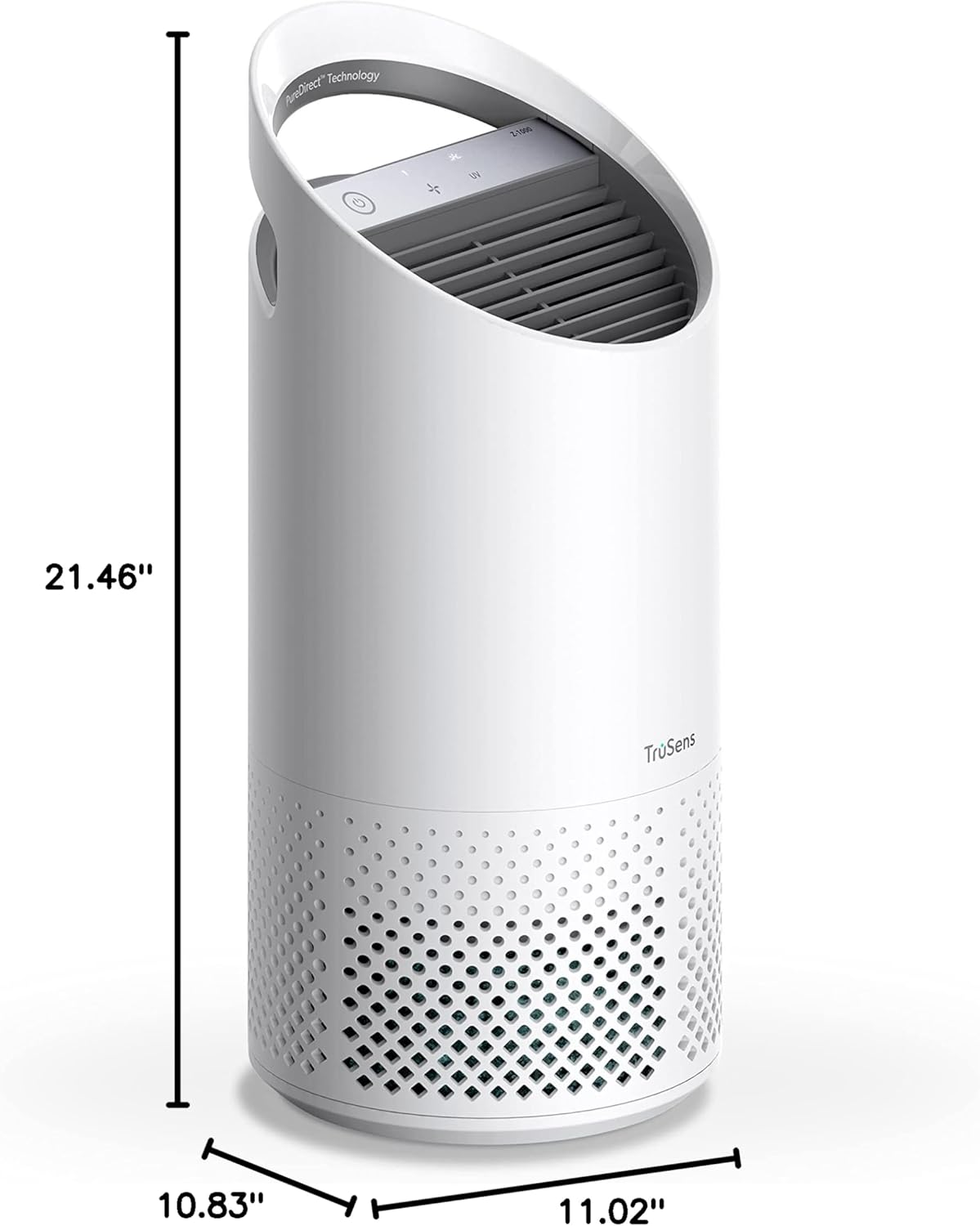
Dimensions of the TruSens Z1000AP Air Purifier.
8. Warranty and Support
For warranty information, product registration, and customer support, please visit the official TruSens website or refer to the warranty card included with your product. You can also visit the TruSens Store on Amazon for additional resources and contact information.