
1. Product Overview
The pdobq USB Type C Charger (Model HYC-KM1503) is an AC power supply adapter designed to provide efficient and safe charging for your Nintendo Switch, Switch Lite, Switch OLED, and a wide range of other USB-C compatible devices. This charger is engineered with a PD3.0 IC chip, ensuring performance comparable to original Nintendo chargers, including full support for the Nintendo Switch TV Dock Mode.
It features an integrated 5-foot (1.5-meter) USB Type C charging cable, built for durability with over 25,000 bend times tested. The charger intelligently adjusts its power output (from 5V2A to 15V2.6A) to suit the connected device, providing optimal charging speed and protecting against over-voltage, short-circuit, and over-heat conditions.
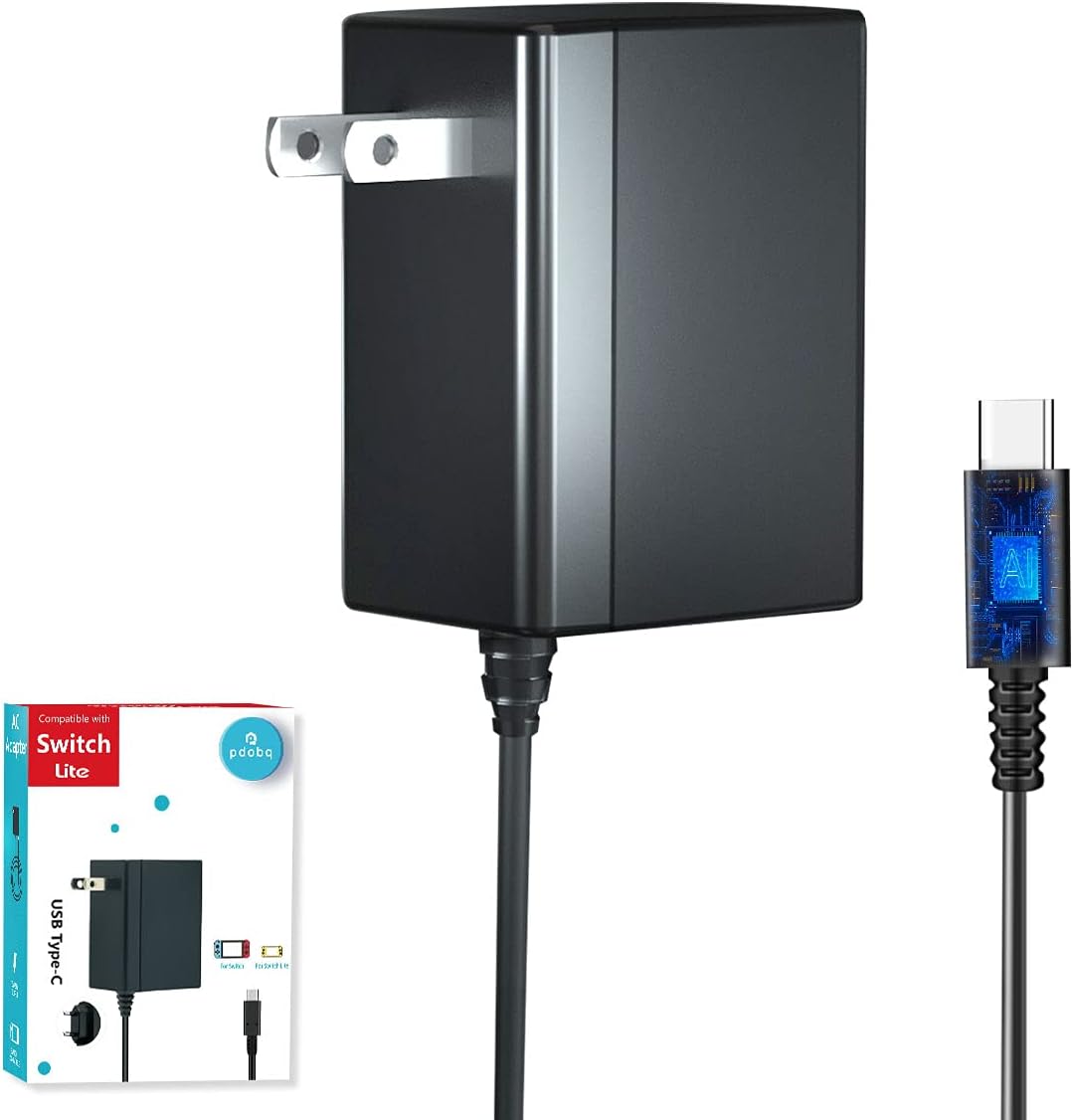
Image: The pdobq USB Type C Charger with its integrated 5-foot cable.
2. Setup Instructions
Follow these steps to set up your pdobq USB Type C Charger:
- Unpack the Charger: Carefully remove the charger from its packaging. Ensure the integrated 5-foot USB Type C cable is securely attached to the adapter.
- Connect to Power Outlet: Plug the AC adapter into a standard 110V wall power outlet.
- Connect to Device: Insert the USB Type C connector at the end of the cable into the charging port of your Nintendo Switch console (or other compatible USB-C device). For Nintendo Switch TV Dock Mode, connect the charger to the dock's power input port.
- Verify Connection: Confirm that your device indicates it is charging. The charger will automatically detect the device and deliver the appropriate power output.

Image: The pdobq charger plugged into a wall outlet, ready for device connection.
3. Operating Instructions
The pdobq USB Type C Charger is designed for simple plug-and-play operation. It automatically adjusts its output to safely charge various devices.
Charging Nintendo Switch Console:
- Connect the USB-C end of the charger cable directly to the USB-C port on the bottom of your Nintendo Switch, Switch Lite, or Switch OLED console.
- The console's battery indicator will show that it is charging. A full charge for most devices takes approximately 2.5 hours.
Charging in TV Dock Mode:
- To use your Nintendo Switch in TV Dock Mode, connect the charger's USB-C plug into the power input port on the Nintendo Switch TV Dock.
- Ensure the dock is also connected to your TV via an HDMI cable.
- Place your Nintendo Switch console into the dock. The charger will provide the necessary 15V2.6A output to power the dock and display content on your TV.

Image: Nintendo Switch console connected to its TV dock, powered by the pdobq charger for TV mode functionality.
Charging Other USB-C Devices:
This charger is compatible with a variety of USB Type C devices, including:
- Nintendo Switch Pro Controller
- Xbox Elite 2 Controller
- PlayStation 5 Controller
- Steam Deck
- Most Android phones and tablets with a USB-C charging port (e.g., Google Pixel, Samsung S21, iPad Air 5)
Simply connect the charger to your device, and it will automatically deliver the optimal charging current (5V2A, 9V2A, or 15V2.6A).

Image: The pdobq charger connected to various USB-C compatible devices, demonstrating its versatility.
4. Maintenance
To ensure the longevity and optimal performance of your pdobq USB Type C Charger, follow these maintenance guidelines:
- Cleaning: Disconnect the charger from the power outlet and your device before cleaning. Use a soft, dry cloth to wipe the surface of the charger. Do not use liquid cleaners or aerosols.
- Storage: Store the charger in a cool, dry place away from direct sunlight and extreme temperatures. Avoid wrapping the cable too tightly around the adapter to prevent damage to the internal wires.
- Handling: Avoid dropping the charger or subjecting it to strong impacts. Do not attempt to disassemble the charger, as this will void any potential warranty and could lead to electrical hazards.
- Cable Care: While the cable is designed for durability, avoid excessive bending or pulling at the connection points to the adapter and the USB-C plug.
5. Troubleshooting
If you encounter issues with your pdobq USB Type C Charger, please refer to the following common problems and solutions:
| Problem | Possible Cause | Solution |
|---|---|---|
| Device not charging | Loose connection, faulty power outlet, incompatible device, or damaged cable/charger. | Ensure all connections are secure. Try a different power outlet. Verify your device is USB-C compatible. Inspect the cable and charger for visible damage. If damaged, discontinue use. |
| Slow charging speed | Device drawing less power, background applications, or using a non-optimal power outlet. | Close unnecessary applications on your device. Ensure the charger is plugged directly into a wall outlet, not a USB hub or extension cord with other devices. The charger automatically outputs suitable power, so ensure your device supports faster charging. |
| Charger feels hot | Normal operation during high power output, or potential overload. | It is normal for the charger to become warm during use. If it becomes excessively hot or emits a burning smell, immediately disconnect it from the power outlet and the device. The charger has over-heat protection. |
| Switch TV Dock Mode not working | Incorrect power supply, loose connections, or dock issue. | Ensure the pdobq charger is connected directly to the dock's power input. Verify HDMI connection to the TV. Re-seat the Switch console in the dock. This charger is specifically designed to support Switch TV Dock Mode with 15V2.6A output. |
If the problem persists after trying these solutions, please contact pdobq customer support for further assistance.
6. Specifications
| Brand | pdobq |
| Model Number | HYC-KM1503 |
| Input Voltage | 100-240V ~ 50-60Hz |
| Output | 5V2A / 9V2A / 15V2.6A (Auto-adjusting) |
| Connector Type | USB Type C |
| Cable Length | 5 FT (1.5 meters / 59 inches) |
| Item Weight | 5.9 ounces |
| Package Dimensions | 4.76 x 3.58 x 1.54 inches |
| Special Features | Automatic Off, Fast Charging, Lightweight Design, PD3.0 IC Chip, Multi-Protection (Short-circuit, Over-voltage, Over-heat) |
| Compatible Devices | Nintendo Switch, Switch Lite, Switch OLED, Steam Deck, PS5 Controller, Xbox Elite 2 Controller, Switch Pro Controller, and most USB Type C phones/tablets. |

Image: An internal view of the charger, highlighting the PD3.0 IC chip responsible for intelligent power delivery.
7. Warranty and Support
pdobq stands behind the quality of its products. For any questions, concerns, or technical support regarding your HYC-KM1503 charger, please refer to the contact information provided with your purchase or visit the official pdobq website. Please retain your proof of purchase for warranty claims.


