
1. Introduction
This manual provides essential information for the proper installation, operation, and maintenance of your B Blesiya Waterproof 12V Active Buzzer. This device is designed to produce a continuous audible alarm, suitable for various electronic applications requiring a clear sound indicator.

The buzzer operates on a DC voltage and is constructed with a waterproof design for enhanced durability in various environments. It integrates a multivibrator circuit to generate a consistent audio signal.
2. Safety Information
- Ensure the power supply voltage matches the specified operating range (1.5V to 15V DC) to prevent damage to the device.
- Always disconnect power before making any electrical connections or performing maintenance.
- Observe correct polarity when connecting the buzzer to a DC power source. Incorrect polarity can damage the unit.
- Do not expose the buzzer to extreme temperatures or corrosive substances.
- This device is designed for low-voltage DC applications. Do not connect to AC power.
3. Package Contents
- 1 x B Blesiya Waterproof Active Buzzer
4. Product Overview
The B Blesiya Active Buzzer is a piezoelectric type, meaning it contains an internal drive circuit (multivibrator) that generates the audio signal when power is applied. This distinguishes it from passive buzzers which require an external oscillating signal.
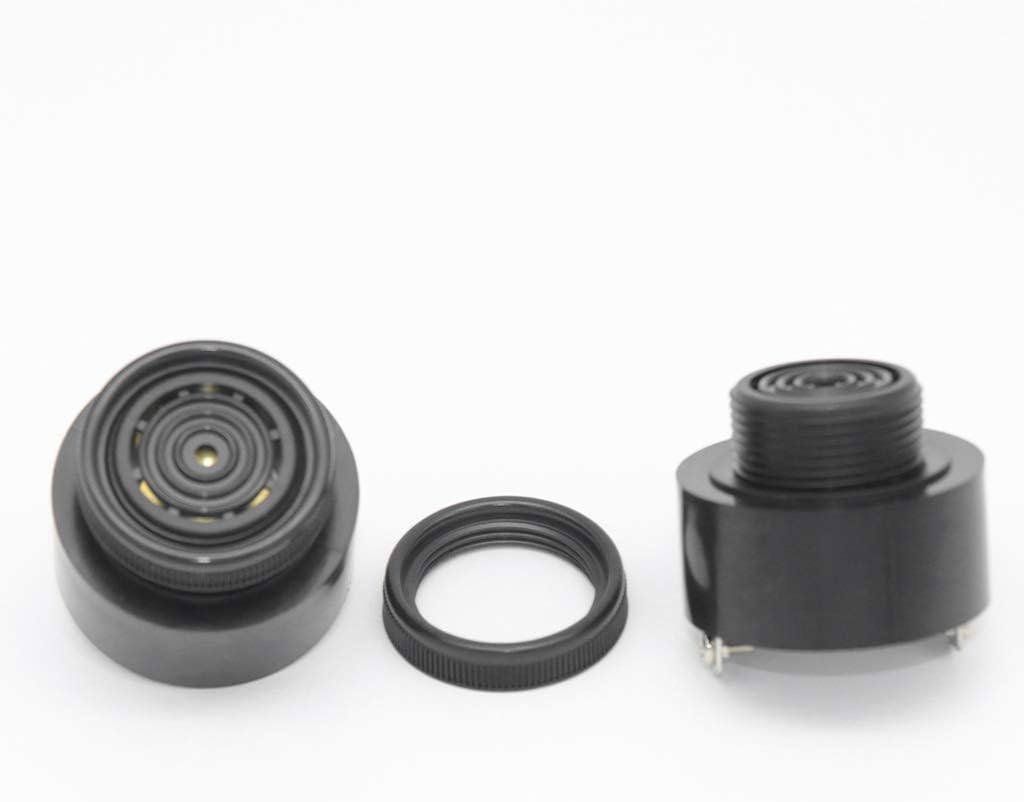
The buzzer's construction includes a piezoelectric element, an impedance matching device, a resonance box, and a durable outer casing. The integrated multivibrator circuit, typically composed of a transistor or an integrated circuit, starts oscillating upon power-up, producing an audio signal within the 1.5 kHz to 2.5 kHz range.
Key characteristics of this piezoelectric buzzer include its compact size, light weight, low power consumption, and good reliability, making it suitable for various applications where space and power efficiency are important.
5. Specifications
| Feature | Specification |
|---|---|
| Brand | B Blesiya |
| Model Number | 2c375c8492326afe21f7a2a5eff64bc4 |
| Power Source | DC |
| Operating Voltage | 1.5V - 15V DC |
| Sound Level | 90 dB |
| Audio Signal Frequency | 1.5 kHz - 2.5 kHz |
| Item Package Quantity | 1 |
| UPC | 780522526034 |
6. Setup
6.1. Wiring Instructions
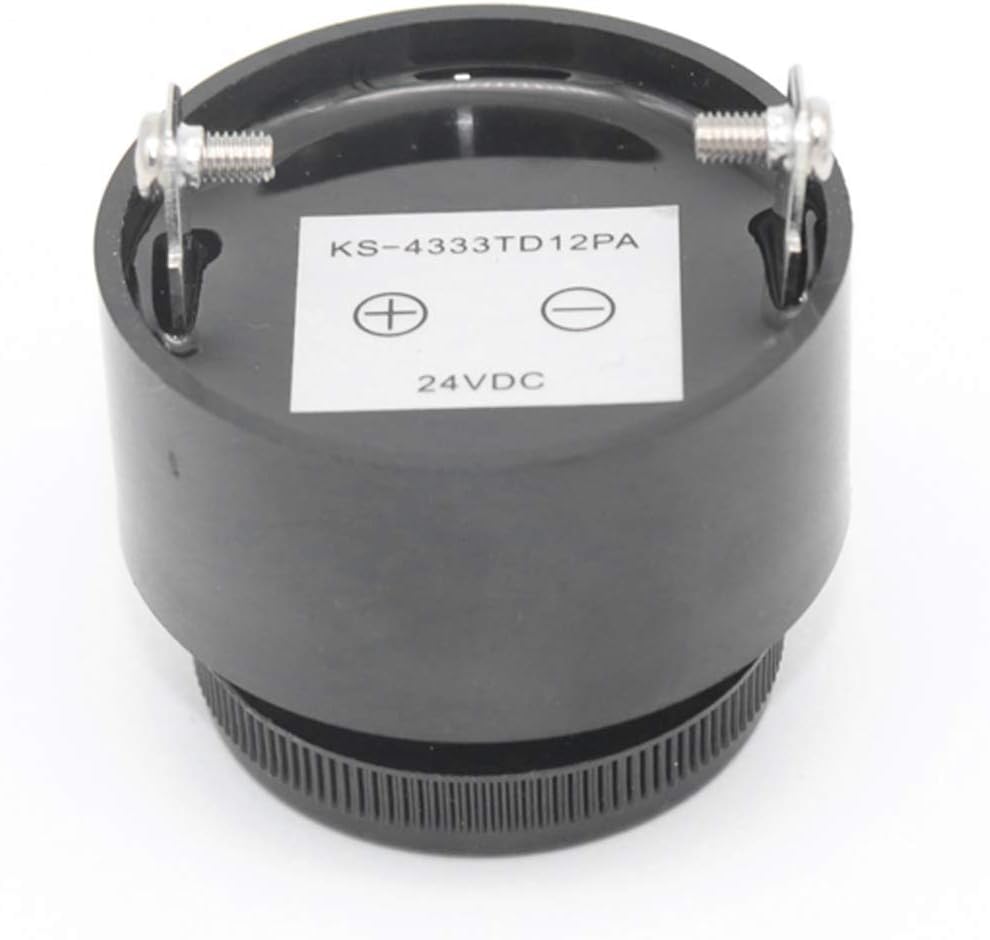
- Identify Terminals: Locate the positive (+) and negative (-) terminals on the back of the buzzer (refer to Figure 3).
- Connect Power: Connect the positive lead from your DC power source to the buzzer's positive (+) terminal. Connect the negative lead from your DC power source to the buzzer's negative (-) terminal.
- Verify Voltage: Ensure your DC power source provides a voltage between 1.5V and 15V. Operating outside this range may damage the buzzer or result in suboptimal performance.
- Secure Connections: Ensure all connections are secure to prevent intermittent operation.
6.2. Mounting
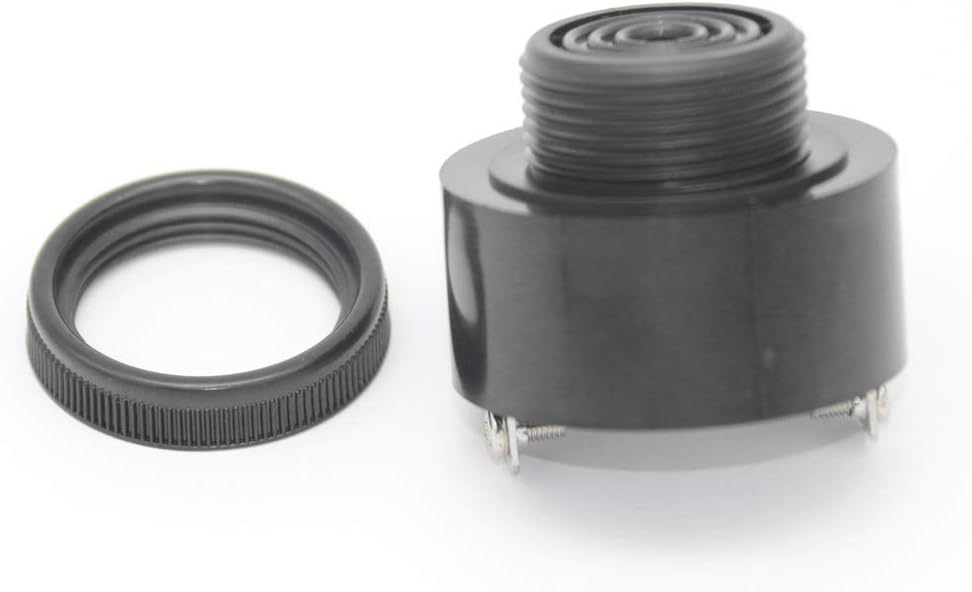
The buzzer features a threaded body and a mounting ring, allowing for panel-mount installation. To mount:
- Drill an appropriately sized hole in your mounting panel.
- Insert the threaded portion of the buzzer through the hole.
- Secure the buzzer in place using the provided mounting ring, tightening it from the opposite side of the panel.
7. Operating Instructions
Once the B Blesiya Waterproof 12V Active Buzzer is correctly wired to a DC power source within its specified voltage range (1.5V to 15V), it will immediately begin to emit a continuous audible beep. The internal multivibrator circuit automatically generates the 1.5 kHz to 2.5 kHz audio signal without requiring any external control signals.
8. Maintenance
- Cleaning: Keep the buzzer clean and free from dust and debris. Use a soft, dry cloth for cleaning. Avoid using harsh chemicals or abrasive materials.
- Environmental Conditions: While waterproof, avoid prolonged submersion or exposure to extreme environmental conditions beyond its intended use.
- Connection Check: Periodically inspect the electrical connections to ensure they remain secure and free from corrosion.
9. Troubleshooting
- No Sound Output:
- Verify that the power supply is connected and providing voltage within the 1.5V to 15V DC range.
- Check for correct polarity (+ to +, - to -).
- Inspect all wiring connections for looseness or breaks.
- Low Sound Output:
- Ensure the supplied voltage is closer to the upper end of the operating range (e.g., 12V-15V) for maximum loudness. Lower voltages (e.g., 1.5V-5V) will result in quieter operation.
- Note that some units may be stamped with a higher voltage (e.g., 24VDC as seen in Figure 3) but are designed to operate effectively at 12V, potentially with reduced loudness compared to their maximum rated voltage.
10. Warranty Information
Warranty information for this product is not explicitly provided in the available documentation. Please refer to your purchase documentation, the retailer's policy, or contact the seller directly for details regarding warranty coverage and terms.
11. Support
For technical assistance, product inquiries, or further support, please contact B Blesiya customer service or the retailer from whom you purchased this product. Have your model number (2c375c8492326afe21f7a2a5eff64bc4) and purchase details ready when contacting support.