
Technical Precision GE FANUC CNC POWER MATE E Replacement Battery
User Manual
Replacement For GE FANUC CNC POWER MATE E Battery
1. Introduction
This manual provides essential information for the safe and effective use of the Technical Precision Replacement Battery for GE FANUC CNC POWER MATE E systems. Please read this manual thoroughly before installation and operation to ensure proper functionality and to prevent damage.
2. Safety Information
Always adhere to the following safety guidelines:
- DO NOT attempt to disassemble, open, or service the battery pack.
- DO NOT crush, puncture, short external contacts, or dispose of in fire or water.
- DO NOT store above 60°C (140°F).
- Replace only with the battery pack designated for this product.
- New battery pack must be fully charged before use.
- Read instructions in operating guide to reduce risk of fire or burns before using the battery.
- Keep out of reach of children.
- Dispose of used batteries according to local regulations.
Failure to follow these instructions can result in fire, explosion, or other hazards.
3. Product Overview
This product is a high-quality replacement lithium-ion battery pack designed for use with GE FANUC CNC POWER MATE E systems. It provides reliable power for the specified equipment.

Figure 3.1: Front view of the Technical Precision replacement battery pack. This image shows the main body of the battery, which is cylindrical and blue, with a black label indicating "Lithium-ion Battery Pack," "3.0VDC," "2000mAh," and "6.0Wh." Red and black wires extend from one end, terminating in a brown plastic connector.
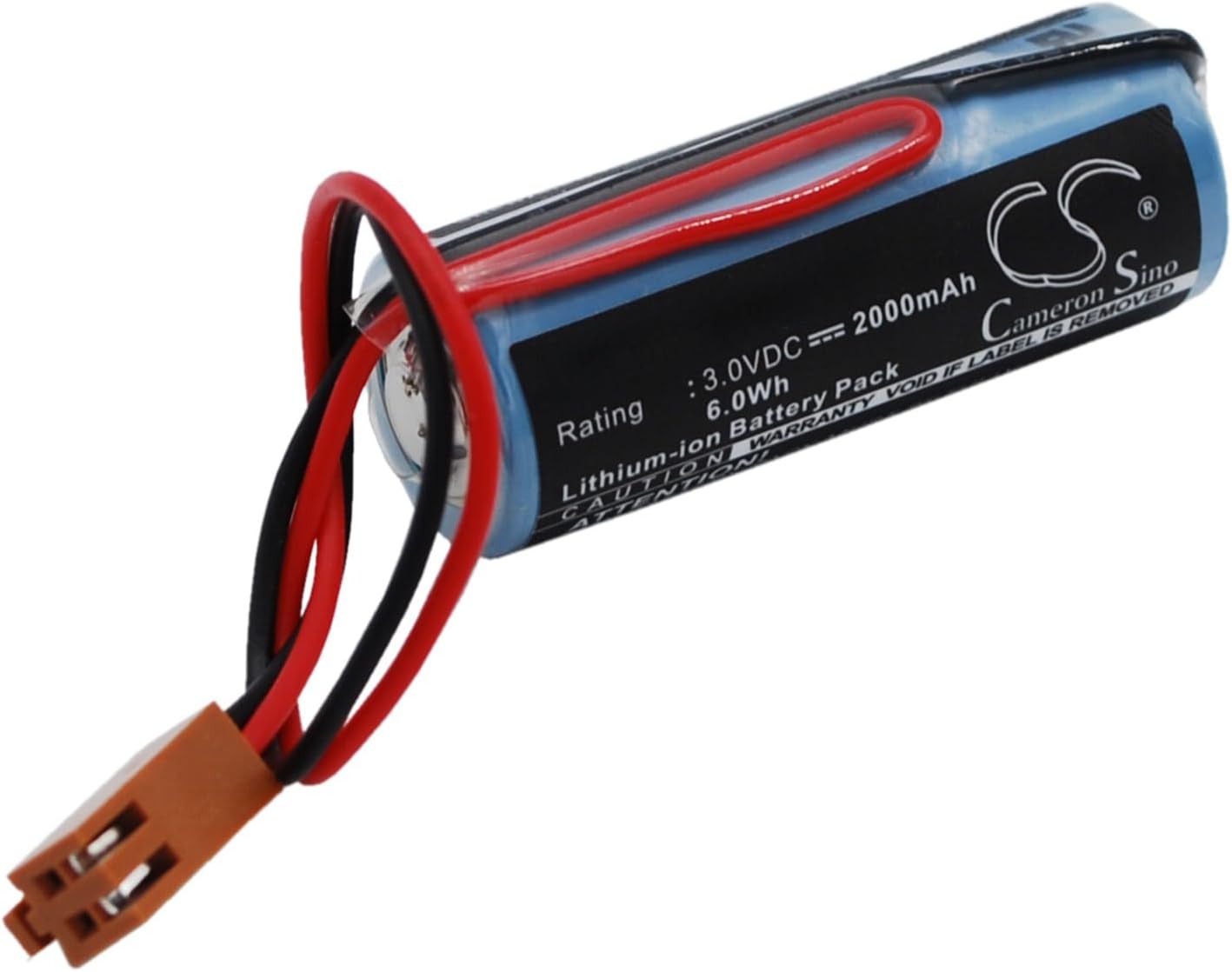
Figure 3.2: Angled view of the replacement battery pack. This perspective highlights the battery's cylindrical shape and the label, which includes the "Cameron Sino" brand logo and warnings such as "CAUTION WARRANTY VOID IF LABEL IS REMOVED" and "ATTENTION! NEW BATTERY PACK MUST BE FULLY CHARGED BEFORE USE." The red and black wires and the brown connector are also visible.

Figure 3.3: Rear view of the replacement battery pack. This image displays the reverse side of the battery, showing additional warning labels and manufacturer information. Text visible includes "DO NOT CRUSH, PUNCTURE SHORT EXTERNAL CONTACTS OR DISPOSE OF IN FIRE OR WATER" and "DO NOT STORE ABOVE 60°C (140°F)." The wires and connector are also visible.

Figure 3.4: Top-down angled view of the replacement battery pack. This view provides a clearer look at the label, including the "Model No.: CS-FNC10SL" and "Part No.: A98L-0031-0006" information, along with the rating details. The wires and connector are positioned to the left.
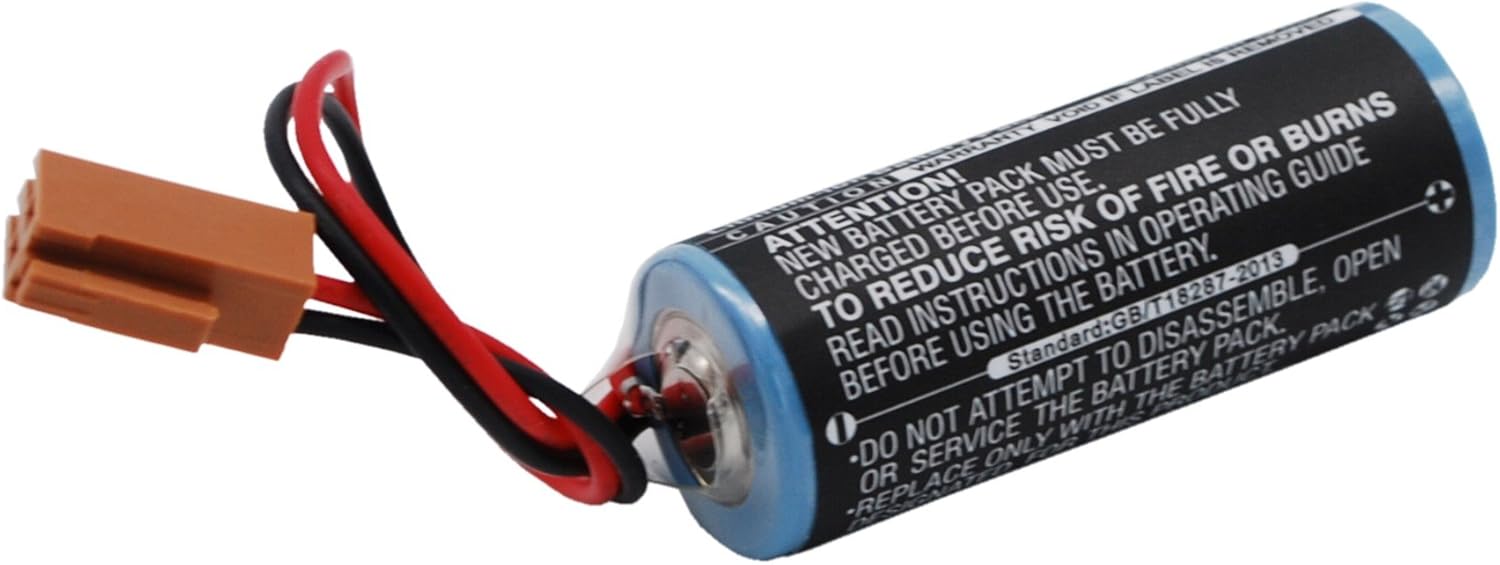
Figure 3.5: Bottom-up angled view of the replacement battery pack. This image emphasizes the safety warnings printed on the battery's label, such as "DO NOT ATTEMPT TO DISASSEMBLE, OPEN OR SERVICE THE BATTERY PACK" and "REPLACE ONLY WITH THE BATTERY PACK DESIGNATED FOR THIS PRODUCT." The brown connector and wires are visible on the left.
4. Setup and Installation
Before installing the new battery, ensure the GE FANUC CNC POWER MATE E system is powered off and disconnected from all power sources. Refer to your original equipment's service manual for specific battery replacement procedures.
- Power Off: Completely shut down the CNC system and unplug it from the power outlet.
- Locate Battery: Identify the location of the existing battery within the GE FANUC CNC POWER MATE E unit. This may require opening a service panel.
- Disconnect Old Battery: Carefully disconnect the old battery from its connector. Note the orientation of the connector to ensure correct installation of the new battery.
- Remove Old Battery: Gently remove the old battery from its housing or mounting.
- Install New Battery: Insert the new Technical Precision replacement battery into the designated slot or mounting area.
- Connect New Battery: Connect the brown plastic connector of the new battery to the corresponding port on the CNC system. Ensure a secure and correct connection.
- Secure Panel: Close and secure any service panels that were opened.
- Initial Charge: As per safety instructions, the new battery pack must be fully charged before initial use. Connect the CNC system to power and allow it to charge the battery as per the system's charging protocol.
Consult a qualified technician if you are unsure about any installation steps.
5. Operating Instructions
Once the replacement battery is installed and fully charged, the GE FANUC CNC POWER MATE E system should operate as intended. The battery primarily serves to maintain critical system memory and settings during power outages or when the main power is disconnected.
- Power On: Power on your GE FANUC CNC POWER MATE E system as you normally would.
- System Check: Verify that all system functions, especially those reliant on battery backup (e.g., memory retention, clock settings), are operating correctly.
- Normal Operation: Use your CNC system according to its original operating manual. The replacement battery functions seamlessly with the system's power management.
The battery itself does not require direct user interaction during normal operation. Its function is automatic.
6. Maintenance
The Technical Precision replacement battery is designed for long-term, maintenance-free operation. However, observing the following general guidelines can help ensure its longevity:
- Temperature: Operate the CNC system within its recommended temperature range. Avoid exposing the battery to extreme heat or cold, as this can degrade performance and lifespan.
- Physical Inspection: Periodically inspect the battery and its connections for any signs of physical damage, corrosion, or loose connections. Ensure the battery label remains intact.
- Storage: If the CNC system is to be stored for an extended period, ensure the battery is adequately charged before storage. Store the system in a cool, dry place.
- Replacement: Replace the battery when its capacity diminishes or if the CNC system indicates a battery fault. The lifespan of a battery depends on usage patterns and environmental conditions.
7. Troubleshooting
If you encounter issues after replacing the battery, consider the following:
| Problem | Possible Cause | Solution |
|---|---|---|
| System not retaining settings after power off. | Battery not fully charged, incorrect installation, or faulty battery. | Ensure battery is fully charged. Recheck installation for secure connection. If issues persist, the battery may be faulty and require replacement. |
| Error message related to battery. | Battery not detected or low voltage. | Verify battery connection. Allow system to charge battery. Consult the GE FANUC CNC POWER MATE E manual for specific error codes. |
| Physical damage to battery or connector. | Improper handling during installation. | If the battery or connector is damaged, discontinue use immediately and replace the battery. Do not attempt to repair. |
For complex issues, contact Technical Precision customer support or a qualified CNC technician.
8. Specifications
| Attribute | Detail |
|---|---|
| Product Type | Replacement Lithium-ion Battery Pack |
| Compatibility | GE FANUC CNC POWER MATE E |
| Nominal Voltage | 3.0 VDC |
| Capacity | 2000 mAh |
| Energy | 6.0 Wh |
| Manufacturer | Technical Precision |
| ASIN | B07MTXSL2Z |
9. Warranty and Support
For warranty information or technical support regarding your Technical Precision replacement battery, please contact the manufacturer directly.
Manufacturer: Technical Precision
Refer to the product packaging or the Technical Precision official website for the most current contact information and warranty details.
Note: Warranty may be void if the battery label is removed or if the product is misused.