
AK1980 AK1980
AK1980 Fitness Tracker User Manual
Model: AK1980
Introduction
This manual provides detailed instructions for the setup, operation, and maintenance of your AK1980 Fitness Tracker. Please read this guide thoroughly to ensure proper use and to maximize the device's functionality. The AK1980 Fitness Tracker is designed to monitor various health and activity metrics, including heart rate, blood pressure, blood oxygen, sleep patterns, steps, and calories burned.

Image: The AK1980 Fitness Tracker, a sleek black wrist-worn device displaying time and heart rate.
Setup
1. Unboxing and Package Contents
Verify that your package contains the following items:
- 1 x AK1980 Fitness Tracker
- 1 x User Manual (this document)
- 1 x USB Specific Charging Cable

Image: An illustration showing the AK1980 Fitness Tracker in various colors alongside a list of included accessories: Fitness Tracker, User Manual, Color Gift Box, and USB Specific Charging Cable.
2. Charging the Device
Before first use, fully charge the fitness tracker. Connect the provided USB charging cable to the charging port on the device and to a standard USB power source. A full charge typically takes approximately 2 hours. The battery indicator on the screen will show charging status.
3. App Installation
Download and install the JYouPro application on your smartphone. This app is available for both Android and iOS devices. Search for "JYouPro" in your device's app store.
4. Pairing with Smartphone
- Ensure Bluetooth is enabled on your smartphone.
- Open the JYouPro app.
- Follow the in-app instructions to search for and connect to your AK1980 Fitness Tracker. The device will typically appear as "AK1980" or a similar identifier.
- Once connected, the time and date on your tracker will synchronize with your phone.
Operating Instructions

Image: An overview of the AK1980 Fitness Tracker's features, including Heart Rate Monitoring, Multi-Sports Mode, Pedometer, Distance, Calorie, Blood Pressure, Blood Oxygen, Calls Alert, Message Remind, Selfie Remote, Stopwatch, Alarm Clock, and Sedentary Reminder.
1. Basic Navigation
The AK1980 Fitness Tracker features a single touch-sensitive button for navigation. Short press to cycle through different screens and functions. Long press to select an option or activate a feature.
2. Customizing Watch Face
You can personalize the display of your tracker. Access the watch face settings through the JYouPro app or by long-pressing on the main screen of the device (if supported by firmware) to cycle through available options.

Image: Several examples of customizable clock faces for the AK1980 Fitness Tracker, showing different layouts for time, date, and activity data.
3. Activity Tracking
The tracker automatically records daily activities such as steps taken, distance covered, and calories burned. These metrics can be viewed directly on the device or in more detail within the JYouPro app. Set fitness goals in the app to track your progress.

Image: Four panels illustrating different activities (running, walking, cycling, hiking) with the tracker displaying steps, heart rate, and calories for each.
4. Heart Rate Monitoring
The device provides continuous, automatic, and wrist-based heart rate tracking. To obtain an accurate reading, ensure the tracker's sensor is closely attached to your arm without an obvious gap and remain still during measurement. The app records your all-day heart rate curve.

Image: Two AK1980 Fitness Trackers, one showing heart rate data on its screen, with a graphic representation of a heart rate waveform in the background.
5. Blood Pressure Monitoring
The AK1980 Fitness Tracker can estimate blood pressure. For best results, measure in a quiet state and keep your arm still. Note: This device is not a professional medical instrument. The results are for reference only and should not be used for medical diagnosis or treatment.

Image: A person running with the AK1980 Fitness Tracker on their wrist, displaying a blood pressure icon and the text "Blood Pressure".
6. Blood Oxygen Monitoring
The tracker provides blood oxygen level estimations. As with blood pressure, ensure the device is properly positioned and you remain still during measurement. Note: This feature is for reference only and not intended for medical use.
7. Sleep Monitoring
The device monitors your sleep patterns, distinguishing between deep sleep and light sleep. This data, available in the JYouPro app, can help you understand your sleep quality and identify trends.

Image: A person sleeping with the AK1980 Fitness Tracker on their wrist, showing a moon icon and sleep duration on the screen, alongside a smartphone displaying detailed sleep data.
8. Sports Modes
The AK1980 Fitness Tracker supports multiple sports modes, including running, walking, riding (cycling), and climbing. Select the appropriate mode before starting your activity for more accurate tracking of steps, calories, heart rate, and duration.

Image: An arm wearing the AK1980 Fitness Tracker, surrounded by icons representing various movement modes: Walking, Running, Riding, and Climbing.
9. Smart Notifications
When connected to your smartphone via Bluetooth, the tracker can display notifications for incoming calls, SMS messages, and alerts from various social media applications (e.g., Skype, Facebook, Twitter, WhatsApp). The device will vibrate silently to alert you.
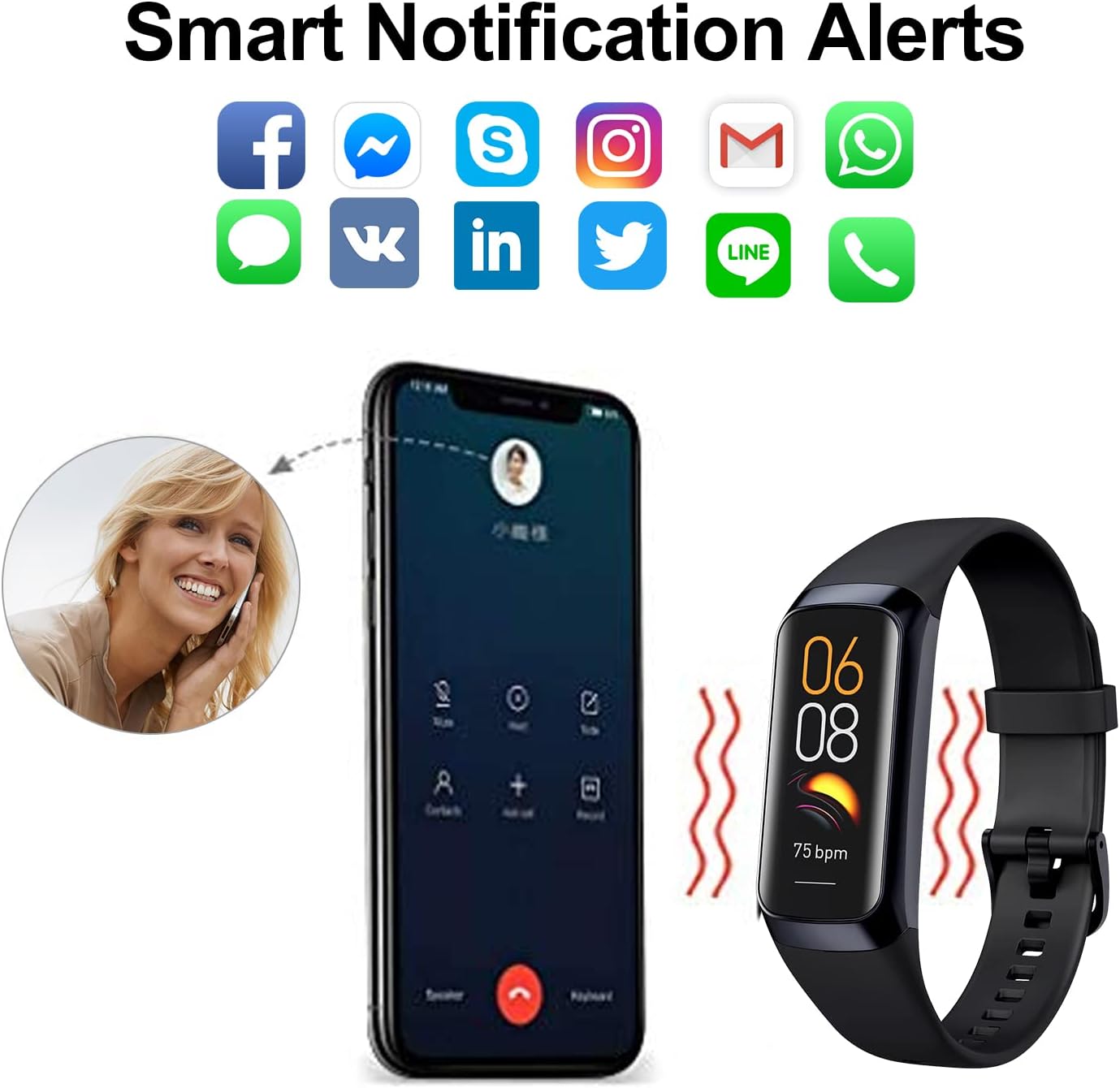
Image: A smartphone displaying an incoming call, with the AK1980 Fitness Tracker vibrating next to it, indicating a call alert. Icons for various social media apps are shown above.
10. Remote Camera Control
Utilize the remote camera function to trigger your smartphone's camera from your wrist. This feature is typically activated through the JYouPro app settings.

Image: A couple taking a selfie with a smartphone, while the AK1980 Fitness Tracker on a wrist displays a camera icon, indicating remote camera control.
11. Alarm Clock
Set alarms through the JYouPro app. The tracker will vibrate at the set time to gently wake you or remind you of tasks.

Image: A person stretching after waking up, with the AK1980 Fitness Tracker on their wrist displaying a stopwatch function and green vibration waves.
12. Stopwatch
Access the stopwatch function from the device's menu to time activities or intervals.
13. Find Phone
If your phone is within Bluetooth range, use the "Find Phone" feature on your tracker to make your phone ring, helping you locate it.
Maintenance
1. Water Resistance (IP68)
The AK1980 Fitness Tracker is IP68 waterproof, meaning it can withstand immersion in water up to 3.3 feet (1 meter) for less than 30 minutes. It is suitable for daily use and activities like swimming in cold water. Important: Avoid hot water, as it can affect sensor accuracy and product stability. Do not use in saunas or hot tubs.
2. Cleaning
Regularly clean your tracker and wristband with a soft, damp cloth. Ensure the charging contacts are free of dust and debris. Avoid using harsh chemicals or abrasive materials.
3. Battery Life and Charging
The device features a Lithium Ion battery with an average life of up to 30 days on standby, depending on usage. Recharge using the provided USB cable when the battery level is low.
Troubleshooting
- Device not turning on: Ensure the device is fully charged. Connect it to the charger for at least 10 minutes.
- Cannot pair with phone: Make sure Bluetooth is enabled on your phone and the tracker is within range. Restart both the phone and the tracker. Ensure the JYouPro app is updated.
- Inaccurate readings (HR, BP, SpO2): Ensure the tracker is worn snugly on your wrist and you remain still during measurement. Remember these readings are for reference only.
- Notifications not appearing: Check Bluetooth connection. Verify notification permissions are granted to the JYouPro app in your phone's settings. Ensure notifications are enabled within the app.
- Data not syncing: Open the JYouPro app to initiate synchronization. Ensure a stable Bluetooth connection.
Specifications
| Feature | Specification |
|---|---|
| Model | AK1980 |
| Display | 1.3 Inches LCD, 240 x 240 resolution |
| Connectivity | Bluetooth |
| Operating System Compatibility | Android, iOS (via JYouPro app) |
| Battery Type | Lithium Ion |
| Average Battery Life | Up to 30 days (standby) |
| Water Resistance | IP68 (up to 3.3 feet for less than 30 minutes in cold water) |
| Dimensions | 6.35 x 5.84 x 1.78 cm |
| Weight | 120 g |
| Special Features | Activity Tracker, Blood Pressure Monitor, Calorie Tracker, Distance Tracker, Heart Rate Monitor, Phone Call Notifications, Sleep Monitor |
Warranty and Support
The AK1980 Fitness Tracker comes with an 18-month warranty from the date of purchase. Additionally, a 30-day money-back guarantee is offered if you are not completely satisfied with your purchase. For technical support, warranty claims, or further assistance, please refer to the contact information provided with your purchase documentation or visit the official AK1980 support website.
Ask a question about this manual
Ask about setup, troubleshooting, compatibility, parts, safety, or missing instructions. Manuals+ will review the question and use this page’s manual context to help answer it.