1. Introduction
This manual provides detailed instructions for the setup, operation, maintenance, and troubleshooting of your Timex Expedition Katmai Combo 40mm Watch, model TW4B16600. Please read this manual thoroughly to ensure proper use and care of your timepiece.
2. Product Overview
The Timex Expedition Katmai Combo watch features a robust design with both analog and digital displays, offering versatility and functionality for various activities. Key components include:
- Analog Dial: Black dial with yellow accents, Arabic numerals, and luminous hands for traditional timekeeping.
- Digital Display: Gray digital display located at 6 o'clock, providing chronograph, alarm, and timer functions.
- Case: Durable black 40mm resin case with green accents and an acrylic lens.
- Strap: Adjustable green 20mm nylon strap designed to fit wrist circumferences up to 8 inches.
- Indiglo® Night-Light: Electroluminescent backlight for easy readability in low-light conditions.
- Water Resistance: Rated for 50 meters (165 feet), suitable for short periods of recreational swimming but not for diving or snorkeling.

Image 2.1: Front view of the Timex Expedition Katmai Combo 40mm Watch, showing the analog and digital displays, and the green nylon strap.
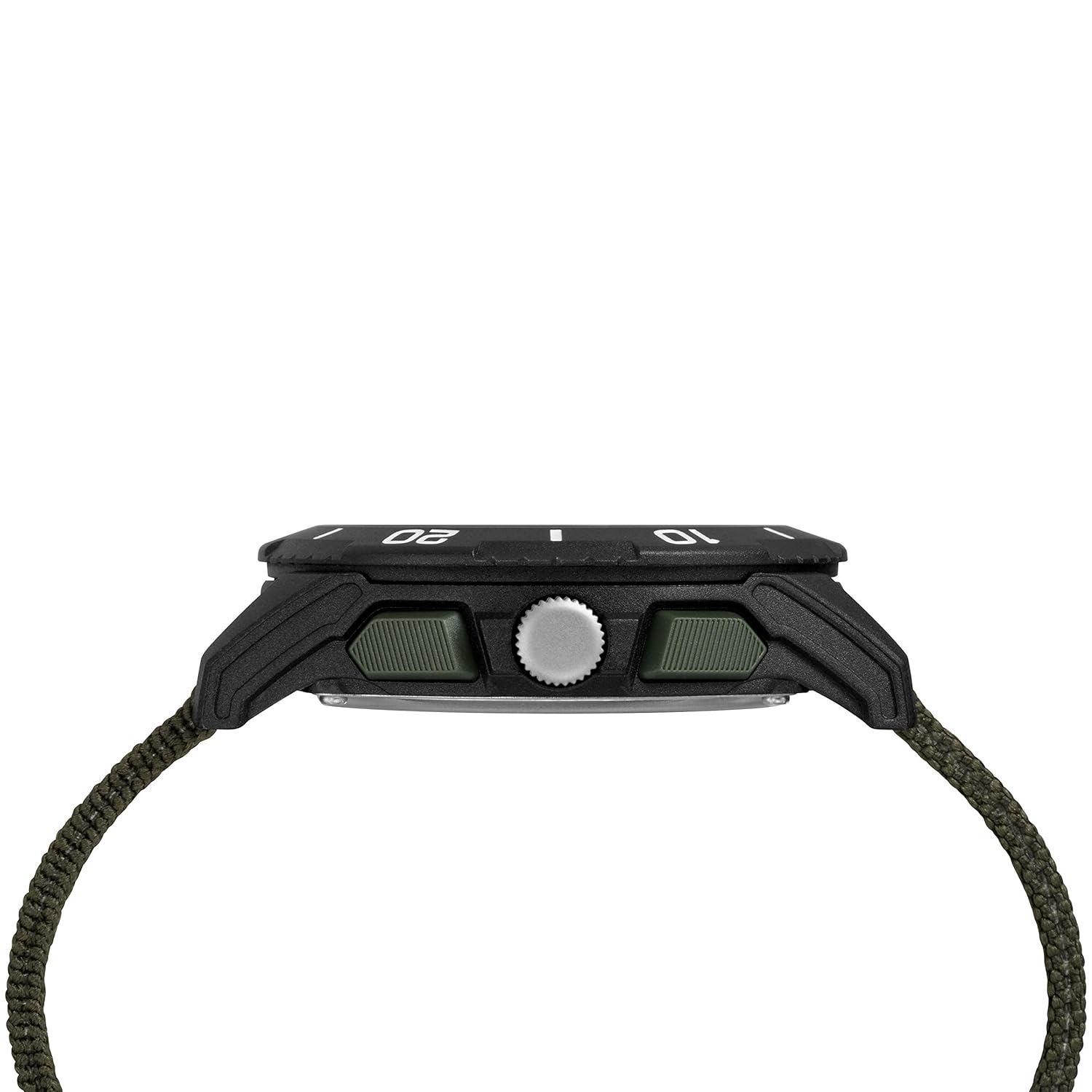
Image 2.2: Side view of the watch, highlighting the crown and function buttons on the right side of the case.
3. Setup
3.1. Setting Analog Time
- Pull the crown (the knob on the right side of the watch) out to the furthest position.
- Rotate the crown clockwise or counter-clockwise to set the hour and minute hands to the correct time.
- Push the crown back in to its original position to start the analog movement.
3.2. Setting Digital Time and Date
Refer to the specific button labels (e.g., MODE, SET) on your watch. The exact sequence may vary slightly, but generally involves:
- Press the MODE button repeatedly until the digital display shows the time setting mode (often indicated by flashing digits).
- Use the SET button (or a dedicated adjustment button) to select the digit you wish to change (e.g., hours, minutes, year, month, day).
- Use the START/STOP or INDIGLO button to increment the selected digit.
- Once all settings are correct, press the MODE button to exit the setting mode.
3.3. Adjusting the Strap
The nylon strap is designed for easy adjustment. Thread the strap through the buckle and loops to achieve a comfortable and secure fit on your wrist. Ensure the watch is not too tight to allow for proper circulation, nor too loose to move freely.
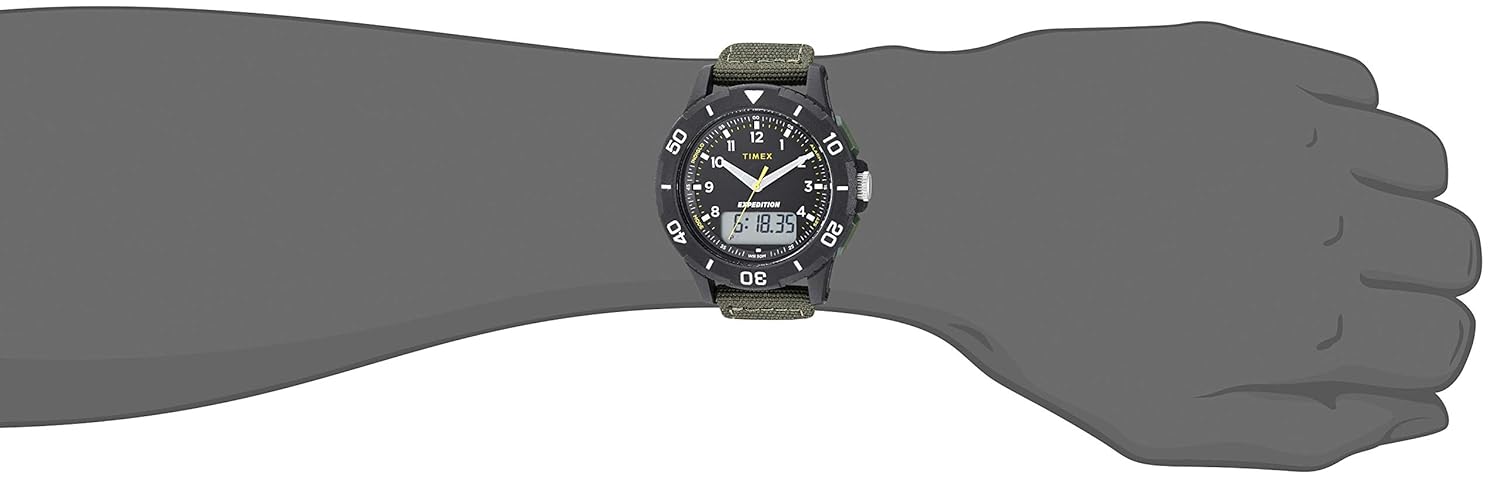
Image 3.1: The watch displayed on a wrist, illustrating how the strap fits and the overall size.
4. Operating
4.1. Indiglo® Night-Light
To activate the Indiglo® night-light, press the button typically located on the upper left side of the watch case. The entire dial will illuminate for a few seconds, providing visibility in low-light conditions.
4.2. Chronograph (Stopwatch) Function
- Press the MODE button until 'CHR' or 'STP' appears on the digital display.
- Press the START/STOP button to begin timing.
- Press START/STOP again to pause the timing.
- Press the RESET button (often the same as SET or INDIGLO in chronograph mode) to clear the time to zero.
4.3. Alarm Function
- Press the MODE button until 'ALM' appears on the digital display.
- Use the SET button to enter alarm setting mode (digits will flash).
- Adjust the alarm hour and minute using the START/STOP or INDIGLO button.
- Press SET to confirm each segment and MODE to exit.
- To activate/deactivate the alarm, press the START/STOP button while in 'ALM' mode. An alarm icon will indicate activation.
4.4. Timer Function
- Press the MODE button until 'TMR' appears on the digital display.
- Use the SET button to enter timer setting mode.
- Set the desired countdown time using the START/STOP or INDIGLO button.
- Press START/STOP to begin the countdown.
- The timer will sound when it reaches zero. Press any button to silence the alarm.
5. Maintenance
5.1. Water Resistance
Your watch is water resistant to 50 meters (165 feet). This means it is suitable for short periods of recreational swimming, showering, or washing hands. It is not suitable for diving, snorkeling, or high-impact water sports. Do not operate buttons or the crown while the watch is wet or submerged, as this can compromise the water resistance.
5.2. Cleaning
To clean your watch, wipe the case and strap with a soft, damp cloth. For the nylon strap, a mild soap solution can be used, followed by rinsing with clean water and air drying. Avoid using harsh chemicals or abrasive materials, as these can damage the watch's finish.
5.3. Battery Replacement
The watch is powered by 1 Lithium Metal battery (included). When the digital display dims or the watch stops functioning, the battery may need replacement. Battery replacement should ideally be performed by a qualified watch technician to ensure proper sealing and maintain water resistance.
6. Troubleshooting
- Watch not running/digital display blank: The battery may be depleted. Refer to Section 5.3 for battery replacement.
- Time is inaccurate: Ensure the crown is fully pushed in. If the issue persists, the battery may be low, or the watch may require service.
- Indiglo® not lighting: Check battery level. If the battery is low, the Indiglo® function may be affected first.
- Water inside the watch: Immediately take the watch to a professional for inspection and repair to prevent further damage.
7. Specifications
| Feature | Specification |
|---|---|
| Model Number | TW4B16600 |
| Case Diameter | 40 Millimetres |
| Case Thickness | 12.5 Millimetres |
| Band Material Type | Fabric (Nylon) |
| Band Color | Green |
| Watch Movement Type | Quartz |
| Water Resistance Depth | 50 Meters (165 Feet) |
| Item Weight | 36.3 g (0.08 Pounds) |
| Battery | 1 Lithium Metal battery (included) |
8. Warranty and Support
Your Timex watch is covered by a limited warranty. For specific warranty details, registration, or to locate an authorized service center, please visit the official Timex website or contact Timex customer support. You can find more information and contact details on the Timex Store on Amazon.


