1. Introduction
This manual provides essential information for the safe and effective use of your YESWELDER Flex Neck MIG Welding Gun, Model H-10/H100S2. This welding gun is designed as a direct replacement for Hobart H-10 (195957) and H100S2-10 (245924) MIG guns, compatible with Hobart Handler 135, 140, 175, 180, and 187 welding machines, as well as AutoArc XLT142 & XLT182.
The flexible neck design allows for improved access in confined welding areas. It features a 10-foot (3m) cable and uses Miller M-series MIG Gun consumables. The gun is ready to feed .023"-.030" diameter welding wire and includes two spade connectors for the trigger wire connection.
2. Safety Information
WARNING: Welding can be dangerous and cause serious injury or death. Always follow safety precautions and consult your welding machine's manual.
- Personal Protective Equipment (PPE): Always wear a welding helmet with appropriate shade, flame-resistant clothing, welding gloves, and safety glasses.
- Ventilation: Ensure adequate ventilation to remove welding fumes and gases from the work area.
- Electrical Safety: Disconnect power to the welding machine before performing any installation, maintenance, or troubleshooting. Ensure all electrical connections are secure and properly insulated.
- Fire Prevention: Keep a fire extinguisher nearby. Remove flammable materials from the welding area.
- Arc Rays: Protect eyes and skin from arc rays, which can cause burns and eye damage.
- Hot Parts: Welding guns and workpieces become extremely hot. Allow them to cool before handling or wear appropriate heat-resistant gloves.
3. Product Overview and Features

Flexible Head Design: The gun features a flexible neck, allowing the user to bend the end of the welding gun into various positions for improved access in tight or awkward welding spaces.

Detachable Components: The gun's design allows for easy disassembly and replacement of consumables such as contact tips and nozzles.

Connection Details: The gun utilizes two spade connectors for the trigger wire and has a plug diameter of 0.480 inches. The internal connection measures 2-1/4 inches.

Ergonomic Handle & Quality Cable: Designed with an ergonomic handle for comfortable use and a high-quality cable for durability and efficient current transfer.
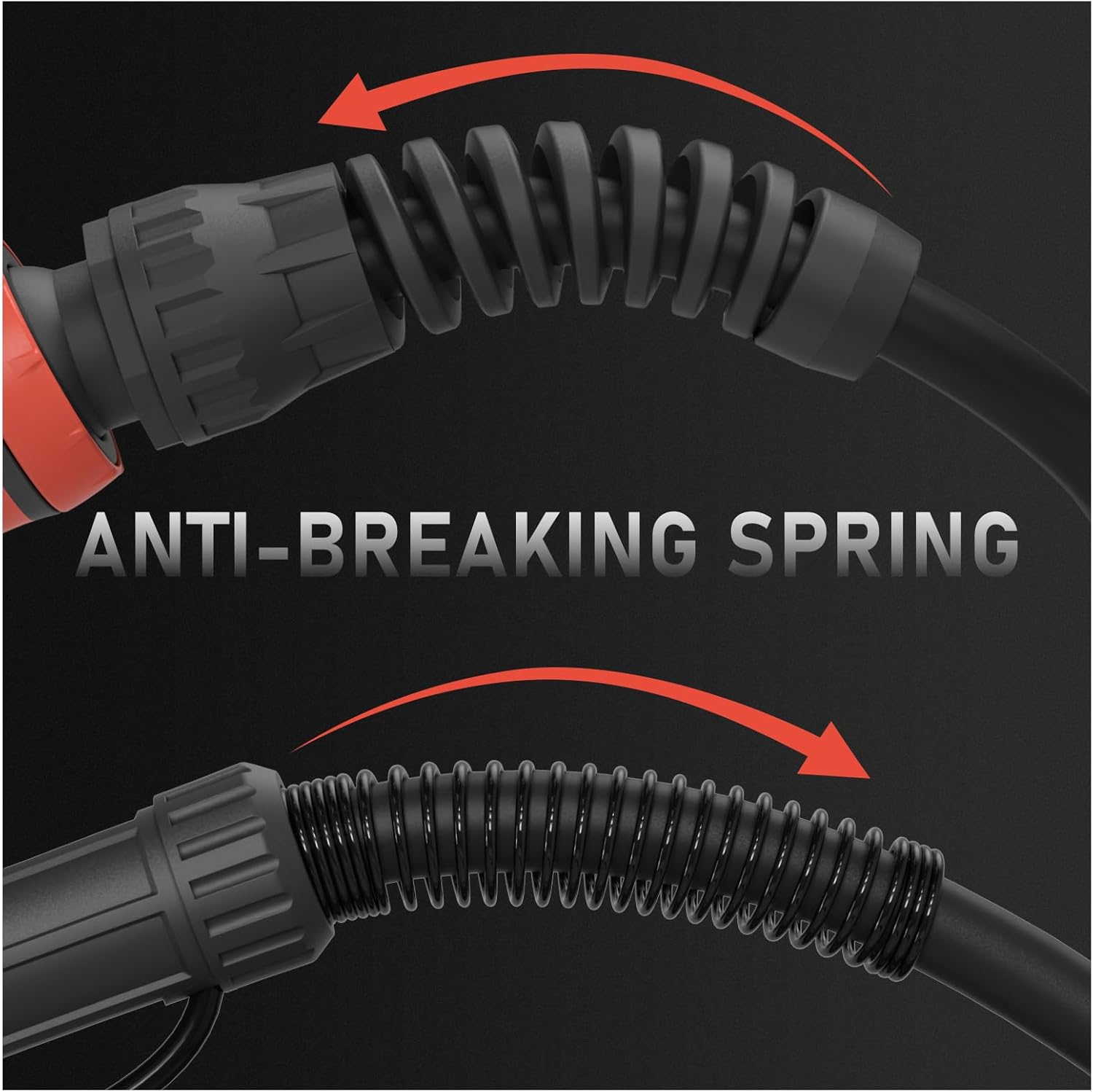
Anti-Breaking Spring: An anti-breaking spring is integrated at the cable's connection point to enhance durability and prevent damage from repeated bending.
Key Features:
- Compatibility: Direct plug-in replacement for Hobart H-10 (195957) and H100S2-10 (245924) MIG guns.
- Welder Models: Fits Hobart Handler 135, 140, 175, 180, 187, and AutoArc XLT142 & XLT182.
- Cable Length: 10 feet (approximately 3 meters).
- Consumables: Uses Miller M-series MIG Gun consumables.
- Wire Diameter: Ready to feed .023"-.030" diameter welding wire.
- Trigger Connection: Two spade connectors.
- Included Tips: Comes with .030" tips, with additional .030" and .035" tips in the package.
4. Setup Instructions
Before beginning, ensure your welding machine is turned off and unplugged from the power source.
- Verify Compatibility: Confirm that your welding machine is one of the compatible models listed in the Product Overview section.
- Connect the MIG Gun:
- Locate the MIG gun connection port on your welding machine.
- Insert the main power/gas connector of the YESWELDER gun into the corresponding port on the welder. Ensure it is fully seated and secured.
- Connect the two spade connectors from the gun's trigger wire to the appropriate terminals on your welding machine. Refer to your welding machine's manual for exact trigger wire connection points.
- Install Welding Wire:
- Open the wire feed compartment on your welding machine.
- Load the appropriate diameter welding wire (.023" or .030" recommended) onto the spool holder.
- Feed the wire through the drive rollers and into the gun's liner. Ensure the drive rollers are set for the correct wire size and tension.
- Install Contact Tip:
- Unscrew the gas nozzle from the end of the MIG gun.
- Screw in the correct size contact tip (.030" or .035" provided) for your welding wire. Hand-tighten only.
- Re-attach the gas nozzle.
- Gas Connection (if applicable): If using shielding gas, connect your gas hose to the welding machine's gas inlet and ensure the gas cylinder is open and regulator pressure is set correctly.
5. Operating Instructions
Once the MIG gun is properly installed and the welding machine is set up, you can begin welding. Always wear full PPE.
- Power On: Plug in and turn on your welding machine.
- Adjust Welder Settings: Set the voltage, wire feed speed, and inductance (if available) according to your material thickness and welding wire type. Refer to your welding machine's manual or a welding chart for guidance.
- Purge Gas (if applicable): Briefly press the trigger with the wire feed disengaged (if your machine allows) to purge air from the gas line.
- Prepare Workpiece: Ensure your workpiece is clean and properly grounded to the welding machine.
- Start Welding:
- Position the MIG gun nozzle approximately 3/8" to 1/2" from the workpiece.
- Lower your welding helmet.
- Press the trigger to initiate the arc and wire feed.
- Maintain a consistent travel speed and gun angle for optimal weld quality.
- Stop Welding: Release the trigger to stop the arc and wire feed.
6. Maintenance
Regular maintenance ensures optimal performance and extends the life of your MIG welding gun.
- Contact Tip Replacement: Replace the contact tip when the bore becomes enlarged or clogged, leading to poor arc stability or wire feeding issues. Always use the correct size tip for your wire.
- Nozzle Cleaning/Replacement: Clean spatter from the inside of the gas nozzle regularly. Replace the nozzle if it becomes excessively worn, deformed, or if gas flow is obstructed.
- Liner Inspection: Periodically check the wire liner for kinks, wear, or debris that could impede wire feed. Replace the liner if necessary.
- Cable Inspection: Inspect the entire cable assembly for cuts, abrasions, or damage to the insulation. Damaged cables should be replaced immediately to prevent electrical hazards.
- Trigger Mechanism: Ensure the trigger operates smoothly. If it sticks or feels loose, inspect the internal components for wear or damage.
7. Troubleshooting
This section addresses common issues you might encounter with your MIG welding gun.
| Problem | Possible Cause | Solution |
|---|---|---|
| No wire feed |
|
|
| Poor arc stability / Erratic arc |
|
|
| Excessive spatter |
|
|
| No gas flow (if applicable) |
|
|
8. Specifications
| Attribute | Detail |
|---|---|
| Manufacturer | YESWELDER |
| Part Number | NYW-H10-10/2R |
| Model Number | H-10 |
| Product Dimensions | 35.56 x 33.02 x 7.62 cm |
| Item Weight | 1.75 kg |
| Size/Style | Flex Neck 100A 10-ft, Replace Hobart H-10/H100S2 |
| Cable Length | 10 feet (3 meters) |
| Material | Copper (internal), Plastic (handle) |
| Power Source | Corded Electric (for welding machine connection) |
| Head Style | Flexible |
| Trigger Connection | 2 spade connectors |
| Plug Diameter | 0.480 inches |
| Compatible Wire Sizes | .023"-.030" diameter |
9. Warranty and Support
For warranty information and customer support, please refer to the documentation provided with your original purchase or contact YESWELDER directly through their official website or customer service channels. Keep your proof of purchase for any warranty claims.