
Sndway SW-T40
SNDWAY SW-T40 Digital Laser Rangefinder User Manual
Model: SW-T40
1. Introduction
Thank you for choosing the SNDWAY SW-T40 Digital Laser Rangefinder. This device is designed for precise and quick distance, area, and volume measurements. It is an ideal tool for various applications in construction, real estate, and DIY projects. Please read this manual carefully before using the device to ensure safe and proper operation.

Figure 1: Front view of the SNDWAY SW-T40 Digital Laser Rangefinder, showing the display and control buttons.
2. Safety Instructions
- Laser Safety: This device emits a Class II laser. Do not stare into the laser beam or direct it at other people or animals. Avoid direct eye exposure.
- Battery Handling: Use only specified batteries (2 x 1.5V AAA alkaline batteries). Do not mix old and new batteries or different types of batteries. Remove batteries if the device will not be used for an extended period.
- Operating Environment: Do not operate the device in explosive environments or near flammable liquids, gases, or dust. Keep the device dry and clean.
- Maintenance: Do not attempt to disassemble or modify the device. Repairs should only be performed by qualified personnel.
- Disposal: Dispose of the device and batteries according to local regulations.
3. Setup
3.1. Battery Installation
- Locate the battery compartment cover on the back of the device.
- Slide the cover open.
- Insert two 1.5V AAA alkaline batteries, ensuring correct polarity (+/-).
- Close the battery compartment cover securely.

Figure 2: Back view of the device, illustrating the battery compartment location.
3.2. Powering On/Off
- To power on, press the READ button.
- To power off manually, press and hold the OFF/CLEAR button. The device will automatically power off after 150 seconds of inactivity.
4. Operating Instructions
4.1. Basic Measurement (Single Distance)
- Point the laser at the target.
- Press the READ button once to activate the laser.
- Press the READ button again to take a measurement. The result will be displayed on the screen.

Figure 3: The device display showing multiple measurement lines.
4.2. Changing Measurement Units
Press the UNIT button (often labeled with a 'U' or unit symbol) to cycle through measurement units: meters (m), inches (in), and feet (ft).
4.3. Setting Measurement Benchmark
The device can measure from its front or rear edge. Press the Benchmark button (often depicted with a base icon) to switch between front and rear reference points. The current benchmark is indicated on the display.
5. Measurement Modes
The SNDWAY SW-T40 supports various measurement modes for different applications:

Figure 4: Overview of available measurement modes.
5.1. Continuous Measurement (Tracking)
In this mode, the device continuously measures and displays the minimum and maximum distances as you move it. This is useful for finding the shortest or longest distance to a target.
- Press the READ button once to activate the laser.
- The device will start continuous measurement. Move the device slowly to track distances.
- Press READ again to stop. The last measured value, along with min/max, will be displayed.
5.2. Area Measurement
To calculate the area of a rectangular space:
- Press the Function button (often with a square icon) until the area icon appears on the display.
- Measure the first side (e.g., length) by pressing READ.
- Measure the second side (e.g., width) by pressing READ.
- The device will automatically calculate and display the area.
5.3. Volume Measurement
To calculate the volume of a rectangular space:
- Press the Function button until the volume icon (cube) appears.
- Measure the length by pressing READ.
- Measure the width by pressing READ.
- Measure the height by pressing READ.
- The device will automatically calculate and display the volume.
5.4. Indirect Measurement (Pythagorean Theorem)
This mode allows you to measure inaccessible heights or distances using the Pythagorean theorem.
- Press the Function button until the Pythagorean icon appears (triangle). There are typically multiple Pythagorean modes (e.g., two-point, three-point). Select the appropriate one.
- Follow the on-screen prompts to measure the required sides (hypotenuse, base). Ensure the device is held level for accurate results.
- The device will calculate and display the unknown side.
5.5. Addition/Subtraction of Measurements
The device allows you to add or subtract measurements. After taking a measurement, press the + or - button, then take another measurement. The result will be added or subtracted from the previous one.
5.6. Data Storage and Recall
The device can store up to 30 measurement records. To recall stored data, press the Memory button (often with a folder icon). Use the + and - buttons to navigate through the records.
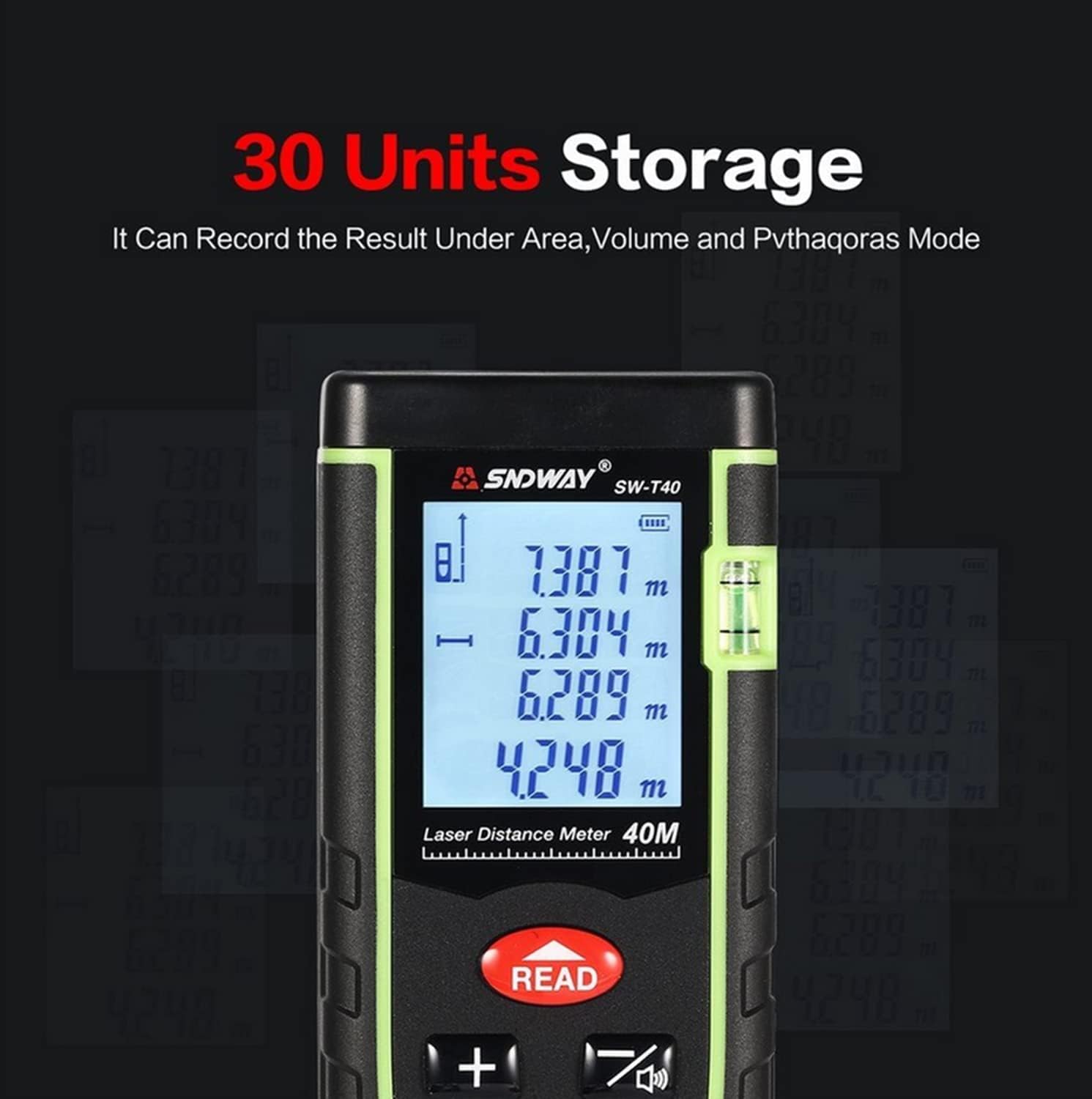
Figure 5: The device's display indicating its 30-unit data storage capacity.
6. Maintenance
- Cleaning: Use a soft, damp cloth to clean the device. Do not use abrasive cleaners or solvents. Pay special attention to keeping the laser lens clean.
- Storage: Store the device in a cool, dry place, away from direct sunlight and extreme temperatures. Remove batteries if storing for extended periods.
- Self-Calibration: The device features an auto-correction and error report technology. If you suspect accuracy issues, refer to the device's on-screen menu for self-calibration options, if available. This function helps maintain precision.
7. Troubleshooting
| Problem | Possible Cause | Solution |
|---|---|---|
| Device does not power on. | Batteries are dead or incorrectly installed. | Replace batteries or check polarity. |
| Inaccurate measurements. | Laser lens is dirty; measurement surface is too reflective/absorbent; device not held steady. | Clean the lens; use a target plate for difficult surfaces; hold the device firmly. Perform self-calibration if available. |
| "Error" message on display. | Measurement out of range; strong light interference; internal error. | Ensure target is within 0.05m to 40m; move to a less bright area; restart the device. |
| Laser not visible. | Laser is off; bright ambient light. | Press READ to activate laser; use in lower light conditions. |
8. Specifications
| Parameter | Value |
|---|---|
| Measurement Range | 0.05m to 40m |
| Measurement Accuracy | ±1.5mm |
| Measurement Units | m / in / ft |
| Laser Type | Class II, 635nm, <1mW |
| Automatic Laser Cut-off | 20 seconds |
| Automatic Shutdown | 150 seconds |
| Data Storage | 30 units |
| Operating Temperature | 0°C to 40°C (32°F to 104°F) |
| Storage Temperature | -20°C to 60°C (-4°F to 140°F) |
| Storage Humidity | RH85% |
| Battery Type | 2 x 1.5V AAA Alkaline batteries |
| Dimensions | 112 x 50 x 25 mm |
| Weight | 250 g |
| Bubble Level | Yes |

Figure 6: Dimensions of the SNDWAY SW-T40 device.
9. Warranty and Support
For warranty information and technical support, please refer to the product packaging or contact your point of purchase. Specific warranty terms may vary by region and retailer. Please retain your purchase receipt for warranty claims.
Related Documents - SW-T40
 |
SNDWAY Bluetooth Laser Distance Meter User Manual Comprehensive user manual for the SNDWAY Bluetooth Laser Distance Meter, covering safety regulations, product functions, battery usage, operation, measurement modes (single, continuous, area, volume, Pythagorean theorem), Bluetooth connectivity, technical specifications, maintenance, and error messages. |
 |
SNDWAY Laser Distance Meter User Manual - Models SW-G4S, SW-G6S, SW-G8S, SW-G10S Comprehensive user manual for SNDWAY Laser Distance Meters (SW-G4S, SW-G6S, SW-G8S, SW-G10S), covering safety regulations, operation, measurement functions (single, continuous, area, volume, Pythagoras), self-calibration, record keeping, and technical specifications. |
 |
SNDWAY Laser Distance Meter Series T User Manual Comprehensive user manual for the SNDWAY Series T laser distance meters (SW-T40, SW-T60, SW-T80, SW-T100), covering safety, operation, features, technical specifications, and care. |
 |
SNDWAY Laser Distance Meter User Manual User manual for the SNDWAY Laser Distance Meter, detailing its features, functions, operation, and safety regulations for accurate distance, area, and volume measurements. |
 |
Sndway SW-DS50/70/100/120 Laser Distance Meter User Manual - Guide and Specifications Comprehensive user manual for the Sndway SW-DS50, SW-DS70, SW-DS100, and SW-DS120 laser distance meters. Includes safety regulations, operation instructions, measurement functions, and troubleshooting tips. |
 |
Руководство пользователя лазерного дальномера SNDWAY SW-T100 Подробное руководство пользователя для лазерного дальномера SNDWAY SW-T100, охватывающее меры безопасности, описание дисплея и клавиатуры, настройку, функции измерения, сохранение данных, сообщения об ошибках, технические характеристики и уход за изделием. |
Ask a question about this manual
Ask about setup, troubleshooting, compatibility, parts, safety, or missing instructions. Manuals+ will review the question and use this page’s manual context to help answer it.