Introduction
This manual provides instructions for the Elekpia CT-RC2US-17 remote control. This remote is designed for use with various Toshiba Smart LED HDTV models, offering a direct replacement experience without complex setup.
Compatible Toshiba Smart LED HDTV Models: 32L221U, 43L621U, 49L621U, 55L421U, 55L621U, 65L621U.
Setup
The Elekpia CT-RC2US-17 remote control requires two AAA batteries (not included) for operation. No programming or pairing is necessary; the remote is ready for use once batteries are installed.
Battery Installation
- Locate the battery compartment on the back of the remote control.
- Slide the battery cover downwards to open.
- Insert two AAA batteries, ensuring correct polarity (+ and - ends align with the markings inside the compartment).
- Slide the battery cover back into place until it clicks securely.

Image: Back of the remote control, illustrating the battery compartment.
Operating Instructions
The CT-RC2US-17 remote control features standard buttons for navigating your Toshiba Smart LED HDTV. Below is a general overview of common button functions.
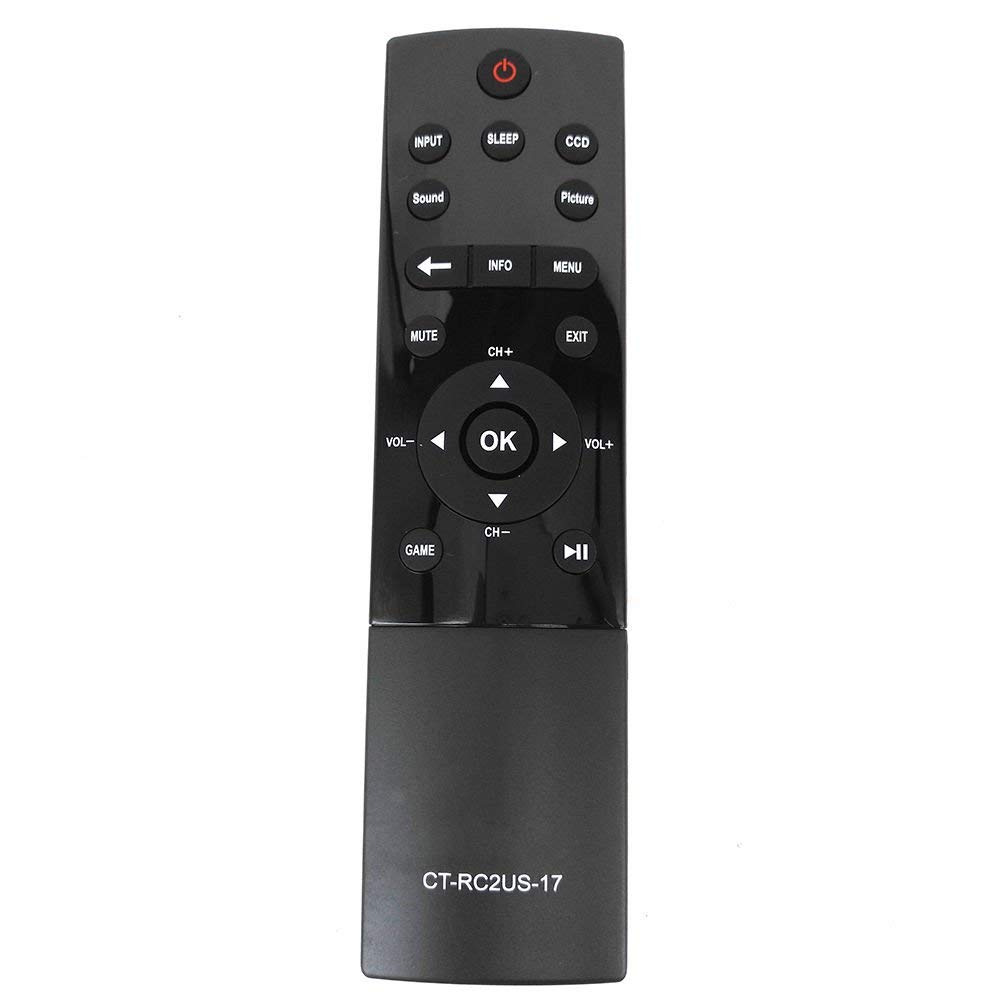
Image: Front of the remote control, displaying button layout.
Button Functions
- Power Button: Turns the TV on or off.
- Input Button: Selects the input source (e.g., HDMI 1, HDMI 2, AV).
- Sleep Button: Activates the TV's sleep timer function.
- CCD Button: Controls Closed Captioning display.
- Picture Button: Adjusts picture modes or settings.
- Sound Button: Adjusts sound modes or settings.
- Mute Button: Mutes or unmutes the TV's audio.
- Info Button: Displays on-screen information about the current program or input.
- Menu Button: Accesses the TV's main menu.
- Navigation Pad (Up, Down, Left, Right, OK): Used to navigate menus and confirm selections.
- CH+ / CH- Buttons: Changes channels up or down.
- VOL+ / VOL- Buttons: Increases or decreases volume.
- Exit Button: Exits the current menu or screen.
- Game Button: May activate a specific game mode or input.
- Playback Controls (Play/Pause, Rewind, Fast Forward): Used for media playback functions.
Maintenance
To ensure optimal performance and longevity of your remote control, follow these maintenance guidelines:
- Battery Replacement: Replace batteries when the remote's response becomes sluggish or stops working. Always replace both batteries simultaneously with new AAA batteries.
- Cleaning: Wipe the remote control with a soft, dry cloth. Avoid using liquid cleaners or abrasive materials, as they may damage the remote's surface or internal components.
- Storage: Store the remote in a cool, dry place away from direct sunlight and extreme temperatures. If storing for an extended period, remove the batteries to prevent leakage.
Troubleshooting
If you encounter issues with your Elekpia CT-RC2US-17 remote control, refer to the following common problems and solutions:
- Remote is unresponsive:
- Ensure there is a clear line of sight between the remote and the TV's infrared sensor.
- Check if the batteries are inserted correctly with the correct polarity.
- Replace old batteries with new AAA batteries.
- Limited functionality (e.g., only power and volume work):
- Some users have reported that this replacement remote may have limited functionality on certain Toshiba Smart LED HDTV models, primarily controlling power, volume, and basic menu access. Full navigation or advanced smart TV features might require the original TV remote or a universal remote specifically programmed for those functions.
- Verify your TV model is listed as compatible. If issues persist, consult the TV's original manual for remote control compatibility details.
- Buttons are sticky or unresponsive:
- This may indicate dirt or debris under the buttons. Gently clean around the buttons with a dry cotton swab. Do not attempt to disassemble the remote.
Specifications
| Feature | Detail |
|---|---|
| Model Number | CT-RC2US-17 |
| Brand | Elekpia |
| Product Dimensions | 6.5 x 1.5 x 0.5 inches |
| Item Weight | 2.08 ounces |
| Batteries Required | 2 AAA batteries (not included) |
| Connectivity Technology | Infrared |
| Compatible Devices | Toshiba Smart LED HDTVs |
| Special Feature | Ergonomic design |
| Max Number of Supported Devices | 1 |
Support Information
For product support related to your Toshiba TV, please refer to the official Toshiba support channels:
- Website: www.toshiba.com
- Phone (US & Canada Market): 855-527-2411
Note: This remote control is a compatible replacement manufactured by Elekpia. For specific TV features or advanced troubleshooting, consult your Toshiba TV's original user manual.


