
Delaney KP300
Delaney Hardware KP300 Digital Keypad Deadbolt Lock
Instruction Manual - Model 301671
Introduction
Thank you for choosing the Delaney Hardware KP300 Digital Keypad Deadbolt Lock. This manual provides detailed instructions for the proper installation, programming, operation, and maintenance of your new digital deadbolt. Please read this manual thoroughly before installation and retain it for future reference.
The KP300 combines convenience with security, offering keyless entry through a backlit touchscreen keypad and traditional key access. It supports multiple user codes and features an automatic locking function for enhanced security.
Package Contents
Verify that all components are present before beginning installation. If any parts are missing or damaged, please contact customer support.
- Exterior Keypad Assembly
- Interior Thumb Turn Assembly
- Deadbolt Latch Mechanism
- Mounting Plate
- Mounting Screws
- Strike Plate and Screws
- Keys (2)
- Installation Guide (this manual)

Image: Overview of the Delaney Hardware KP300 Digital Keypad Deadbolt Lock components, showing the exterior keypad unit with keyhole and the interior thumb turn unit.
Installation
The KP300 deadbolt is designed for easy installation with a screwdriver. It fits standard door thicknesses from 1 3/8 inches to 2 inches.
Tools Required:
- Phillips Head Screwdriver
Installation Steps:
- Prepare the Door: Ensure your door has the standard bore holes for a deadbolt. If replacing an existing deadbolt, remove it.
- Install the Deadbolt Latch: Insert the deadbolt latch into the edge of the door. Ensure the 'UP' arrow on the latch is pointing upwards. Secure it with the provided screws.
- Install the Exterior Keypad Assembly: Feed the cable from the exterior keypad through the bore hole in the door. Position the keypad flush against the door, ensuring the deadbolt tailpiece passes through the center hole of the latch mechanism.
- Install the Mounting Plate: Place the mounting plate on the interior side of the door, aligning it with the exterior keypad assembly. Secure it with the long mounting screws, passing them through the mounting plate and the deadbolt latch.
- Connect the Cable: Connect the cable from the exterior keypad to the port on the interior thumb turn assembly.
- Install the Interior Thumb Turn Assembly: Align the thumb turn spindle with the deadbolt tailpiece. Secure the interior assembly to the mounting plate using the short screws.
- Install Strike Plate: Install the strike plate on the door frame, aligning it with the deadbolt latch. Secure with screws.
- Test Operation: With the door open, test the deadbolt operation using the thumb turn and a key.
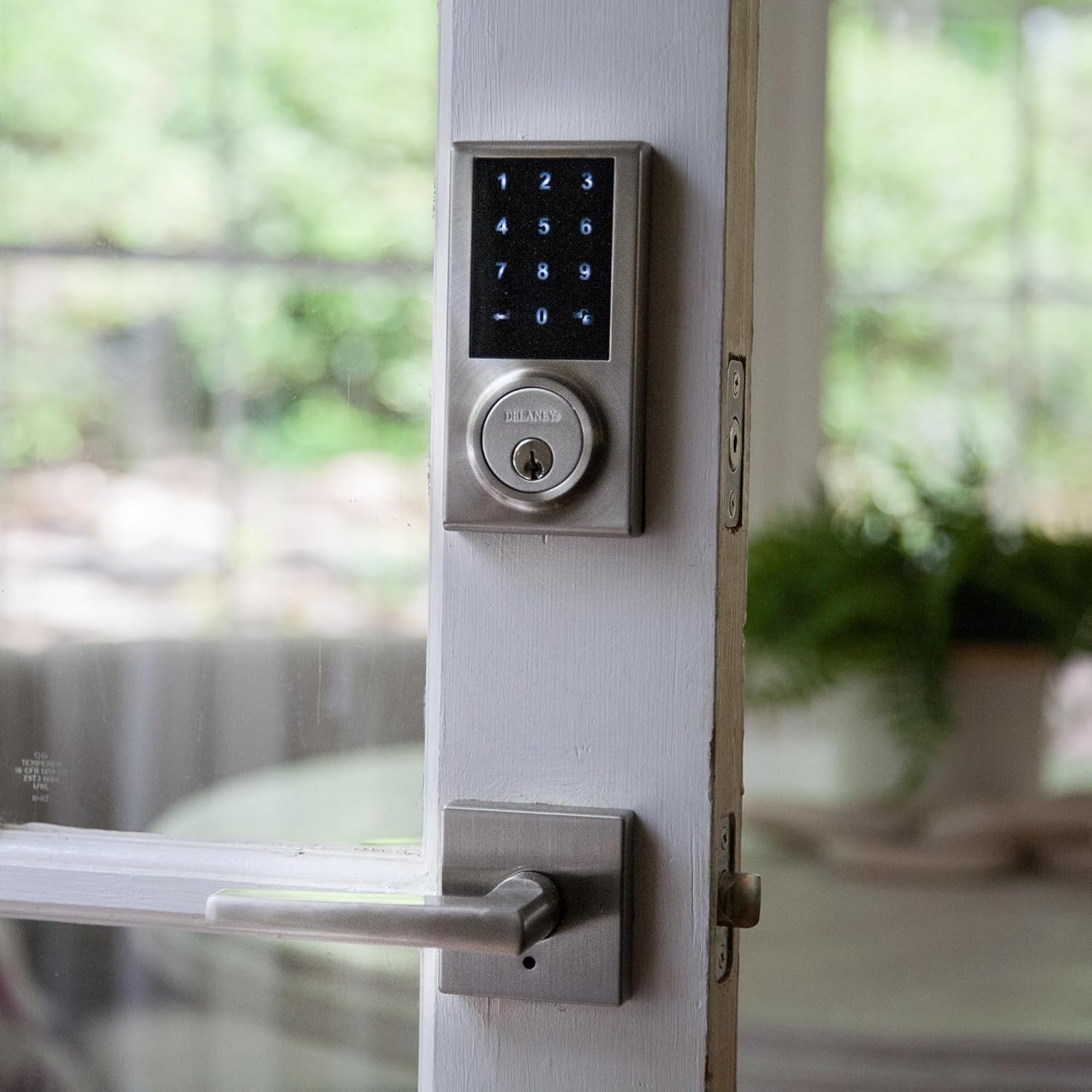
Image: The Delaney Hardware KP300 Digital Keypad Deadbolt Lock installed on a white door, showing the exterior keypad and a door handle below it.
Setup and Programming
The KP300 allows for one Master Code and up to 30 unique User Codes, including one-time access codes.
1. Install Batteries:
The lock requires 4 AA alkaline batteries (not included). Remove the battery cover on the interior assembly, insert the batteries according to the polarity markings, and replace the cover.
2. Set Master Code:
The Master Code is used to program other settings and codes. It must be set before any User Codes can be added.
- Press the Program button (located on the interior assembly).
- Enter a new 4-8 digit Master Code.
- Press the Lock button.
- Re-enter the new Master Code.
- Press the Lock button. A successful programming tone will sound.
3. Add User Codes:
User Codes are 4-8 digits long and are used for daily entry.
- Press the Program button.
- Enter the Master Code.
- Press the Lock button.
- Enter a new 4-8 digit User Code.
- Press the Lock button. A successful programming tone will sound.
- Repeat steps 4-5 to add more User Codes (up to 30).
4. Add One-Time User Code:
A one-time code allows single entry and is automatically deleted after use.
- Press the Program button.
- Enter the Master Code.
- Press the Lock button.
- Press 0.
- Enter a new 4-8 digit One-Time User Code.
- Press the Lock button. A successful programming tone will sound.
5. Delete User Codes:
To delete a specific User Code:
- Press the Program button.
- Enter the Master Code.
- Press the Lock button.
- Press 2.
- Enter the User Code to be deleted.
- Press the Lock button. A successful programming tone will sound.
To delete all User Codes (Master Code remains):
- Press the Program button.
- Enter the Master Code.
- Press the Lock button.
- Press 3.
- Press the Lock button. A successful programming tone will sound.
Operating Instructions
Locking the Door:
- Manual Locking: From the exterior, press the Lock button on the keypad. From the interior, turn the thumb turn to the locked position.
- Automatic Locking: The lock features an automatic re-lock function. After unlocking and opening the door, the deadbolt will automatically extend after a preset time (10 to 99 seconds). This feature can be enabled/disabled and adjusted via the Master Code settings (refer to advanced programming in the full manual, if available).
Unlocking the Door:
- Using a User Code: Enter a valid 4-8 digit User Code on the keypad. The deadbolt will retract, allowing entry.
- Using the Key: Insert the traditional key into the keyhole on the exterior keypad and turn to unlock.
- From the Interior: Turn the thumb turn to the unlocked position.
Auto-Stop Function:
For added security, the lock will suspend operation for a short period after 5 consecutive incorrect code attempts. This prevents unauthorized users from repeatedly guessing codes.
Maintenance
Battery Replacement:
The KP300 operates on 4 AA alkaline batteries. When the batteries are low, the lock will emit a low battery warning (e.g., a series of beeps or a light indicator) during operation. Replace batteries promptly to ensure continuous functionality.
- Remove the battery cover on the interior assembly.
- Remove the old batteries.
- Insert 4 new AA alkaline batteries, ensuring correct polarity (+/-).
- Replace the battery cover.
Note: Replacing batteries will not erase programmed Master or User Codes.
Cleaning:
Clean the lock's exterior surfaces with a soft, damp cloth. Avoid using abrasive cleaners or solvents, as these can damage the finish and electronic components.
Troubleshooting
- Lock does not respond to keypad entry: Check if batteries are installed correctly and have sufficient charge. Replace batteries if necessary. Ensure the keypad is not in auto-stop mode due to too many incorrect attempts.
- Codes are not working: Verify that the correct Master Code or User Code is being entered. Ensure the lock is not in auto-stop mode. Try re-programming the codes.
- Deadbolt does not extend/retract fully: Check for any obstructions in the door frame or strike plate. Ensure the deadbolt latch is installed correctly and aligned with the strike plate.
- Low battery indicator: Replace all 4 AA batteries immediately.
- Lock beeps continuously: This may indicate a low battery or a programming error. Refer to battery replacement or re-program codes.
Specifications
| Brand | Delaney Hardware |
| Model Name | KP300 Digital Deadbolt |
| Part Number | 301671 |
| Finish | Satin Nickel |
| Lock Type | Keypad, Deadbolt |
| Special Feature | Touchscreen |
| Power Source | 4 AA Batteries (not included) |
| User Codes | Up to 30 |
| Master Code | 1 |
| Door Thickness Compatibility | 1 3/8 inches to 2 inches |
| Dimensions (L x W x H) | 1 x 3 x 7 inches |
| Item Weight | 2 pounds |
| UPC | 694036167105 |
Warranty Information
The Delaney Hardware KP300 Digital Keypad Deadbolt Lock comes with a 1-Year Electronics Warranty from the date of purchase. This warranty covers defects in materials and workmanship under normal use. Please retain your proof of purchase for warranty claims. For full warranty terms and conditions, please refer to the official Delaney Hardware website or contact customer support.
Support
For further assistance, technical support, or to inquire about replacement parts, please contact Delaney Hardware customer service. Contact information can typically be found on the manufacturer's website or product packaging.
Related documentsKP300


Ask a question about this manual
Ask about setup, troubleshooting, compatibility, parts, safety, or missing instructions. Manuals+ will review the question and use this page’s manual context to help answer it.