
ANNTLENT N30-PY
ANNTLENT Cell Phone Signal Booster User Manual
Model: N30-PY
1. Product Overview
The ANNTLENT N30-PY Cell Phone Signal Booster is designed to enhance 5G and 4G LTE signals for all major carriers operating on Band 5, 12, 13, and 17. This system provides improved cellular coverage up to 4,500 square feet, ensuring stronger signals, faster data speeds, fewer dropped calls, and better voice quality within your home or office environment.
Key features include automatic gain control (ALC) for stable signal performance, low energy consumption, LED indicators for operational status, and an accompanying mobile application to assist with installation and signal optimization.
2. Package Contents
Verify that all components listed below are included in your package:
- N30 Booster
- Outside Directional Antenna (Yagi Antenna)
- Inside Panel Antenna
- Window Entry Cable
- 3 Longer Cables (2 x 16', 1 x 33')
- Power Supply
- Waterproof Tape
- Cable Management Tape

Figure 2.1: Package Contents
3. Setup and Installation
Proper installation is crucial for optimal performance. Please follow these steps carefully. The ANNTLENT APP is highly recommended for guiding you through the installation process, especially for finding the optimal direction for the outdoor antenna.
3.1 Pre-Installation Checklist
- Check Your Band: Before purchase and installation, ensure your phone's frequency band is compatible (Band 5, 12, 13, or 17).
- Outdoor Signal Strength: The booster requires at least 1 bar of existing signal outside your house to function effectively.
- Antenna Separation: Maintain a minimum vertical separation of 25 feet or a horizontal separation of 50 feet between the outdoor and indoor antennas. Ensure they do not face each other.
3.2 Installation Steps
- Install Outdoor Antenna: Mount the directional yagi antenna in an elevated location outside your home (e.g., roof, pole) where the signal is strongest. Use the ANNTLENT APP to find the direction of the closest cell tower for precise aiming.
- Route Cables: Connect the outdoor antenna to the booster unit using the provided cables. Utilize the flat window entry cable to route the cable from outside to inside without drilling, if preferred. Use waterproof tape for outdoor connections to protect against elements.
- Install Indoor Antenna: Place the indoor panel antenna in a central location within the area where you need improved signal. Ensure it is sufficiently separated from the outdoor antenna.
- Connect Booster Unit: Connect the indoor antenna to the booster unit.
- Power On: Connect the power supply to the booster unit and plug it into a power outlet. The booster will power on and begin operation.

Figure 3.1: System Components and Setup

Figure 3.2: Installation Convenience Features
4. Operating Instructions
Once installed and powered on, the ANNTLENT N30-PY booster operates automatically to optimize your cellular signal.
4.1 Automatic Gain Control (ALC)
The booster features built-in ALC (Automatic Level Control) technology. This system detects the existing signal strength and automatically adjusts its performance to prevent overloads and ensure stable operation. This intelligent adjustment helps maintain consistent signal quality without manual intervention.

Figure 4.1: Internal Smart Functions
4.2 LED Indicators
The booster unit is equipped with smart signal lights that indicate its operational status and signal strength. Refer to the specific LED patterns in the full user guide for detailed interpretations. These lights help you quickly determine if the booster is functioning correctly.
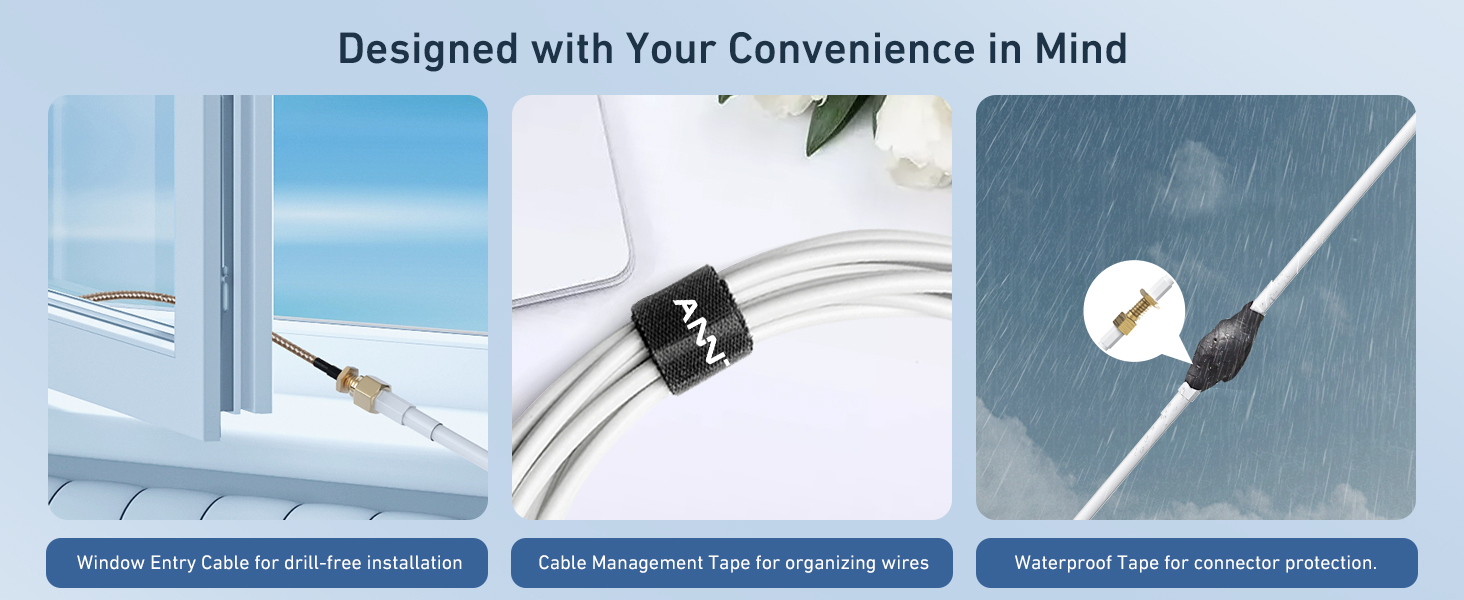
Figure 4.2: Signal Status Indicators
4.3 Low Power Sleep Mode
To conserve energy, the booster automatically switches to a low power sleep mode when no active cellular usage is detected. This feature ensures energy efficiency and extends the lifespan of the device.

Figure 4.3: Energy Saving Sleep Mode
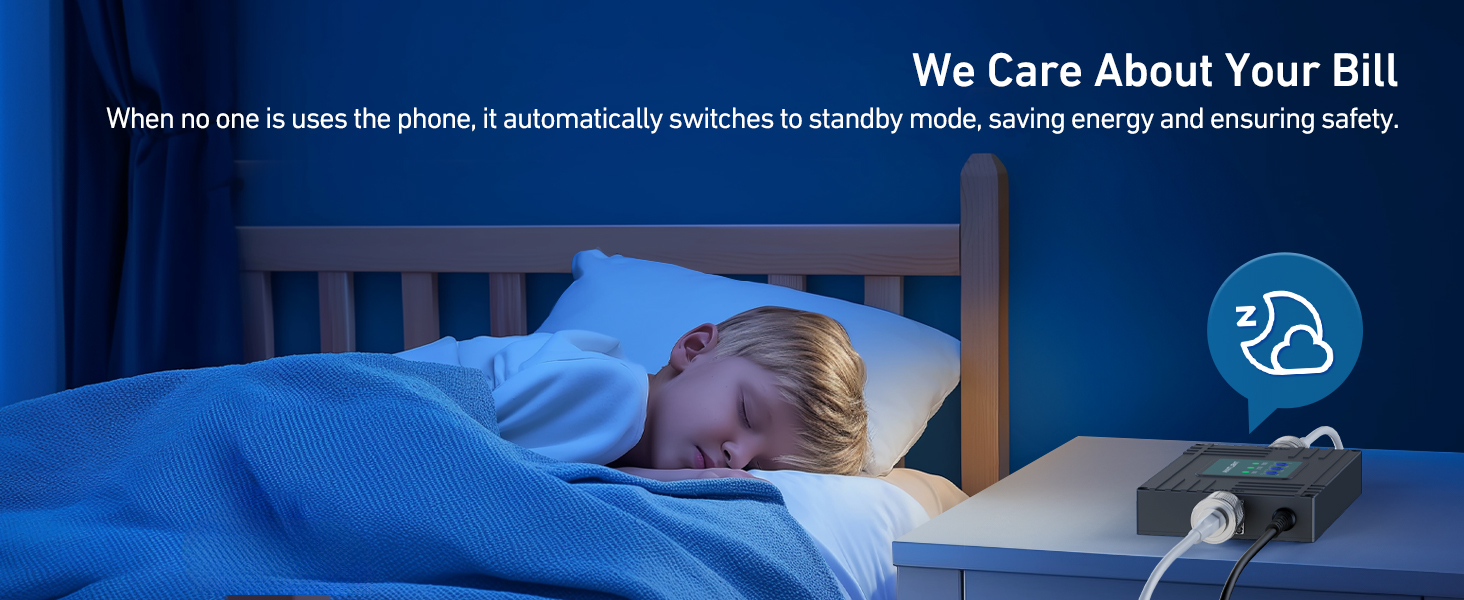
Figure 4.4: Automatic Standby for Energy Saving
4.4 Manual Gain Adjustment
In environments with very strong outdoor signals, you may manually adjust the gain settings on the booster unit to optimize performance and prevent signal saturation. Refer to the detailed instructions in the full user guide for proper adjustment procedures.
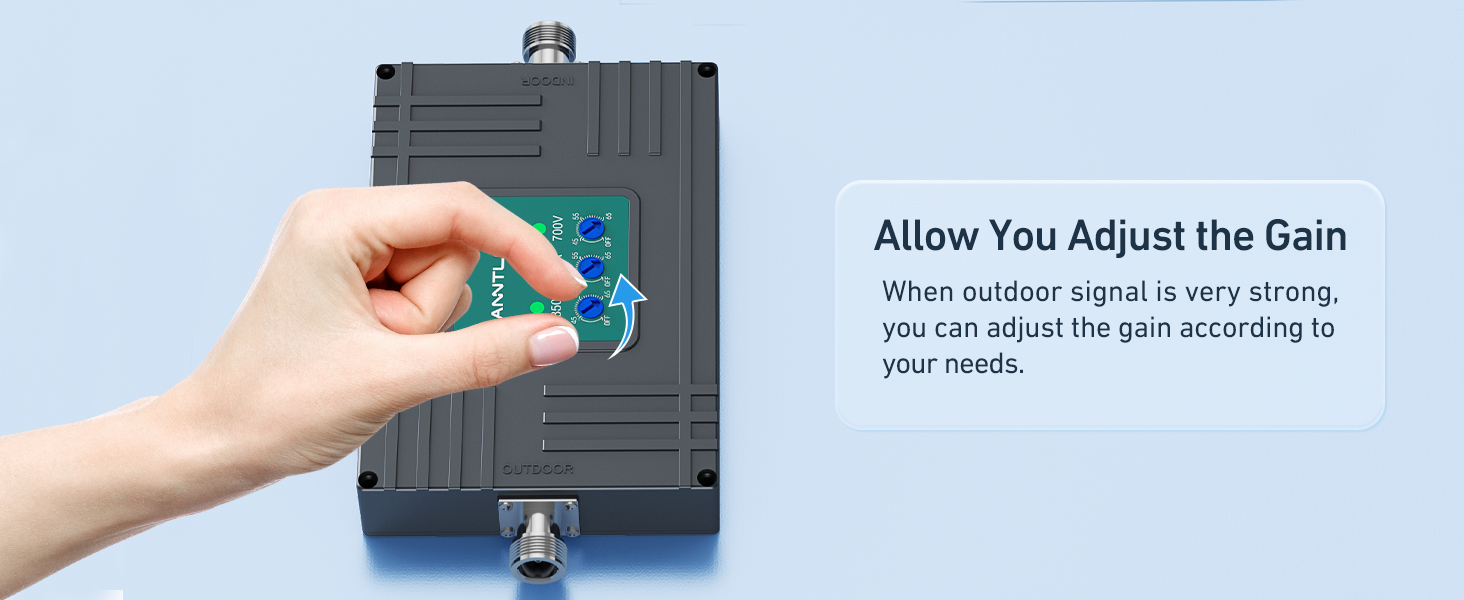
Figure 4.5: Manual Gain Adjustment
5. Maintenance
The ANNTLENT N30-PY signal booster is designed for minimal maintenance. To ensure longevity and consistent performance:
- Keep Connections Secure: Periodically check all cable connections, especially outdoor ones, to ensure they are tight and protected with waterproof tape.
- Clean Components: Gently wipe the booster unit and antennas with a dry, soft cloth to remove dust. Do not use liquid cleaners.
- Avoid Obstructions: Ensure that the indoor and outdoor antennas remain free from physical obstructions that could interfere with signal transmission.
6. Troubleshooting
If you experience issues with your signal booster, consider the following common solutions:
6.1 No Signal Improvement / Weak Signal
- Outdoor Signal: Confirm you have at least 1 bar of usable signal outside your home. The booster amplifies existing signal; it does not create it.
- Antenna Separation: Ensure sufficient isolation between the outdoor and indoor antennas (minimum 25 ft vertical or 50 ft horizontal). Insufficient separation can lead to oscillation and reduced performance.
- Antenna Aiming: Use the ANNTLENT APP to precisely aim the outdoor antenna towards the nearest cell tower. Even small adjustments can significantly impact performance.
- Cable Connections: Check all cable connections to ensure they are secure and properly tightened.
- Band Compatibility: Verify that your carrier's frequency band is supported by the N30-PY booster (Band 5, 12, 13, 17).

Figure 6.1: Signal Requirement for Booster Operation
6.2 Using the ANNTLENT APP for Troubleshooting
The ANNTLENT APP provides valuable tools for diagnosing and resolving issues:
- Installation Videos: Access step-by-step video guides.
- Signal Strength & Band Display: View real-time signal strength and identify the active frequency band.
- Cell Tower Locator: Helps pinpoint the direction of the nearest cell tower for optimal antenna aiming.
- Customer Support: Direct access to support resources.

Figure 6.2: ANNTLENT Signal Advisor APP
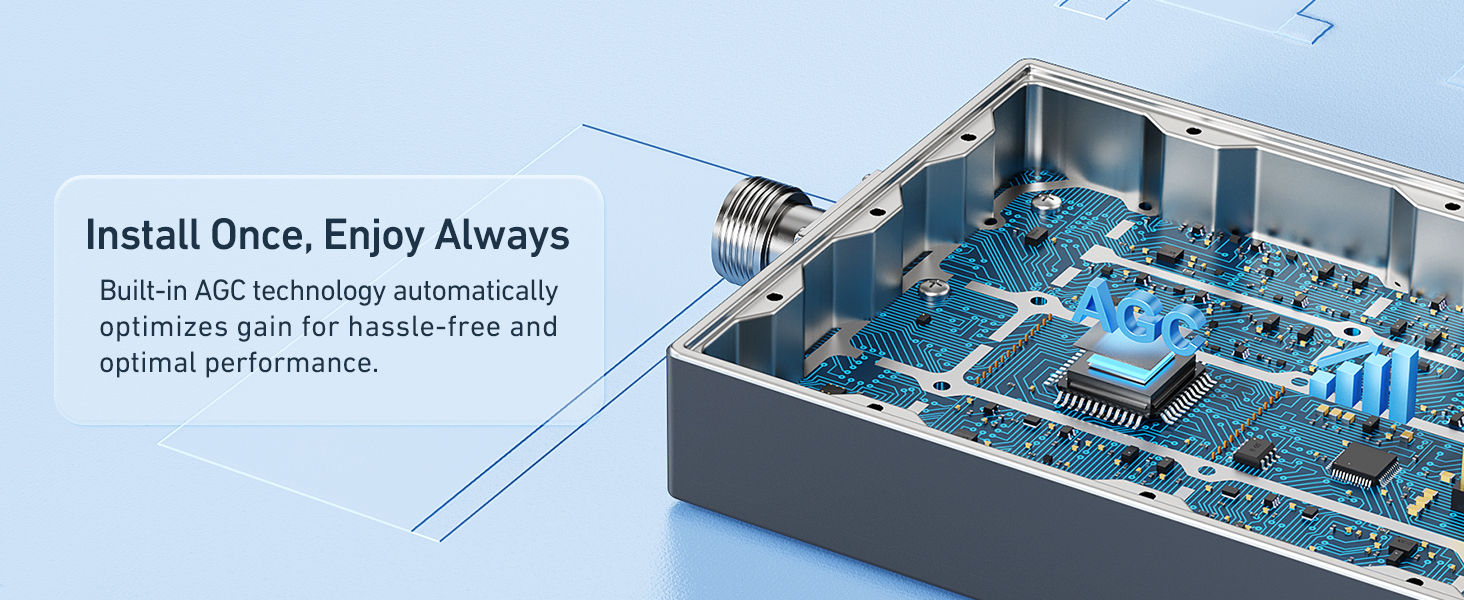
Figure 6.3: APP Features for Setup and Troubleshooting
6.3 Checking Band Information on Your Phone
To confirm your phone's active band, use the following methods:
- For iOS Devices:
- Dial *3001#12345#*
- Tap "Serving Cell Info"
- Check "Band Info"
- For Android Devices:
- Download "Network Cell Info Lite" from the app store.
- Choose "GAUGE"
- Check "Band"

Figure 6.4: Checking Band Info on iOS

Figure 6.5: Checking Band Info on Android
7. Specifications
| Feature | Detail |
|---|---|
| Model Number | N30-PY |
| Supported Bands | Band 5, 12, 13, 17 (Tri-Band) |
| Coverage Area | Up to 4,500 Sq Ft |
| Dimensions (Package) | 14.61 x 8.78 x 5.28 inches |
| Item Weight | 4.73 pounds |
| Special Features | LED Indicator, APP Help Install, Automatic Gain Control (ALC) |
| Connector Type | N-type |
| Manufacturer | ANNTLENT Ltd. |

Figure 7.1: FCC Approval Information
8. Warranty and Support
ANNTLENT stands behind the quality of its products. The N30-PY Cell Phone Signal Booster comes with the following guarantees:
- 30-Day Money Back Guarantee: If you are not satisfied with your purchase, you may return it within 30 days for a full refund.
- 3-Month Replacement: In case of defects or malfunctions within the first 3 months, a replacement unit will be provided.
- Up to 3-Year Manufacturer Repair: The product is covered by a manufacturer repair warranty for up to 3 years from the date of purchase.
For technical assistance, troubleshooting, or warranty claims, please contact ANNTLENT customer support. You can also utilize the ANNTLENT APP for direct access to support resources.
Related Documents - N30-PY
 |
ANNTLENT Cell Phone Booster Installation Guide ANNTLENT N30-PY installation guide for cell phone boosters. Learn how to install your signal booster for improved 5G, 4G, and LTE reception for Verizon, AT&T, T-Mobile, and other carriers. Covers frequency band checks, antenna placement, and setup. |
 |
ANNTLENT AN-CL70VA-01 Cell Phone Signal Booster User Manual User manual for the ANNTLENT AN-CL70VA-01 Cell Phone Signal Booster. Learn about features, safety, installation, troubleshooting, and warranty for improved mobile signal coverage. |
 |
ANNTLENT AN-USF5-01 Cell Phone Signal Booster User Manual Comprehensive user manual for the ANNTLENT AN-USF5-01 Cell Phone Signal Booster, detailing features, installation procedures, app operation, troubleshooting, safety warnings, and warranty information. |
 |
AN-USF7 Cellphone Signal Booster User Manual User manual for the ANNTLENT AN-USF7 Cellphone Signal Booster, providing detailed information on features, safety warnings, package contents, installation instructions for outdoor and indoor antennas, booster setup, troubleshooting, consumer warnings, and warranty details. |
 |
Cell Phone Booster Shopping Guide: Confirm Your Phone Band Learn how to test your phone's frequency band using simple apps and built-in tools before purchasing a cell phone signal booster. Ensure compatibility and optimal performance. |
Ask a question about this manual
Ask about setup, troubleshooting, compatibility, parts, safety, or missing instructions. Manuals+ will review the question and use this page’s manual context to help answer it.