
1. Introduction
The Aexit BEC Brushless Motor Speed Controller (ESC) 6A is designed for use in RC gliders and airplanes. This ESC offers efficient and reliable motor control with several integrated protection features.
Key features include:
- Brushless design for low interference and noise.
- Smooth operation and extended lifespan.
- Comprehensive protections: low voltage, throttle signal loss, and over-heat.
- Self-check function for operational safety.
2. Safety Information
Please read and understand all safety warnings before operating this product. Failure to follow these instructions may result in injury or damage to the product or property.
- Do not allow children to have casual contact with the device.
- Handle with care; do not shake forcefully.
- Avoid use in extreme temperatures, such as near open flames or in super high-temperature environments.
- Ensure proper ventilation during operation to prevent overheating.
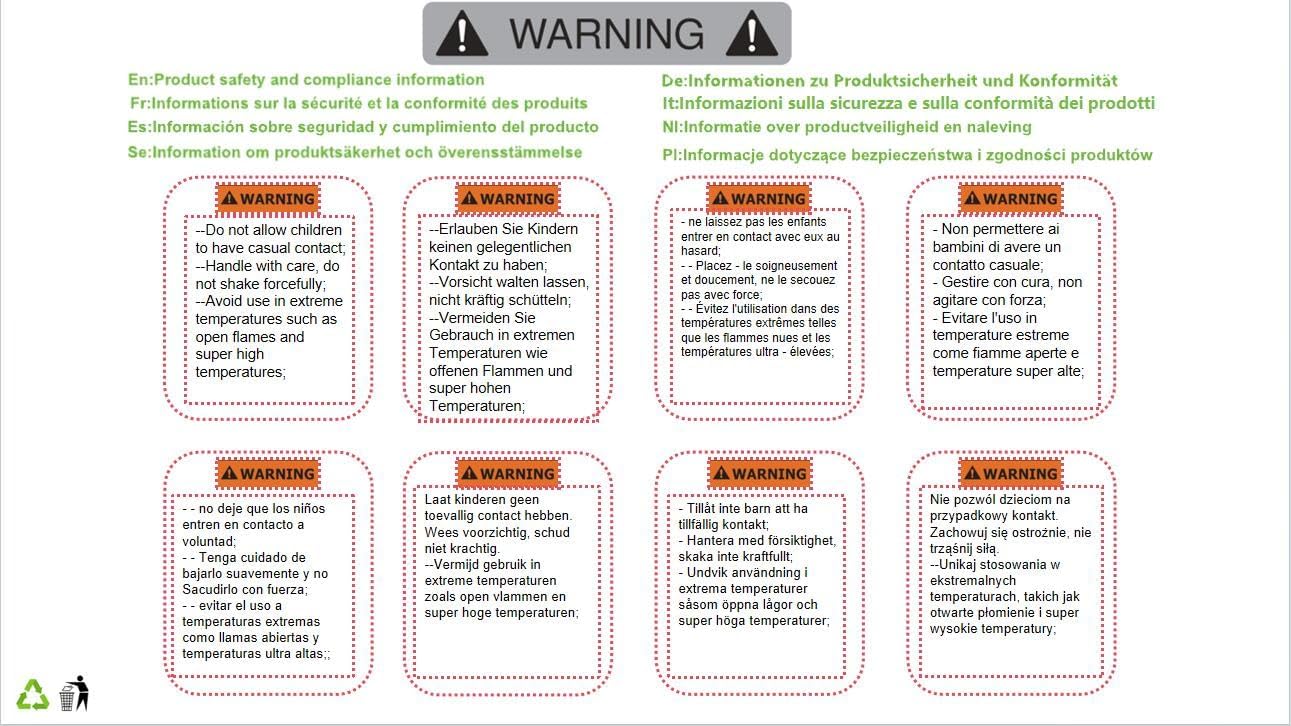
Image: Safety warning labels indicating precautions for handling and environmental conditions.
3. Product Overview
The Aexit 6A ESC is a compact electronic speed controller designed for brushless motors in RC applications. It features multiple wires for connection to the motor, battery, and receiver.

Image: The Aexit BEC Brushless Motor Speed Controller (ESC) 6A, showing the main unit with heat shrink tubing, three blue wires for motor connection, and red/black wires for battery input, along with a signal cable for receiver connection.
Components:
- ESC Unit: The main control board, typically encased in heat shrink tubing.
- Motor Wires: Three blue wires for connecting to the brushless motor.
- Battery Wires: Red (positive) and Black (negative) wires for power input.
- Signal Cable: A three-wire cable (red, black, twisted signal wire) for connecting to the RC receiver's throttle channel.
4. Setup
Follow these steps to properly connect your Aexit 6A ESC:
- Motor Connection: Connect the three blue wires from the ESC to the three wires of your brushless motor. The order of connection may affect motor rotation direction; if the motor spins in the wrong direction, swap any two of the three wires.
- Battery Connection: Connect the red wire of the ESC to the positive (+) terminal of your battery and the black wire to the negative (-) terminal. Ensure correct polarity to prevent damage. This ESC is compatible with Li-ion, Li-poly, and NiMH battery cells.
- Receiver Connection: Plug the signal cable from the ESC into the throttle channel of your RC receiver. The signal cable typically has a white/orange wire for signal, red for positive, and black/brown for negative. Refer to your receiver's manual for correct pin orientation.
- Initial Power-Up: Before connecting the propeller or engaging the motor, ensure all connections are secure. Power on your RC transmitter, then connect the battery to the ESC. The ESC will perform a self-check and emit a series of beeps.
5. Operating Instructions
Once the ESC is properly set up and powered on, you can operate your RC model:
- Throttle Calibration (if necessary): Some ESCs require throttle range calibration with your transmitter. If the motor does not respond correctly to throttle input, consult your transmitter's manual for throttle calibration procedures.
- Motor Control: Use the throttle stick on your RC transmitter to control the motor speed. Moving the stick forward typically increases speed, and pulling it back decreases speed.
- Protection Features: The ESC is equipped with several protection mechanisms:
- Low Voltage Protection: If the battery voltage drops below a safe operating level, the ESC will reduce or cut power to the motor to protect the battery from over-discharge.
- Throttle Signal Loss Protection: If the ESC loses the throttle signal from the receiver, it will automatically cut power to the motor to prevent uncontrolled operation.
- Over-Heat Protection: If the ESC's temperature exceeds a safe limit, it will reduce power or shut down to prevent damage.
- Power Down: Always disconnect the battery from the ESC first, then power off your RC transmitter.
6. Maintenance
Proper maintenance ensures the longevity and reliable performance of your ESC:
- Regular Inspection: Periodically inspect all wires and connectors for signs of wear, fraying, or corrosion. Ensure all connections are secure.
- Cleanliness: Keep the ESC free from dust, dirt, moisture, and foreign debris. Use a soft, dry brush or compressed air for cleaning.
- Storage: Store the ESC in a cool, dry place away from direct sunlight and extreme temperatures when not in use.
- Avoid Physical Damage: Protect the ESC from impacts or crushing, which can damage internal components.
7. Troubleshooting
If you encounter issues with your Aexit 6A ESC, consider the following troubleshooting steps:
- Motor Not Responding:
- Check battery connection and ensure it is fully charged.
- Verify the signal cable is securely connected to the receiver's throttle channel.
- Ensure your RC transmitter is powered on and properly bound to the receiver.
- Perform throttle calibration if the ESC does not respond to throttle input.
- Motor Runs Intermittently or Stutters:
- Inspect motor wire connections for looseness or damage.
- Check for any obstructions in the motor or propeller.
- Ensure the battery can supply sufficient current for the motor.
- ESC Overheating:
- Ensure the ESC has adequate airflow and is not enclosed in a tight space.
- Verify the motor is not overloaded (e.g., using too large a propeller).
- Check for short circuits in the motor or wiring.
- No Power/No Beeps on Startup:
- Confirm the battery is connected correctly and fully charged.
- Check for any breaks in the battery wires or connectors.
8. Specifications
| Product Name | Speed Controller ESC |
| Brand | Aexit |
| Model Number | modle |
| Battery Cell Compatibility | Li-ion / Li-poly / NiMH |
| Constant Current | 6A |
| Board Size (L x W x T) | 22 x 13 x 5mm (0.87" x 0.5" x 0.2") |
| Cable Length | Shortest: 4cm (1.57"), Longest: 16cm (7.1") |
| Material | Metal, Electronic Parts |
| Color | Black, Red, Blue |
| Weight | 6g |

