
1. Introduction
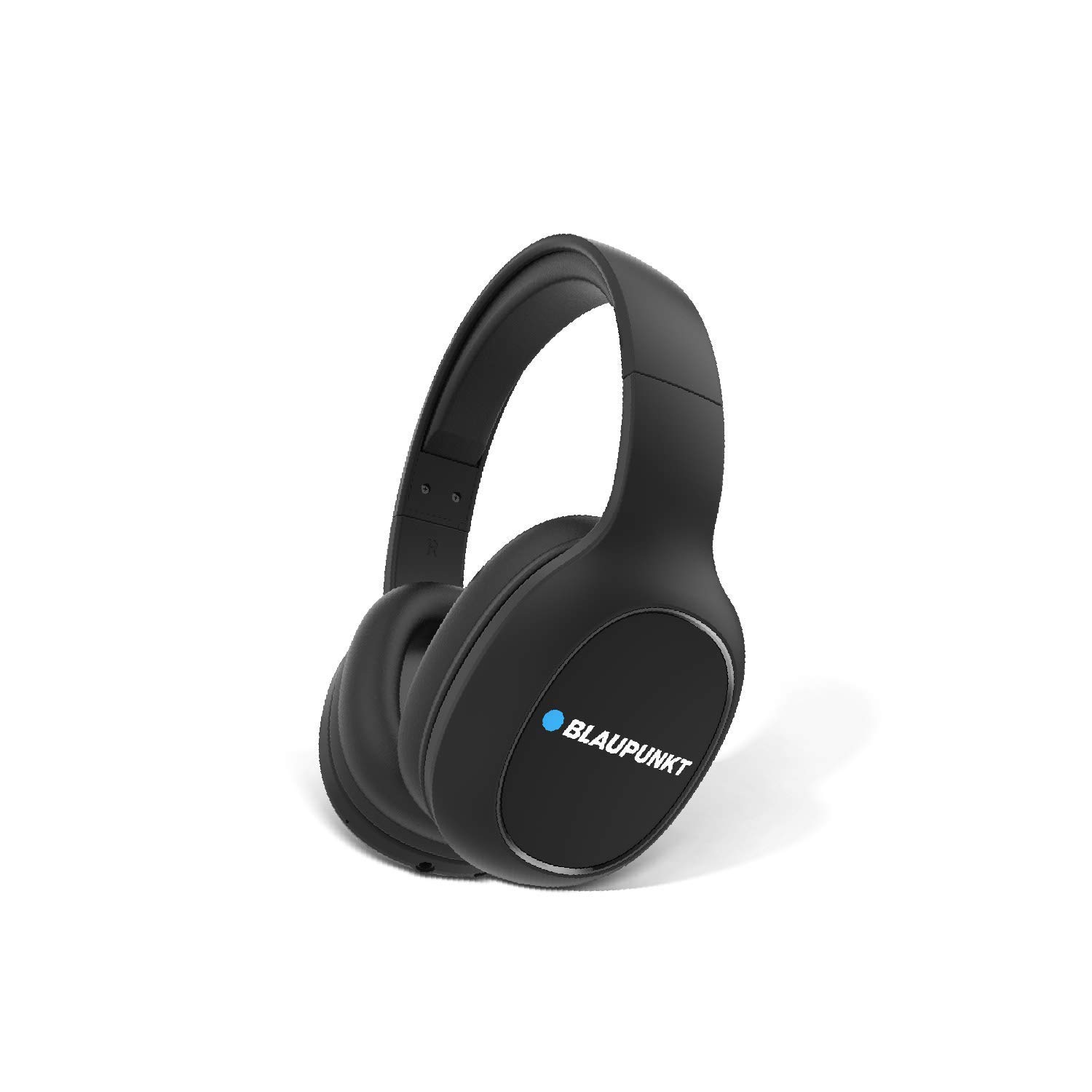
Thank you for choosing the Blaupunkt BH21 Bluetooth Wireless Over-Ear Headphones. These headphones are designed to deliver a superior audio experience with comfort and convenience. This manual provides essential information for setting up, operating, maintaining, and troubleshooting your new headphones.

2. Safety Information
Please read all safety warnings and instructions before using this product to ensure safe operation and prevent damage.
- Do not expose the headphones to extreme temperatures, humidity, or corrosive substances.
- Avoid dropping or subjecting the headphones to strong impacts.
- Do not disassemble or attempt to repair the headphones yourself. This will void the warranty.
- Clean the headphones with a soft, dry cloth. Do not use liquid cleaners.
- Prolonged listening at high volume levels may cause hearing damage. Adjust volume to a safe level.
3. Package Contents
Verify that all items are present in your package:
- 1N Headphone (Blaupunkt BH21)
- 1N Charging Cable
- 1N AUX Cable
- 1N User Manual
4. Product Overview and Controls
Familiarize yourself with the physical components and control buttons of your BH21 headphones.

Control Buttons and Ports:
- Power Button: Used to power on/off the headphones and for Bluetooth pairing.
- Volume Up (+): Increases volume. Long press for next track.
- Volume Down (-): Decreases volume. Long press for previous track.
- Multi-function Button (MFB): Play/Pause music, Answer/End calls.
- EQz Mode Button: Toggles between different equalizer modes (e.g., Turbo Bass, Vocal).
- 3.5mm AUX Port: For wired connection using the included AUX cable.
- USB Charging Port: For charging the headphones.
- Microphone: For hands-free calling.
5. Setup
5.1. Charging the Headphones
Before first use, fully charge your BH21 headphones.
- Connect the charging cable to the USB charging port on the headphones.
- Connect the other end of the charging cable to a USB power source (e.g., computer USB port, wall adapter).
- The LED indicator will show charging status (refer to LED indicator section for details).
- Once fully charged, the LED indicator will change, and you can disconnect the cable.
5.2. Bluetooth Pairing
Pair your BH21 headphones with your Bluetooth-enabled device.
- Ensure the headphones are turned off.
- Press and hold the Power button for approximately 5-7 seconds until the LED indicator flashes red and blue alternately, indicating pairing mode.
- On your device (smartphone, tablet, laptop), enable Bluetooth and search for new devices.
- Select "Blaupunkt BH21" from the list of available devices.
- Once connected, the LED indicator on the headphones will flash blue slowly, and you will hear a confirmation tone.
5.3. AUX Connection (Wired Mode)
You can use the headphones with a wired connection even if the battery is depleted.
- Connect one end of the 3.5mm AUX cable to the AUX port on the headphones.
- Connect the other end of the AUX cable to the 3.5mm audio jack on your device.
- The headphones will automatically switch to wired mode. Note that control buttons on the headphones may not function in wired mode, and audio control will be via your connected device.
6. Operating Instructions
6.1. Power On/Off
- Power On: Press and hold the Power button for 3 seconds. The LED indicator will flash blue.
- Power Off: Press and hold the Power button for 3 seconds. The LED indicator will flash red and then turn off.
6.2. Music Playback
- Play/Pause: Press the MFB once.
- Volume Up: Press the "+" button.
- Volume Down: Press the "-" button.
- Next Track: Long press the "+" button.
- Previous Track: Long press the "-" button.
6.3. Call Management
- Answer/End Call: Press the MFB once.
- Reject Call: Press and hold the MFB for 2 seconds.
- Redial Last Number: Double-press the MFB.
6.4. EQz Mode
The BH21 features an Equalizer (EQz) mode to enhance your listening experience.

Ask a question about this manual
Ask about setup, troubleshooting, compatibility, parts, safety, or missing instructions. Manuals+ will review the question and use this page’s manual context to help answer it.