
Introduction
This manual provides detailed instructions for the installation, programming, and operation of your Delaney KP300 Touchscreen Digital Deadbolt. Please read this manual thoroughly before installation and use to ensure proper function and security.
Product Overview
Key Features
- Up to 30 unique user codes and 1 master code for secure access management.
- Option for one-time user codes for temporary visitor entry.
- Dual entry methods: touchscreen keypad and conventional key.
- Automatic locking feature, programmable from 10 to 99 seconds after being idle.
- Auto-stop security mechanism that suspends operation after 5 incorrect code attempts.
- Designed for easy installation with a screwdriver, fitting standard door thicknesses of 1-3/8" to 2".
Components
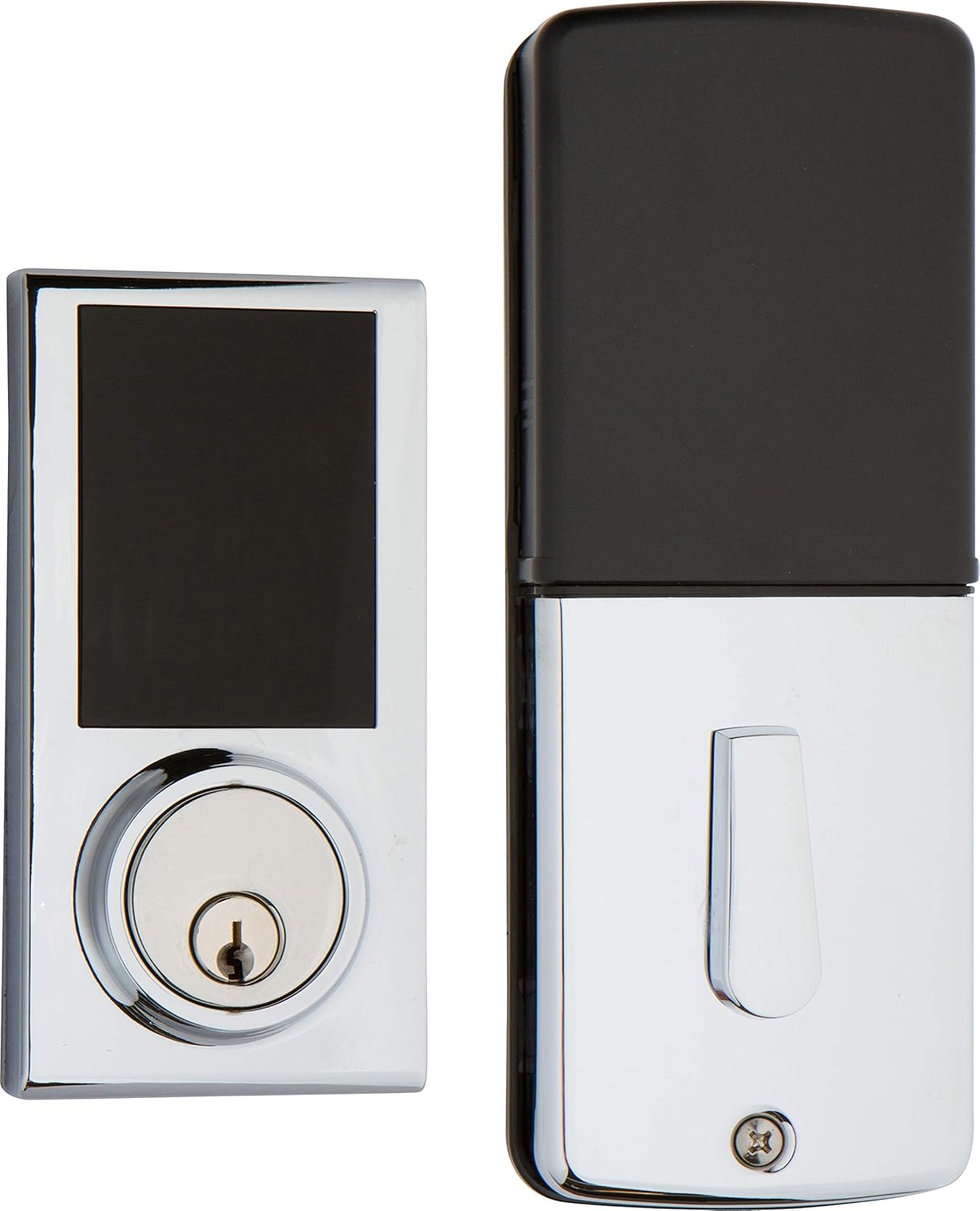
The Delaney KP300 Touchscreen Digital Deadbolt consists of an exterior keypad assembly and an interior thumb-turn assembly. The exterior unit features a backlit touchscreen and a traditional key cylinder. The interior unit includes the battery compartment and a thumb-turn for manual locking/unlocking.
Setup and Installation
Installation Requirements
- Standard door thickness: 1-3/8 inches to 2 inches.
- Basic tools required: Screwdriver.
Detailed installation instructions are provided in the separate installation guide included with your product. Ensure all components are present before beginning installation.
Battery Installation
- Remove the battery cover from the interior assembly.
- Insert four (4) AA alkaline batteries, ensuring correct polarity (+/-).
- Replace the battery cover.
- The lock will emit a beep and the keypad will illuminate, indicating successful battery installation.
Note: Use only new, high-quality alkaline batteries. Do not mix old and new batteries or different battery types.
Operating Instructions
Programming User Codes
The KP300 supports one Master Code and up to 30 unique User Codes. The Master Code is used for programming and cannot unlock the door. User Codes are used for daily entry.
- Set Master Code: Press the Program button (located on the interior assembly). Enter a new 4-8 digit Master Code, then press Lock. Repeat the Master Code and press Lock to confirm.
- Add User Code: Press the Program button. Enter the Master Code, then press Lock. Press 1, then press Lock. Enter a new 4-8 digit User Code, then press Lock. Repeat the User Code and press Lock to confirm.
- Add One-Time User Code: Follow the steps for adding a User Code, but press 2 instead of 1 after the Master Code. This code will expire after one use.
Unlocking the Deadbolt
- Using a User Code: Touch the keypad to activate. Enter your 4-8 digit User Code, then press the Lock button. The deadbolt will retract.
- Using the Key: Insert the provided key into the key cylinder on the exterior assembly and turn to unlock.
- From Inside: Turn the thumb-turn on the interior assembly to the unlocked position.
Locking the Deadbolt
- Manual Locking (Exterior): Touch the keypad to activate, then press the Lock button. The deadbolt will extend.
- Manual Locking (Interior): Turn the thumb-turn on the interior assembly to the locked position.
- Automatic Locking: If enabled, the deadbolt will automatically extend after a programmed delay (10-99 seconds) once the door is closed and unlocked.
Automatic Lock Feature
To enable or disable the automatic lock feature, or to adjust the delay time:
- Press the Program button.
- Enter the Master Code, then press Lock.
- Press 3, then press Lock.
- Enter the desired delay time in seconds (10-99), then press Lock. To disable, enter 00.
Maintenance
- Cleaning: Wipe the touchscreen and lock body with a soft, damp cloth. Avoid abrasive cleaners or solvents.
- Battery Replacement: Replace all four AA batteries when the low battery indicator appears or when the lock's response becomes sluggish.
- Key Cylinder: Periodically lubricate the key cylinder with a graphite-based lubricant if key operation becomes stiff.
Troubleshooting
| Problem | Possible Cause | Solution |
|---|---|---|
| Lock does not respond to keypad entry. | Dead batteries; Lockout mode activated after 5 incorrect attempts. | Replace batteries. Wait 30 seconds for lockout mode to clear, then try again. |
| Automatic lock feature is not working. | Feature is disabled; Incorrect delay setting. | Refer to "Automatic Lock Feature" section to enable and set delay. |
| Keypad is difficult to see. | Backlight not active. | Touch any key to activate the backlight. |
| Deadbolt does not extend/retract fully. | Misalignment during installation; Low batteries. | Check door and frame alignment. Replace batteries. Re-check installation. |
Specifications
- Model Name: KP300 Digital Deadbolt
- Part Number: 301676
- Brand: Delaney
- Lock Type: Keypad, Touchscreen
- Material: Chrome
- Finish: Polished Chrome
- Power Source: 4 AA Batteries (not included)
- Door Thickness Compatibility: 1-3/8" - 2"
- Dimensions (Exterior): Approximately 1 x 3 x 7 inches (L x W x H)
- Item Weight: 2 pounds
- UPC: 694036167600
Warranty and Support
The Delaney KP300 Touchscreen Digital Deadbolt comes with a 1-Year Electronics Warranty. For warranty claims, technical support, or further assistance, please contact Delaney Hardware customer service. Refer to the product packaging or the official Delaney Hardware website for current contact information.
For more information, visit the official Delaney Store.


