
Introduction
The Boston Tech ME89 PRO is a dual-channel Transcutaneous Electrical Nerve Stimulation (TENS) and Electrical Muscle Stimulation (EMS) device designed for pain relief and muscle rehabilitation. This manual provides essential information for safe and effective use of your device.
Important Safety Information
Please read all instructions carefully before using this device. Failure to do so may result in injury or device malfunction.
Contraindications:
- Do not use if you have a pacemaker, implanted defibrillator, or other implanted metallic or electronic device.
- Do not use if you are pregnant.
- Do not use on areas of skin that are broken, infected, or have rashes.
- Do not use over cancerous lesions.
- Do not use near the heart, on the head, face, or neck (especially carotid sinus).
- Consult a physician before use if you have epilepsy, heart disease, or any other serious medical condition.
Warnings:
- Keep out of reach of children.
- Do not use while driving or operating machinery.
- Discontinue use if you experience discomfort or adverse reactions.
- Start with low intensity and gradually increase to a comfortable level.
Package Contents
Verify that all items are present in your Boston Tech ME89 PRO package:
- ME89 PRO Main Unit
- 4 x Self-adhesive Electrodes
- 2 x Connection Cables
- 1 x 9V Battery (non-rechargeable)
- Multi-language User Manual
- Electrode Placement Guide (TENS+EMS)
- Premium Boston Tech Carrying Case
Product Overview
The Boston Tech ME89 PRO features a compact design with intuitive controls for easy operation.

Image: Front view of the Boston Tech ME89 PRO device, highlighting the display and control buttons. The display shows 'CH1 TENS MODE CH2', 'Rate 150 Hz', and '60 Min'. Below the screen are 'SET' and 'MODE' buttons, and up/down arrow buttons. The side shows a battery compartment with instructions.
Device Components:
- Main Unit: The central control unit for TENS and EMS therapy.
- Display Screen: Shows current mode, intensity, frequency, and timer.
- Channel Outputs (CH1, CH2): Connect the electrode cables. Each channel can be controlled independently.
- Intensity Dials: Adjust the intensity for each channel (1-8 levels).
- MODE Button: Selects between TENS and EMS modes and cycles through pre-set programs.
- SET Button: Confirms selections and allows manual adjustment of parameters.
- Up/Down Buttons: Adjust frequency, pulse width, and timer settings in manual mode.
- Battery Compartment: Houses the 9V battery.
Setup Instructions
- Insert Battery: Open the battery compartment on the back of the device and insert the provided 9V battery, ensuring correct polarity. Close the compartment securely.

Image: Close-up of the Boston Tech ME89 PRO device with the battery compartment open, revealing a small instruction card inside. The card lists steps: 1. Turn on power, 2. Select mode, 3. Select setting, 4. Increase or decrease setting.
- Connect Cables: Plug the connection cables into the CH1 and CH2 output ports at the top of the device.
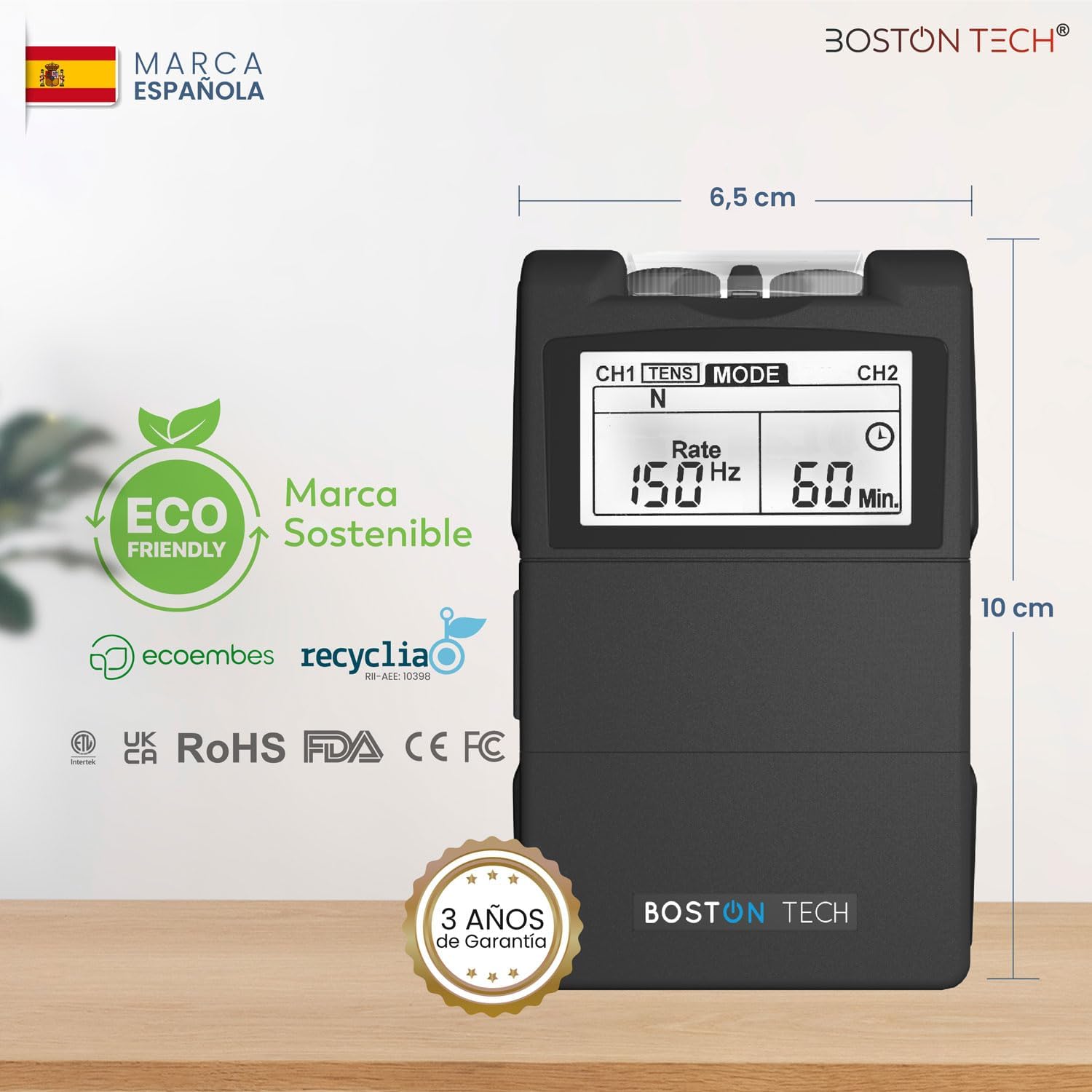
Image: The Boston Tech ME89 PRO device with two electrode cables plugged into the top ports. The device is black and shows its dimensions (6.5 cm width, 10 cm height) and certifications.
- Attach Electrodes: Connect the self-adhesive electrodes to the other end of the connection cables. Ensure a secure connection.
- Prepare Skin: Clean and dry the skin area where electrodes will be placed. Avoid applying to broken or irritated skin.
- Apply Electrodes: Carefully peel the electrodes from their protective film and firmly press them onto the skin. Refer to the Electrode Placement Guide for recommended positions for various body parts.

Image: A diagram illustrating recommended electrode placement for different body areas including shoulders, back, waist, abdomen, legs, arms, lumbar, and neck. A person is shown using the device with electrodes on their thigh.
Operating Instructions
The Boston Tech ME89 PRO offers both TENS and EMS modes with 7 pre-set programs and manual customization options.
1. Power On/Off:
- Turn the intensity dials for CH1 and CH2 clockwise from the "OFF" position to power on the device. The display will illuminate.
- To power off, turn both intensity dials counter-clockwise to the "OFF" position.
2. Select Mode (TENS/EMS):
- Press the MODE button to cycle between TENS and EMS modes. The selected mode will be indicated on the display.
- TENS (Transcutaneous Electrical Nerve Stimulation): Primarily for pain relief. It works by blocking pain signals and stimulating endorphin release.
- Available TENS Modes: Burst (B), Normal (N), Modulation (M), Intensity (SD1), Intensity (SD2).
- EMS (Electrical Muscle Stimulation): Primarily for muscle strengthening, rehabilitation, and improving circulation.
- Available EMS Modes: Synchronous (S), Alternating (A).

Image: A visual representation detailing the TENS and EMS functions. TENS is described for muscle pain relief with modes: Burst (B), Normal (N), Modulation (M), Intensity (SD1), Intensity (SD2). EMS is described for muscle stimulation with modes: Synchronous (S), Alternating (A). A person is shown using the device with electrodes on their arm.
3. Select Program/Settings:
- After selecting TENS or EMS, press the SET button to enter the program selection or parameter adjustment menu.
- Use the Up/Down buttons to cycle through the 7 pre-set programs or to adjust parameters like frequency (Rate), pulse width, and treatment time (Timer).
- Press SET again to confirm your selection or move to the next parameter.
- Burst Mode: Combines high-frequency impulses in rhythmic series, suitable for persistent muscle pain and gentle contractions.
- Ramp Mode: Gradually increases intensity for comfortable adaptation, ideal for sensitive users or beginners.
4. Adjust Intensity:
- Once the mode and program are selected, slowly turn the intensity dials (CH1 and CH2) clockwise to increase the stimulation intensity.
- Start with the lowest intensity and gradually increase until you feel a comfortable, strong but non-painful sensation.
- Each channel's intensity can be adjusted independently.
5. Treatment Duration:
- The device typically has a default treatment time (e.g., 60 minutes). You can adjust this using the SET and Up/Down buttons.
- The device will automatically shut off once the timer expires.
6. During Treatment:
- You can adjust the intensity at any time during the treatment.
- If you experience any discomfort, reduce the intensity or stop the treatment.
Maintenance
Cleaning the Device:
- Wipe the main unit with a soft, damp cloth. Do not use abrasive cleaners or immerse the device in water.
- Ensure the device is turned off and disconnected from electrodes before cleaning.
Electrode Care:
- After each use, gently remove electrodes from the skin and place them back on their protective film.
- Store electrodes in a cool, dry place.
- If electrodes lose their adhesiveness, clean the adhesive surface with a drop of water or replace them with new universal pigtail 2mm electrodes.

Image: A collection of Boston Tech electrode pads, highlighting their design and compatibility.
Battery Replacement:
- When the battery indicator on the display shows low power, replace the 9V battery.
- Ensure the device is off before replacing the battery.
Troubleshooting
| Problem | Possible Cause | Solution |
|---|---|---|
| No stimulation felt |
|
|
| Stimulation is uncomfortable or painful |
|
|
| Device does not turn on |
|
|
Specifications
| Feature | Detail |
|---|---|
| Model Number | ME89 |
| Channels | 2 (Independent) |
| Modes | 7 Pre-set (TENS: Burst, Normal, Modulation, Intensity SD1, Intensity SD2; EMS: Synchronous, Alternating) |
| Frequency | 2 to 150 Hz (Adjustable) |
| Pulse Width | 50 to 300 µs (Adjustable) |
| Power Source | 1 x 9V Battery (Lithium-metal, included) |
| Product Dimensions | 22.5 x 5 x 19.5 cm; 250 g (approx. 8.86 x 1.97 x 7.68 inches; 0.55 lbs) |
| Country of Origin | China |
Warranty and Support
Boston Tech products are designed for quality and reliability. This device comes with a 3-year warranty. For technical support or warranty claims, please contact Boston Tech customer service.
Boston Tech is a Spanish brand, and all its products are certified, backed by a 3-year warranty, and technical support in Spain.
For further assistance, please refer to the official Boston Tech website or contact their support channels.
