
Introduction
This manual provides essential information for the safe and efficient use of your new Samsung NV75J3140RB built-in oven. Please read these instructions carefully before installation and operation, and keep them for future reference. This oven features a 75-liter capacity, convection cooking, grill function, and self-cleaning capabilities, designed for modern kitchen integration.
Safety Information
Always follow basic safety precautions when using electrical appliances to reduce the risk of fire, electric shock, burns, or injury. This appliance is intended for household use only.
- Ensure the oven is properly installed and grounded by a qualified technician.
- Do not touch hot surfaces. Use oven mitts or pot holders.
- Never use water on grease fires; smother the fire or use a dry chemical or foam-type extinguisher.
- Do not store flammable materials in or near the oven.
- Supervise children closely when the oven is in use.
- Disconnect power before servicing or cleaning.
Setup and Installation
The Samsung NV75J3140RB is a built-in oven designed for seamless integration into your kitchen cabinetry. Proper installation is crucial for safety and optimal performance. It is recommended that installation be performed by a qualified professional.
Unpacking the Oven
Carefully remove all packaging materials and accessories from the oven. Inspect the oven for any damage incurred during transit. Do not install a damaged appliance.
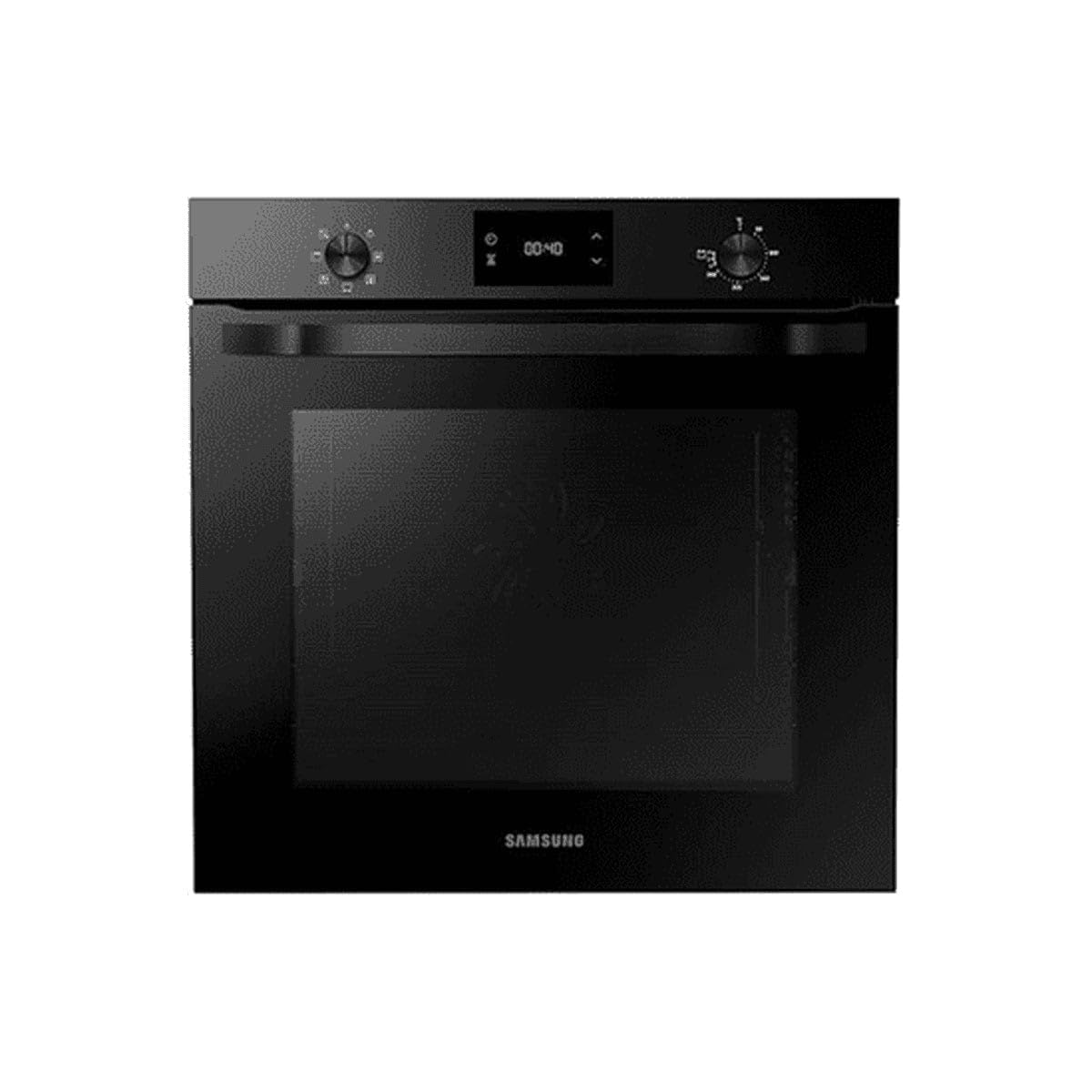
Figure 1: Front view of the Samsung NV75J3140RB Built-in Oven. This image shows the sleek black finish and integrated display panel.
Cabinet Requirements
Ensure the cabinet opening meets the specified dimensions for the NV75J3140RB oven. The oven dimensions are approximately 59.5 cm (height) x 56.6 cm (depth) x 59.5 cm (width). Allow adequate ventilation space around the appliance as per installation guidelines.
Electrical Connection
The oven requires a 230 Volt electrical supply with a power rating of 3000 watts. The electrical connection must comply with local codes and regulations. A dedicated circuit is often recommended.
Operating Instructions
Your Samsung NV75J3140RB oven offers various cooking functions for versatile meal preparation.
Control Panel Overview
The oven features an integrated display and control knobs/buttons. Refer to the detailed diagram in your physical manual for specific button functions. Typically, you will find controls for temperature, cooking mode, timer, and start/stop.
Cooking Modes
- Convection Cooking: Uses a fan to circulate hot air, ensuring even cooking and faster results. Ideal for baking and roasting.
- Grill: Provides intense heat from the top element for browning and crisping. Suitable for grilling meats, vegetables, and toasting.
- Conventional Bake: Uses heat from both top and bottom elements. Good for traditional baking.
- Self-Clean: A high-temperature cycle that burns off food residue, turning it into ash for easy wiping.
Setting the Oven
- Turn the function selector knob to choose your desired cooking mode (e.g., Convection, Grill).
- Turn the temperature selector knob to set the desired temperature.
- If applicable, set the cooking time using the timer controls.
- Press the Start button to begin cooking.
Maintenance and Cleaning
Regular cleaning and maintenance will ensure the longevity and optimal performance of your oven.
Exterior Cleaning
Wipe the exterior surfaces with a soft cloth dampened with mild detergent and water. Avoid abrasive cleaners or scouring pads that can scratch the finish.
Interior Cleaning (Non-Self-Clean)
For light spills, wipe the interior with a damp cloth and mild soap after the oven has cooled. For stubborn stains, use an oven cleaner specifically designed for non-self-cleaning ovens, following the product instructions carefully.
Self-Cleaning Function
The self-cleaning cycle uses very high temperatures to burn off food residue. Before starting a self-clean cycle:
- Remove all oven racks and accessories.
- Wipe up any loose debris or large spills.
- Ensure the kitchen is well-ventilated during the cycle.
After the cycle completes and the oven has cooled, wipe away the ash with a damp cloth.
Troubleshooting
If you encounter issues with your oven, refer to the following common problems and solutions before contacting service.
| Problem | Possible Cause | Solution |
|---|---|---|
| Oven not heating | No power supply; Incorrect settings; Door not closed properly. | Check circuit breaker; Verify mode and temperature settings; Ensure door is fully latched. |
| Uneven cooking | Improper rack position; Overcrowding; Damaged heating element. | Use recommended rack positions; Avoid overcrowding; Contact service if element is faulty. |
| Self-clean cycle not starting | Oven door not locked; Oven too hot. | Ensure door is securely latched; Allow oven to cool down before starting. |
| Excessive smoke during cooking | Food spills; Grease buildup. | Clean oven interior thoroughly; Use a drip tray for fatty foods. |
If the problem persists after trying these solutions, please contact Samsung customer support or a qualified service technician.
Specifications
| Feature | Detail |
|---|---|
| Model Number | NV75J3140RB |
| Brand | Samsung |
| Type | Built-in Electric Oven |
| Capacity | 75 Liters |
| Power/Wattage | 3000 Watts |
| Voltage | 230 Volts |
| Energy Efficiency Class | A |
| Product Dimensions (H x D x W) | 59.5 x 56.6 x 59.5 cm |
| Weight | 37.9 kg |
| Special Features | Grill, Convection Cooking, Self-Cleaning, Integrated Display, Interior Lighting |
| Noise Level | 10 Decibels |
Warranty and Support
For warranty information and customer support, please refer to the warranty card included with your product or visit the official Samsung website. Keep your purchase receipt as proof of purchase for warranty claims.
For technical assistance or to schedule a service appointment, please contact Samsung customer service directly. Contact details can typically be found on the Samsung support website for your region.