
1. Introduction
This manual provides detailed instructions for the proper installation and maintenance of your Trademark Hardware 12-inch Wide Aluminum Door Threshold, Model TMH-1225. This product is designed to create a smooth, low-profile transition between different flooring surfaces, enhance sealing, and provide ADA-compliant accessibility for doorways.
2. Product Overview
The Trademark Hardware Aluminum Door Threshold is a durable and functional component for various door applications. It is constructed from heavy-duty aluminum, ensuring longevity and performance in high-traffic areas.
2.1 Key Features
- High-Quality Aluminum: Manufactured from heavy-duty, durable aluminum with an extra-thick (3.3 mm) profile for long-lasting performance.
- Easy Installation: Features pre-drilled holes for straightforward mounting.
- Versatile Application: Suitable for both interior and exterior doorways, serving as a door sill or floor transition strip.
- Professional Finish: Anodized finish provides enhanced durability and aesthetic appeal.
- ADA Compliant: Designed to meet ADA (Americans with Disabilities Act) standards for wheelchair accessibility.
- Trimmable: Can be cut to length to fit specific doorway dimensions.
- Corrugated Surface: Provides slip resistance for increased safety.
2.2 Included Components
- 12-inch Wide Aluminum Threshold
- Mounting Screws (typically included, verify package contents)

Figure 1: The Trademark Hardware 12-inch Wide Aluminum Door Threshold, showcasing its design and pre-drilled holes.

Figure 2: Diagram illustrating the dimensions of the 12-inch wide aluminum door threshold, including its width and thickness.
3. Safety Information
Please read and understand all safety instructions before beginning installation. Failure to follow these instructions may result in injury or damage to the product or property.
- Always wear appropriate personal protective equipment (PPE), including safety glasses and gloves, during installation.
- Use caution when handling the threshold, as edges may be sharp.
- If cutting the threshold, use proper cutting tools for aluminum and ensure the workpiece is securely clamped.
- Keep children and pets away from the work area.
- Ensure the installation surface is clean, dry, and free of obstructions.
4. Setup and Installation
Follow these steps for a secure and effective installation of your aluminum door threshold.
4.1 Tools Required
- Measuring Tape
- Pencil or Marker
- Saw for aluminum (e.g., miter saw with appropriate blade, hacksaw) - if trimming is needed
- Drill with appropriate drill bit for pilot holes
- Screwdriver (manual or power)
- Safety Glasses and Gloves
4.2 Installation Steps
- Prepare the Doorway: Clean the area where the threshold will be installed, ensuring it is free of dirt, debris, and old adhesive. The surface should be level and dry.
- Measure and Cut (if necessary): Measure the width of your doorway opening. If the threshold is longer than required, mark the excess and carefully cut it using an appropriate saw for aluminum. Ensure a clean, straight cut.
- Position the Threshold: Place the threshold in the doorway opening. Ensure it is centered and flush against the existing flooring on both sides.
- Mark Pilot Holes: Using the pre-drilled holes in the threshold as a guide, mark the locations for drilling pilot holes on the floor surface with a pencil or marker.
- Drill Pilot Holes: Remove the threshold. Using a drill bit appropriate for your flooring material (wood, concrete, etc.), drill pilot holes at the marked locations. Ensure the depth of the pilot holes is sufficient for the screws.
- Secure the Threshold: Reposition the threshold over the pilot holes. Insert the provided mounting screws into the pre-drilled holes and tighten them securely with a screwdriver. Do not overtighten, as this can strip the screws or damage the threshold.
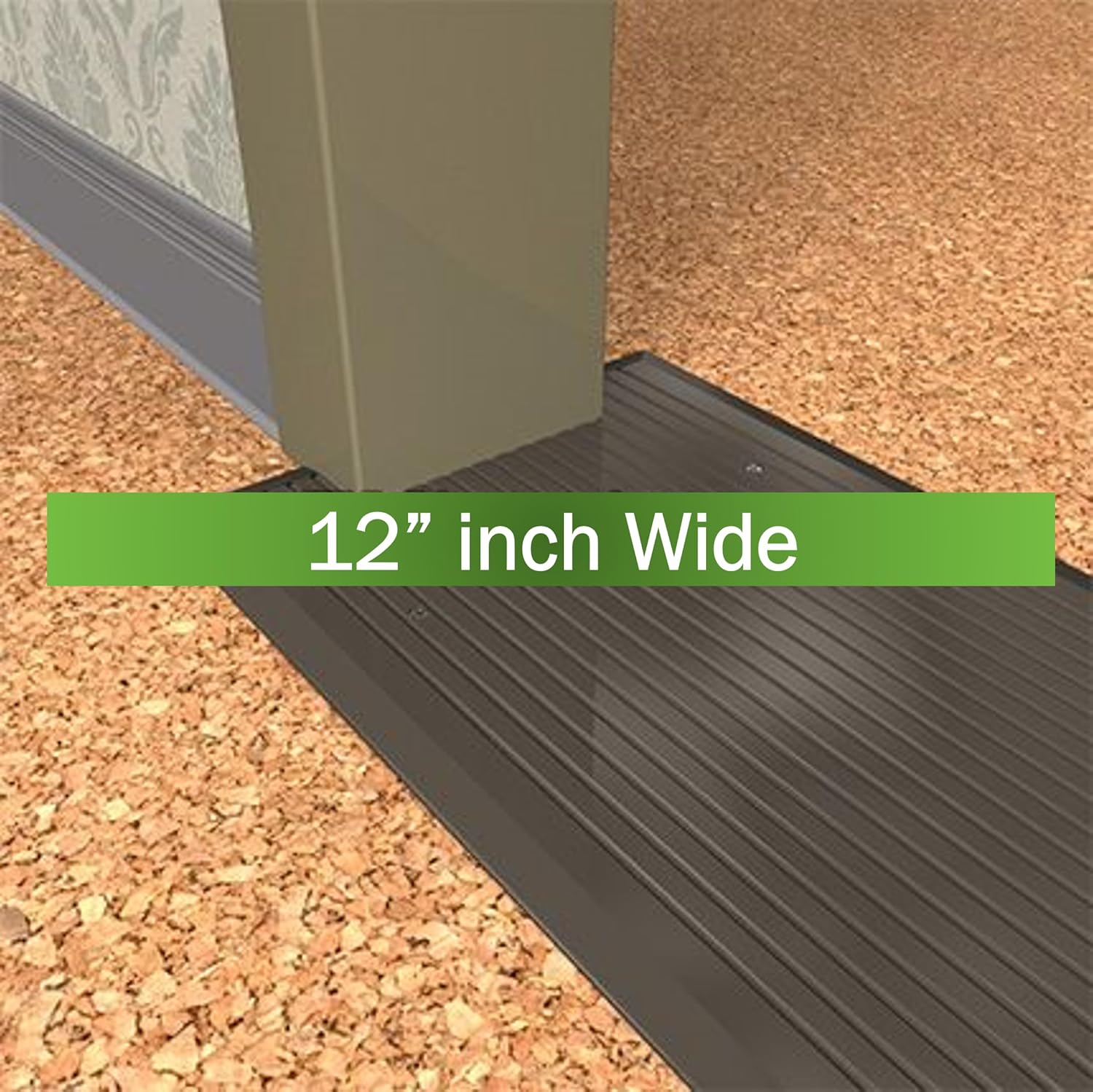
Figure 3: An example of the 12-inch wide aluminum door threshold installed, demonstrating its low-profile transition.
5. Maintenance
To ensure the longevity and appearance of your aluminum door threshold, follow these simple maintenance guidelines:
- Regular Cleaning: Clean the threshold periodically with a soft cloth, warm water, and a mild, non-abrasive cleaner. Avoid harsh chemicals or abrasive pads that could damage the anodized finish.
- Inspect Fasteners: Occasionally check the mounting screws to ensure they remain tight. Retighten if necessary.
- Avoid Impact: While durable, avoid heavy impacts or dragging sharp objects across the threshold to prevent scratches or dents.
6. Troubleshooting
Most issues with a door threshold are related to installation. Here are some common points to check:
- Threshold Does Not Sit Flush: Ensure the floor surface beneath the threshold is clean and level. Remove any debris or uneven material. Check if the pilot holes are drilled to the correct depth and if screws are fully tightened.
- Threshold is Loose: Verify that all mounting screws are securely fastened. If a screw hole is stripped, you may need to use a larger screw or a wall anchor suitable for your flooring material.
- Difficulty Cutting: Ensure you are using a saw blade specifically designed for cutting aluminum or non-ferrous metals. A fine-tooth blade will provide a cleaner cut.
7. Specifications
| Attribute | Detail |
|---|---|
| Manufacturer | Trademark Hardware |
| Model Number | TMH-1225 |
| Product Dimensions | 36 x 12 x 0.25 inches (Length x Width x Height) |
| Item Weight | 5.24 pounds |
| Size | 36 Inch (Length) |
| Color | Silver |
| Material | Aluminum |
| Included Components | 12" Wide Aluminum Threshold |
| ADA Compliant | Yes |
8. Warranty and Support
Specific warranty information for the Trademark Hardware 12-inch Wide Aluminum Door Threshold (Model TMH-1225) is not provided in this manual. For details regarding warranty coverage, product support, or to address any concerns, please contact Trademark Hardware directly through their official customer service channels.
As a small business, Trademark Hardware is committed to customer satisfaction. Please reach out to them for assistance.