
JBL UAJBLFLASHBLKAM
JBL Under Armour FLASH Sport In-Ear Headphones
Model: UAJBLFLASHBLKAM
Brand: JBL
Introduction
The JBL Under Armour FLASH True Wireless Earbuds are engineered to provide a truly cord-free audio experience, optimized for active lifestyles and intense workouts. Featuring robust construction and advanced sound technology, these earbuds are designed to keep up with your performance demands.
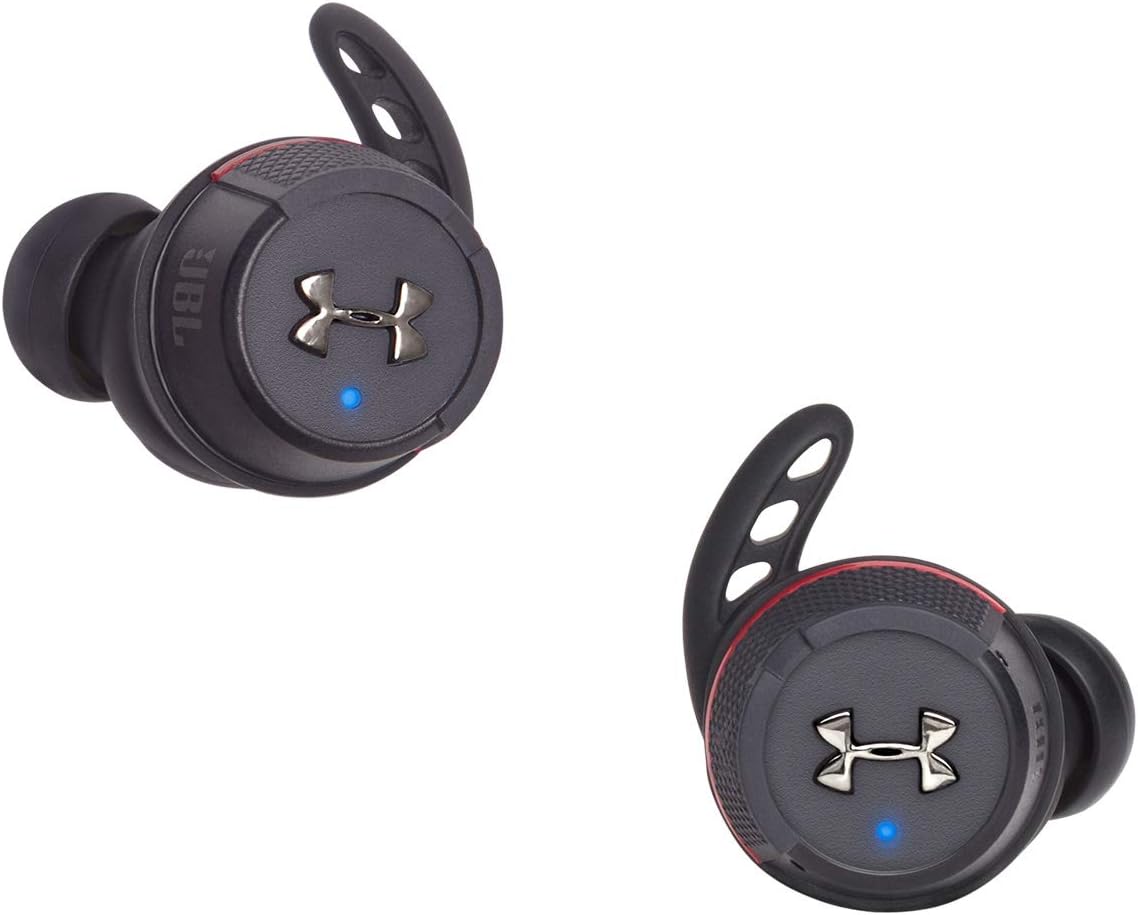
Image: JBL Under Armour FLASH True Wireless Earbuds in black.
Key Features:
- True Wireless Design: Maximize your workouts without the hassle of cords.
- IPX7 Waterproof: Engineered to withstand rigorous workouts and various elements.
- Bionic Hearing: Features TalkThru Technology for easy conversations and Ambient Aware Technology for increased situational awareness.
- Extended Battery Life: Up to 25 hours of total battery life with the durable aluminum charging case.
- Sport Flex Fit Ear Tips: Winged ear tips ensure maximum security and comfort during any activity.
What's in the Box
Your JBL Under Armour FLASH package includes everything you need to get started:
- JBL - Under Armour Flash Headphones (Left and Right Earbuds)
- Charging Case
- Ear-tips (multiple sizes for optimal fit)
- Quick Start Guide

Image: The sleek, durable aluminum charging case for the earbuds.
Setup Guide
1. Charging Your Earbuds and Case
Before first use, fully charge your earbuds and the charging case. Place the earbuds into the charging case. The case provides an additional 20 hours of playtime, extending the earbuds' 5-hour battery life to a total of 25 hours. A full charge takes approximately 2 hours.

Image: Earbuds securely placed within their charging case.
2. Selecting the Right Ear Tip Fit
The earbuds come with various sizes of Sport Flex Fit ear tips to ensure a secure and comfortable fit. Experiment with different sizes to find the best seal for optimal sound quality and stability during movement. The rounded tips are designed to fit snugly within your ear canal.

Image: A detailed view of one earbud, highlighting the Sport Flex Fit ear tip.
3. Bluetooth Pairing
The earbuds utilize Bluetooth 4.2 for wireless connectivity, with a range of up to 10 meters. To pair with a new device:
- Ensure the earbuds are charged and in the charging case.
- Open the charging case. The earbuds will automatically enter pairing mode.
- On your device (smartphone, tablet, etc.), go to Bluetooth settings and select "UA | JBL True Wireless Flash" from the list of available devices.
- Once connected, you will hear an audio prompt, and the LED indicator on the earbuds will confirm successful pairing.
Product Overview Video
Video: An official overview of the Under Armour True Wireless Flash Engineered by JBL, demonstrating key features and design.
Operating Your Earbuds
Touch Controls
The earbuds feature intuitive touch controls on the outer surface of each earbud. These allow you to manage your audio playback and calls without needing to access your connected device.
- Play/Pause: Single tap on either earbud.
- Next Track: Double tap on the right earbud.
- Previous Track: Double tap on the left earbud.
- Answer/End Call: Single tap on either earbud.
- Activate Voice Assistant: Long press on either earbud (Control Method: Voice).
Bionic Hearing Features
Leverage Bionic Hearing to interact with your environment while enjoying your audio:
- TalkThru Technology: With a single tap, music volume is lowered and speech is amplified, allowing you to easily converse without removing your earbuds.
- Ambient Aware Technology: This mode delivers a more immersive music experience while increasing ambient sounds, enhancing safety by allowing you to hear your surroundings.
Maintenance
Water and Sweat Resistance
The JBL Under Armour FLASH earbuds boast an IPX7 waterproof rating, meaning they are protected against immersion in water up to 1 meter for 30 minutes. This makes them ideal for intense workouts and use in various weather conditions, including rain.
Important: While the earbuds are waterproof, the charging case is water-resistant. Always ensure earbuds are completely dry before placing them back into the charging case to prevent damage.
Cleaning
To maintain optimal performance and hygiene, regularly clean your earbuds and charging case:
- Wipe the earbuds with a soft, damp cloth after each use, especially after workouts.
- Remove ear tips and clean them with mild soap and water. Ensure they are completely dry before reattaching.
- Use a dry cotton swab to gently clean the charging contacts on both the earbuds and inside the case.
Troubleshooting
If you encounter issues with your JBL Under Armour FLASH earbuds, try the following common troubleshooting steps:
- No Sound/Low Volume:
- Ensure earbuds are properly paired and connected to your device.
- Check the volume levels on both your device and the earbuds.
- Ensure ear tips provide a good seal in your ear canal.
- Connectivity Issues (Sporadic Disconnections):
- Ensure your device is within the 10-meter Bluetooth range.
- Avoid physical obstructions between your device and the earbuds.
- Try unpairing and re-pairing the earbuds with your device.
- Reset the earbuds (refer to the Quick Start Guide for specific instructions).
- Earbuds Not Charging:
- Ensure the charging contacts on both earbuds and case are clean and free of debris.
- Verify the charging cable and power source are working correctly.
- Ensure earbuds are correctly seated in the charging case.
- Earbuds Falling Out:
- Experiment with different sizes of Sport Flex Fit ear tips to find the most secure fit for your ears.
- Ensure earbuds are inserted and rotated correctly to engage the winged tip in your ear's concha.
Specifications
| Feature | Specification |
|---|---|
| Model Name | JBL UA FLASH - Black |
| Connectivity Technology | Bluetooth |
| Wireless Communication Technology | Bluetooth |
| Bluetooth Version | 4.2 |
| Bluetooth Range | 10 Meters |
| Battery Life (Earbuds) | 5 Hours |
| Battery Life (with Charging Case) | 25 Hours |
| Charging Time | 2 Hours |
| Water Resistance Level | Waterproof (IPX7) |
| Noise Control | Sound Isolation |
| Frequency Range | 20Hz - 22kHz |
| Sensitivity | 95 dB |
| Impedance | 14 Ohm |
| Control Type | Touch Sensor on Earbud |
| Control Method | Voice |
| Material | Aluminum |
| Item Weight | 9.3 Ounces |
| Product Dimensions | 4.52 x 2.36 x 6.3 inches |
Warranty and Support
For detailed warranty information and customer support, please refer to the official JBL or Under Armour website, or the warranty card included in your product packaging.
You can also visit the official JBL Store for additional resources and support:
Related documentsUAJBLFLASHBLKAM


Ask a question about this manual
Ask about setup, troubleshooting, compatibility, parts, safety, or missing instructions. Manuals+ will review the question and use this page’s manual context to help answer it.