
Introduction
Thank you for choosing the OVEVO Q62 Bluetooth Wireless Earbuds. This manual provides essential information for the proper setup, operation, and maintenance of your new earbuds. Please read it carefully before use and retain it for future reference.
Package Contents
- OVEVO Q62 Wireless Earbuds (Left and Right)
- Charging Case
- USB Type-C Charging Cable
- Ear Cushions (various sizes)
- User Manual
Product Overview
The OVEVO Q62 earbuds are designed for ease of use and a comfortable listening experience. They feature Bluetooth 5.0 connectivity, CVC 6.0 noise cancellation, and a portable charging case.
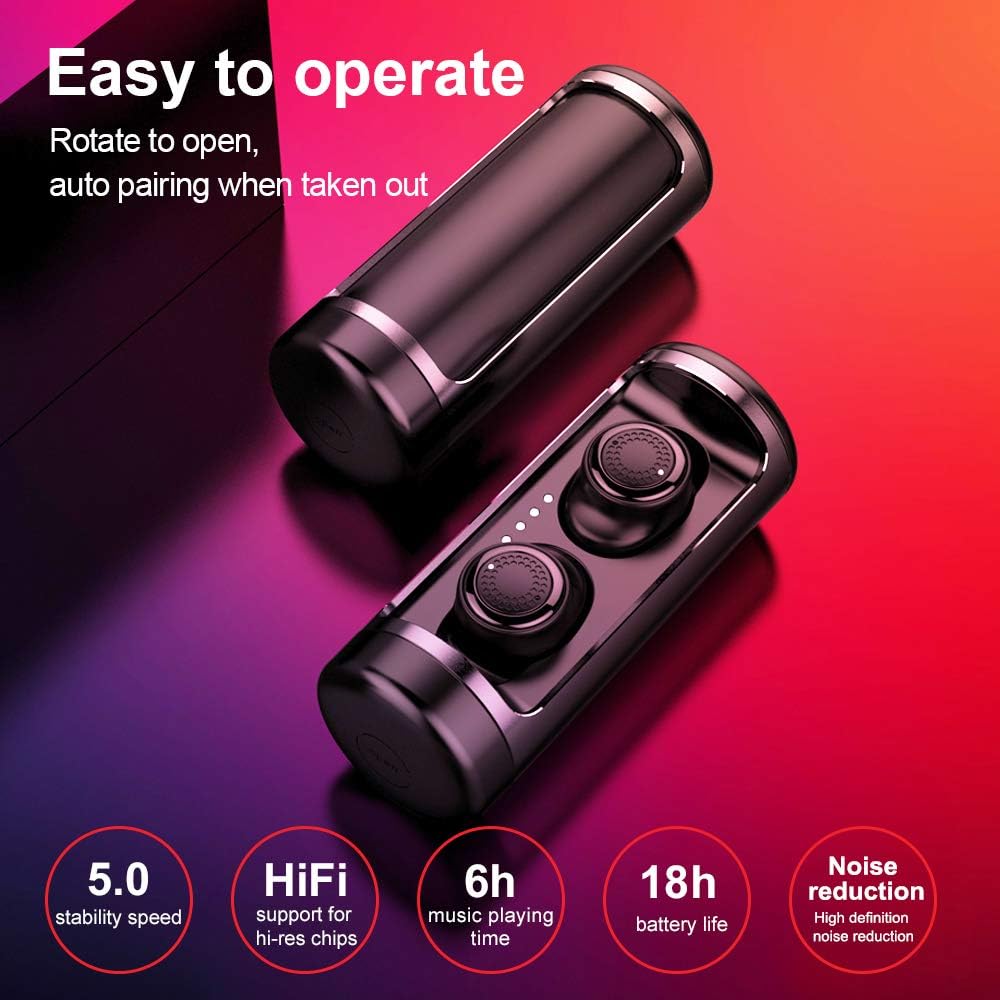
Image: OVEVO Q62 Earbuds in their charging case. This image highlights the product's easy operation, automatic pairing upon removal, and key features including Bluetooth 5.0 stability, HiFi support, 6 hours of music playback, 18 hours of total battery life with the case, and high-definition noise reduction.
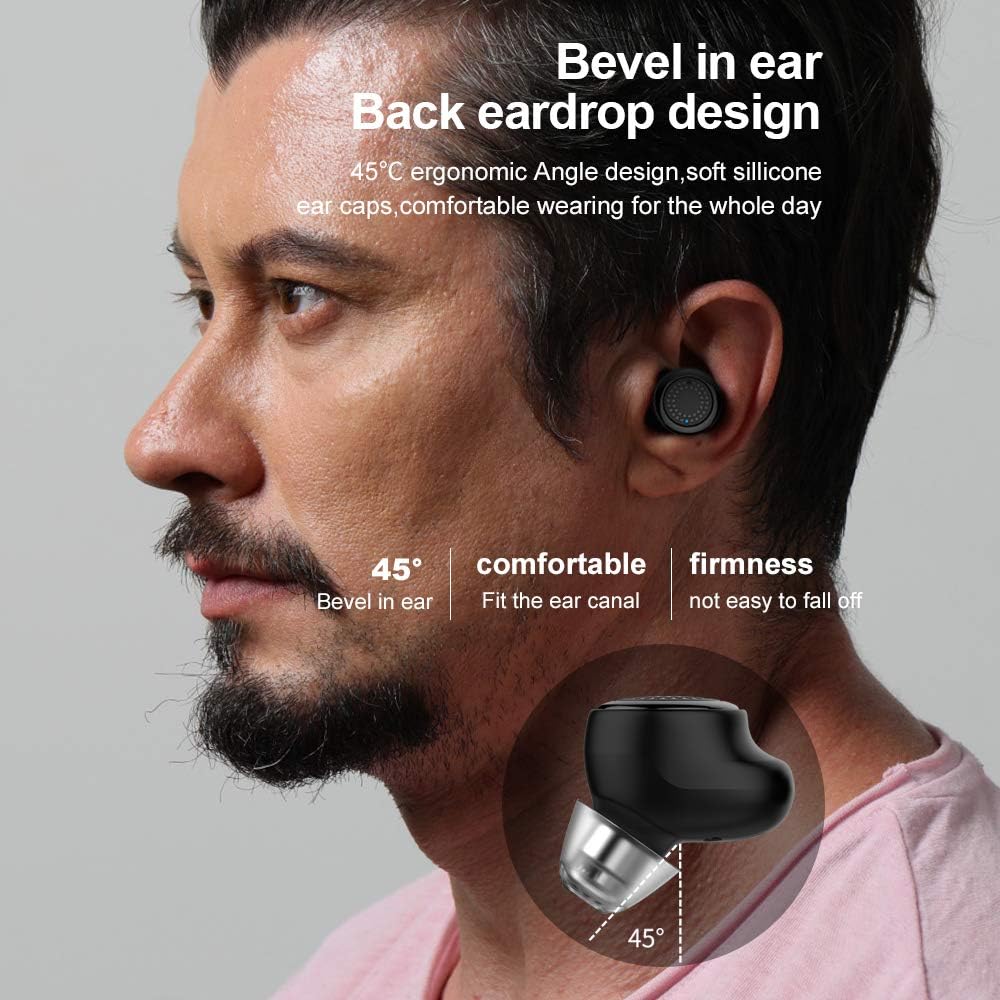
Image: A close-up view of an OVEVO Q62 earbud fitted in an ear. The image emphasizes the 45-degree ergonomic angle design, soft silicone ear caps, and comfortable fit that prevents the earbuds from easily falling off.
Setup
1. Charging the Earbuds and Case
Before first use, fully charge the earbuds and the charging case. The charging case has a 530mAh battery capacity.
- Connect the provided USB Type-C cable to the charging port on the case and a power source.
- The indicator lights on the case will show the charging status.
- Place the earbuds into the charging case. They will automatically begin charging.
2. Pairing with Your Device
The OVEVO Q62 earbuds utilize Bluetooth 5.0 for a stable and efficient connection.

Image: OVEVO Q62 Earbuds shown in their charging case with a smartphone displaying a Bluetooth connection. This illustrates the Bluetooth 5.0 technology, emphasizing automatic pairing for previously connected phones, stable signal, no delay in games, acoustic positioning, clear calls, and lower power consumption.
- Initial Pairing: Open the charging case. The earbuds will automatically power on and enter pairing mode.
- On your smartphone or Bluetooth-enabled device, go to the Bluetooth settings.
- Search for "OVEVO Q62" in the list of available devices and select it to connect.
- Once connected, you will hear an audio prompt, and the indicator lights on the earbuds will change.
- Automatic Reconnection: After the initial pairing, the earbuds will automatically connect to the last paired device when taken out of the charging case.
Operating Instructions
Touch Controls
The OVEVO Q62 earbuds feature intuitive touch controls for managing audio and calls.
| Action | Function |
|---|---|
| Single Tap (Left/Right Earbud) | Play/Pause Music, Answer/End Call |
| Double Tap (Right Earbud) | Next Track |
| Double Tap (Left Earbud) | Previous Track |
| Triple Tap (Left/Right Earbud) | Activate Voice Assistant |
| Long Press (Left/Right Earbud) | Reject Call |
| Long Press (Left Earbud) | Volume Down |
| Long Press (Right Earbud) | Volume Up |
Making and Receiving Calls
The earbuds include a built-in microphone and CVC 6.0 noise cancellation for clear communication.
- Answering a Call: Single tap either earbud.
- Ending a Call: Single tap either earbud.
- Rejecting a Call: Long press either earbud.
Maintenance
Proper maintenance ensures the longevity and optimal performance of your OVEVO Q62 earbuds.
- Cleaning: Use a soft, dry, lint-free cloth to clean the earbuds and charging case. Do not use harsh chemicals or abrasive materials.
- Storage: When not in use, store the earbuds in their charging case to protect them from dust and damage.
- Avoid Moisture: Keep the earbuds and case away from water and excessive humidity.
- Temperature: Avoid exposing the device to extreme temperatures (hot or cold).
Troubleshooting
If you encounter issues with your OVEVO Q62 earbuds, refer to the following common solutions.
| Problem | Solution |
|---|---|
| Earbuds not pairing | Ensure earbuds are charged. Turn off and on your device's Bluetooth. Forget "OVEVO Q62" from your device's Bluetooth list and re-pair. |
| Only one earbud working | Place both earbuds back into the charging case, close the lid, then open it again to reset. Ensure both earbuds are charged. |
| No sound | Check device volume. Ensure earbuds are connected. Try playing audio from a different application or device. |
| Charging case not charging | Verify the USB Type-C cable is properly connected to both the case and the power source. Try a different cable or power adapter. |
Specifications
| Feature | Detail |
|---|---|
| Model Name | Q62 |
| Brand | OVEVO |
| Connectivity Technology | Wireless (Bluetooth 5.0) |
| Headphone Form Factor | In Ear |
| Noise Control | Active Noise Cancellation Feature (CVC 6.0) |
| Microphone | Included |
| Control Type | Touch Control, Volume Control |
| Compatible Devices | All Devices (Smartphone platform) |
| Material | Plastic |
| Color | Black |
| Charging Case Battery | 530mAh (inferred from product title) |
| Music Playing Time | 6 hours (earbuds), 18 hours (with charging case) (inferred from image) |
| Connector Type | USB Type C |
| Item Weight | 236 grams |
| Package Dimensions | 22 x 15.4 x 6.6 cm |
Safety Information
Please observe the following safety guidelines to prevent damage to the device or injury to yourself.
- Do not disassemble, repair, or modify the earbuds or charging case.
- Avoid exposing the device to fire, high temperatures, or direct sunlight.
- Do not use the earbuds at excessively high volumes for prolonged periods to prevent hearing damage.
- Keep out of reach of children and pets.
- Dispose of the device responsibly according to local regulations.
Warranty and Support
Specific warranty details are not provided in the product information. For warranty claims or technical support, please refer to the retailer or manufacturer's official website where you purchased the OVEVO Q62 earbuds.