1. Introduction
This document provides essential instructions for the Moulinex Electronic PCB, model BM2010. This printed circuit board is a replacement component designed for use with Moulinex Uno bread makers, specifically models OW3101, OW3106, and OW310E. Please read this manual carefully before installation and operation to ensure proper function and safety.
2. Setup and Installation
Important Safety Notice: Before attempting any installation or replacement, ensure the bread maker is unplugged from the power outlet. Disconnect all power sources to prevent electrical shock.
Tools Required:
- Small Phillips head screwdriver
- Flathead screwdriver (optional, for prying)
- Anti-static wrist strap (recommended for handling electronic components)
Installation Steps:
- Access the Bread Maker's Interior: Carefully open the bread maker casing. Refer to your specific bread maker model's service manual for instructions on how to safely access the internal components.
- Locate the Existing PCB: Identify the current electronic PCB within the bread maker. It will be a green circuit board with various electronic components.
- Disconnect Cables: Gently disconnect all ribbon cables, power connectors, and sensor wires attached to the old PCB. Note the orientation and connection points for reassembly.
- Remove Old PCB: Unscrew any mounting screws securing the old PCB in place and carefully lift it out.
- Install New PCB (BM2010): Position the new Moulinex BM2010 PCB in the same location. Ensure it aligns correctly with mounting posts or screw holes.
- Secure New PCB: Fasten the new PCB with the screws removed in step 4.
- Reconnect Cables: Reconnect all cables and wires to the new PCB, ensuring they are securely seated and correctly oriented. Double-check all connections.
- Close Casing: Carefully reassemble the bread maker casing, ensuring all screws are tightened and no wires are pinched.
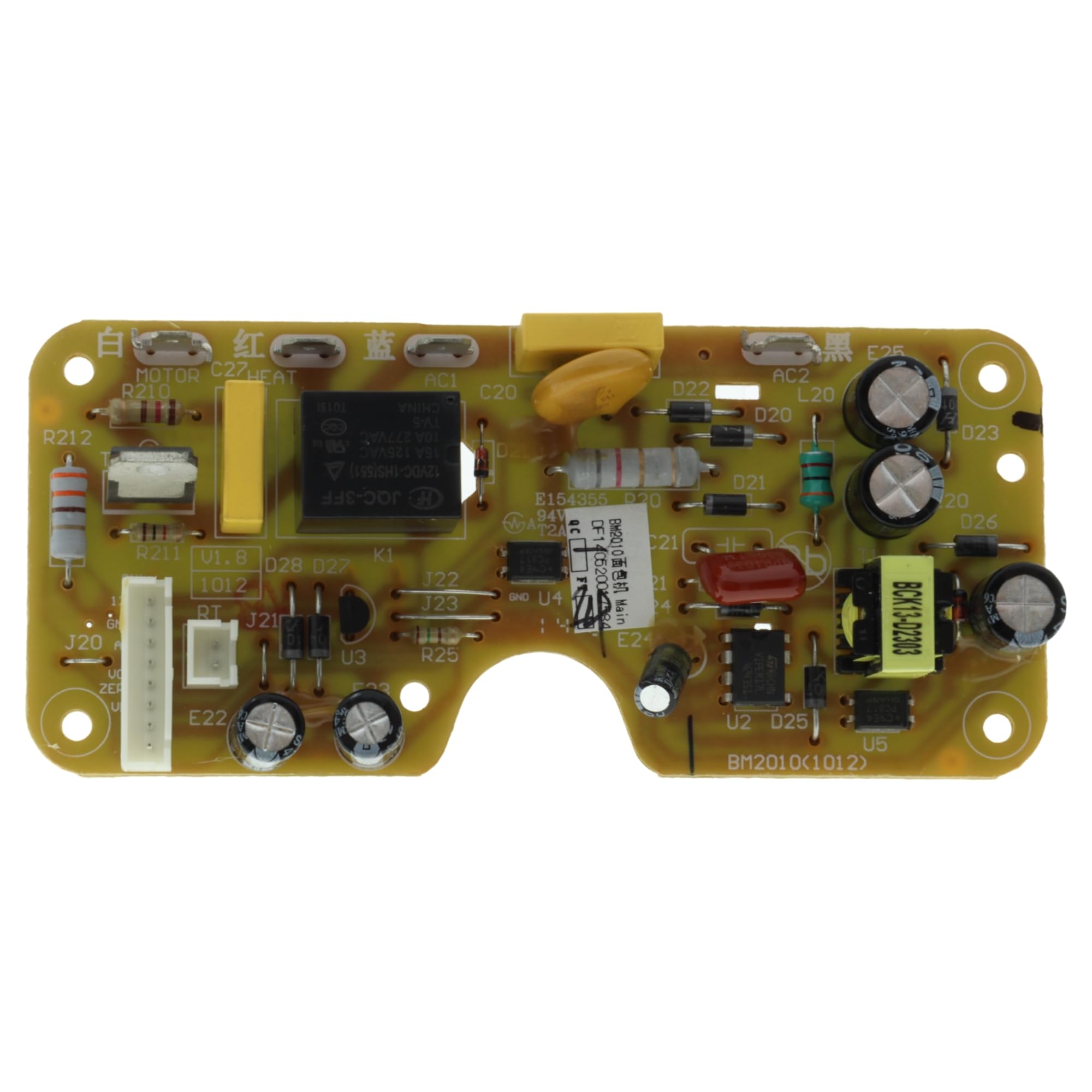
This image displays the Moulinex BM2010 electronic printed circuit board. The board is green with silver solder points and various surface-mounted components, including resistors (R22, R23, R24, R27, R28), capacitors (C22, C23, C24, C26), diodes (D29), and transistors (Q20, Q21). Part numbers '719212464' and 'SL100808' are visible on the board. This component is a replacement part for compatible Moulinex Uno bread makers.
3. Operating
This electronic PCB (BM2010) is a core component of your Moulinex Uno bread maker. Its function is to control the various operations of the appliance. For detailed instructions on how to operate your bread maker, including selecting programs, setting timers, and adding ingredients, please refer to the original user manual provided with your Moulinex Uno bread maker model (OW3101, OW3106, or OW310E).
4. Maintenance
The electronic PCB itself requires minimal maintenance. To ensure its longevity and proper function:
- Keep Dry: Prevent any liquids from coming into contact with the PCB or the interior of the bread maker.
- Cleanliness: Ensure the bread maker's interior remains free of excessive dust or food debris, which could potentially interfere with electronic components. Use a soft, dry brush or compressed air for cleaning, with the appliance unplugged.
- Avoid Physical Shock: Handle the bread maker with care to prevent physical damage to internal components.
5. Troubleshooting
If your Moulinex Uno bread maker is not functioning correctly after replacing the PCB, consider the following troubleshooting steps:
- Power Check: Ensure the bread maker is properly plugged into a working power outlet.
- Cable Connections: Verify that all cables and connectors on the PCB are securely attached and correctly oriented. Loose connections are a common cause of malfunction.
- Component Damage: Visually inspect the PCB for any signs of physical damage, such as burnt components or broken traces. If damage is observed, the PCB may need further inspection or replacement.
- Bread Maker Manual: Consult the original bread maker user manual for specific troubleshooting guides related to your appliance model.
- Professional Assistance: If issues persist, it is recommended to seek assistance from a qualified technician.
6. Specifications
- Model Number: BM2010
- Manufacturer: Moulinex
- Part Type: Electronic Printed Circuit Board (PCB)
- Compatibility: Moulinex Uno Bread Makers OW3101, OW3106, OW310E
- Color: Red (Note: This refers to the bread maker's color, not the PCB itself.)
- First Available: 21 February 2020
7. Warranty and Support
Warranty Information: For details regarding the warranty period and terms for this replacement electronic PCB (BM2010), please contact the original seller or Moulinex customer support directly. Warranty terms may vary depending on the point of purchase.
Customer Support: For technical assistance or further inquiries, please refer to the official Moulinex support channels or contact the retailer from whom this part was purchased.


