
1. Introduction
The Caline CP-62 Tremolo Guitar Pedal is designed to produce classic tremolo effects, reminiscent of those found in vintage tube amplifiers. This pedal features a photoelectric circuit for a rich, authentic sound. Its compact design and true bypass functionality ensure minimal signal interference and ease of use for electric guitarists.
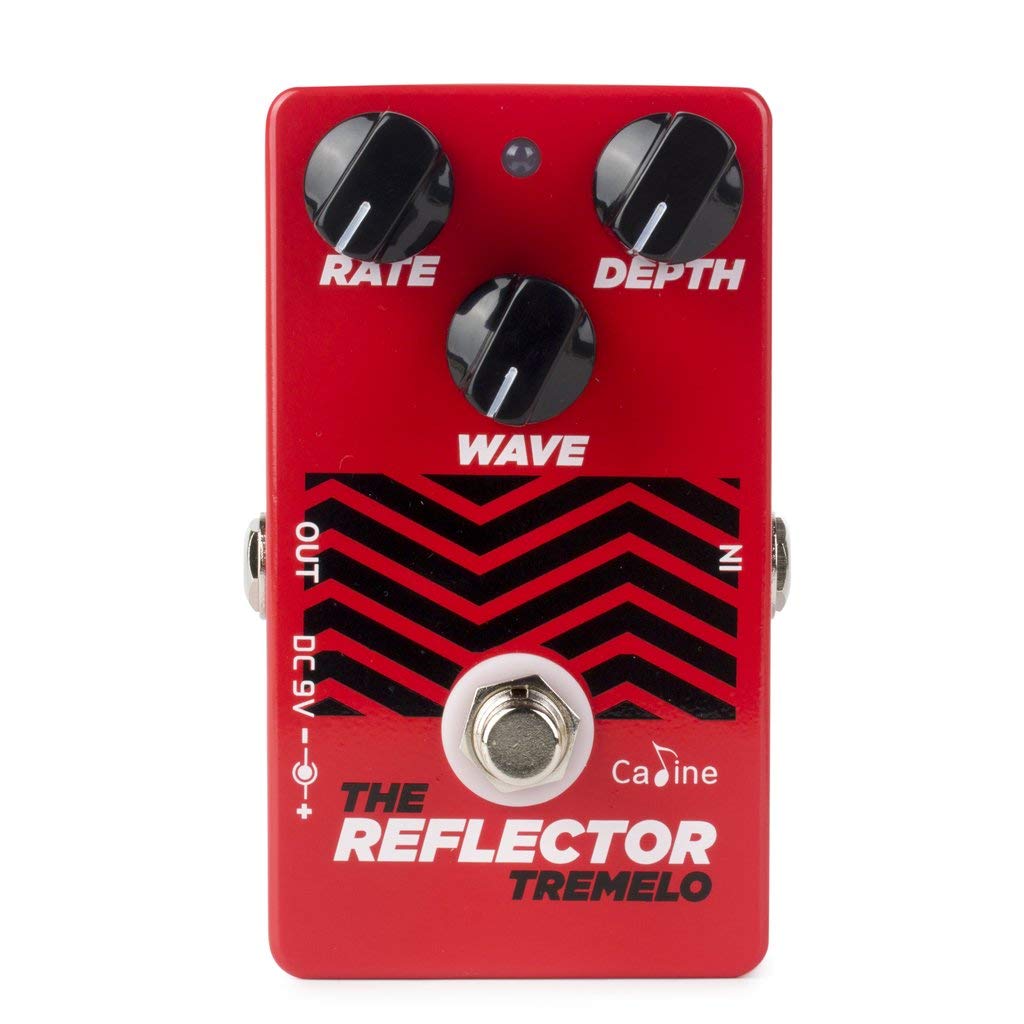
Figure 1.1: Front view of the Caline CP-62 Tremolo Guitar Pedal, showcasing its red enclosure and control knobs.
2. Product Features
- Photoelectric Circuit: Emulates the warm, natural tremolo effects of vintage tube amplifiers.
- Simple Control Interface: Features three intuitive knobs for easy sound shaping.
- Versatile Tremolo Sounds: Capable of producing both classic and modern tremolo effects.
- True Bypass: Ensures signal integrity when the pedal is disengaged, preventing tone loss.
- Compact Design: Small and exquisite appearance for convenient portability and pedalboard integration.
- Durable Construction: Designed for reliable performance.
3. Setup Instructions
- Power Connection: Connect a standard 9V DC power adapter (center negative) to the pedal's power input jack. The pedal requires a current of 50mA. Ensure the power supply meets these specifications to prevent damage.
- Input Connection: Connect your guitar to the pedal's INPUT jack using a standard 1/4-inch instrument cable.
- Output Connection: Connect the pedal's OUTPUT jack to your amplifier's input or to the next pedal in your signal chain using a standard 1/4-inch instrument cable.
- Power On: Once all connections are secure, apply power to the pedal. The LED indicator will illuminate when the pedal is engaged.

Figure 3.1: Illustration of the Caline CP-62 pedal, showing input, output, and power connections.
4. Operating Instructions
The Caline CP-62 features three control knobs to shape your tremolo effect:
- DEPTH Knob: Controls the intensity or amplitude of the tremolo effect. Turning this knob clockwise increases the depth, making the volume fluctuations more pronounced. Turning it counter-clockwise reduces the depth for a more subtle effect.
- RATE Knob: Adjusts the speed of the tremolo effect. Clockwise rotation increases the speed, resulting in faster volume pulsations. Counter-clockwise rotation slows down the tremolo rate.
- LEVEL Knob: Controls the overall output volume of the pedal when engaged. Use this to balance the tremolo effect's volume with your bypassed signal or to achieve a slight boost.
To engage or disengage the effect, press the footswitch. The LED indicator will light up when the effect is active.
5. Maintenance
- Cleaning: Use a soft, dry cloth to clean the pedal's exterior. Avoid using abrasive cleaners or solvents.
- Storage: Store the pedal in a dry environment, away from extreme temperatures and direct sunlight.
- Power Supply: Always use a regulated 9V DC (center negative) power supply to prevent damage to the unit. Disconnect power when not in use for extended periods.
- Connections: Periodically check all cable connections for wear and tear. Ensure jacks are free of dust and debris.
6. Troubleshooting
| Problem | Possible Cause | Solution |
|---|---|---|
| No sound when pedal is engaged. |
|
|
| Volume drop when pedal is engaged. |
|
|
| Effect is too subtle or too intense. |
|
|
| Tremolo speed is incorrect. |
|
|
7. Specifications
| Model: | CP-62 |
| Effect Type: | Tremolo |
| Controls: | DEPTH, RATE, LEVEL knobs |
| Signal Format: | Analog |
| Bypass: | True Bypass |
| Power Requirements: | 9V DC (center negative) |
| Current Draw: | 50mA |
| Dimensions: | (Information not provided in source data) |
| Weight: | (Information not provided in source data) |
8. Warranty and Support
For warranty information and technical support, please refer to the documentation included with your purchase or visit the official Caline website. Keep your proof of purchase for any warranty claims.
For further assistance, contact Caline customer service through their official channels.