1. Introduction
This manual provides essential instructions for the safe and efficient use of your yan AC/DC Adapter. This power supply is designed to provide reliable power to compatible Samsung LED monitors, including models BX2231, BX2050V, BX2031, and BX2031K. Please read this manual thoroughly before installation and operation to ensure proper functionality and safety.
2. Safety Information
To prevent electric shock, fire, or damage to the product, please observe the following safety precautions:
- Use the adapter only indoors in a dry environment. Do not expose it to water, rain, or excessive humidity.
- Ensure the power outlet voltage matches the adapter's input voltage (AC 100V-240V).
- Do not open the adapter casing. There are no user-serviceable parts inside.
- Keep the adapter away from heat sources and ensure adequate ventilation to prevent overheating.
- Do not use the adapter if the cable or connector is damaged.
- Unplug the adapter from the power outlet when not in use for extended periods.
- Keep out of reach of children.
3. Package Contents
Verify that your package contains the following item:
- 1 x yan AC/DC Adapter (14V 3A 42W)
4. Setup Instructions
Follow these steps to connect your AC/DC adapter to your Samsung LED monitor:
- Ensure both the monitor and the power outlet are turned off before connecting the adapter.
- Locate the power input port on your Samsung LED monitor. This adapter uses a 6.5mm*4.4mm barrel connector.
- Connect the DC output connector of the yan AC/DC Adapter firmly into the power input port of your monitor.
- Plug the AC input connector (2-pin) of the adapter into a standard AC 100V-240V wall outlet.
- Turn on your monitor. The monitor should now receive power.
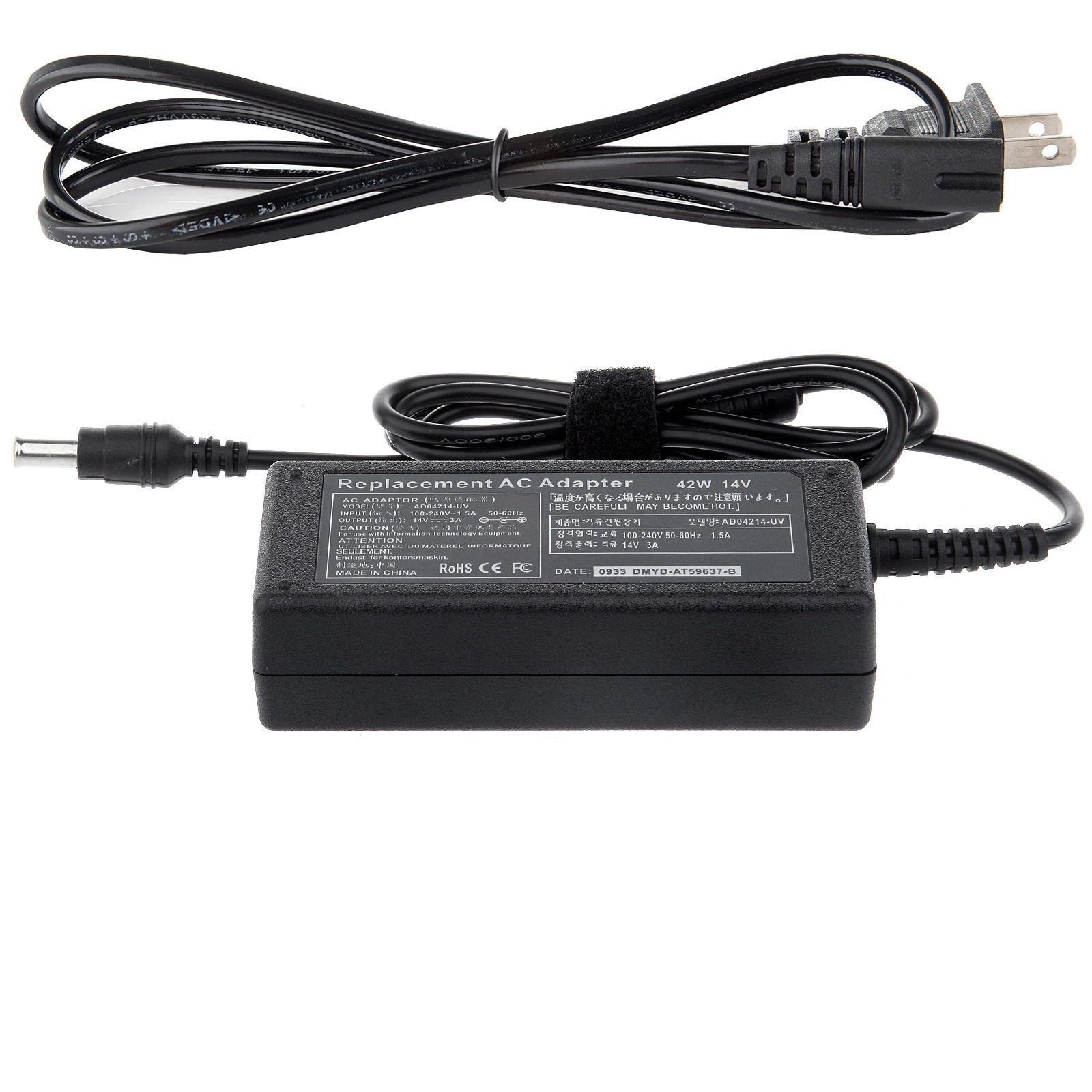
Image: The yan AC/DC Adapter with its barrel connector, ready for connection to a compatible Samsung LED monitor. The adapter features a standard 2-pin AC input for wall outlets.
5. Operating Instructions
The yan AC/DC Adapter operates as a plug-and-play device. Once correctly connected to your monitor and a power source, it will automatically supply the necessary power. No further user interaction is required for its operation.
6. Maintenance
Proper maintenance ensures the longevity and safe operation of your adapter:
- Cleaning: Disconnect the adapter from all power sources before cleaning. Use a soft, dry cloth to wipe the exterior. Do not use liquid cleaners or sprays.
- Storage: Store the adapter in a cool, dry place when not in use. Avoid wrapping the cable too tightly around the adapter body.
- Inspection: Periodically inspect the adapter's cable and connectors for any signs of damage, fraying, or loose connections. If damage is found, discontinue use immediately.
7. Troubleshooting
If you encounter issues with your adapter, refer to the following common problems and solutions:
| Problem | Possible Cause | Solution |
|---|---|---|
| Monitor does not power on. | Adapter not properly connected. Power outlet is not active. Adapter or monitor fault. | Ensure all connections are secure. Test the power outlet with another device. Try a different compatible adapter if available. Contact support if issue persists. |
| Monitor screen flickers or shuts off intermittently. | Unstable power supply. Damaged adapter cable/connector. | Ensure the adapter is plugged directly into a wall outlet, not a faulty power strip. Inspect the cable for damage. Replace the adapter if damaged. |
| Adapter feels excessively hot. | Poor ventilation. Overload or internal fault. | Ensure the adapter is in an open area with good airflow. Do not cover it. Discontinue use immediately and contact support. |
8. Specifications
| Feature | Detail |
|---|---|
| Input Voltage | AC 100V - 240V, 50-60Hz |
| Output Voltage | DC 14V |
| Output Current | 3A |
| Wattage | 42W |
| DC Connector Size | 6.5mm x 4.4mm |
| AC Input Connector | 2-pin standard |
| Protections | Over-charge, Short Circuit, Over Voltage, Overload (115%-135% rated output voltage) |
| Working Temperature | 0-35°C (32-95°F) at 100% load |
| Material | Copper (internal wiring) |
| Compliance | EMC (Electromagnetic Compatibility) |
9. Warranty and Support
This product is manufactured by yan. For warranty information or technical support, please refer to the documentation provided at the time of purchase or contact your retailer. Keep your purchase receipt as proof of purchase for any warranty claims.