
Introduction
This manual provides comprehensive instructions for the safe and efficient operation of your Kooper 2191600 Portable Air Cooler. This device is designed to cool, humidify, and purify the air in your personal space. Please read this manual thoroughly before first use and retain it for future reference.

Figure 1: Kooper 2191600 Portable Air Cooler, showing the front air outlet and top control panel.
Important Safety Instructions
To reduce the risk of fire, electric shock, or injury, always follow these basic safety precautions:
- Read all instructions before using the appliance.
- Do not operate any appliance with a damaged cord or plug, or after the appliance malfunctions or has been dropped or damaged in any manner.
- Do not use outdoors. This appliance is for indoor use only.
- Always place the unit on a firm, flat, and level surface.
- Do not immerse the unit, plug, or cord in water or other liquids.
- Unplug from the outlet when not in use, before putting on or taking off parts, and before cleaning.
- Do not block air openings. Ensure proper ventilation.
- Keep out of reach of children.
- Use only clean tap water in the water tank.
- Do not add any chemicals or additives to the water tank.
Product Overview
Familiarize yourself with the components of your Kooper 2191600 Portable Air Cooler.

Figure 2: Top control panel with power button, fan speed indicator, and light control button.
- Power Button: Turns the unit on and off.
- Fan Speed Indicator: Displays the current fan speed setting (1, 2, or 3 dots).
- Fan Speed Button: Cycles through the three available fan speeds.
- Light Control Button: Activates and changes the 7-color LED ambient light.
- Air Outlet: Front grille where cooled and humidified air is expelled.
- Water Tank/Reservoir: Located at the top, for filling with water.
- USB Power Port: Located on the side for power connection.

Figure 3: USB power input port.
Setup
- Unpack the Unit: Carefully remove the air cooler from its packaging. Retain packaging for storage or future transport.
- Placement: Place the air cooler on a stable, flat, and level surface. Ensure there is clear space around the unit for optimal airflow.
- Fill the Water Tank:
Open the water tank cover located on the top of the unit. Slowly pour clean tap water into the reservoir. Do not overfill. The unit has an autonomy of up to 8 hours on a single water refill.

Figure 4: Pouring water into the top reservoir.
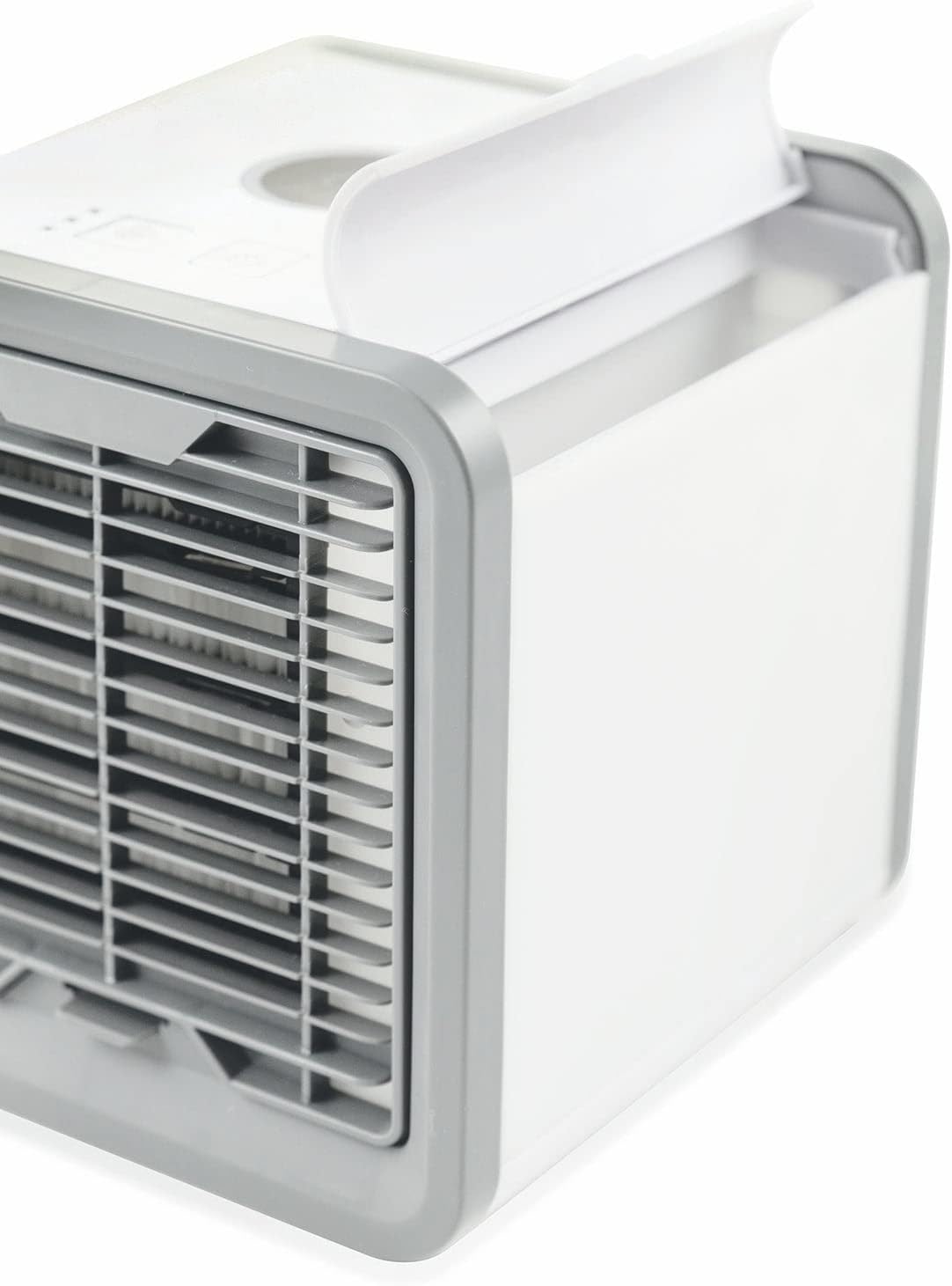
Figure 5: The open water reservoir.
- Connect Power: Insert the provided USB cable into the USB power port on the side of the unit. Connect the other end of the USB cable to a compatible USB power adapter (not always included) or a USB port on a computer. The cable length is 2 meters.
Operating Instructions
- Power On/Off: Press the Power Button (large circular button) on the top panel to turn the unit on. Press it again to turn the unit off.
- Adjust Fan Speed: Press the Fan Speed Button (square button with fan icon) to cycle through the three available fan speeds:
- One dot: Low speed
- Two dots: Medium speed
- Three dots: High speed
- Control Ambient Light: Press the Light Control Button (square button with light bulb icon) to activate the 7-color LED ambient light. Each press will cycle through different colors or turn the light off.
- Remote Control: If your model includes a remote control, refer to its specific instructions for operating the unit remotely. The remote control allows for convenient adjustment of fan speed and light settings from a distance.
Maintenance
Regular maintenance ensures optimal performance and extends the lifespan of your air cooler.
- Cleaning the Water Tank:
Empty and clean the water tank regularly, especially if the unit is not used for extended periods. Use a soft cloth and mild detergent, then rinse thoroughly with clean water. This prevents mold and odor buildup.
- Cleaning/Replacing the Filter:
The internal filter can accumulate dust and mineral deposits, leading to reduced efficiency and potential odors. Refer to the manufacturer's guidelines for filter cleaning or replacement. If a bad odor develops, inspect and clean or replace the filter immediately.
- Exterior Cleaning:
Wipe the exterior of the unit with a soft, damp cloth. Do not use abrasive cleaners or solvents.
- Storage:
When storing the unit, ensure the water tank is empty and dry. Store in a cool, dry place, preferably in its original packaging.
Troubleshooting
Refer to the following table for common issues and their solutions.
| Problem | Possible Cause | Solution |
|---|---|---|
| Unit does not turn on. | No power supply. | Ensure the USB cable is securely connected to both the unit and a working power source. Try a different USB port or adapter. |
| Air is not cooling effectively. | Low water level; clogged filter; ambient temperature too high. | Refill the water tank. Clean or replace the air filter. Ensure the unit is placed in a suitable environment. For enhanced cooling, consider adding ice cubes to the water tank if the design allows (consult manufacturer for specific guidance). |
| Water leakage. | Overfilled water tank; unit not on a level surface; internal component issue. | Do not overfill the water tank. Ensure the unit is placed on a perfectly level surface. If leakage persists, discontinue use and contact customer support. |
| Bad odor from the unit. | Mold or bacteria buildup in the water tank or filter. | Empty and thoroughly clean the water tank. Clean or replace the air filter as per maintenance instructions. Use only clean tap water. |
| Unit is too noisy. | Unit not on a stable surface; internal fan obstruction. | Ensure the unit is on a stable, flat surface. Check for any obstructions near the fan or air intake/outlet. |
Specifications
| Brand | Kooper |
| Model Number | 2191600 |
| Mounting Type | Tabletop |
| Special Features | Three fan speeds, 7-color changing light, Humidification, Air purification, Remote control (where applicable) |
| Color | White |
| Control Type | Buttons on unit, Remote control |
| Recommended Use | Cooling and humidifying indoor environments, air purification |
| Form Factor | Compact Portable Unit (listed as "Tower" in some specifications, but visually a cube) |
| Included Components | Air cooler, USB cable |
| Number of Speeds | 3 |
| Power Source | USB (requires compatible adapter) |
| Water Tank Autonomy | Up to 8 hours per refill |
Warranty and Support
For warranty information, technical support, or service inquiries, please refer to the documentation included with your purchase or contact Kooper customer service directly. Keep your proof of purchase for warranty claims.
You can often find contact details on the manufacturer's official website or through the retailer where the product was purchased.
