Introduction
This manual provides comprehensive instructions for the installation, proper use, and maintenance of your HUAYU silicone protective case for Samsung Smart TV remote controllers. This case is engineered to deliver enhanced grip, superior drop protection, and a comfortable user experience for a range of compatible Samsung remote models.
Compatibility
The HUAYU remote control case is designed to fit various Samsung Smart TV remote controller models. It is essential to verify that the shape and button layout of your specific remote match the visual examples provided to ensure a precise and secure fit. The remote model number can typically be found on the back of your remote or inside its battery compartment.
Compatible with (but not limited to) Samsung Smart TV Remote controllers including:
- Samsung LED HDtv Smart Remote Control models: BN59-01181A, BN59-01181B, BN59-01181F, BN59-01182A, BN59-01182B, BN59-01182F, BN59-01184A, BN59-01184B, BN59-01185B, BN59-01185A, BN59-01181N, BN59-011B4G, BN59-01185G, BN59-01185H.
- Samsung Smart Hub 4K TV remote / Samsung 4K UHD LED TV Smart Remote Control models: BN59-01259B, BN59-01259E, BN59-01260A, BN59-01274A, BN59-01259D, BN59-01292A, BN59-01298A.
- Samsung Smart Hub 4K TV remote / Samsung 4K QLED TV Smart Remote Control models: BN59-01220A, BN59-01220B, BN59-01220E, BN59-01220D, BN59-01220J, BN59-01220M, BN59-01221B.
- Samsung UHD LED Smart TV Remote models: BN59-01242A, BN59-01241A, BN59-01266A.
Example TV Set Models: UN40K6250AF, UN40K6250AFXZA, UN40KU630DFXZA, UN40KU6300F, UN40KU6300FXZA, UN43KU6300F, UN43KU6300FXZA, UN43KU630D, UN43KU630DF, UN43KU630DFXZA, UN49K6250AF, UN49K6250FXZA, UN49K6250AFXZA, UN49KU6500F, UN49KU6500FXZA, UN49KU650D, UN49KU650DF, UN49KU650DFXZA, UN50KU6300F, UN50KU6300FXZA, UN50KU630D, UN50KU630DFXZA, UN55K6250AF, UN65KU6300F, UN65KU6300FXZA, UN65KU630D, UN65KU630DF, UN65KU630DFXZA, UN65KU6500F, UN65KU6500FXZA, UN65KU650D, UN65KU650DF, UN65KU650DFXZA, UN70KU6300F, UN70KU6300FXZA, UN70KU630D, UN70KU630DF, UN70KU630DFXZA, UN60KU6300F.
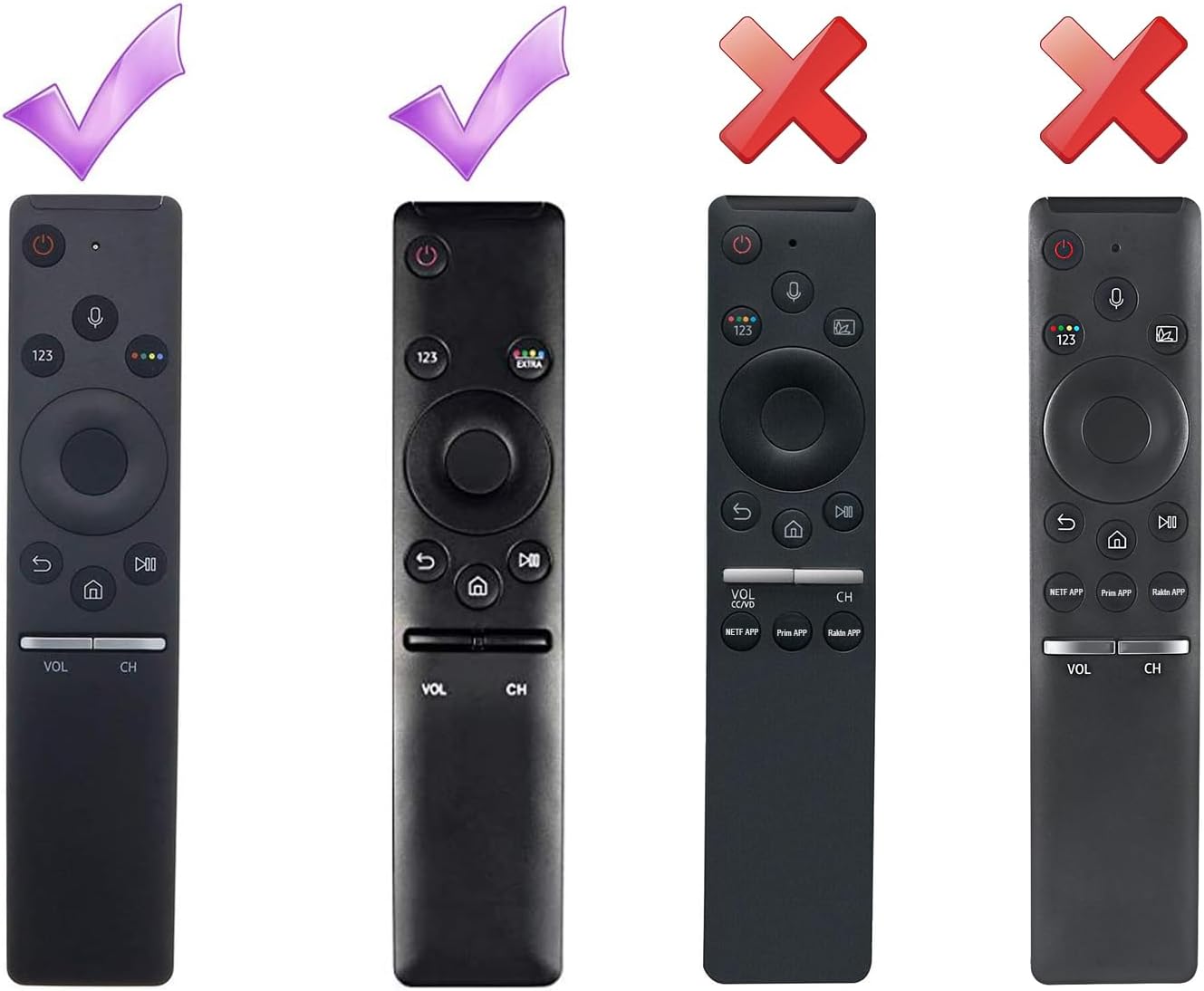
Figure 1: Visual guide for remote control compatibility. Ensure your remote matches the designs marked with a checkmark.
Installation Instructions
The HUAYU remote control case is designed for straightforward installation. Follow these steps to properly install the case on your Samsung Smart TV remote:
- Unpack the Case: Carefully remove the silicone case and the included lanyard from its packaging.
- Prepare Your Remote: Ensure your Samsung Smart TV remote control is clean and free of any debris.
- Insert the Remote: Gently slide your remote control into the silicone case, beginning from the top (the end with the buttons). Confirm that all buttons align precisely with the case's cutouts.
- Adjust for Fit: Once the remote is fully inserted, gently adjust the case to ensure a snug and secure fit around the entire remote. The case should not obstruct any buttons or the infrared sensor.
- Attach the Lanyard (Optional): If desired, attach the lanyard to the designated loop hole located at the bottom of the case. This provides an additional layer of security against accidental drops.

Figure 2: Front and back view of the silicone case, demonstrating its design for a snug fit.
Key Features and Usage
The HUAYU remote control case is engineered to enhance your remote's durability and overall usability. Its primary features include:
- Ergonomic Design: Constructed from durable and soft silicone, the case significantly improves grip, making the remote easier and more comfortable to hold, thereby reducing the likelihood of accidental slips.
- Drop Protection: Integrated strong bumper guards provide effective shock absorption, protecting your remote from potential damage caused by accidental drops.
- Anti-Slip Texture: The specially textured surface not only prevents the remote from sliding off smooth surfaces but also enhances handling security.
- Lightweight and Kid-Friendly: The lightweight construction ensures comfortable use for individuals of all ages, including children, while offering maximum protective benefits.
- Accurate Cutouts: Precision-engineered cutouts guarantee unobstructed access to all buttons, ports, and the infrared sensor, ensuring full functionality of your remote.
- Battery Security: The case securely encases the remote, preventing the back cover from detaching and safeguarding batteries from being lost or inadvertently removed.
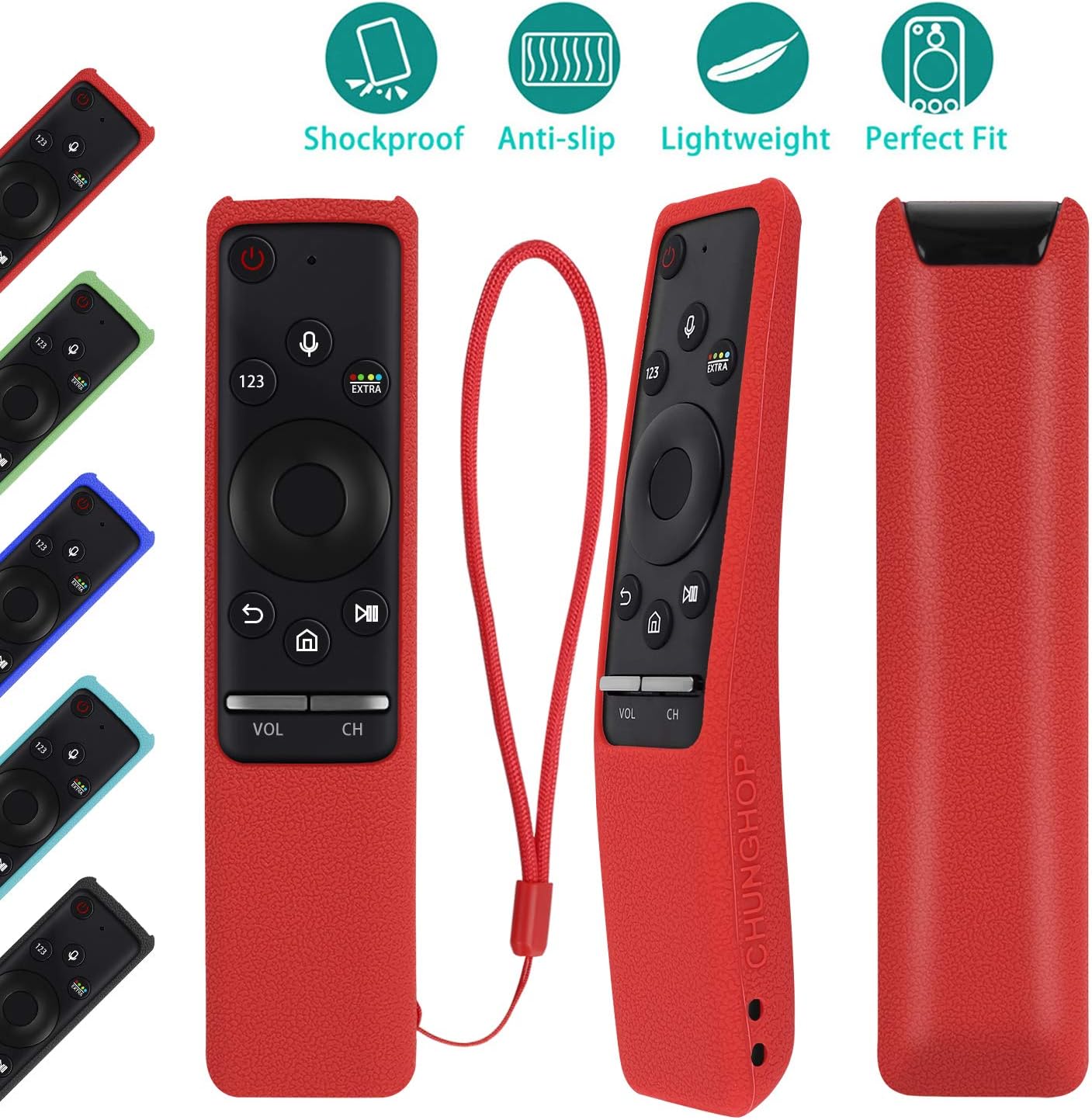
Figure 3: Overview of the case's protective and ergonomic features.
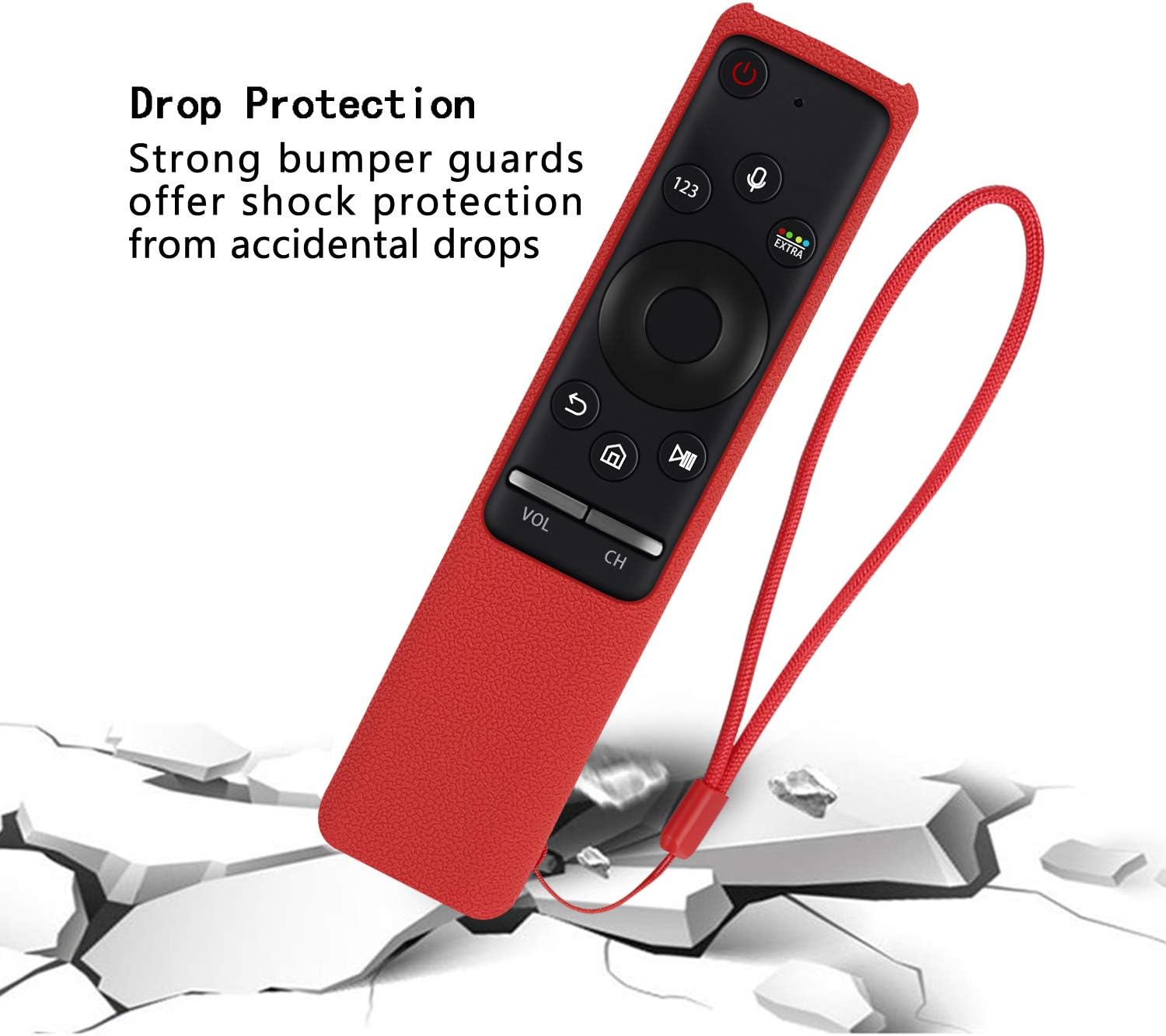
Figure 4: Illustration of the case's drop protection capability.

Figure 5: Close-up of accurate button cutouts and the anti-slip surface texture.

Figure 6: The case helps secure the remote's back cover and batteries, making it safer for use around children.
Care and Maintenance
To ensure the longevity and cleanliness of your HUAYU remote control case, adhere to these straightforward maintenance guidelines:
- Cleaning: The silicone case is washable. To clean, first remove the remote control from the case. Wash the case using mild soap and water. Rinse it thoroughly and allow it to air dry completely before re-installing the remote.
- Dust Protection: The inherent anti-dust properties of the silicone material assist in keeping your remote clean. Periodically wipe the case with a soft, dry cloth to remove any accumulated dust or lint.
- Avoid Harsh Chemicals: Do not use abrasive cleaners, solvents, or harsh chemicals, as these substances can potentially damage the silicone material and its finish.
- Storage: When not in use for extended periods, store the case in a cool, dry place, away from direct sunlight, to preserve its material integrity.
Troubleshooting
If you encounter any issues with your remote control case, refer to the following common solutions:
- Case Does Not Fit Properly:
- Verify your remote control model number against the detailed compatibility list provided in this manual.
- Compare the physical shape and button layout of your remote with the compatibility images. The case is specifically designed for certain Samsung remote models.
- Ensure the remote is inserted correctly and fully into the case, with no part misaligned.
- Buttons Feel Stiff or Unresponsive:
- Check that the case is properly aligned and not obstructing any buttons. Gently adjust the remote within the case if necessary to ensure free movement of buttons.
- Ensure the case is clean and free from any debris that might interfere with button presses.
- Infrared (IR) Signal Appears Blocked:
- The case features precise cutouts for the IR sensor. Confirm that the case is not misaligned, which could inadvertently cover the sensor.
Product Specifications
| Brand | HUAYU |
| Model Number | 8541715531 |
| Material | Soft Silicone |
| Color | Red |
| Item Weight | 1.06 ounces (approximately 30 grams) |
| Package Dimensions | 8.23 x 3.5 x 0.79 inches |
| Special Features | Anti-Slip, Shockproof, Lanyard included, Washable |
| Compatible Devices | Samsung Smart TV Remote Controls (specific models listed in Compatibility section) |
Warranty and Support
For detailed information regarding warranty coverage or technical support, please refer to the product packaging or contact HUAYU customer service directly through their official channels. It is advisable to retain your purchase receipt for any potential warranty claims.


