
U`King ZQ02100US
U`King 60W LED Moving Head Light - Instruction Manual
Model: ZQ02100US
1. Introduction
This manual provides essential information for the safe and effective operation of your U`King 60W LED Moving Head Light. Please read thoroughly before use to ensure proper setup, operation, and maintenance. This product is designed for stage lighting, DJ shows, parties, clubs, and other event lighting applications.
2. Safety Information
- Ensure proper ventilation around the unit to prevent overheating.
- Keep the device away from water, moisture, and high humidity environments.
- Do not open the casing or attempt to repair the unit yourself. Refer all servicing to qualified personnel.
- Avoid direct eye exposure to the light source, as it can cause eye damage.
- Mount the light securely using appropriate hardware to prevent accidental falling.
- Operate the device within the specified voltage range (1.2E+2 Volts AC).
3. Product Features
- Remote Control: All modes of the light can be easily controlled by the included remote, offering convenience and versatility.
- High Output: Features 8 patterns and 8 colors, including a half-color effect, with adjustable color rotation speed.
- Smart XY-Axis Movement: Offers 540° X-axis (pan) and 210° Y-axis (tilt) movement with micro-adjustments (0.008° accuracy) for precise positioning and fluid transitions.
- Multi-Control Modes: Supports DMX512, Sound-Activated, Master/Slave, and Auto modes with 9/11CH channels for synchronized lighting effects.
- Easy Installation: Can be easily fixed to a DJ light stand or other surfaces using its flexible mounting bracket.
Visual Features

The U`King 60W LED Moving Head Light with its included remote control.

Detailed view of the light's color wheel (7 colors + white) and GOBO wheel (7 gobos + white).
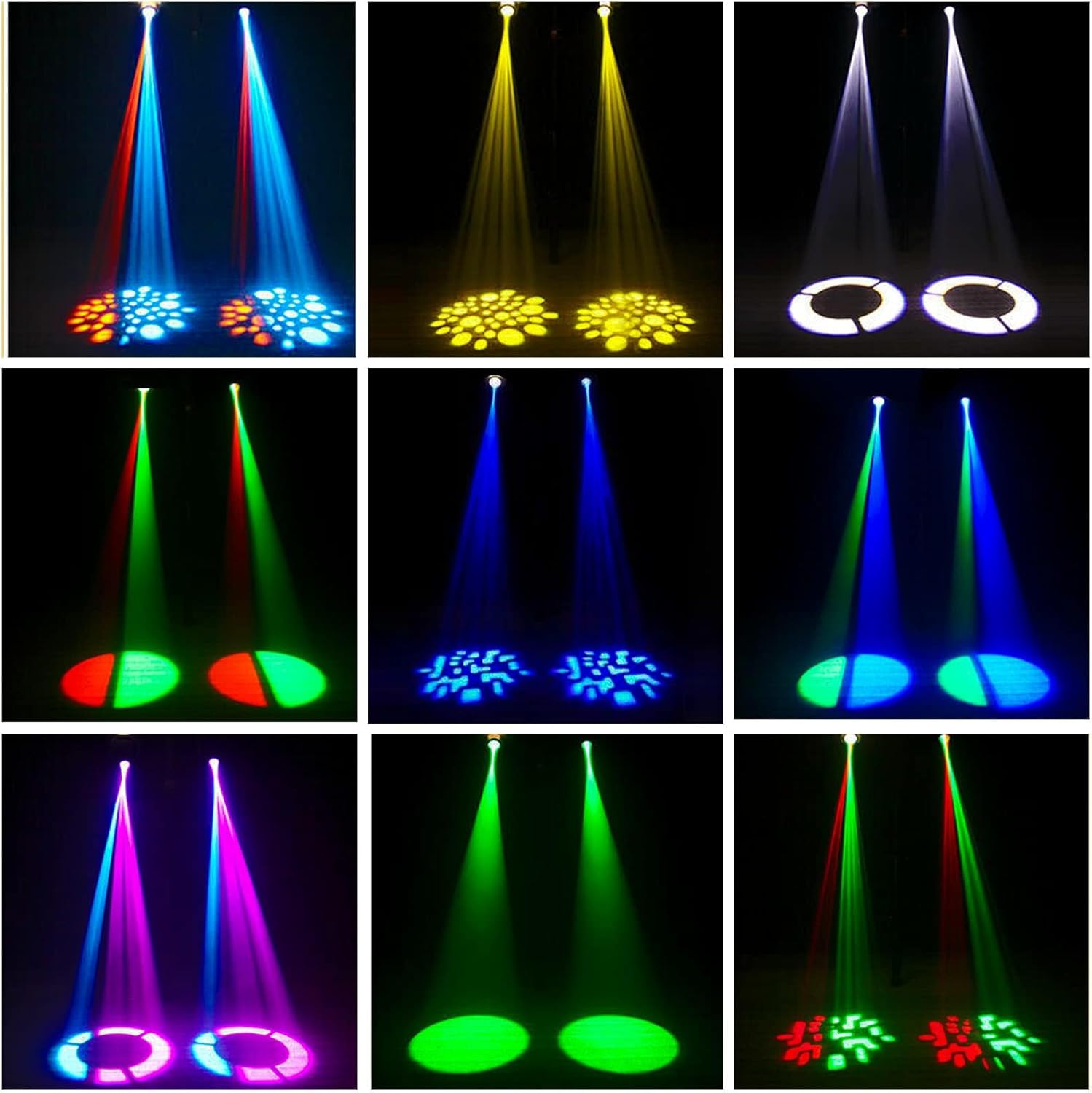
Examples of various light patterns and color combinations projected by the moving head light.
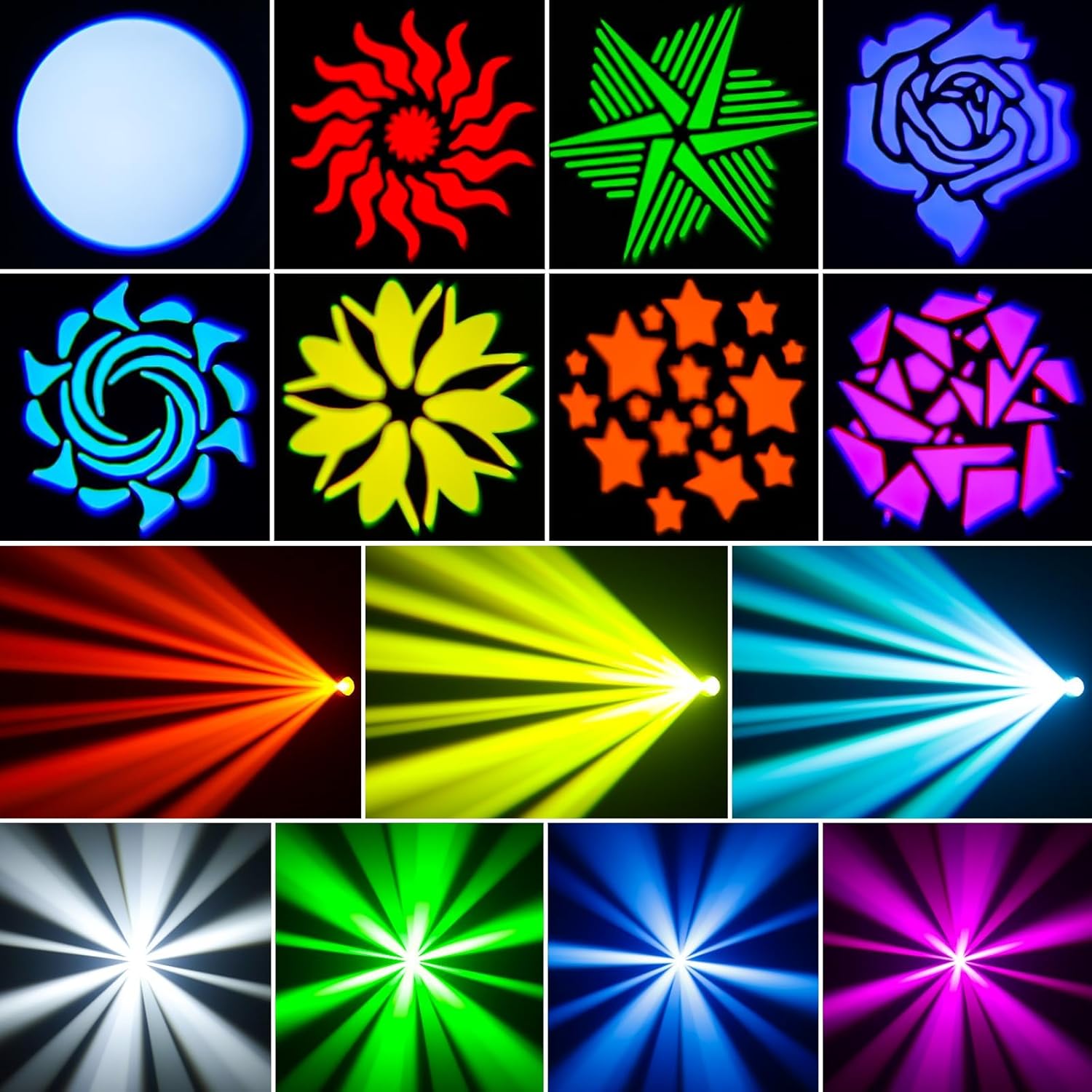
A selection of the 8 GOBO patterns and different beam effects achievable with the light.
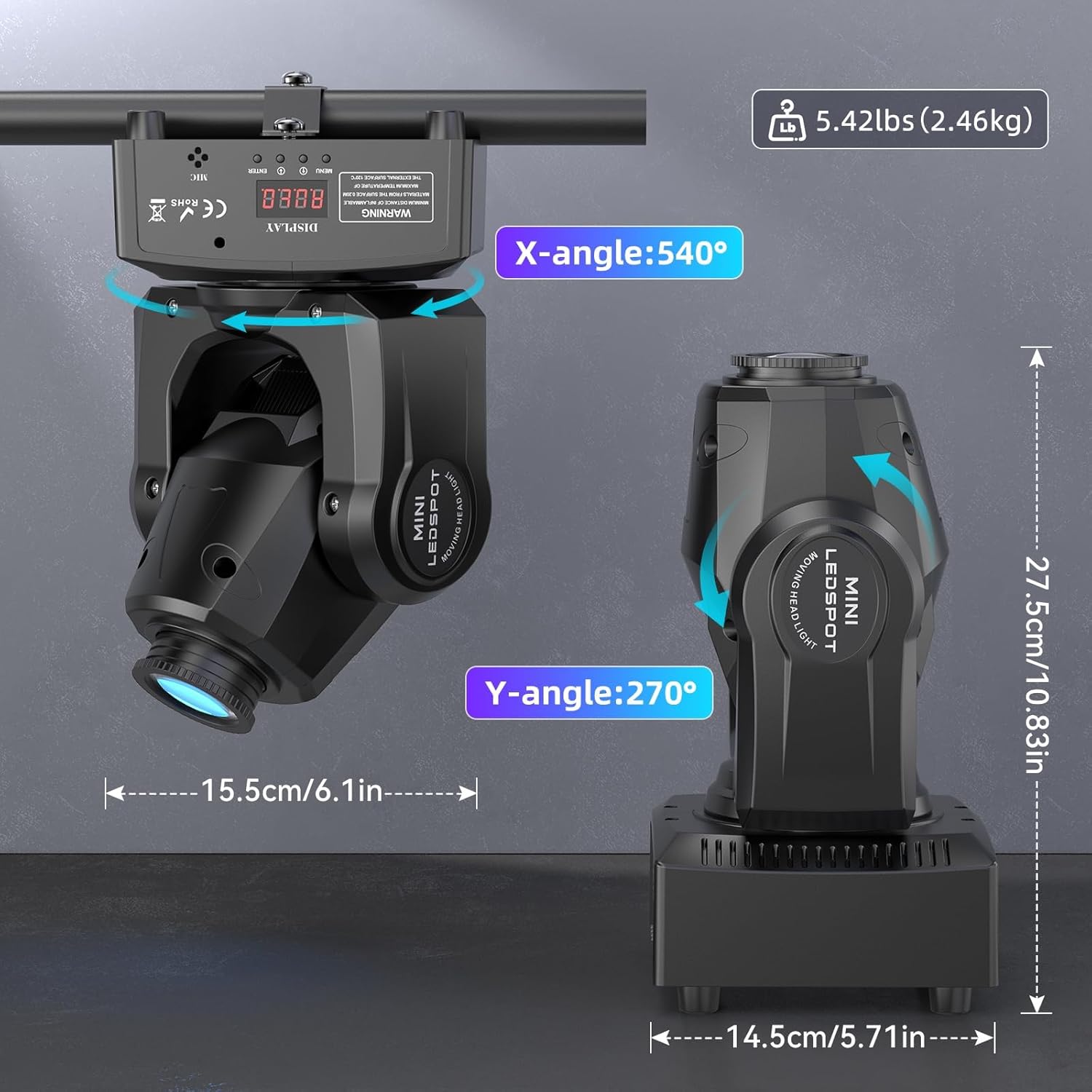
Product dimensions and movement capabilities: 540° X-axis (pan) and 270° Y-axis (tilt).

Overview of control modes including Self-propelled, Sound-Activated, DMX, Master-slave, and Remote Control, alongside various light effects.
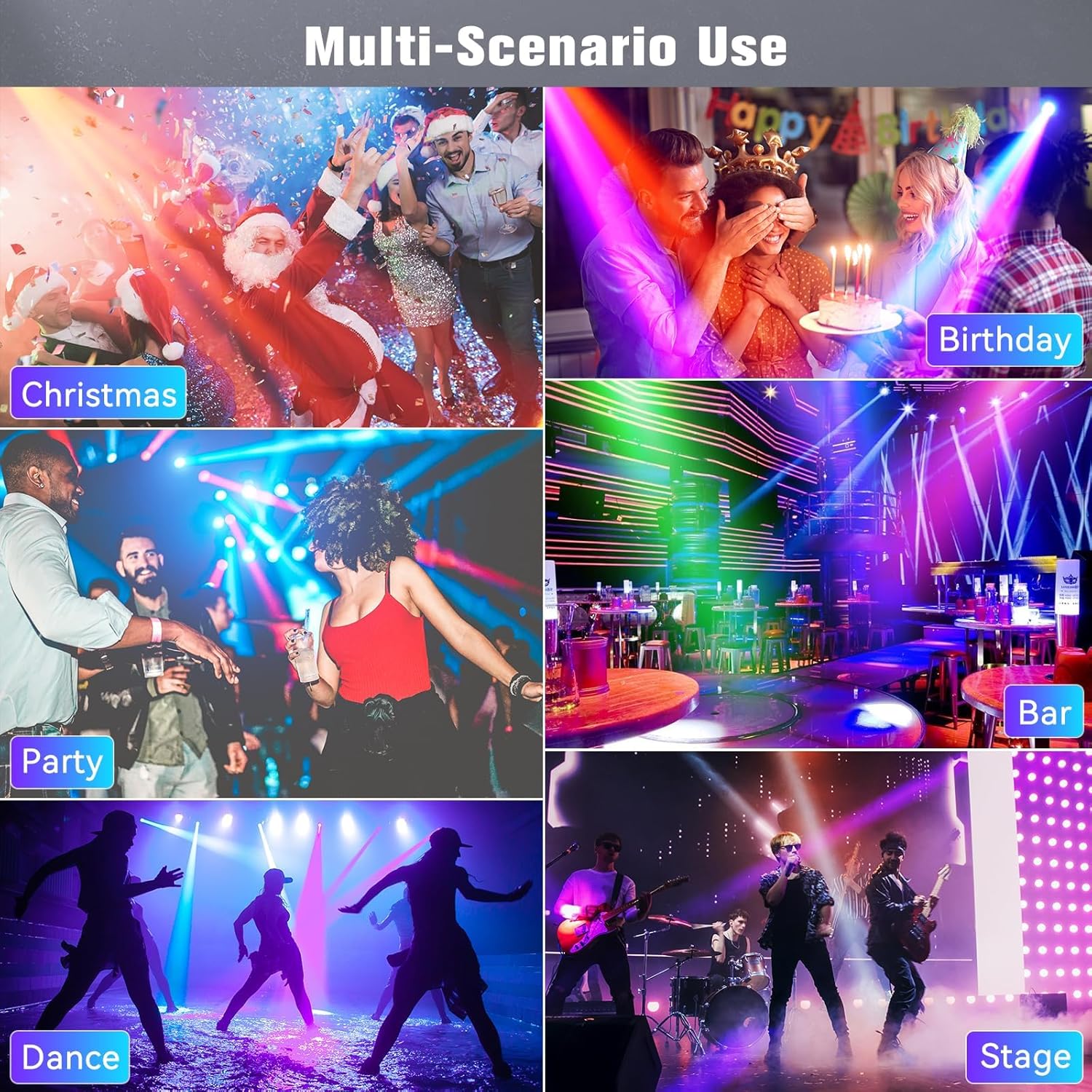
Illustrations of the light's versatility in different settings such as Christmas parties, birthdays, bars, dance floors, and stages.
4. Setup
The U`King 60W LED Moving Head Light is designed for easy setup. It can be placed on a flat, stable surface or securely mounted using the provided flexible mounting bracket.
Power Connection
Connect the power cable to the "POWER IN" port located on the rear of the unit.
Rear panel showing DMX IN/OUT, POWER IN, and Heat Dissipation Design for proper connectivity and cooling.
Initial Power-On
Upon connecting to power, the unit will perform a self-test and calibration. The display will typically show "8.8.8.8" during this process as the head moves to its home position.
This video demonstrates the U`King 60W LED Moving Head Light's features and movement, including its initial power-on sequence and various lighting effects.
5. Operating Modes
The light supports multiple operating modes for versatile use in different scenarios.
Control Panel
The control panel on the unit features a digital display and four buttons (MENU, UP, DOWN, ENTER) for mode selection and parameter adjustment.

Close-up of the control panel with the digital DISPLAY, MENU, UP, DOWN, and ENTER buttons, along with the MIC input for sound-activated modes.
Remote Control
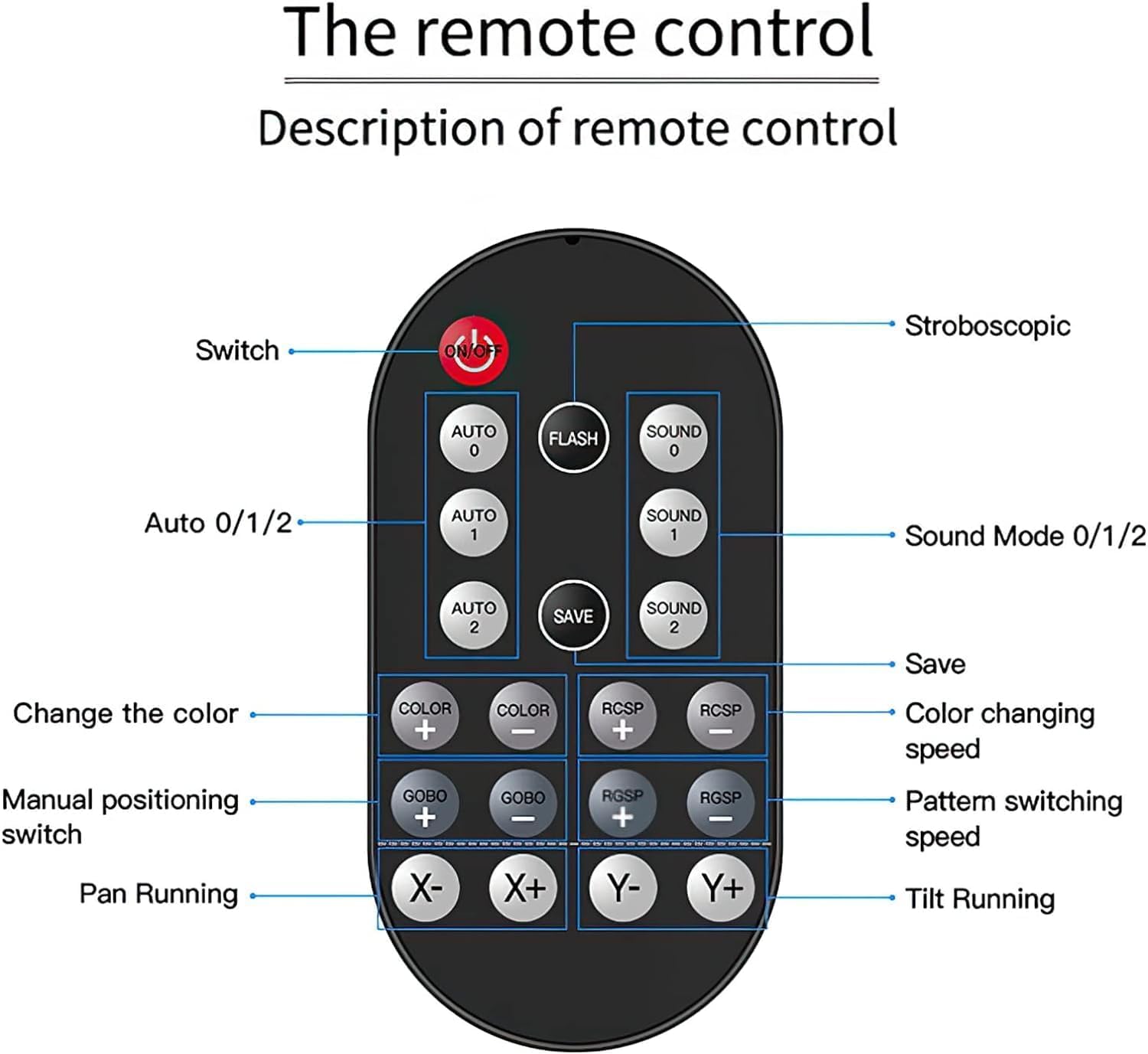
The included remote control (visible in the main product image) provides convenient access to various functions, including mode selection, color changes, GOBO pattern adjustments, and movement controls.
Mode Selection
- DMX512 Mode: For professional control via an external DMX controller. This mode allows for precise manipulation of all light functions. Refer to the full user manual (PDF) for detailed DMX channel assignments.
- Sound-Activated Mode: The light reacts to ambient music and sound, creating dynamic light shows synchronized with the audio. Use the remote or control panel to select different sound modes (e.g., Sound 0, Sound 1, Sound 2).
- Master/Slave Mode: Connect multiple units via DMX cables for synchronized operation without an external DMX controller. One unit acts as the master, controlling the others.
- Auto Mode: Features pre-programmed light shows that run automatically. Use the remote or control panel to select various auto modes (e.g., Auto 0, Auto 1, Auto 2).
This video showcases the various light patterns and movements of a similar 50W LED Moving Head Light, demonstrating its dynamic capabilities.
An overview of the U`King 50W LED Moving Head Light, highlighting its remote control functionality and GOBO patterns in action.
6. Maintenance
Regular maintenance ensures the longevity and optimal performance of your U`King Moving Head Light.
- Cleaning: Keep the unit clean and free from dust. Use a soft, dry cloth for cleaning the exterior. For the optical lens, use a specialized lens cleaning cloth to avoid scratches.
- Ventilation: Ensure the cooling fan and ventilation openings are not obstructed to maintain optimal operating temperature and prevent overheating.
- Connections: Periodically check all power and DMX connections for security and wear.
- Storage: When not in use for extended periods, store the light in a cool, dry place, preferably in its original packaging or a protective case.
7. Troubleshooting
If you encounter issues with your U`King Moving Head Light, refer to the table below for common problems and solutions.
| Problem | Possible Cause | Solution |
|---|---|---|
| Light not turning on | No power supply; Loose power connection | Check power cable and outlet. Ensure the power cable is securely plugged into the unit and the power source. |
| Light not responding to remote control | Remote battery low or dead; IR sensor blocked; Incorrect mode selected | Replace the remote battery. Ensure there is a clear line of sight between the remote and the light's IR sensor. Verify the light is in a remote-compatible mode. |
| Erratic movement or clicking sound | Internal obstruction (rare); Motor calibration issue | Power cycle the unit (unplug and plug back in). If the issue persists, refer to the full user manual for advanced troubleshooting or contact customer support. |
| Lights not synchronizing in Master/Slave mode | Incorrect DMX cabling; Incorrect mode settings on units | Verify DMX cable connections between units. Ensure the master unit is set to Master mode and all slave units are set to Slave mode. Check DMX address settings if applicable. |
8. Specifications
| Attribute | Value |
|---|---|
| Brand | U`King |
| Model Number | ZQ02100US |
| Light Source Type | Light Emitting Diode (LED) |
| Output Wattage | 60 Watts |
| Power Source | Corded Electric |
| Voltage | 1.2E+2 Volts (AC) |
| Item Weight | 5.53 Pounds (2.51 kg) |
| Product Dimensions | 9.3"L x 6.3"W x 5.9"H (23.6cm x 16cm x 15cm) |
| Material | Aluminum |
| Control Modes | DMX512, Sound-Activated, Master/Slave, Auto |
| Movement | 540° Pan, 210° Tilt |
| GOBO Patterns | 8 GOBOs + White |
| Colors | 8 Colors + White |
| Mounting Type | Wall Mount or Pole Mount |
| Country of Origin | China |
9. Warranty and Support
For detailed warranty information, technical support, and frequently asked questions, please visit the official U`King website or contact their customer service department.
A comprehensive user manual with additional details, including DMX channel charts and advanced settings, is available in PDF format:
Ask a question about this manual
Ask about setup, troubleshooting, compatibility, parts, safety, or missing instructions. Manuals+ will review the question and use this page’s manual context to help answer it.