
1. Introduction
The Aexit Anti-static Plastic Crowbar is a specialized tool designed for the safe disassembly and repair of electronic devices. Its anti-static properties help prevent electrostatic discharge (ESD) damage to sensitive components such as PCB boards, mobile phones, tablets, and monitors. This manual provides essential information for the proper use and maintenance of your tool.
2. Safety Information
- Always wear appropriate personal protective equipment (PPE), such as anti-static gloves and wrist straps, when working with sensitive electronics.
- Ensure the work area is clean, well-lit, and free from obstructions.
- Do not apply excessive force when using the crowbar, as this may damage the device or the tool itself.
- Keep the tool away from children.
- Store the tool in a dry, clean environment.
3. Setup
The Aexit Anti-static Plastic Crowbar requires no assembly. Before first use, inspect the tool for any signs of damage or manufacturing defects. If any damage is observed, do not use the tool and contact customer support.
Ensure your workspace is prepared for electronic repair, including proper grounding measures to prevent ESD.
4. Operating Instructions
The anti-static crowbar is designed for prying open cases, separating components, and manipulating delicate parts in electronic devices.
- Identify the Seams: Locate the seams or gaps in the electronic device's casing where components need to be separated.
- Insert the Tip: Gently insert the flat, wedge-shaped tip of the crowbar into the seam. The thin profile of the tool allows for precise entry.
- Apply Gentle Pressure: Apply slow, steady, and gentle pressure to pry open the casing or separate components. Avoid sudden or excessive force, which can cause damage.
- Leverage Carefully: Use the tool to carefully leverage and release clips or adhesive bonds. Work around the perimeter of the device as needed.
- Avoid Sensitive Areas: Be mindful of internal cables, connectors, and delicate components. Use the plastic crowbar to minimize the risk of scratching or shorting circuits, unlike metal tools.
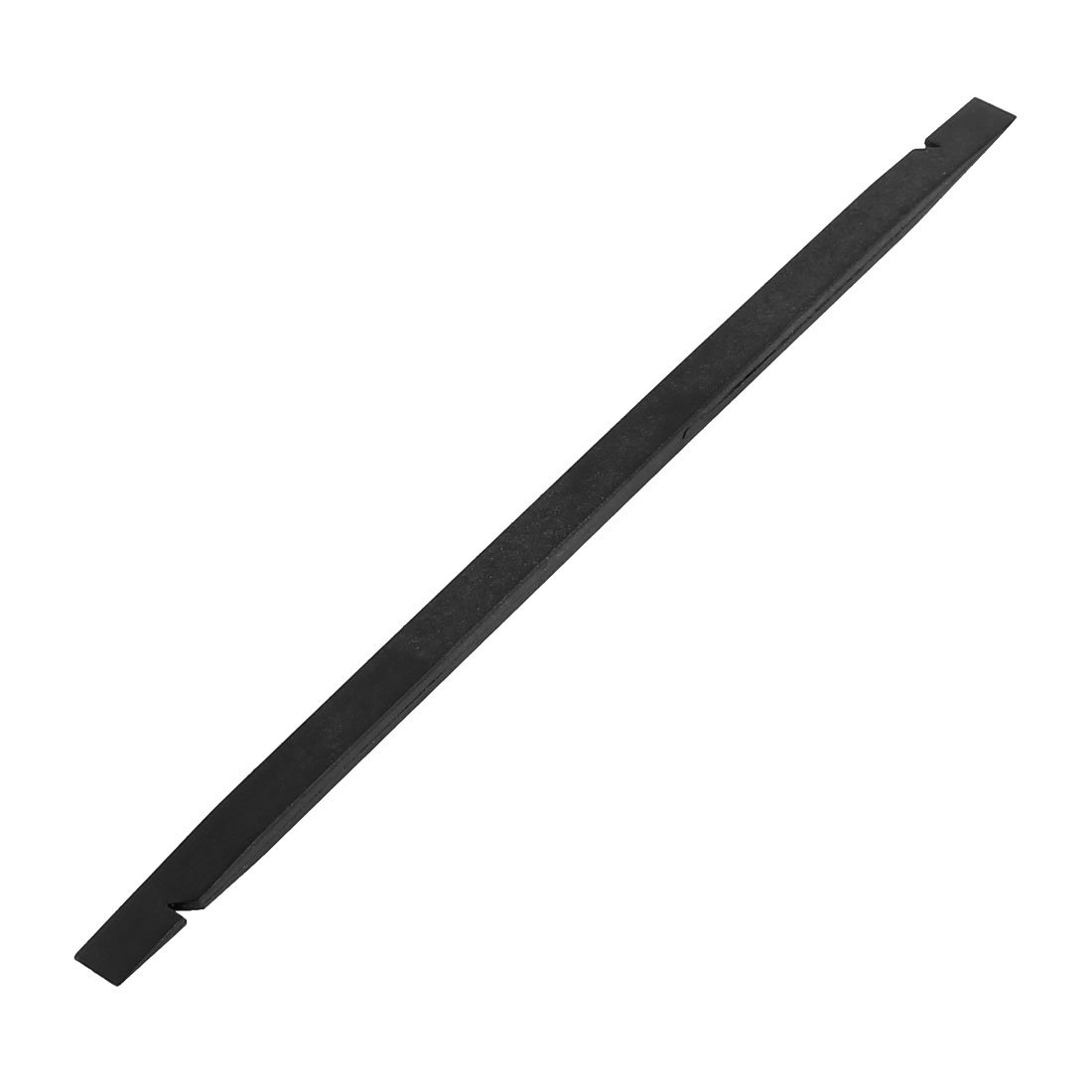
This image shows a close-up of the black plastic anti-static crowbar, highlighting its flat, wedge-shaped tip designed for prying open electronic devices without causing static damage.
5. Maintenance
To ensure the longevity and effectiveness of your anti-static crowbar, follow these maintenance guidelines:
- Cleaning: After each use, wipe the tool with a clean, dry, lint-free cloth. If necessary, use a mild, non-abrasive cleaner. Ensure the tool is completely dry before storage.
- Storage: Store the crowbar in a clean, dry place, away from direct sunlight and extreme temperatures. Avoid storing it with sharp metal objects that could scratch or damage its surface.
- Inspection: Periodically inspect the tool for any signs of wear, cracks, or damage to the tip. A damaged tip may not perform effectively and could potentially harm the device being repaired. Replace the tool if significant wear or damage is observed.
6. Troubleshooting
As a simple hand tool, troubleshooting is generally straightforward.
- Tool not prying effectively: Ensure the tip is properly inserted into the seam. Avoid using the tool on areas that are not designed to be opened or where excessive adhesive is present without prior heat application.
- Device casing scratched: This usually indicates excessive force or improper angle of insertion. Always use gentle pressure and ensure the tool is positioned correctly. The plastic material is designed to be less abrasive than metal, but care is still required.
- Tool tip damaged: If the tip becomes bent, chipped, or otherwise damaged, the tool should be replaced to prevent further damage to electronic devices.
7. Specifications
| Material | Plastic |
| Main Color | Black |
| Total Size | 15.2 x 6.4 x 3.8mm (0.60" x 0.25" x 0.15") (L*W*T) |
| Net Weight | 4g |
| Country of Manufacture | CHINA |
| Model Number | modle |
8. Warranty and Support
Specific warranty information for this product is not provided in the available documentation. For any product-related inquiries, technical support, or warranty claims, please contact the retailer or manufacturer directly.

